
Let’s review how fast-loading images affect your site speed — and in turn, your placement in search engine results.
Sites that use too many images, or have images that are too large, have longer loading times. This can slow down your entire page, irritating visitors and actually hurting your site’s ranking in online search results. We may say that images are worth a thousand words, but if you don’t plan for fast loading times, they actually won’t be worth very much at all.
In this post, we’ll discuss why search engines like Google care about image load times, and how you can use Jetpack’s features to enhance your site speed by making those images load faster.
Why search engines care about your site speed
Here’s something you may not have known: increased image loading times affect your site’s rankings in online searches.
Google uses a set of more than 200 factors called algorithms (like PageRank, Google Penguin, Google Panda, and Google Hummingbird) to decide the order in which to display search results. The exact factors and their importance in calculating search engine rankings are not known, as Google does not reveal them to the public.
However, through experience and research, search engine optimization (or SEO) specialists agree that the most important factors include unique content, site structure… and page and image loading times.
A prolonged image loading time hurts reader engagement and creates negative user experiences. Over the last decade, our attention spans have dropped from an average of twelve seconds to eight seconds, according to Microsoft. If readers can’t see your fully-loaded pages in eight seconds or less, they may become impatient and navigate away from your site. When it comes to keeping readers interested, every second counts!
How WordPress manages your images and speeds up your site
A common practice that adversely affects your image loading time is using images that are wider than the content area within your theme. If your page is 1200 pixels wide and you upload an image that is 2400 pixels wide, your readers will have to load more data than they need to, unnecessarily increasing the image and page loading times.
Luckily, WordPress takes care of this behind the scenes by creating various sizes of your original uploaded image without affecting the quality. When you choose an image from your Media Gallery, you can pick a size that best fits within the content area — and loads less data.
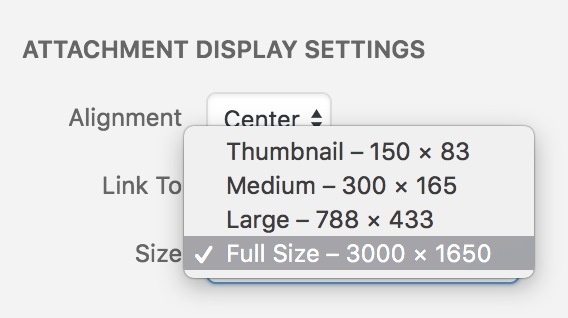
By managing your image sizes, WordPress helps to reduce the load time of all of your images across all of your site’s pages.
Although it’s extremely important, size is not the only factor that dictates a good page load time. It’s equally important that your images are served quickly.
Jetpack to the rescue: offsite image hosting with Photon
Since WordPress takes care of displaying appropriately sized images, you are now left with the challenge of loading images faster. After all, if you have a lot of images on a single page, or across your entire site, they could still take a very long time to load.
This is where Jetpack’s Photon feature comes in handy. Once Photon is enabled, your images will be stored on the global WordPress.com cloud and loaded from there, speeding up your site and the time it takes to load your images.
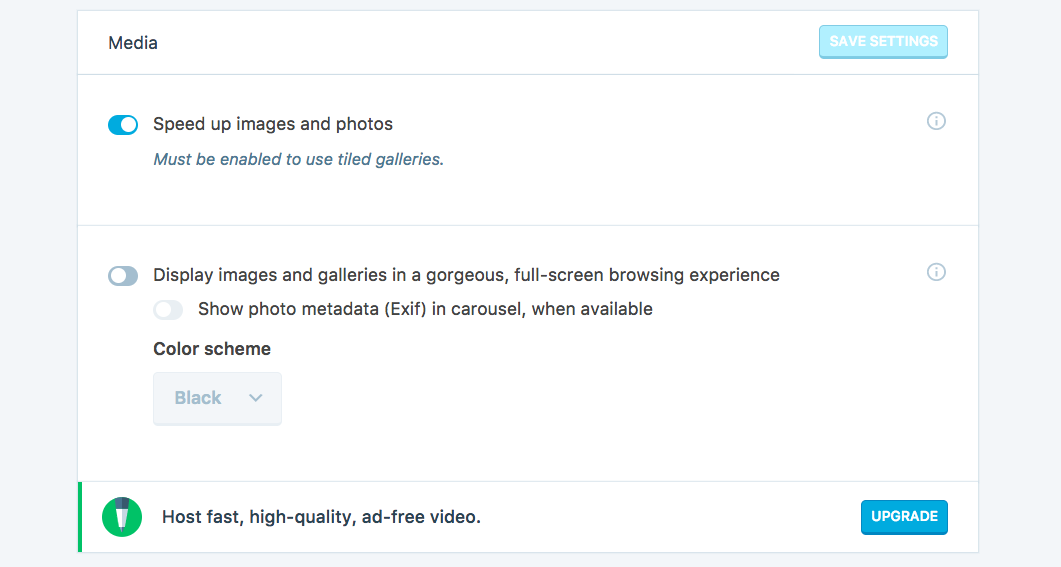
The data centers that serve your images are distributed around the globe, and are set up to achieve one specific goal: loading images as quickly as possible. By distributing the load across multiple data centers, Photon reduces the loading time of your entire page, improving your SEO… and making your readers happier.
The entire process happens behind the scenes, without any extra effort on your part. The database storing your images is maintained for you, and the images are automatically loaded from the server closest to each visitor.

Everyone benefits from Photon
All site owners should aim to reduce the loading time of their pages. There are plenty of businesses that rely heavily on images to promote their work or products, including:
- Photography studios and bloggers
- Ecommerce websites
- DIY and craft blogs
- Graphic design companies
- Advertising companies
All of these businesses (and more) will benefit from using Photon on their sites, since they all images to improve communications with their readers. The faster their images load, the better chance they have of converting prospects into customers or followers.
Improve your search engine results with Jetpack
If you haven’t already, give Jetpack’s image content delivery network, Photon, a try today. This will help any and all of your images load faster, in turn improving your site’s SEO, and making your content more appealing to your site visitors and future customers.
Have any tips of your own for making your images load faster? Share them in the comments below.