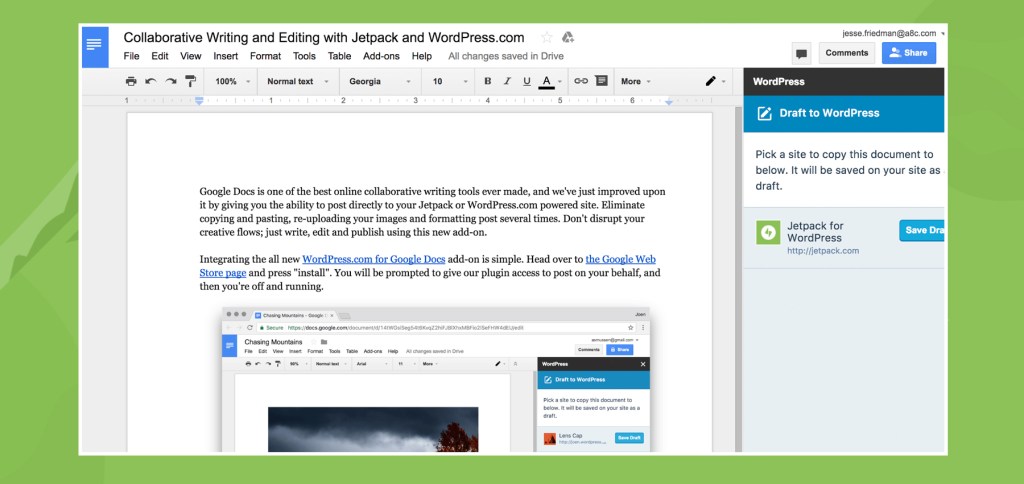

Google Docs is one of the most popular online collaborative writing tools, and we’ve just improved upon it by giving you the ability to publish from Google Docs directly to a WordPress site. Eliminate copying and pasting, re-uploading images, and re-formatting. Stop disrupting your creative flows: just write, collaborate, and publish.
Installation is simple. Visit the official page on the Chrome store and click the blue “Free” button to install the add-on. Then follow the prompts to approve our add-on and you’re all set.
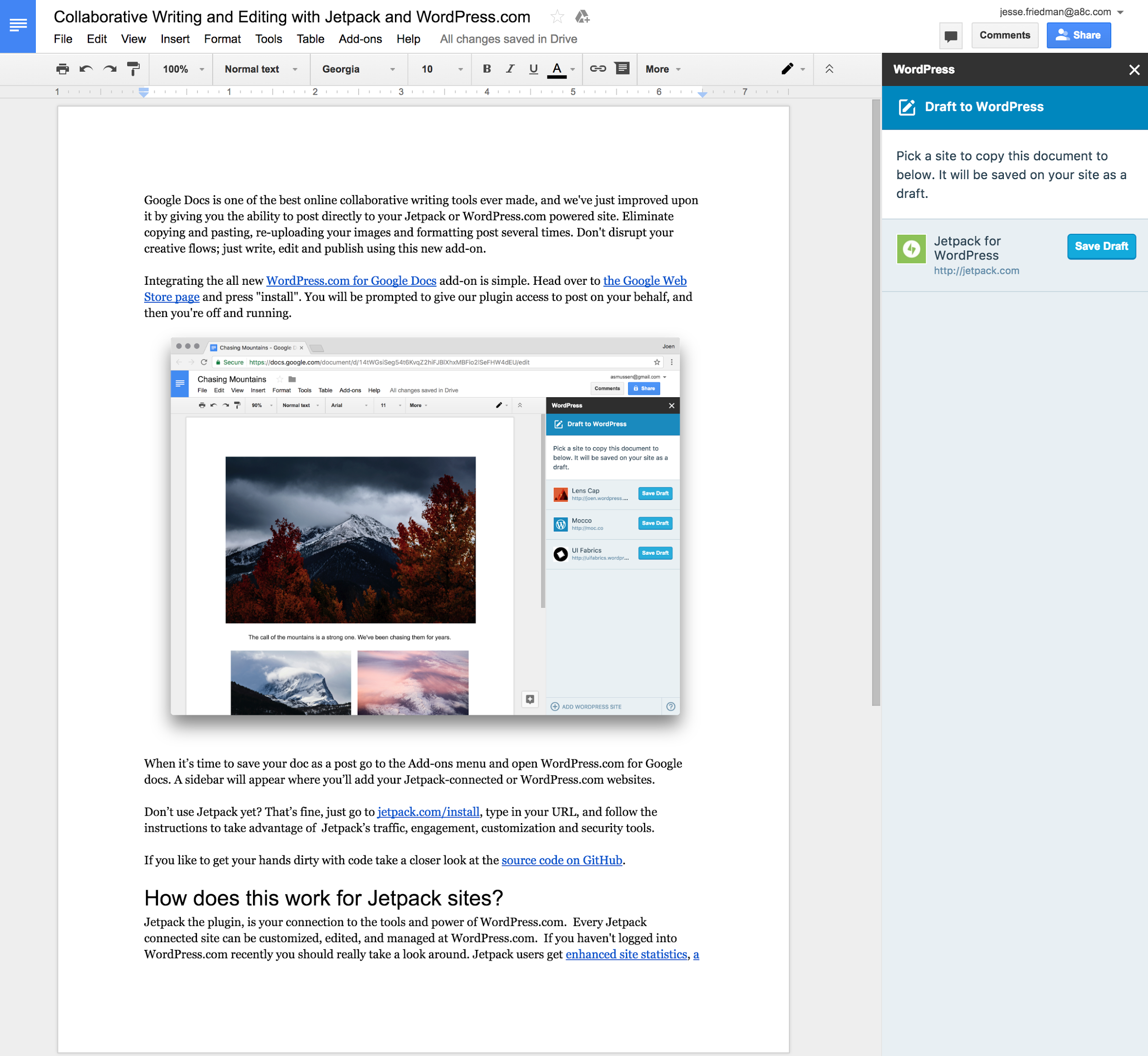
Then click the “Add-ons” menu, select “WordPress.com for Google Docs”, and click “Open”. A sidebar will appear from where you can connect as many WordPress sites as you want as long as you have Jetpack installed (or if they’re already hosted on WordPress.com).
Once you have a connected site simply click the blue “Save Draft” button to instantly send the contents of your Google Doc straight to your site where it will be saved as a draft.
You can also find the source code on GitHub if you’d like to take a closer look at how things work or contribute to the project.
The “WordPress.com for Google Docs” Add-on requires that you connect your site to your Google Apps account and that Jetpack’s JSON API feature is enabled. If you need any assistance, the fastest way for us to provide you with support is for you to click the “Debug” link at the bottom of your Jetpack dashboard. We’re here to help you with whatever you may need!