

Thema
Developers
-
How to use Photon to serve custom cropped Post thumbnails
The Photon module resizes your site’s images on the fly, without cropping them. However, in some cases you might want Photon to apply a custom cropping when resizing certain images. In the following example, we will use photon to serve Post thumbnails with custom cropping, and use a different cropping on single pages: Reference
-
How to add a custom Open Graph image tag to your home page
When you share a post on Facebook, or when Jetpack Social auto-shares a post to your Facebook page, Facebook crawls the page and looks for Open Graph meta tags to build a complete post preview (with an image, title, description, …). Jetpack automatically creates these meta tags for you, so you don’t have to worry…
-
Add Infinite Scroll to search result pages
Note: This snippet is no longer needed as Jetpack includes Search Pages by default now. By default, Infinite Scroll is only active on your site’s home page as well as on the archive pages. You can, however, use the infinite_scroll_archive_supported filter to add support to other pages:
-
How to insert another plugin before the Jetpack sharing buttons
Jetpack sharing buttons are added immediately after the post content. In some cases, you may want to insert a new element between your post content and the sharing buttons. To control whether that element will appear before or after the Jetpack sharing buttons, you will have to change the priority of the filter. In the…
-
How to use your own resources in the sharing module
The sharing module includes an “advanced” option, allowing you to use your own JavaScript and CSS files instead of the files added by Jetpack by default. To get started, go to Settings > Sharing in your dashboard, and check the “Advanced” checkbox at the bottom of the page. Then, you can add your own libraries…
-
Skip an Image with Site Accelerator (Formerly Photon)
Once you activate the Site Accelerator module, it will automatically cache and serve all images you’ve added to your posts and pages that have been uploaded to your site. You can exclude a specific image or an entire page from Site Accelerator easily. To exclude an entire post or page from using Site Accelerator, you…
-
How to remove Jetpack Social options from the New Post screen
Note: Publicize is now auto-share and is part of Jetpack Social. Note: Jetpack Social was formerly known as Publicize. Jetpack Social adds a set of options right above the “Publish” button in your dashboard. You can hide these options by adding the following code to a functionality plugin, or to your theme’s functions.php: Reference
-
Remove Jetpack’s Open Graph meta tags
If you’ve added Open Graph meta tags to your theme or built your own Open Graph plugin, you’ll want to use the following code to deactivate Jetpack’s Open Graph meta tags.
-
How to remove the comment form from Carousel View
Sometimes, you may not want your readers to comment on single images. If that’s the case, you can deactivate comments on all attachment pages and in the Carousel view by adding this code snippet to your theme’s functions.php file:
-
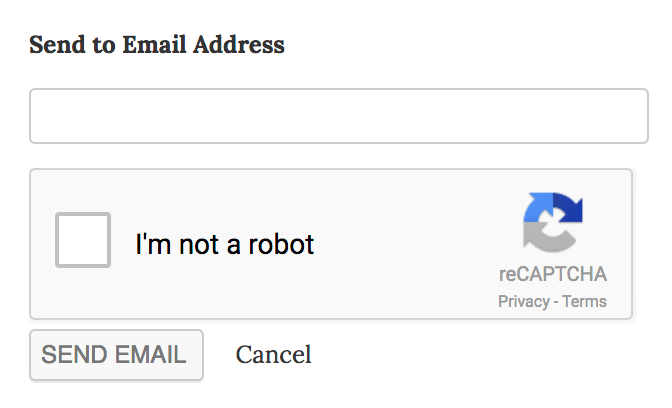
Adding reCaptcha to the Email Sharing Button
How do I add reCaptcha to the Email button The Email button is great, and you can make it even better by adding a Captcha to the submission form: To add the Captcha to your site, follow these steps: Start by registering on this site. Upon registration for reCAPTCHA v2, you will receive a Public/Site…
