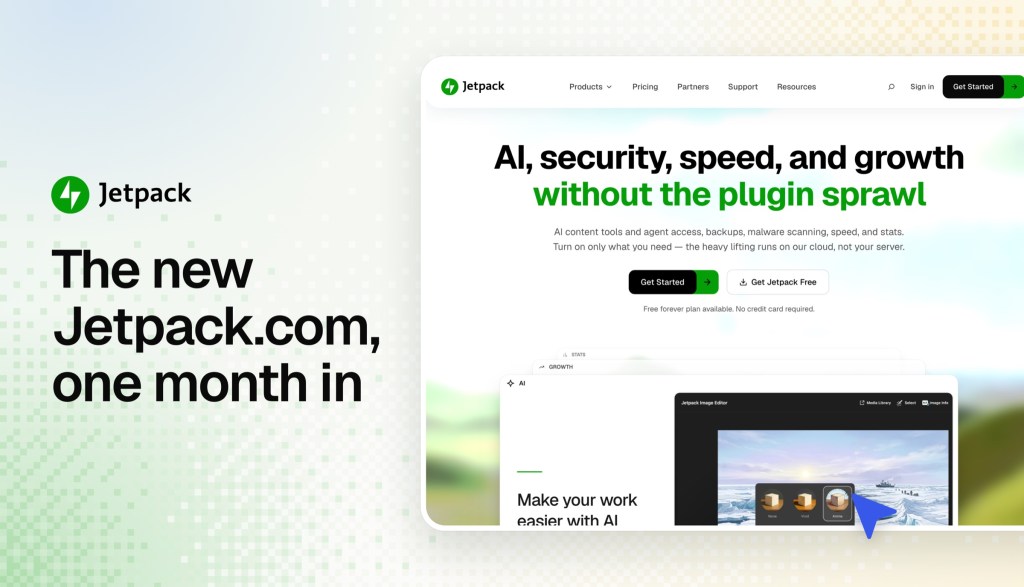

Back in April, we started rebuilding Jetpack.com. A few days in, with AI coding tools doing nearly all the coding, there was already a working theme and a staging site.
That was faster than I expected. So the project grew.
Fast forward to August 27, the new Jetpack.com went live. It’s been a little over a month, and I want to share what changed, how we built it, and what it lets us do now.
We launched at parity on purpose
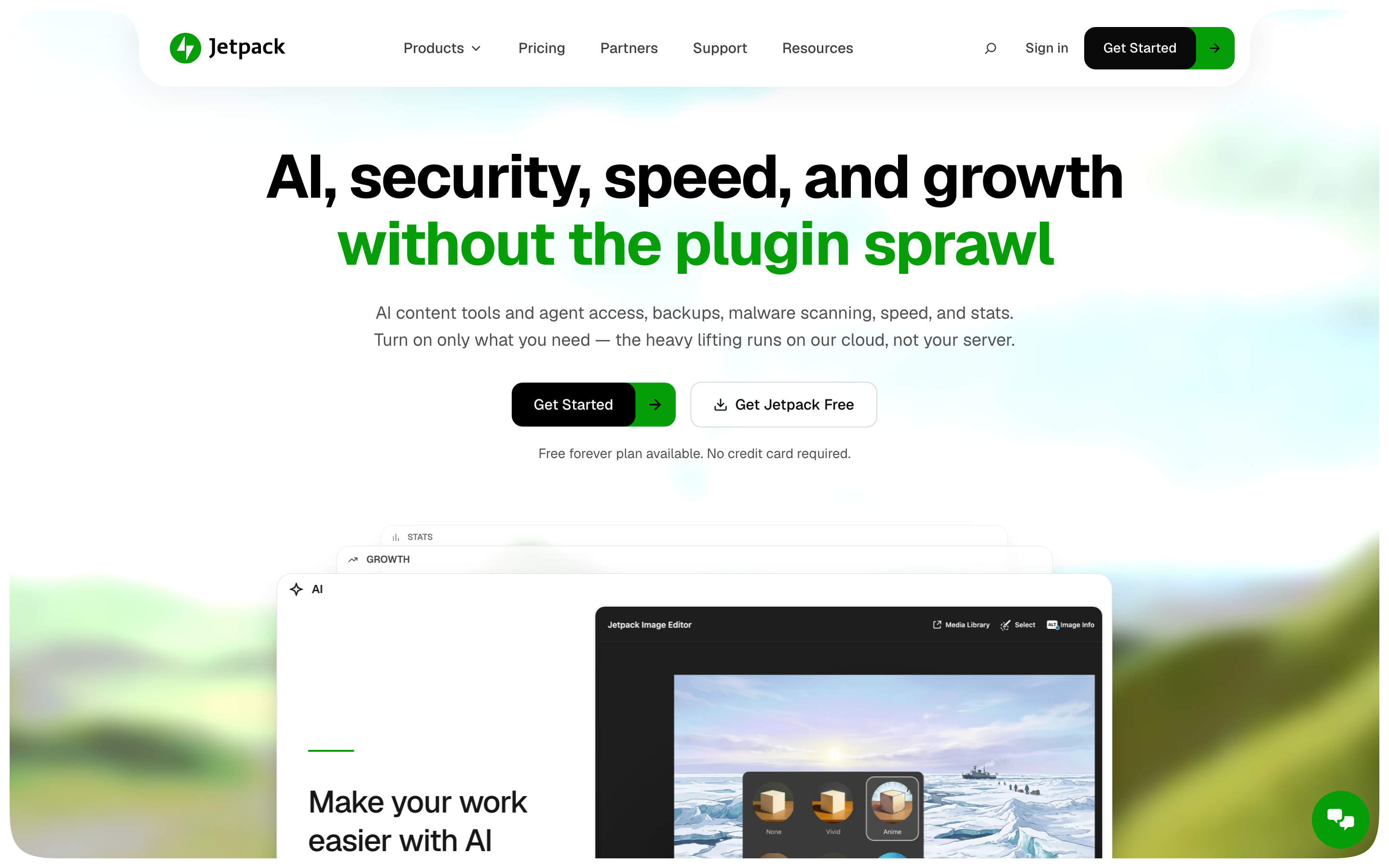
The goal for launch day wasn’t a dramatic redesign. It was to keep everything that already worked for visitors and replace the foundation underneath it… while also adding some touch-ups to the design in place.
My colleague Robert handled the hard part, the backend and infrastructure, while I focused on the front end and design (my sweet spot).
The homepage and the pricing page changed the most from the original design. Pricing used to live in a separate app, so clicking “Pricing” took you off the site. This was an awkward UX and now it’s a page on Jetpack.com like any other. Most product pages kept their content and moved into the new design.
The early numbers say the switch didn’t negatively affect conversion rates, and actually we’re seeing a bit of lift. The goal was baseline, so anything more is icing on the cake.
It’s a WordPress block theme
The new site is a block theme running on WordPress.com. Every page is built from blocks and patterns, and the interactive parts are custom blocks written in TypeScript on the Interactivity API.
There’s no page builder and no headless front end. It’s WordPress.
The content lives in git, too
This is the part I think WordPress builders will care about most.
Every post, page, and support guide on Jetpack.com also lives in a git repository as plain block markup. That’s nearly 1,000 blog posts, about 350 support guides, and 77 pages, all versioned next to the theme.
There are three ways a change reaches the site:
01
Edit in wp-admin
Live right away
Press “Update” or “Publish” and visitors see it right away. Within hours, the change is copied back into the repository on its own.
02
Merge a content change
Live within minutes
Open a pull request, get a review, and merge. It’s published to Jetpack.com with no deploy.
03
Merge a theme change
Live within minutes
It gets the same review, then a deploy.
Nobody has to pick a side. Our Happiness Engineers fix a support guide in wp-admin like they always have. A developer can change a dozen pages in one pull request and get a second pair of eyes before any of it is live.
People decide. Agents type.
We built this site alongside AI coding agents, and we run it that way too.
The repository includes instructions that Claude Code, Codex, or Cursor can follow. You describe what you want, like “update the featured images on these old blog posts” or “start a branch for homepage animations and show me the local preview.” The agent pulls the content, makes the change, checks it, and opens the pull request.
It stops and asks before anything touches the live site (if you aren’t in YOLO-mode). Automated checks run on every change, and a person approves it before it ships.
Marketers, support folks, and engineers can now all work on the same site through the same process.
Translations keep themselves current
Every page and post we publish in English is translated into Spanish, French, German, and Japanese automatically. We picked those four because they were the most popular languages on the old site.
When the English changes, only the changed paragraphs are translated again. Each translation gets a review pass before it’s published. Support guides joined the same loop in September.
A support redesign in a day
Want an example?
About a week ago, in our weekly meeting with the Jetpack Happiness team, we talked through how hard it was to find the right support guide. A product’s guides were only reachable through a hand-picked list at the bottom of each article. VaultPress Backup has 11 guides, and that list showed about 8 of them.
The redesign was built in a day and was live that week.
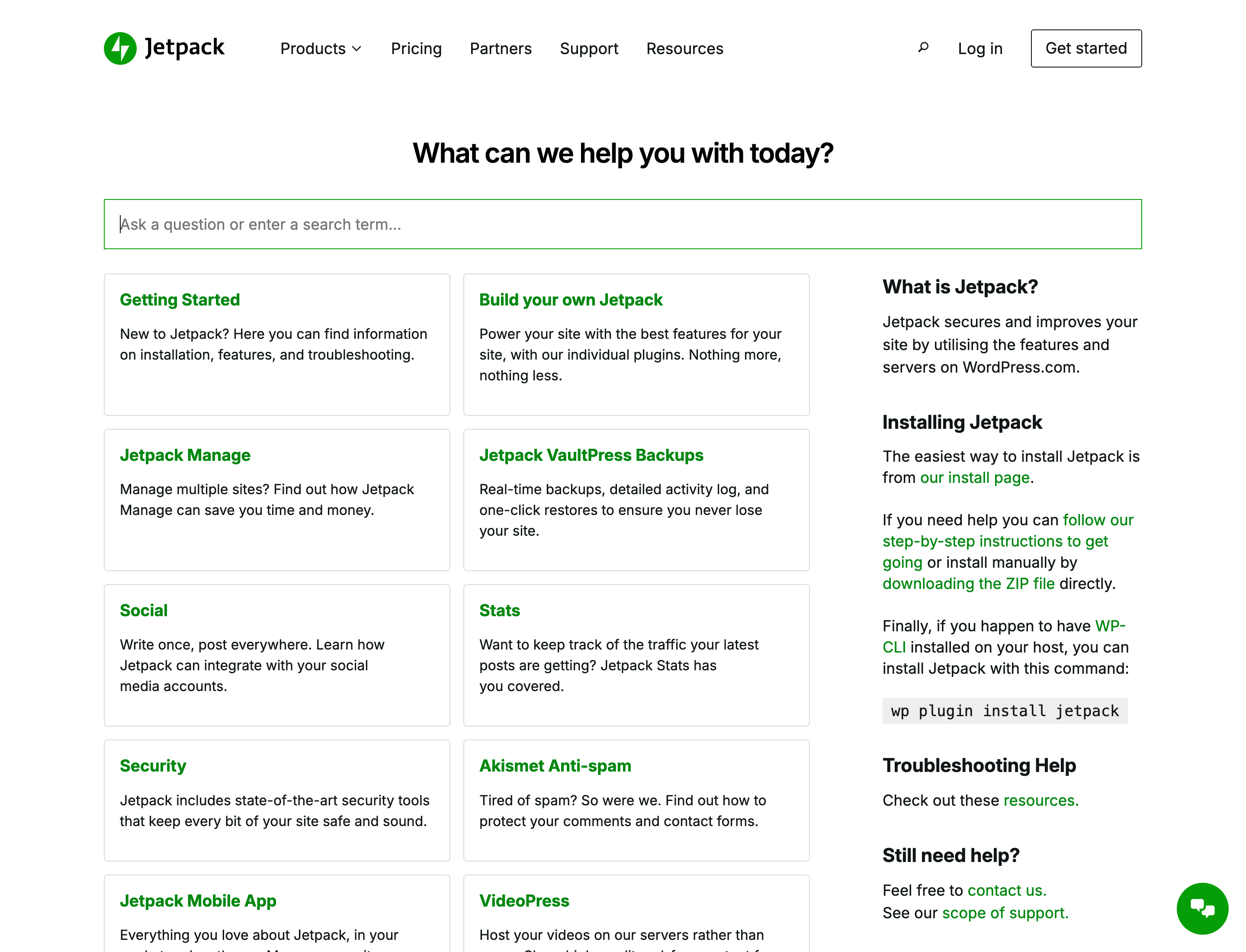
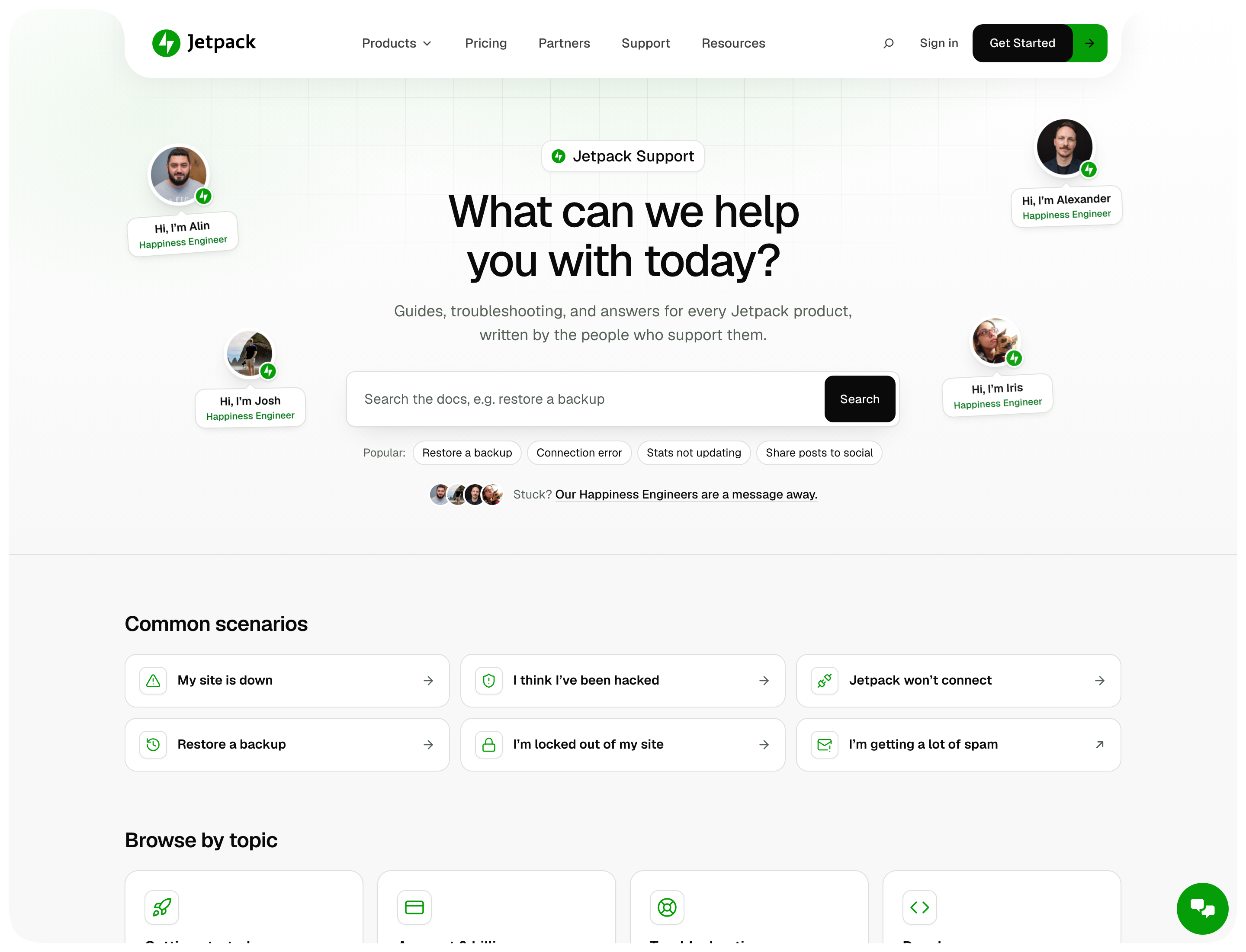
Here’s what’s new at jetpack.com/support:
- Search that only returns support guides, with popular searches right under the box.
- “Common scenarios” cards for the things people arrive stressed about: a site that’s down, a hack, a connection that won’t work, a backup to restore.
- “Browse by topic” and “Browse by product”, so you can find a guide without knowing what it’s called.
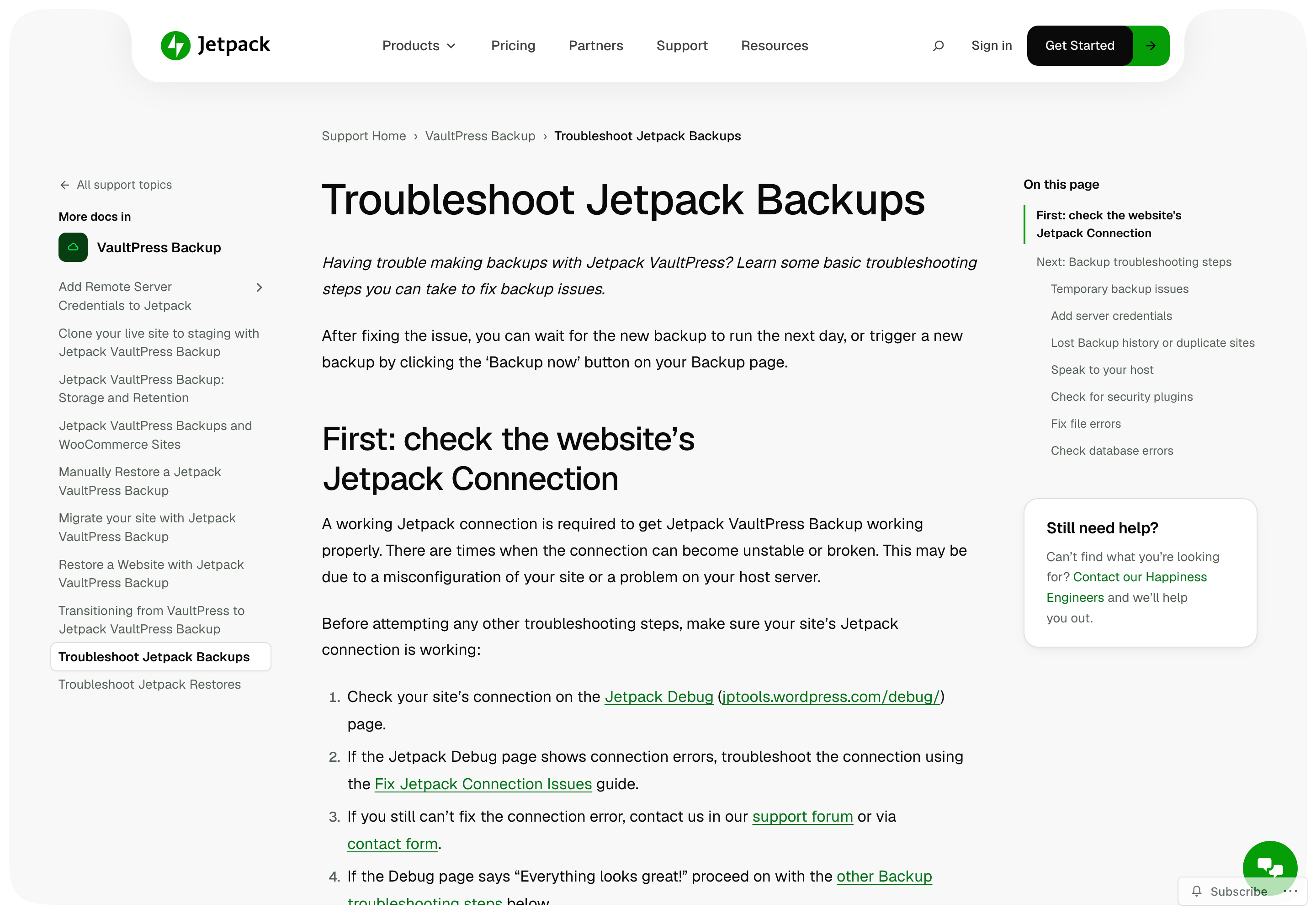
- A sidebar on every article listing all of that product’s guides.
- “Was this article helpful?” at the end of each one, so we know which guides need work.
- Our Happiness Engineers, pictured and named around the search box.
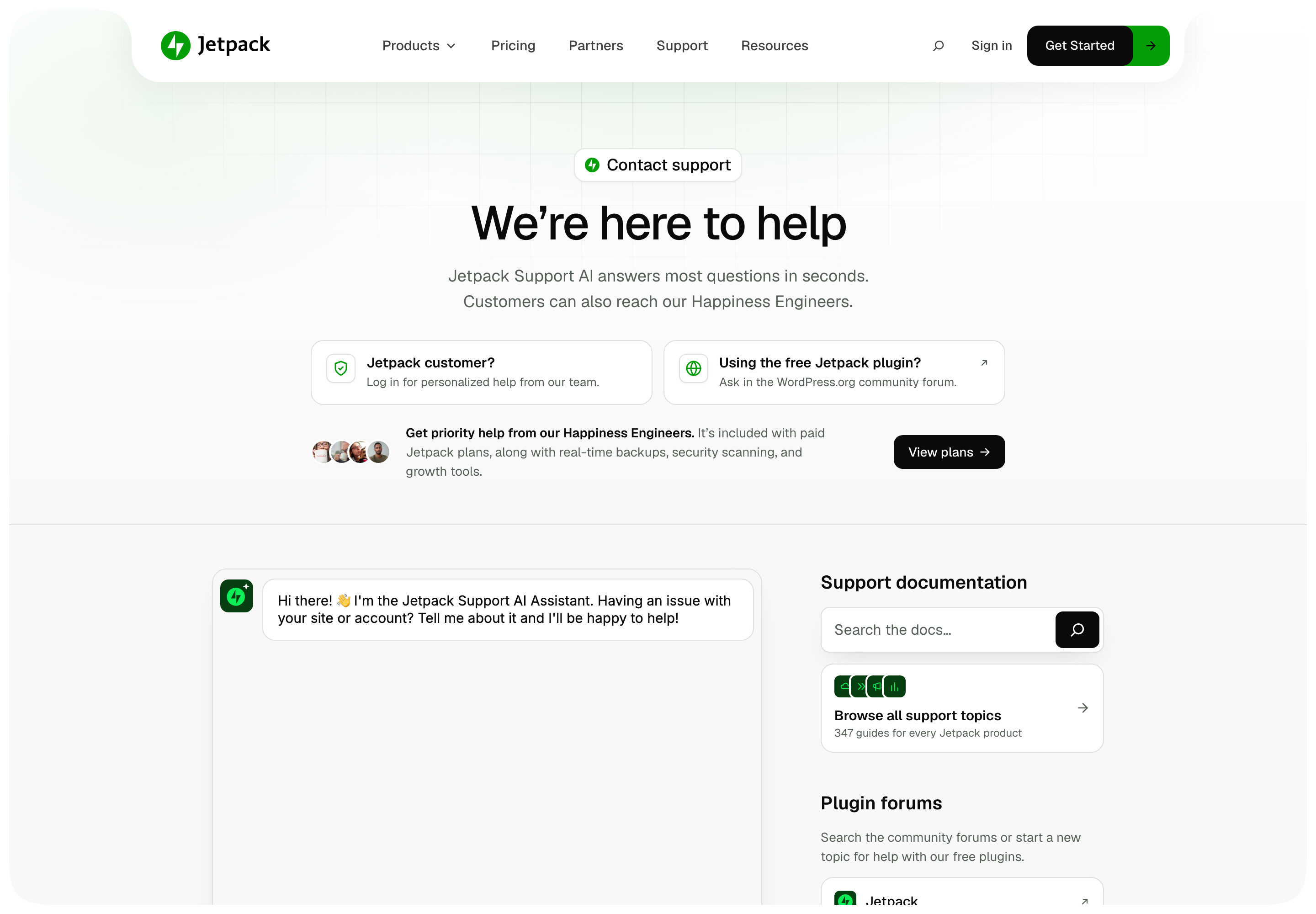
The “Contact support” page changed too. It leads with our Support AI assistant and makes it clear where to go next, whether you’re a customer or using the free plugin.
49 fixes since launch
Since launch, the team has closed 49 follow-up fixes and improvements, led by Gergely Juhász and Manzoor Wani.
Some are small. Tables you can scroll with a keyboard, a pause control on the homepage carousel, and older posts that lost their paragraph formatting in the move.
Some came straight from watching people use the site. A few days after launch, I asked a WordPress teacher to set up Jetpack while I watched. She landed on the homepage and couldn’t tell that Jetpack has a free plan.
So people are going to just leave.
She was right. The homepage now has a “Get Jetpack Free” button, and the line under it says there’s a free forever plan with no credit card required.

What’s next
We matched the old site first. Now we get to improve it, with clearer product pages, more languages over time, and testing changes instead of guessing.
If you spot something broken or confusing on Jetpack.com, tell us. And if you build WordPress sites for a living and want a deeper look at how the git and agent workflow works, let me know. I’m happy to write a follow-up.