
Are you looking for a simple way to make extra money from your WordPress website? If so, many bloggers and business owners use advertising to bring in income, and you may want to consider doing the same.
Ads provide a straightforward process for diversifying your income, without taking time and effort away from your day-to-day site management. And with a paid plan, you can show ads from major advertising networks on your site without having to put on your suit to pitch an advertising firm.
Let’s take a look at the benefits of adding ads to your WordPress site, learn about the ad program, how to activate it, and how to customize the advertisements on your site to make the maximum amount of money possible.
Earn revenue with less effort
Most business owners want to make money with their site, even if it’s not their primary goal. After all, it would be great to earn enough money to purchase a better camera for your photography blog, or a new laptop or faster phone for on-the-go site management.
This is why incorporating banner ads into your revenue mix is a smart move for WordPress site owners. These ads help you start earning money with your site, but without spending time selling products or incorporating affiliate links into all of your content.
You can begin earning money right away with ads, whether your WordPress website is a blog that you run for fun or a business website. It’s an easy process to set up, and there’s no ongoing commitment required.
Ads can also help you earn more revenue in the long run. Forgot about the “How to Bleed a Radiator” tutorial that you published on your home improvement blog five years ago? Well, it’s still attracting readers, so you might as well place a banner ad below it.
How to activate and use Ads on your site
One of the major benefits of using Ads is that Jetpack makes the process of placing ads on your site easy. There’s no special code required — you just need to have a paid plan. Any money you make from your ads is deposited into your PayPal account on a monthly basis.
To activate the ads feature on your site, head to Settings → Traffic, then toggle on the Enable ads and display an ad below each post option.
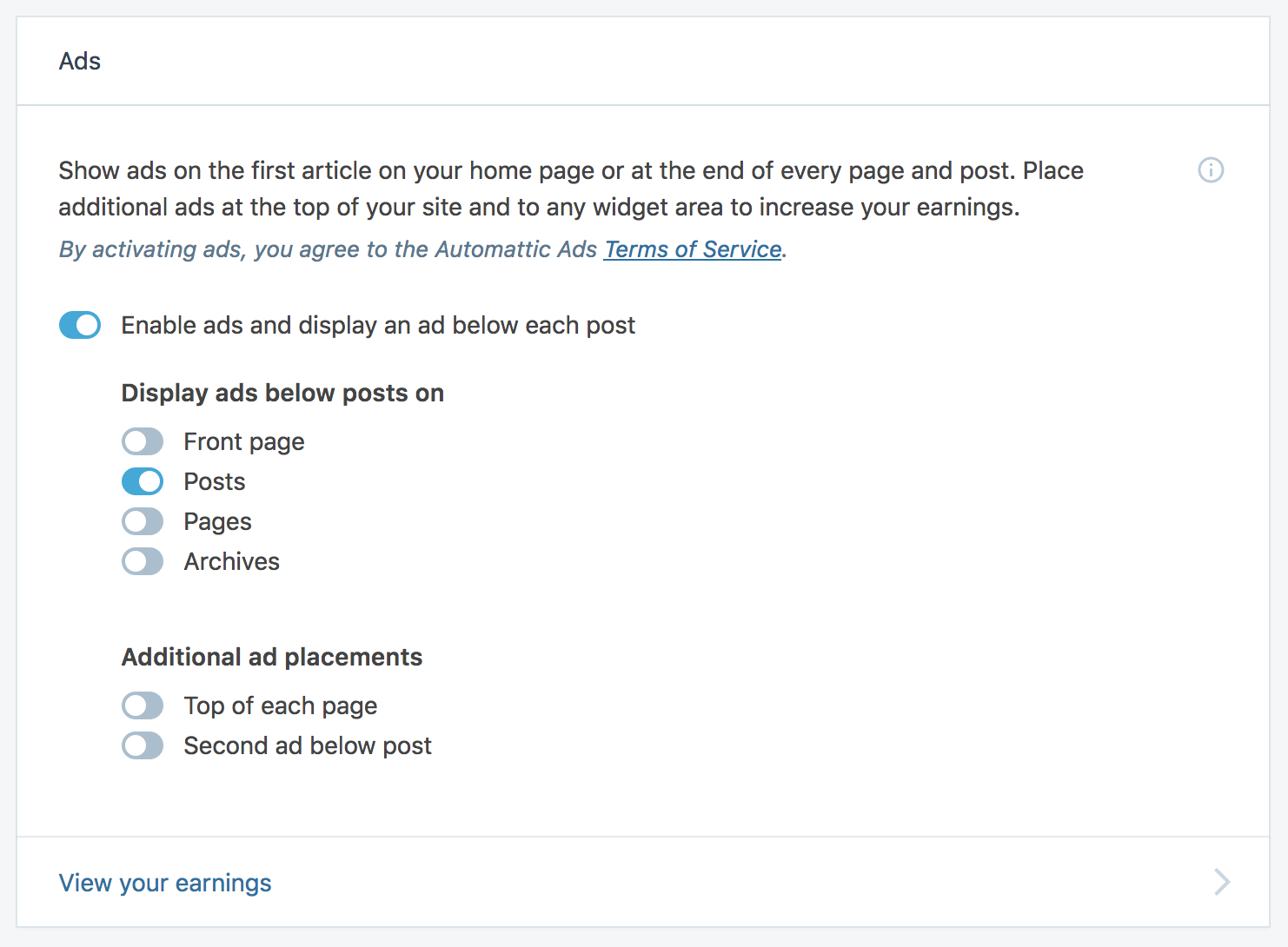
Once this option is activated, ads will begin appearing below the posts on your site.
Exactly how much you will earn with your ads varies depending on a variety of factors, including your site’s traffic. A greater number of site visitors increases the likelihood that someone will view or click on your banner ads.
To track your earnings, go to your WordPress ad settings, or click the View your earnings link on this screen. Your ad dashboard will show you how your earnings are stacking up.
Customize the locations of your site ads
The team behind the ads at Jetpack works with thousands of publishers (that’s you!) and thousands of advertisers. Over time, they discovered the best places to put ads on your site, and how to best display them to ensure that you and your advertisers make as much money as possible.
However, there’s definitely customization available for this process. If you want to display more ads, there’s a one-click option for adding them to your header and a “drag and drop” option for adding them to your sidebar or footer.
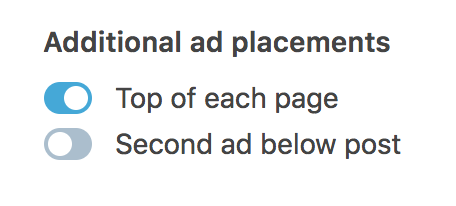
To place ads in the header of your site, or to add a second one near the bottom of your posts, scroll down to Additional Ad Placements, then toggle on the options you want to try.
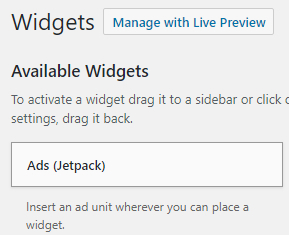
If you want to place ads along the sidebar or footer of your website, go to Appearance → Widgets and then drag and drop the Ads (Jetpack) widget into the sidebar or footer. You can choose whether they will live above or below the other widgets.
Further customization is available by altering your theme’s functions.php file. The full tutorial on how to do this is available under the “Can I customize my ad placement?” subheading on this support page. Whatever you do, though, don’t forget to create a child theme before implementing any changes to your theme — that way they’re not lost with any subsequent updates.
Boost your site’s revenue with Ads today
The WordAds feature is intuitive and helps to monetize your site without much added effort. If you’re interested, head over to this detailed document to learn more and get started today.
Already using Ads? Tell us about your experiences below!