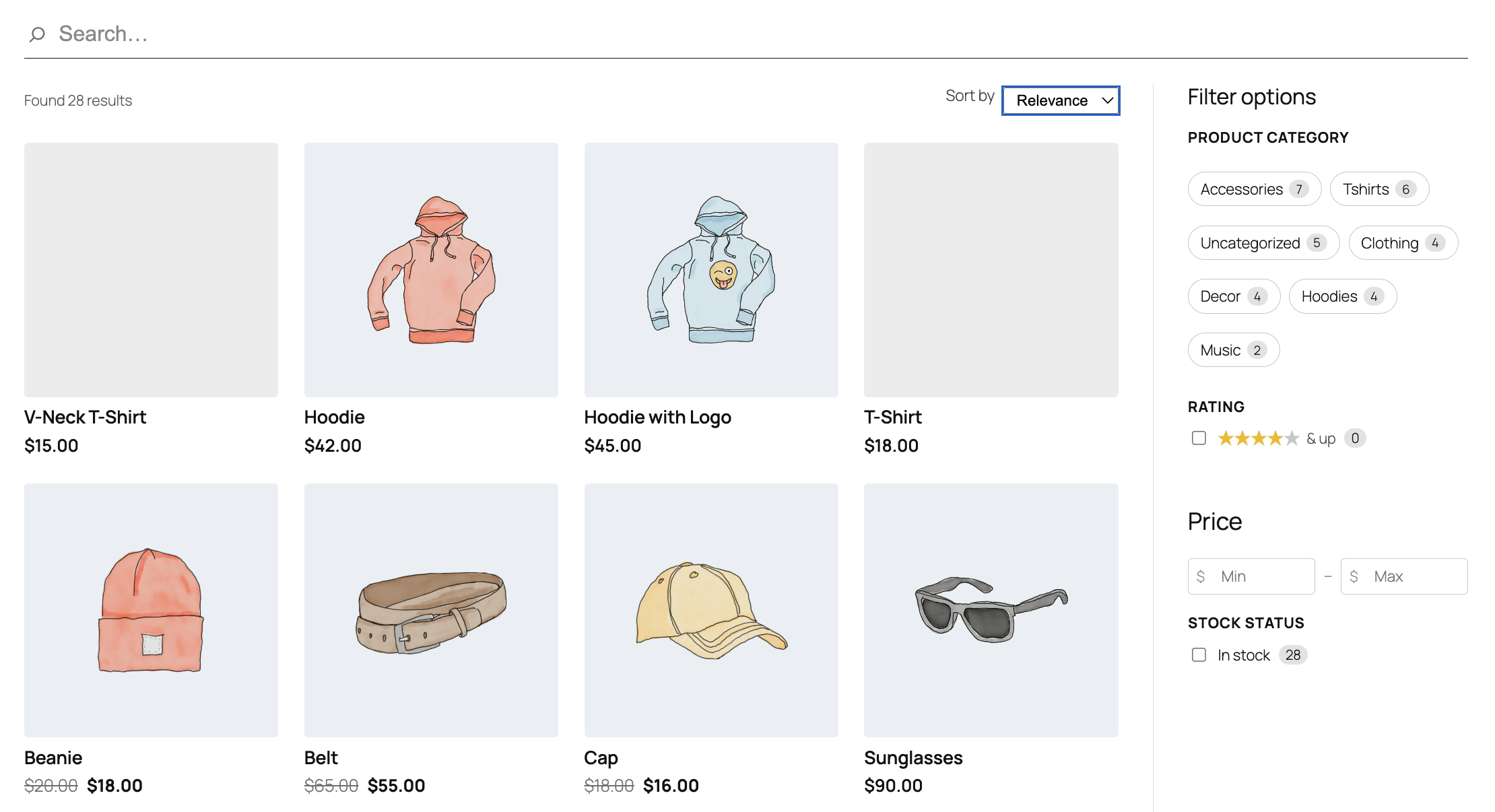
Shoppers don’t search the way readers search. They want to narrow by category, brand, price, rating, and stock status — and they want to do it without leaving the results page. Jetpack Search Blocks ships with a full set of WooCommerce-aware search blocks that turn your shop’s search into the kind of filterable, faceted experience visitors actually expect from a store.
The gap in store search
Native WooCommerce search returns matching products, but it doesn’t help shoppers narrow down. A long list of t-shirts is still a long list of t-shirts. To get filters by brand, attribute, or price, store owners have typically reached for a separate plugin — then a different one for an instant-search UI, then a third for sort. Each one with its own settings, its own styling, its own dashboard.
Search Blocks collapses that. Filters, sort, and a product-aware results layout are all native blocks in the same Search Blocks framework — the same blocks you’d use on a content site, with extra options that light up automatically when WooCommerce is active.
New WooCommerce filter blocks
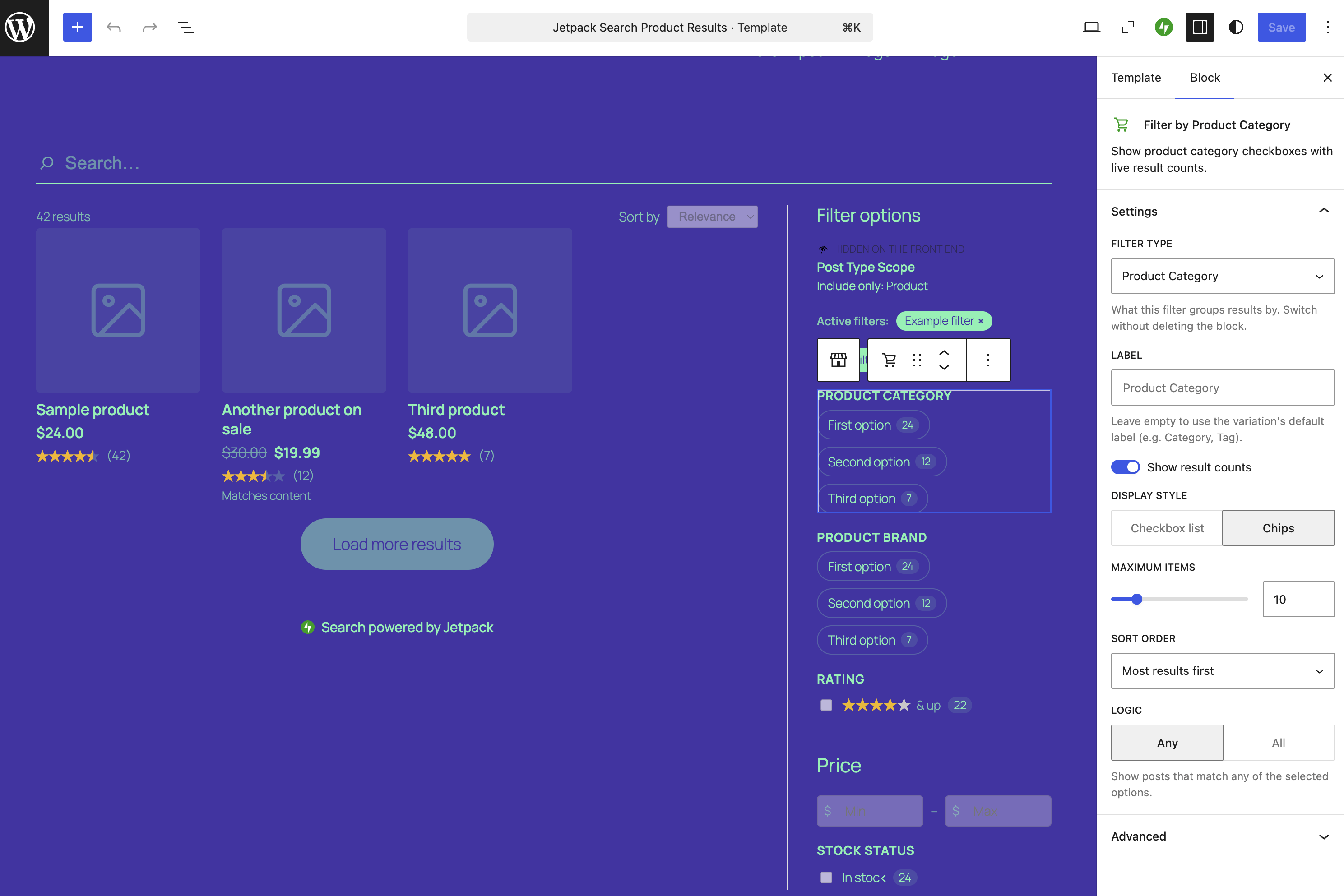
When a site has WooCommerce installed, five new product-specific blocks become available in the inserter:
- Filter by Product Attribute. Any registered product attribute — size, color, material, capacity — gets its own filter block, with one block per attribute so you can place them independently.
- Filter by Price. A range control with live min/max, so shoppers can drag to set a budget without typing.
- Filter by Rating. “4 stars and up”, “3 stars and up”, with one click.
- Filter by Stock Status. In stock, out of stock, on backorder — however your store is configured.
- Product Filters. A pre-arranged container that combines the most common product filters into a ready-to-go sidebar, so you don’t have to assemble it block by block.
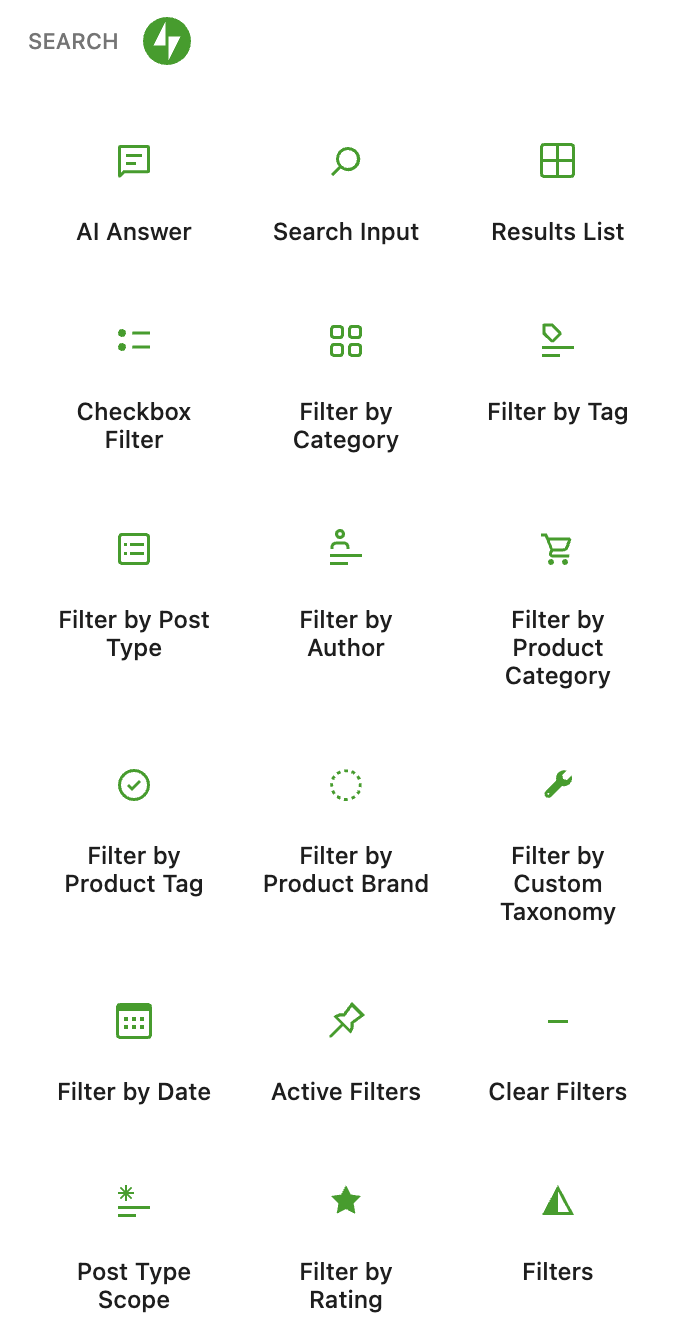
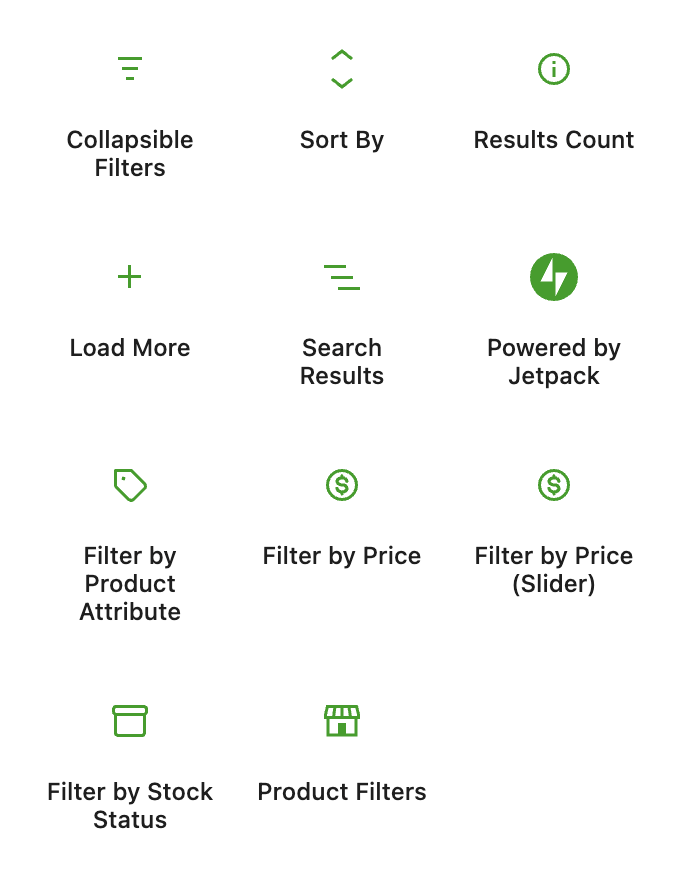
Three new variations also appear on the standard Checkbox Filter — for Product Category, Product Tag, and Product Brand — each as a distinct card in the inserter, so authors can pick exactly what they want without configuring a generic taxonomy filter.
Product-aware results
A few existing search blocks pick up product-aware features when WooCommerce is on:
- Results List gets a Product layout — image, title, price, rating — alongside the default Post layout. Switch between them in the block inspector.
- Sort By picks up Price (low to high), Price (high to low), and Rating sort orders, matching the conventions shoppers already know from other stores.
- Active Filters shows a dismissable price-range chip when a price filter is applied, so shoppers can see and clear the current range at a glance.
On automatically, gated cleanly
You don’t have to flip a setting. When WooCommerce is active on the site, the product blocks appear in the inserter and the WC-aware options light up on the existing blocks. On a site without WooCommerce, none of it shows up — the inserter stays clean, the inspector stays focused, and there’s no visual noise from features the site can’t use.
Availability
The WooCommerce features ship with Jetpack 15.9 alongside the rest of Search 7.0, and are already live on WordPress.com Simple sites. Any site with WooCommerce active and a Jetpack Search plan gets them out of the box.
How did this ship so fast?
Like the rest of Search Blocks, the WooCommerce blocks landed during Automattic’s Radical Speed Month — a one-month sprint where two engineers used AI pair-coding to ship a backlog item that had been on the list for years. 140+ PRs, 20 new blocks, four weeks.
Give your shoppers the filters they expect
If you run a WooCommerce store on Jetpack, you can ship a faceted, filterable, sort-aware search experience today — without stitching together three plugins to get there.