

Reach every app your listeners already use
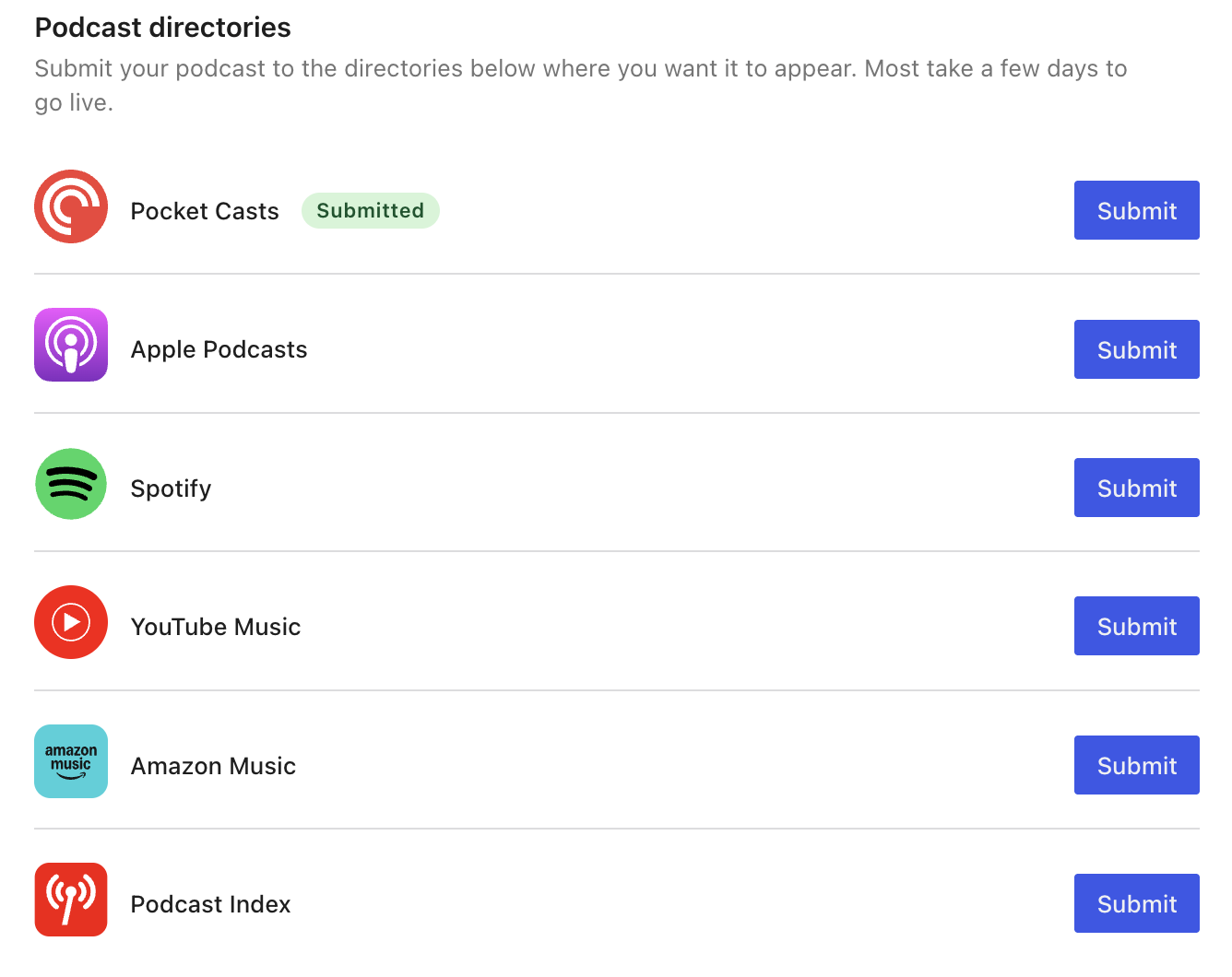
Your show has to be in the apps people actually open. Jetpack lists every major directory with your feed URL ready to submit, and once a directory accepts your show, each new episode arrives through the feed on its own.
- Submit to Apple Podcasts, Spotify, Pocket Casts, YouTube Music, and Amazon Music
- Get listed in the open Podcast Index, which feeds Fountain, Podverse, and dozens of independent apps
- Work with any app that reads a podcast RSS feed
- Publish an episode and every directory picks it up on its own
Get your show online in minutes
Podcast is part of Jetpack, not another service to sign up for. Set your show up once, pick the category your episodes live in, and from then on publishing an episode is publishing a post.
- Turn Podcast on in Jetpack and fill in your show title, description, and hosts
- Upload your cover art and pick the category your episodes belong to
- Write the post, add your audio with the Audio block, and publish
- Your feed updates itself, so there is nothing to re-upload anywhere else
Your podcast, your website, your newsletter
A podcast host gives you a feed and a player. Jetpack gives you those, plus the website your episodes live on and the newsletter that tells your subscribers about them.
Your feed, your domain
Jetpack builds your podcast feed from your own site and serves your audio from your own media library, so your show keeps its address and the files, the listeners, and the download numbers stay with you.
Every episode is a post
An episode is an ordinary WordPress post in the category you pick. It lands on your blog with its show notes, can go out through Jetpack Newsletter, and can reach readers in the WordPress.com Reader.
Explore Jetpack NewsletterBring a show you already publish
Set up Jetpack Podcast, then ask your current host to redirect your old feed to the new one. Most apps follow the redirect, so your listeners stay subscribed and your back catalogue moves across as posts.
See how people listen, and where
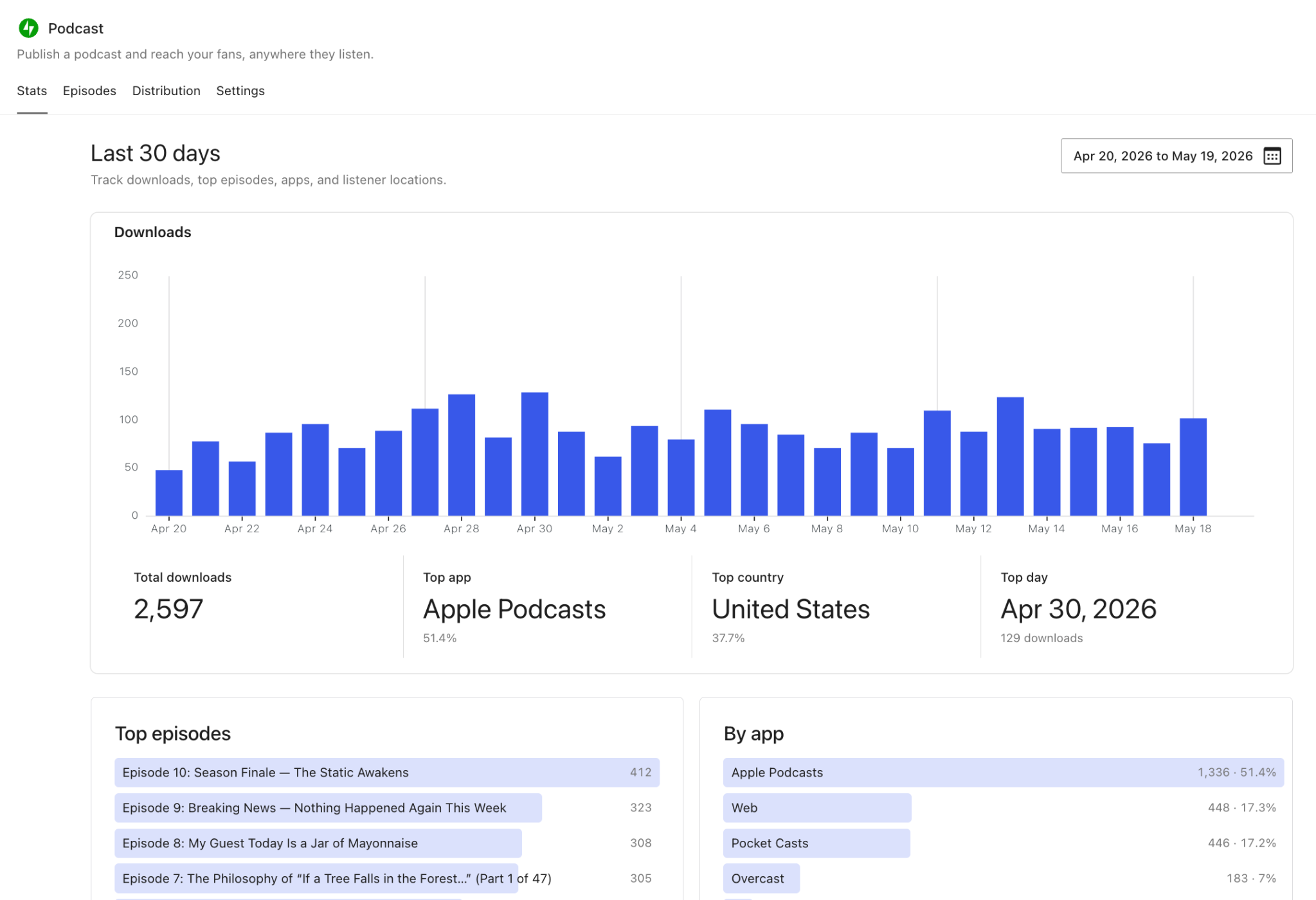
Downloads, top episodes, and the apps and countries your listeners come from, in the same dashboard as the rest of your site. Included with Jetpack Pro and Jetpack Complete.
- Track downloads over time, from the last 7 days to all time
- See your top episodes at a glance
- Break downloads down by listening app and by country
- Open any single episode for its own detail view
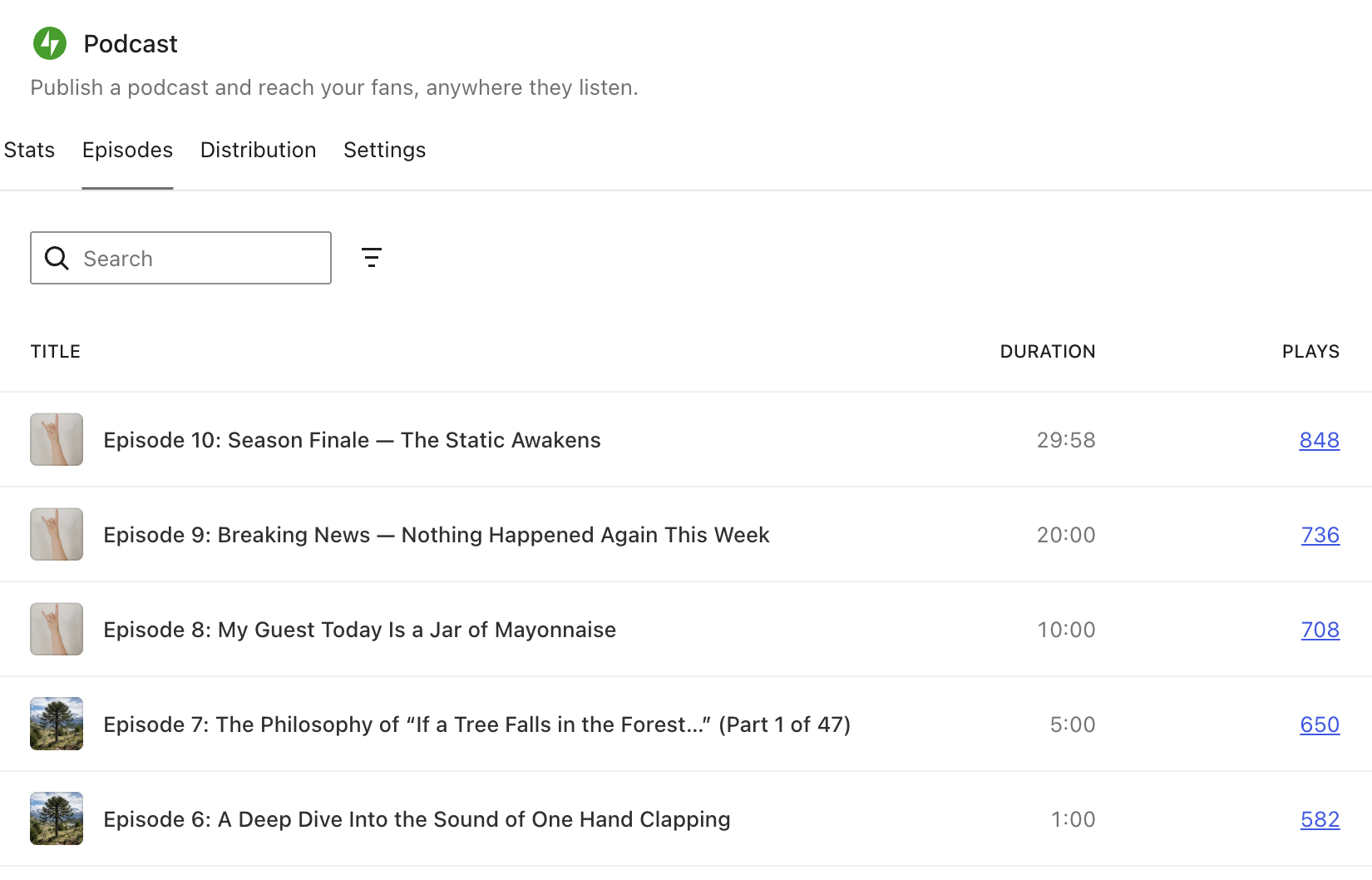
Chapters, transcripts, and a player that carries them
Give every episode a rich player, and run the whole back catalogue from one Episodes dashboard. Included with Jetpack Pro and Jetpack Complete.
- Add chapters, transcripts, and soundbites
- Publish Podcasting 2.0 metadata, alternate files, and video episodes
- See every published, draft, and scheduled episode with its play count
- Episodes you have already published keep the rich player, even if you downgrade
Jetpack Free
Start a podcast on the site you already own. Publish unlimited episodes and reach listeners on every major podcast app.
What's included:
- Unlimited podcast episodes
- Podcast RSS feed served from your own domain
- Audio hosted in your own media library
- Submit to Apple Podcasts, Spotify, Pocket Casts, and more
- Every episode published as a post on your blog
Pro (popular plan)
per month, billed $348.00 yearly or $23.00/mo, billed $552.00 every two years
Get ProEvery Jetpack feature, including VideoPress and Jetpack AI, with limits sized for most sites.
What's included:
- VaultPress Backup w/ 50GB storage
- 30-day activity log
- Scan w/ WAF
- Akismet Anti-spam w/ 10k API calls/mo
- Stats w/ 50k views/mo (Commercial use)
- VideoPress w/ 1TB storage
- Boost w/ Auto CSS Generation
- Social Advanced w/ unlimited shares
- Site Search up to 10k records and 10k requests/mo
- Jetpack AI with high request capacity
- Newsletter and monetization tools
Starting a podcast, publishing episodes, and hosting your feed are free on every Jetpack-connected site running Jetpack 16.1 or later. Podcast stats, the episode dashboard, and the Podcast Episode block are included with Jetpack Pro and Jetpack Complete. Existing Jetpack Growth subscriptions keep their included podcast features.
* Discount is for the first year only; all renewals are at full price.
Jetpack Podcast questions
How podcasting works on a site you own, what is free, and what Pro adds.
Is Jetpack Podcast free?
Does Jetpack Podcast replace a podcast hosting service?
How do I turn on Jetpack Podcast?
Where do my feed and my audio files live?
What do I need to publish an episode?
Can I move a podcast I already publish somewhere else?
Which podcast apps can I submit to?
Do episodes also appear on my blog and in my newsletter?
What do podcast stats show?
What happens to my episodes if I downgrade?
Your next post can be a podcast
Publish your first episode from the site you already own.
