
Jetpack 16.4 is out now. A lot of this release is about doing more without leaving your dashboard, starting with security and backups. Here’s what’s new.
All of your security on one page
Scan, Firewall, Login protection and Downtime monitoring now live together on one page, Jetpack → Protect. You can check whether your site is safe, fix threats, test your firewall and change any security setting there, without a trip to Jetpack Cloud or Settings → Security.
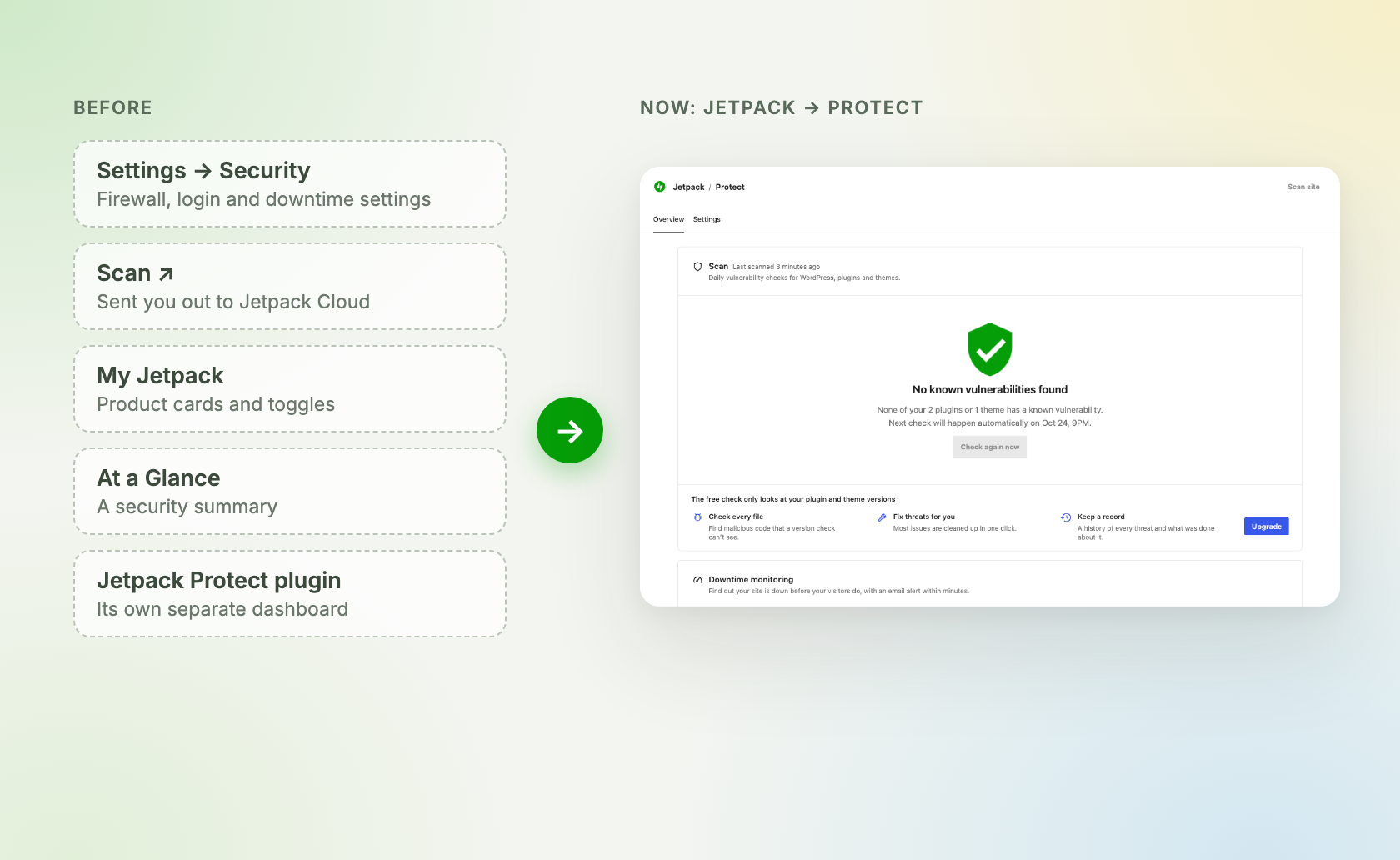
“Protect” replaces the “Scan ↗” link in the Jetpack menu. It’s on by default for sites running the Jetpack plugin, and WordPress.com sites get it soon. We’ll share a closer look at the new page tomorrow.
A new Backup dashboard
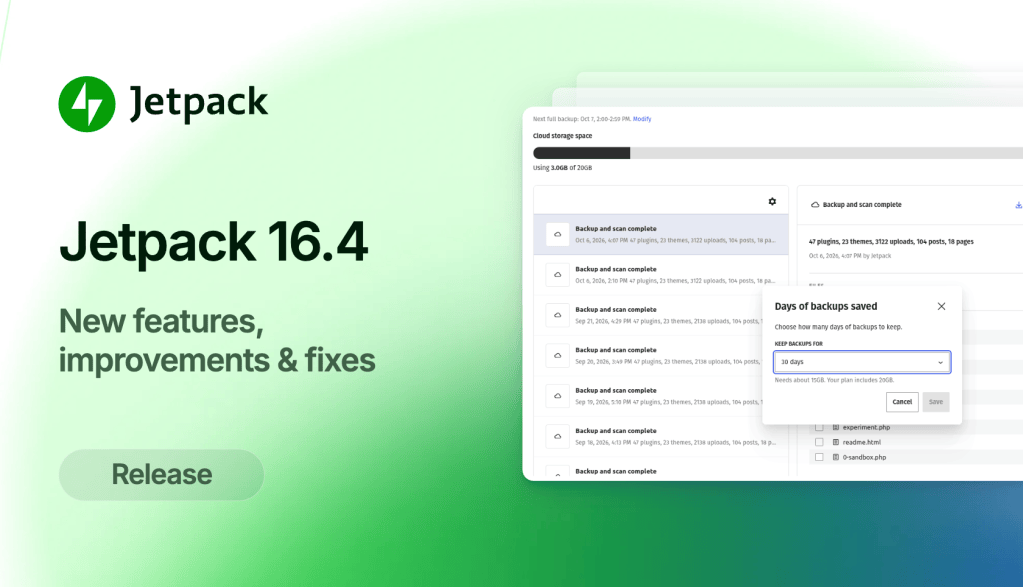
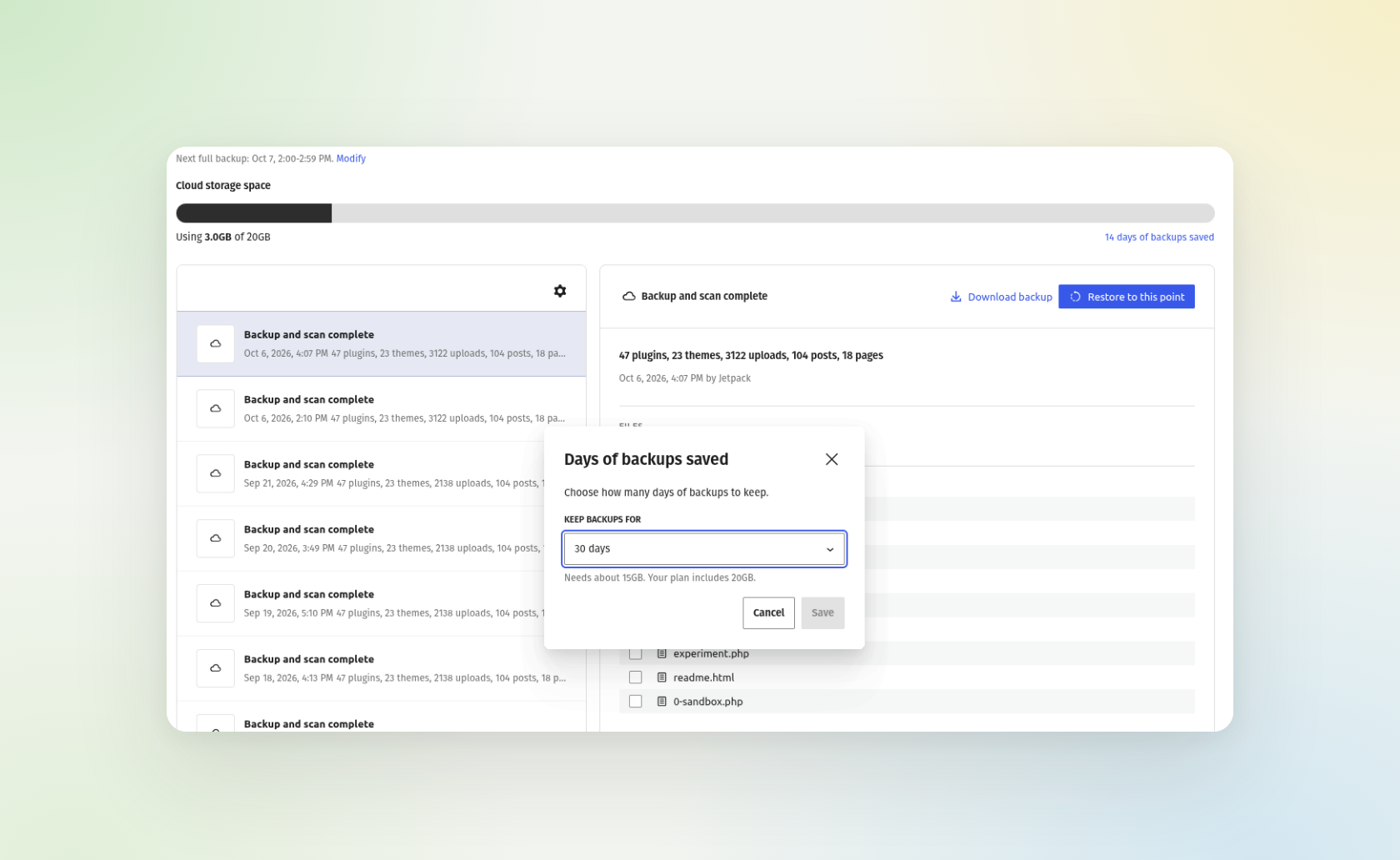
The Backup dashboard in wp-admin has been rebuilt. Pick any backup to see what it holds and browse its files, then restore your site to that point or download it.
You can also choose when your daily backup runs and how many days of backups to keep, right from the dashboard. Backups in the Activity Log open straight to that backup, and backups that finished with warnings can now be opened and restored too.
Trim and cut your videos
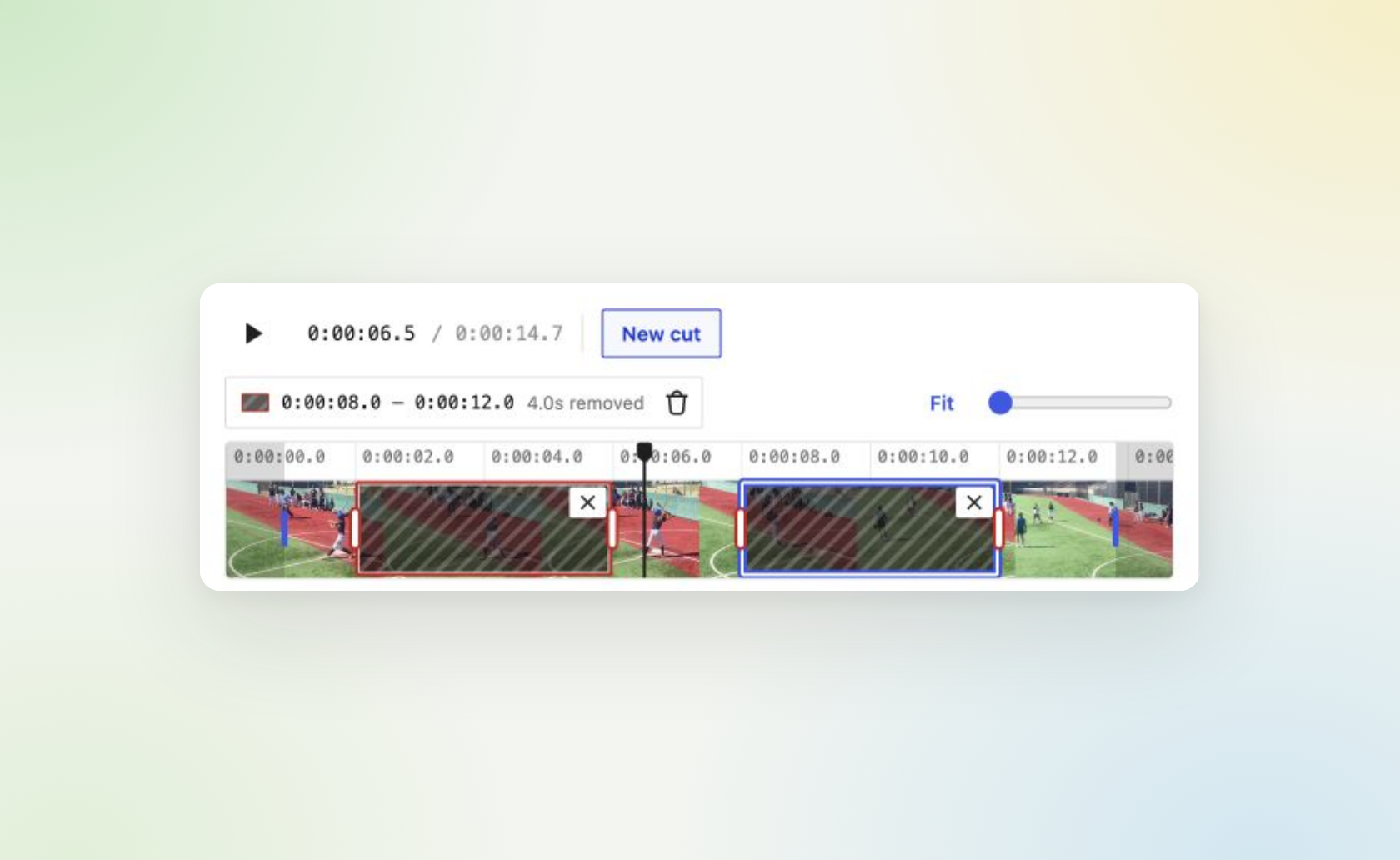
VideoPress has a new “Trim & cut” editor. Trim the start or end of a video, or cut a section out of the middle, then save over the original or keep it as a new video. You’ll find it in the VideoPress dashboard and in the Video block’s toolbar.
A comment form that fits your theme
If you use Jetpack Comments, your comment form has been rebuilt. It picks up your theme’s styling now, so the old “Color scheme” setting is gone. Commenters can format their text, add links, and drop in an image or an embed from sites WordPress trusts, like YouTube. Images only show once a comment is approved.
Simpler plans with Jetpack Pro
Starting today, there are two paid Jetpack plans to choose from, Pro and Complete. Jetpack Pro is $29 a month, billed yearly, and includes everything in Complete, from security and backups to VideoPress and AI, with lower limits on things like backup storage and Stats views.
Both plans renew at the price you paid, so there’s no first-year discount that doubles when it’s time to renew. Jetpack Security and Jetpack Growth are no longer sold to new customers. If you already have one of them, nothing changes and your plan keeps renewing as it does today. You can also switch from either one to Pro, with credit for the time left on your current plan. Take a look at both plans.
And more
The header in My Jetpack now shows whether your account is connected, with your plan and connection details a click away.
The old Modules page opens the “Features” tab in My Jetpack now. Features your site can’t use tell you why, and an “Available” filter hides them.
You can hand your site’s Jetpack connection over to another administrator without leaving your site, from the “Connectors” page.
The Newsletter dashboard has a new “Overview” tab, with a checklist that walks you through setting up your newsletter.
Account protection no longer turns on by itself for new connections. Sites that already use it keep it on.
Jetpack blocks that aren’t available now tell you why, like when a feature is turned off or Jetpack isn’t connected.
For everything else, check the full changelog.
Thanks to everyone who contributed to this release. You can find the full list of Jetpack contributors on GitHub.
Update to Jetpack 16.4 from your “Plugins” page, and let us know what you think in the support forums.