

Engaging your website visitors matters if you want to build loyalty and drive conversions.
Achieving consistently high user engagement requires an audience-first approach based on data that reveals what your audience likes, what they don’t, and how to match your message with consumer preferences.
What is user engagement, exactly? More importantly, which user engagement metrics should you focus on to understand how people interact with your brand? In this article, we’ll explore the answers to these questions and more.
What is user engagement?
User engagement measures how people interact with your products, services, or website. High engagement indicates that people find value in the content and experiences you provide. This translates to higher conversion rates and greater loyalty.
However, user engagement isn’t a standalone metric. You’ll need to monitor several different user engagement numbers to fully understand how people perceive your site and brand message.
Customer engagement vs. user engagement
The terms “user engagement” and “customer engagement” are sometimes used interchangeably, but they aren’t one and the same.
User engagement refers to people’s interactions and involvement with your product, service, or brand, even if they haven’t made a purchase yet. A prospective customer visiting your website and browsing various articles is an example of user engagement.
Customer engagement, on the other hand, specifically focuses on building and nurturing relationships with individuals who have already bought a product or signed up for your service. High engagement among existing customers results in increased loyalty and encourages repeat business.
Why user engagement matters
If people are engaged, they’re more likely to explore the content you’ve created and dive deep into your products or services. When you prioritize user engagement, you:
- Encourage people to come back to your site and reduce bounce rates
- Captivate your audience and draw them deeper into the sales funnel
- Promote word-of-mouth recommendations from satisfied customers
Conversely, low engagement translates to subpar conversion rates and a diminished return on ad spend (ROAS).
Think about it this way: You put a lot of time, money, and effort into your search engine optimization (SEO), social media, and paid advertising campaigns. But if all of those channels lead visitors to a bland, unengaging website, your efforts won’t go towards meaningful growth.
The different types of user engagement
User engagement can be categorized into three primary types: emotional, behavioral, and cognitive. Let’s explore each.
Emotional engagement
Emotional engagement has to do with the feelings your content or brand evokes from users. When they experience positive emotions during their interactions with your content, they’re more likely to remember and interact with your brand.
Don’t just focus on broad emotions like happiness or sadness — powerful emotions like humor, pride, and joy work well to boost user engagement, too. According to Oracle, humor is particularly effective, as 90% of people are more likely to remember a brand if their content is funny.
Behavioral engagement
Behavioral engagement is all about the actions someone takes on your site, like clicking on an internal link or commenting on an article.
Monitoring these behaviors helps you understand user interests and preferences. For instance, if someone regularly comments on blog posts and shares articles on social media, they’re exhibiting positive behavioral engagement.
Cognitive engagement
Cognitive engagement relates to the mental investments people make, including the attention and thought they dedicate to understanding your content. High cognitive engagement opens the door to brand loyalty and advocacy.
So, someone who spends significant time reading and analyzing a detailed research article demonstrates cognitive engagement. This alone is a win, as it shows your content is deeply connecting with an audience. Ideally, though, they’ll also share what they learned with others by posting about your content on social media, sharing your article, and encouraging others to check out your website.
Primary user engagement metrics to track
Each user engagement metric provides a piece of the puzzle and helps you better understand your target audience. Here’s a closer look at the ten most important data points you should track:
1. Page views
Page views track the total number of times people click on and load a page on your site. It doesn’t account for unique views. If one person visited the same page ten different times, each visit would count as a view.
While you want to rack up a lot of page views, this only tells a very small part of the engagement story, however. An educational blog could have a ton of views, but those visits may not necessarily translate to conversions. To get a more thorough understanding of the site’s engagement level, you’ll need to look at additional user engagement metrics.
2. Time on page
Getting people to view your pages is a good start, but making sure they’re staying around long enough to actually read or watch your content matters more. The time on page metric comes in handy for gauging this.
The longer someone spends with your content, the better. Explore the time on page metric by category (e.g. blog posts, landing pages, and service pages) to better understand how each type of content performs.
Most high-quality articles will have a longer time on page than landing pages, which are meant to be short, snappy, and action-focused.
3. Pages per session
The pages per session metric shows the average number of pages someone views during a single visit. You don’t want someone to leave after going to just one page — you want them to dig deeper into your content and offerings.
When creating content, work to publish interconnected material. Blog posts should suggest additional reading or supporting documents. You might even use the Related Posts block at the end of articles to automate suggestions.
You can use internal links throughout other parts of your site to advance a user’s journey, too. The primary exception to this is on landing pages and product pages where you want to keep people focused on the task at hand.
4. Average session duration
Average session duration describes the length of time someone spends on your site. A longer total session indicates higher engagement because it typically means the visitor is interacting with more content.
So, if you implement a new content strategy and your average session duration increases, the changes likely made your site more enjoyable to explore.
5. Bounce rate
Another metric to keep an eye on is the bounce rate, which measures the percentage of people who only visit a single page before leaving your site altogether. A high bounce rate may suggest that the landing page isn’t compelling or that your content doesn’t align with visitor expectations.
For instance, if your landing page has a 70% bounce rate, it means 70% of people who visit the page leave without further exploration. Enhance your page design or improve your content relevance to reduce the bounce rate.
6. Conversion rate
Conversion rate refers to the proportion of visitors who complete a desired action, like buying a product or signing up for a newsletter. If five out of 100 visitors make a purchase, the conversion rate would be 5%. A high conversion rate means your website effectively persuades people to act.
Conversion rates aren’t always about actual sales, however. For instance, if you create a new landing page to raise brand awareness and build out your email list, every person who subscribes to your newsletter could count as a conversion.
7. Likes and comments
Likes are one of the most basic forms of user engagement. While it only takes a split second for someone to like your content, this simple action indicates good engagement. Racking up hundreds of likes also signals to search and social platforms that people enjoy your content.
Comments are even more valuable, as you want to get people talking about your brand and products. Keep the conversation going by replying to followers and being active in the comment section of your posts.
A major detractor of comment engagement? Spam. If people see a bunch of nonsensical comments, they’re not going to engage themselves. Keep comment sections clean (without manual moderation) with Akismet.
8. Social shares
Few things boost user engagement as much as shares. Not only do they extend your reach and signal to search algorithms that your content is valuable, but people tend to trust content shared by a friend and will be more likely to engage with it themselves.
9. Subscribers
People who sign up for newsletters or subscribe to your content are highly engaged. They’ve usually read a few blog posts and want to hear more from your brand. This is a good metric to prioritize if your business has a longer sales funnel.
10. Repeat visits
Repeat visits refer to the frequency with which people return to your website over a specific period. A high number of repeat visits indicates that people like your content and want to hear more from your brand.
Encouraging repeat visits involves regularly publishing fresh content and providing value to readers. Repeat visits from recent customers are especially valuable, as you’ll have a chance to build loyalty and encourage additional purchases.
Top tools to track and analyze user engagement
The right tools provide invaluable insights into user behavior. Here are some excellent resources:
Analytics tools
Google Analytics offers comprehensive data on user interactions, traffic sources, and conversion tracking. Its interface is a bit confusing, however, and getting familiar with all its features has a learning curve.
Adobe Analytics is another great tool for tracking user engagement metrics. It provides advanced capabilities suitable for large enterprises and offers customizable reporting. This isn’t a great fit for small to mid-sized businesses, however, due to its higher price point and technical nature.
One of the most popular analytics tools for WordPress sites is Jetpack Stats. It’s user-friendly, affordable, and easy to integrate. Instead of logging into another platform, you can view key information directly in your WordPress dashboard. It has easy-to-understand visual graphs and fewer toggles and pages to navigate than something like Google Analytics. Plus, it gives you stats on the performance of individual authors on your WordPress site and is GDPR-compliant.
In terms of user engagement — it highlights likes, comments, and other engagement metrics that directly relate to your WordPress posts, by default. Other analytics programs require custom setups or complicated integrations to make this type of reporting work.
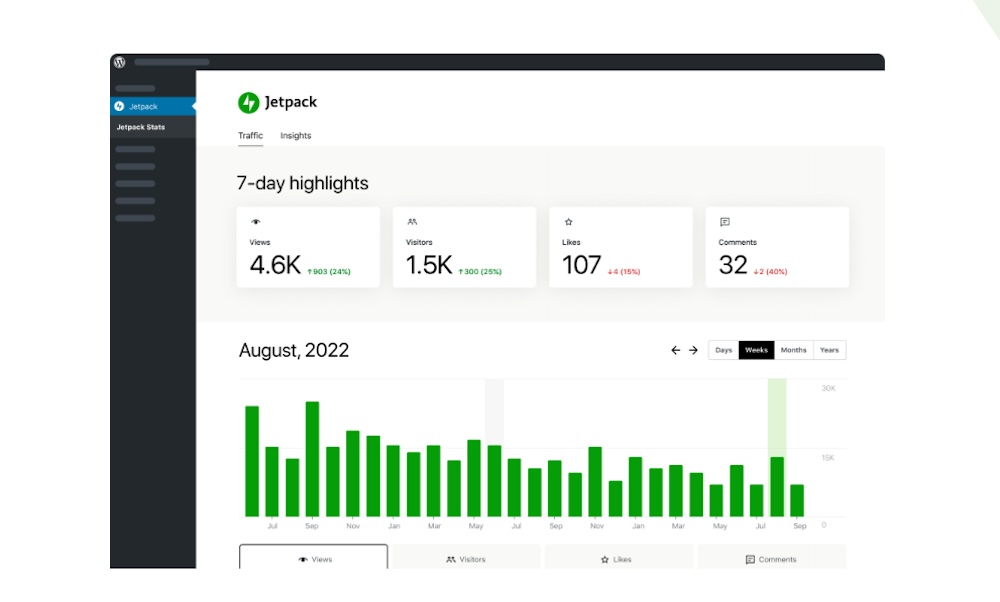
Once installed, Jetpack Stats works in real time and will help you quickly identify easy areas for improvement.
Survey and user feedback tools
Survey and user feedback tools help you understand how people feel about your brand and website.
Typeform offers a user-friendly option that lets you easily create engaging surveys and review results to learn more about your audience.
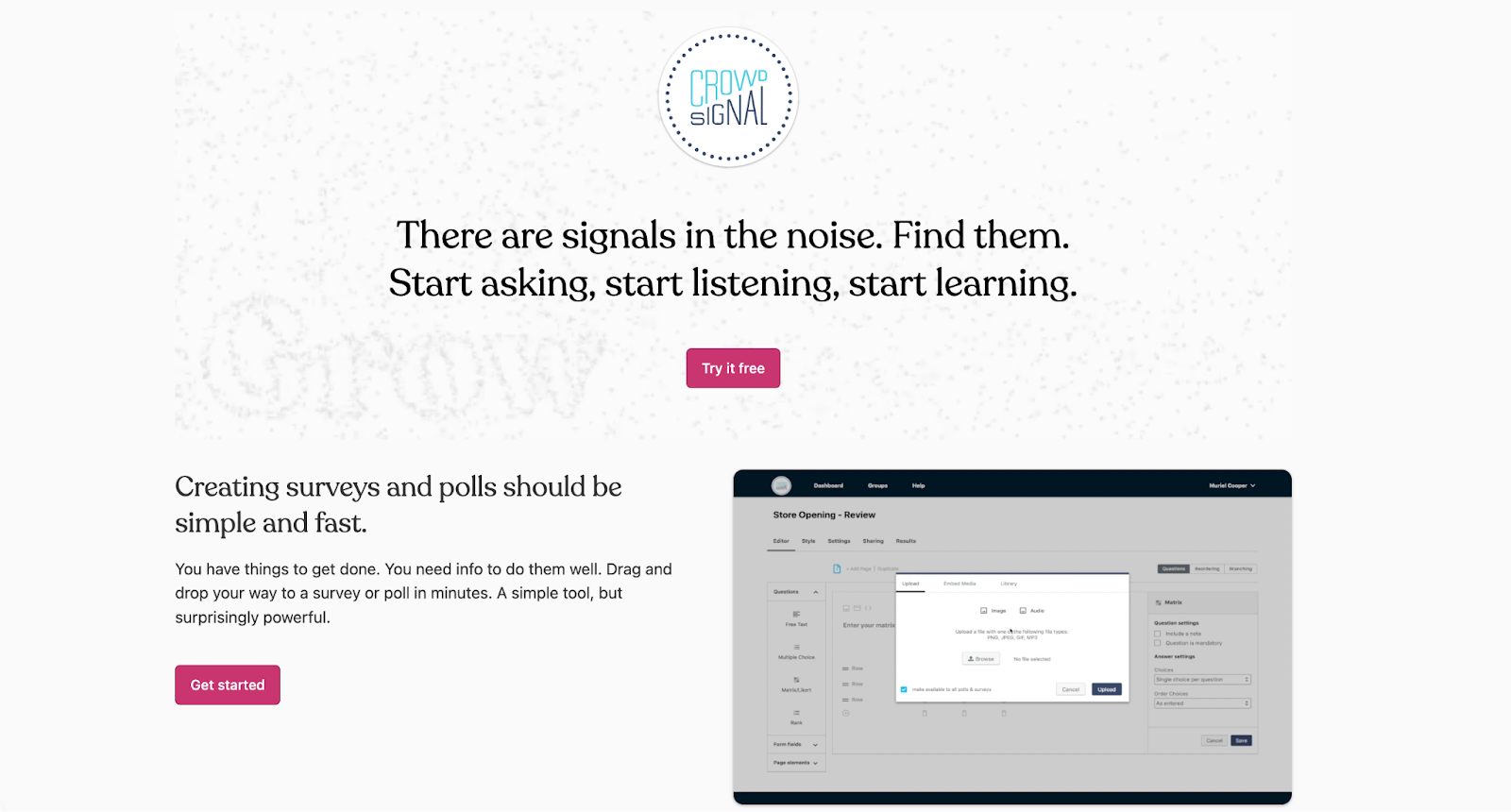
Crowdsignal is another great option that integrates directly with WordPress. Use a drag-and-drop editor to create surveys and polls, then customize the look and feel to fit your brand. It’s an intuitive, built-in way to gather detailed user feedback from your most valuable visitors.
Heatmaps and session recordings
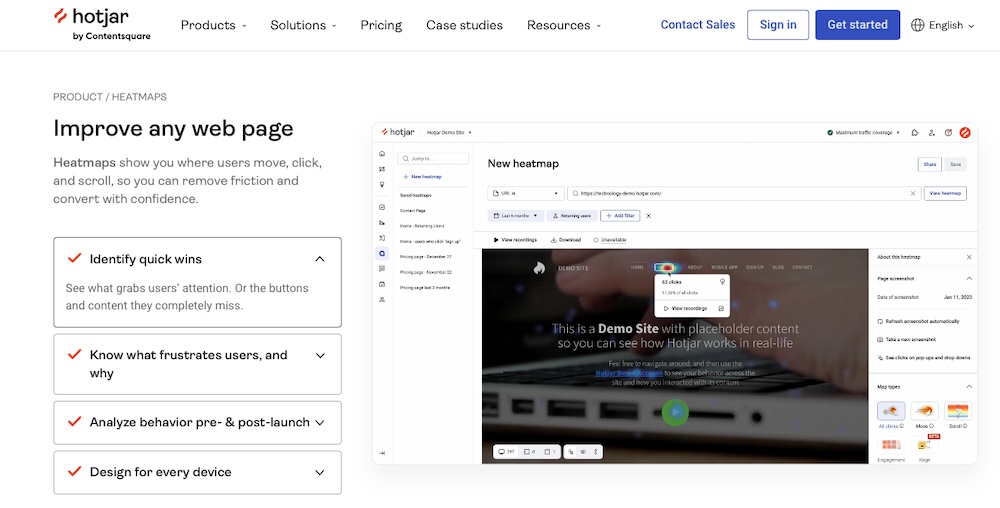
Heatmaps visually represent data. Use heatmaps to identify high-engagement zones, like call-to-action buttons or popular site sections, as well as areas where people are less engaged.
Microsoft Clarify is one of the best heatmap tools on the market. It allows you to create custom heatmaps and record user sessions to visualize their journeys. Review session recordings to identify points of friction within your website that cause people to bounce.
Hotjar also offers a heatmap WordPress plugin that makes building tests and viewing results super convenient.
Why Jetpack Stats is the best analytics tool for WordPress sites
Admittedly, some tools for tracking user engagement metrics are challenging to use. But with Jetpack Stats, you don’t need advanced technical knowledge to gauge site performance and identify areas for improvement. You can track and visualize visitor stats in real time, directly in the WordPress dashboard, and then make improvements without jumping between tabs or logging into new accounts.
Jetpack Stats is visually-appealing and doesn’t hide essential metrics behind endless toggles and settings. Plus, it’s GDPR-compliant! It also works with other Jetpack tools to keep your growth going. Get it alone or as a part of the Jetpack Growth bundle, which includes social media integration and advertising features.
Proven ways to improve user engagement on your website
After gathering and analyzing user engagement metrics, you may find that you’re excelling in some areas, but need to improve in others. So, how do you turn your weaknesses into strengths that get people excited about interacting with your brand? Here are some can’t miss tips:
Optimize website speed
If you’re on WordPress, optimizing your website speed has never been easier, thanks to Jetpack Boost.
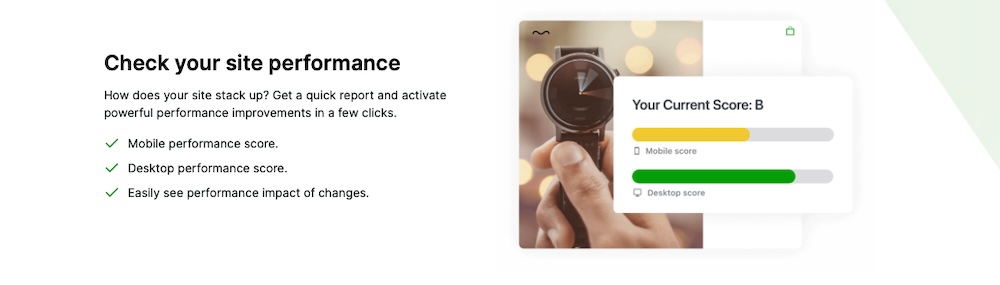
Jetpack Boost is a user-friendly plugin for WordPress that monitors your site performance and actively works to improve your scores. It has advanced caching capabilities to help your site load faster and directly targets improvements to Core Web Vitals. All of this makes your site more pleasant to navigate so visitors stay longer.
Plus, it looks good to search engines and can boost your rankings. assists with everything from site caching to monitoring site performance. A slow website hinders user engagement, so using this speeds up your site and gives your content a better chance.
Create content that resonates with your audience
Develop content that directly addresses your audience’s needs and interests. Research trending topics or frequently asked questions relevant to your brand and industry. Use your findings to create clear, engaging content that delivers value.
For example, if your target audience is small business owners, create articles offering practical tips on efficient business management. You’ll address a direct area of need and help your audience members succeed.
Enhance your website’s user interface
A clean, intuitive user interface ensures easy navigation and reduces frustration. Make it a point to implement a responsive design that adapts to various devices.
Explore your current user interface and identify any points of friction, such as call-to-action (CTA) buttons that are too subtle or spacing between links that’s too narrow for mobile users. Then, revamp your site so visitors can effortlessly explore each page.
Encourage interaction through quizzes, polls, and surveys
Want to know what people think about your company and its messaging? Run a poll or create a survey. These useful tools show people you care about their point of view and give you a chance to refine your brand messaging based on consumer preferences.
Display social proof
Reviews and testimonials inspire confidence in your audience. Everyone expects you to promote your own products or services, but when leads see all the positive things existing customers say about your company, they’ll feel a lot more confident about engaging with you.
Implement well-placed CTAs
How can you expect someone to take the next step in their journey with your brand if you don’t tell them what to do next? Strategically-positioned CTAs keep people engaged.
Make sure your CTAs are visually distinct and convey a clear value proposition. For example, a prominent “Sign Up Now” button offering a free eBook entices visitors to subscribe to your newsletter.
Run contests and giveaways
Everyone loves winning free goods and services. Hosting a contest or giveaway drives engagement by creating buzz about your brand. It’s also a savvy way of turning existing followers into brand advocates.
So, you might give away a dozen $100 gift cards as part of a campaign to grow your following. To participate, ask people to follow your company’s Instagram page, tag three friends in the comments section of your contest post, and share the post on their profiles.
Use video content
According to a 2024 HubSpot survey, 89% of consumers want more video content from the brands they support.
Adding videos to your website boosts engagement and generates more interest. The content you produce needs to be on-brand and tonally consistent with your written work to ensure a cohesive experience.
Get people buzzing about your brand
Engaged site visitors are more likely to stay in the marketing funnel and support your brand. Start by getting a benchmark of your current engagement levels, then go through the tips in this post to refine your site and content and watch your numbers improve along the way!
For a jumpstart, use Jetpack Stats for easier engagement measurements and Jetpack Boost to make your site faster and more user-friendly with just a few clicks.
Frequently asked questions
We’ve covered many aspects of user engagement and the metrics to measure. However, we’ll answer a few common questions below, just in case.
What’s the difference between user engagement and user experience?
User engagement refers to the interactions and involvement someone has with your website. Clicks, shares, and time spent on page are some common examples of engagement metrics.
Meanwhile, user experience (UX) encompasses the overall feel of the user’s journey on your site, including navigation, design, and satisfaction.
UX focuses on the quality of a user’s interaction, while user engagement measures the quantity and type of those interactions. A great user experience promotes higher and more consistent engagement.
What is the difference between passive and active user engagement?
Passive engagement occurs when someone consumes content without directly interacting with it. When someone reads a blog post and spends several minutes on your page, that qualifies as passive engagement. Active engagement includes commenting or sharing content, participating in surveys, or liking posts.
What are some common mistakes that lead to low user engagement?
Common reasons for low user engagement include slow website load times or a cluttered and confusing user interface. Low-quality content and a lack of mobile optimization also decrease user engagement.
How can Jetpack Stats help track user engagement on WordPress sites?
Jetpack Stats provides real-time insights into various metrics, including visits, likes, and comments. It also reveals where your visitors are coming from and which channels or referrers bring traffic to your site.
Where can I learn more about Jetpack Stats?
You can learn more about Jetpack Stats by viewing the packages available, including Jetpack Security, Growth, and Complete, as well as many other add-ons.