
As a professional photographer, you need a WordPress theme that displays your work in the best way possible. It should include elements like interactive galleries and neat portfolio layouts, but it should also come with features that make your site load faster, like image compression that doesn’t compromise the quality of your work.
To help you get started, we’ve put together a list of the best WordPress photography themes, as well as plugins that will take your portfolio to the next level. Some of them are designed specifically for photographers, while others include essential tools that anyone in the creative industry will find helpful.
A review of WordPress themes for photographers
1. Twenty Twenty-Five
Twenty Twenty-Five is the current default theme for WordPress. It focuses on simplicity and flexibility, so while the design is minimalist, you have plenty of customization options.
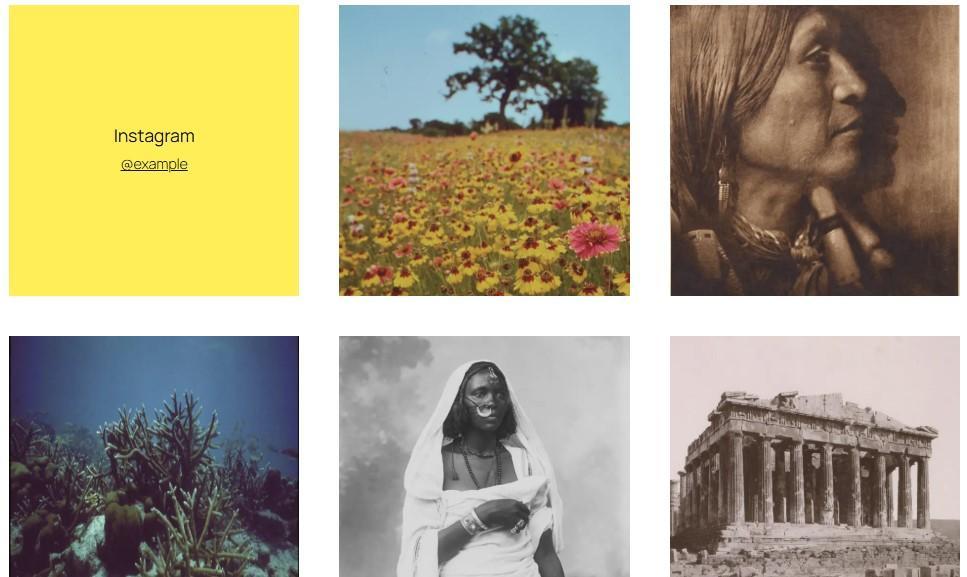
The theme comes with a decent selection of block patterns, including suitable designs for photography sites. For instance, you’ll find Instagram grids, image grids with categories, full-width hero images, and more.
Key features:
- 16 style variations
- Image-heavy patterns, like photo grids and posters
- Ecommerce support, with shop layouts and subscriber-only sections
- Pre-made designs for displaying testimonials, upcoming events, services, and more
Pricing:
- Free
2. Fukasawa
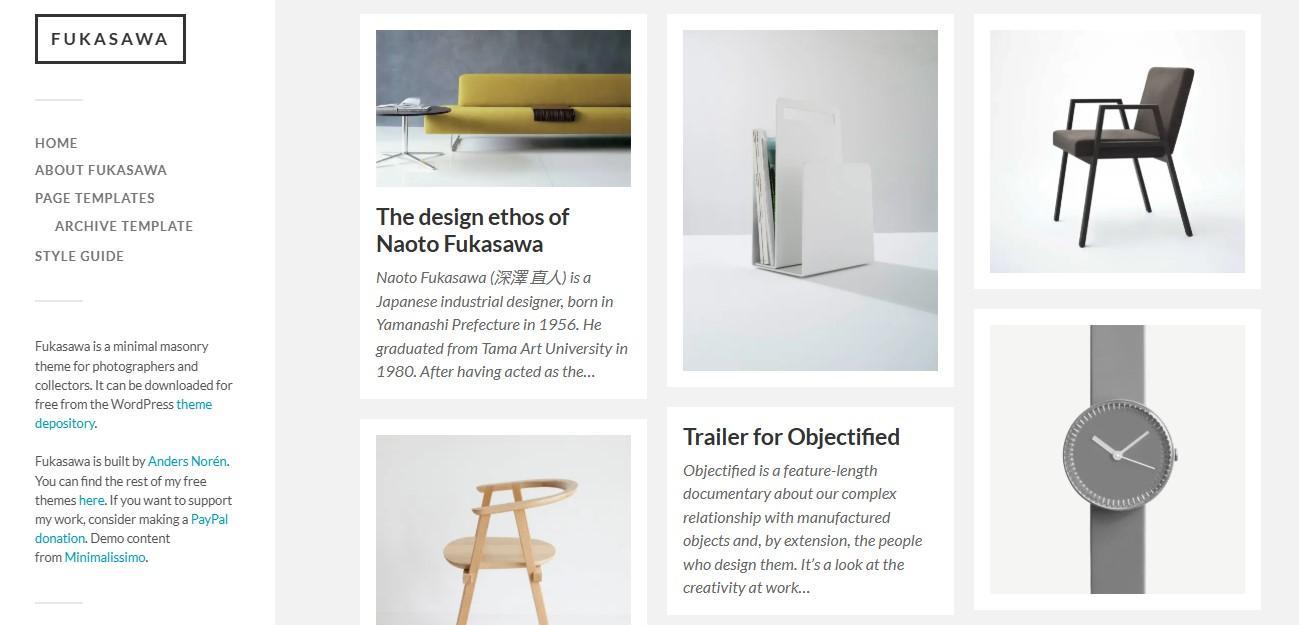
This WordPress photography theme prioritizes minimalism, with neat and simple image layouts. It’s the ideal choice if you want a no-frills website that puts the spotlight on your work.
This is a block theme with image, gallery, and video post formats. It also supports custom logos and accent colors.
Key features:
- A gallery slideshow
- An archive page template
- Block editor support
- Portfolio layouts
Pricing:
- Free
3. Astra
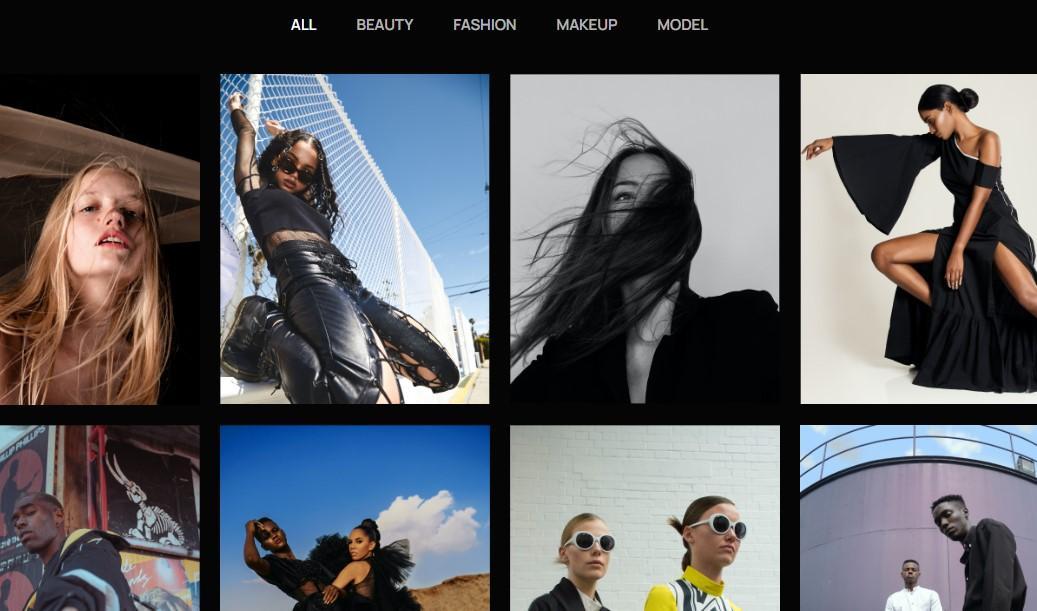
Astra is a popular theme that’s suitable for many types of projects, including photography sites. In fact, it offers a selection of website templates and designs for photographers. These include key sections like Portfolio, Services, and Contact pages.
Astra is a solid option if you want to sell your photos online, whether as digital downloads or prints. It’s compatible with WooCommerce, SureCart, and other ecommerce plugins. It also comes with lots of templates for your shop page.
Key features:
- More than 300 ready-to-use templates, including designs for photography sites
- A theme builder that lets you customize colors, fonts, and more
- Multiple layout options, including customizable grids and columns
- A flexible-width gallery for product images, with options to open photos in a lightbox
Pricing:
- A free version
- A premium version starting at $49/year
4. Photograph
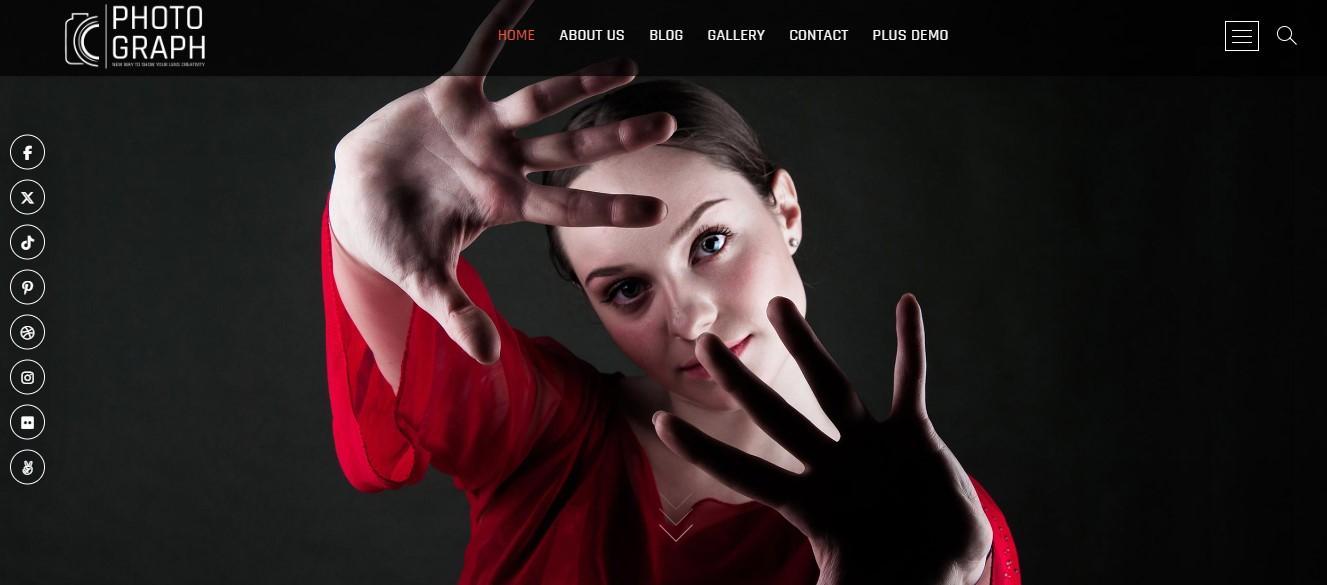
Photograph has a modern and sleek design, with a masonry-style portfolio gallery. You can organize your work into categories and connect your website to multiple social media platforms for more exposure.
The theme has unlimited color options. It also offers different sidebar layouts and various slider settings (available with the premium version).
Key features:
- A video section
- WooCommerce support
- A gallery and photograph template
Pricing:
- A free version
- A premium version starting at $59/year
5. GeneratePress
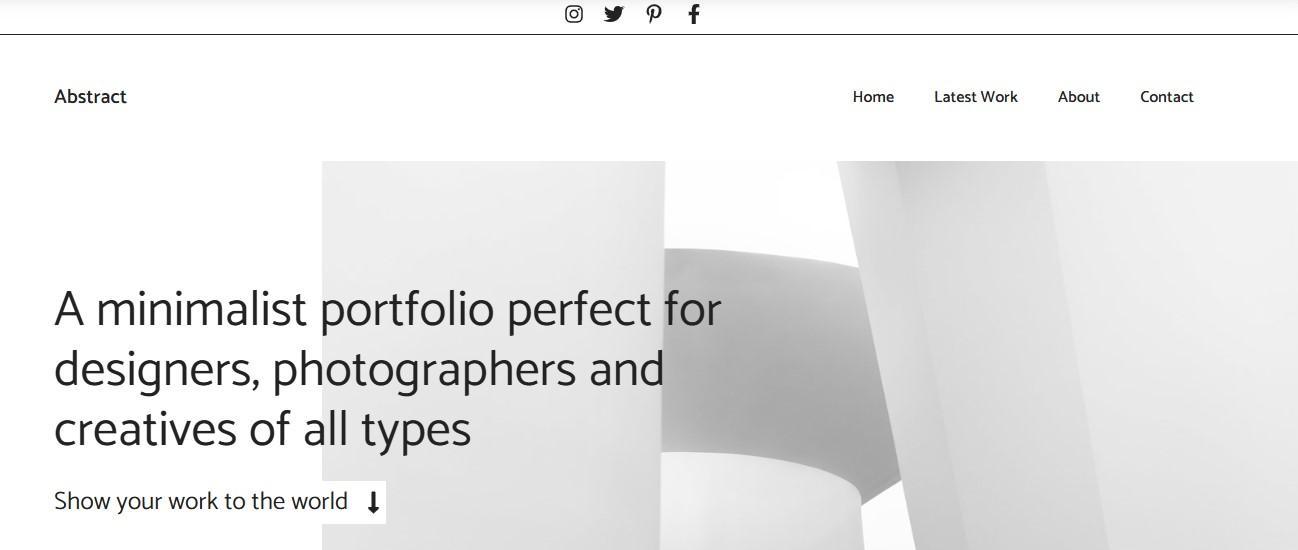
GeneratePress is a multipurpose block theme with a library of site templates. These include options like Portfolio and Abstract, both of which are suitable for photography sites.
Plus, the theme has a large selection of patterns. These include different gallery styles, like masonry, grids, slides, and more. There are also patterns for testimonials, calls to action, and pricing plans (perfect for selling photo subscriptions).
Key features:
- Professionally designed starter sites, including options for portfolios
- WooCommerce integration
- A block-based theme builder, allowing you to customize footers, headers, page heroes, and a lot more
Pricing:
- A free version
- A premium version starting at $59/year
6. Perfect Portfolio
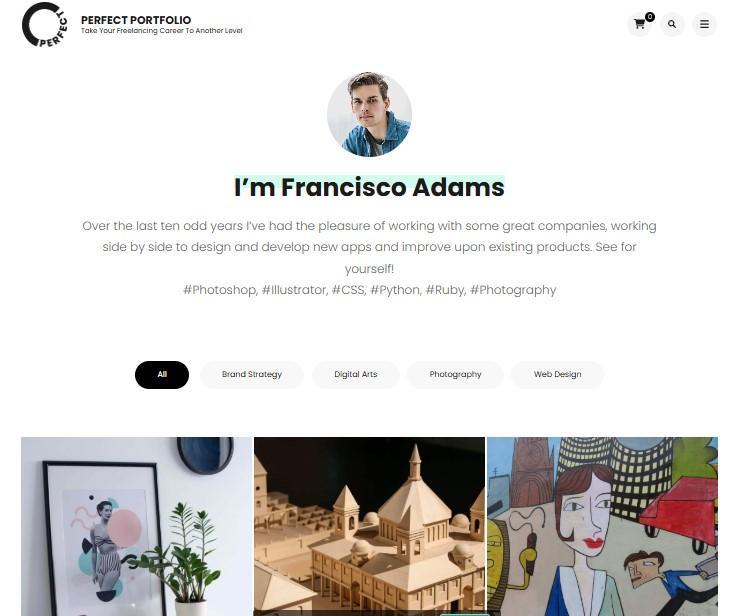
Perfect Portfolio was built for creatives to showcase their work. It has a clean, minimalist design, with sections for your portfolio, contact details, services, and more.
If you want to run a blog alongside your portfolio, the theme offers different post layouts, including masonry style for image-focused content.
Key features:
- WooCommerce support, with shop, cart, and checkout layouts
- Social media integration
- Clean layouts for blog posts, portfolio work, contact pages, and more
- An unlimited number of sidebars
Pricing:
- A free version
- A premium version starting from $59/year
7. Neve
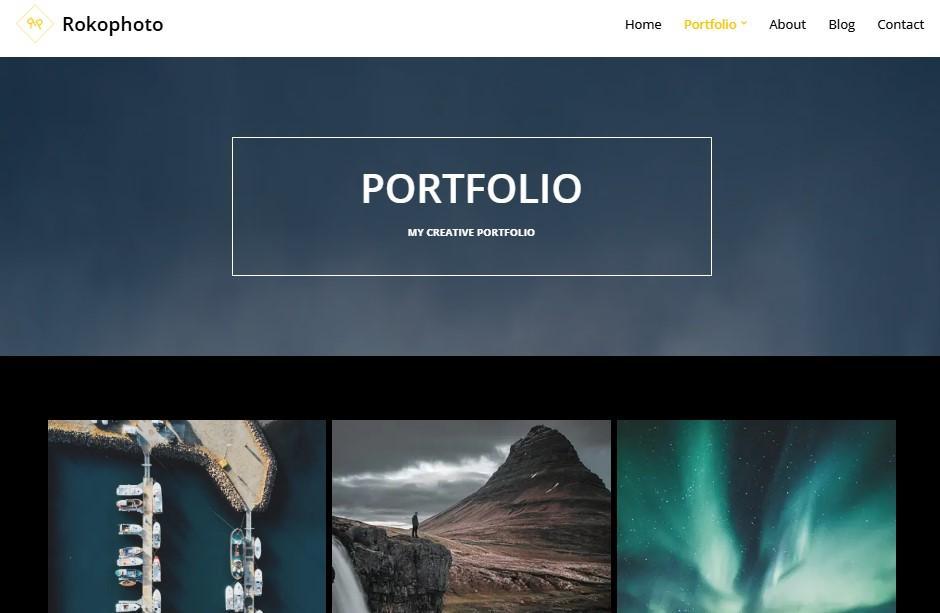
Neve is a lightweight theme that’s fully compatible with the block editor, allowing you to easily make customizations to your site’s design. It offers a lot of starter sites, including options for photographers.
You’ll get a clean portfolio layout, as well as templates for project details and photo events. The theme supports WooCommerce and offers ecommerce features like product gallery sliders and a quick view option.
Key features:
- More than 110 starter sites and templates
- A content restriction module (pro version), ideal for members-only photo downloads
- Contained or full-width layout options
- Header and footer customization
Pricing:
- A free version
- A premium theme starting at $69/year
8. PhotoFocus
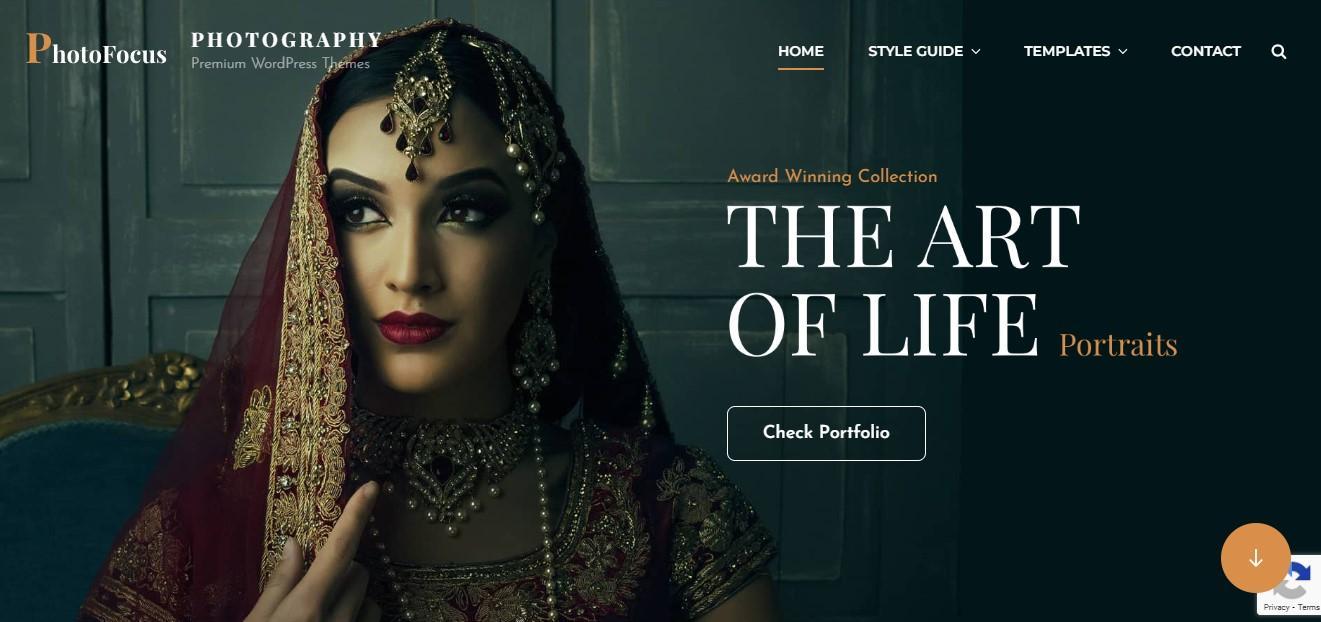
PhotoFocus is a WordPress photography theme with hero content, sliders, and various layout options. You can choose from full-width pages, multiple sidebar configurations, and other page formats. The theme also offers a tiled gallery for displaying your images.
Key features:
- Theme options where you can adjust layouts, change colors and fonts, add social links, and more
- A featured image slider
- Sections for services and testimonials
- A portfolio that you can also display on the homepage
Pricing:
- A free version
- A premium, block-based version of the theme starting from $59.99/year
9. Infinite Photography
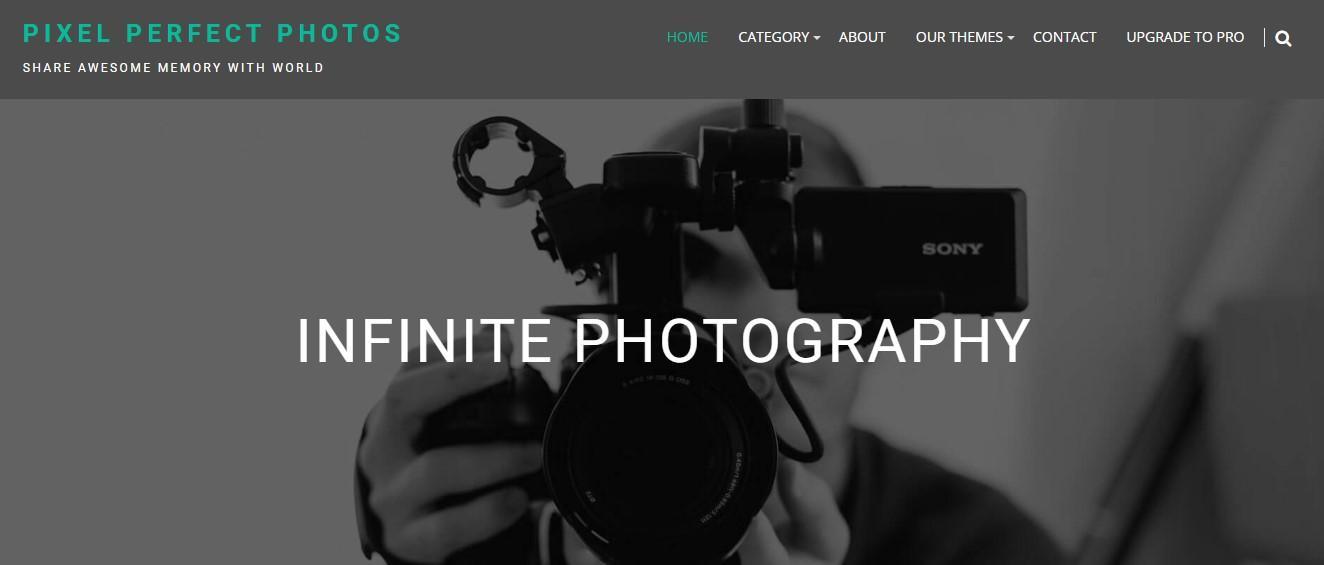
This theme is built for photo blogging and sharing, and it’s suitable for various genres, including travel and food. It offers full-width, and left and right sidebar options, as well as multiple homepage and category page layouts.
Infinite Photography has an interactive photo gallery. When a visitor hovers over a photo, they have the option to open the full image in a lightbox or visit its page to read more about it.
Key features:
- A one-click color change for the entire site
- Social media integration
- A featured section with a header image and content
- Flexible layout controls
Pricing:
- A free version
- A premium version starting at $55/year
10. Pixgraphy
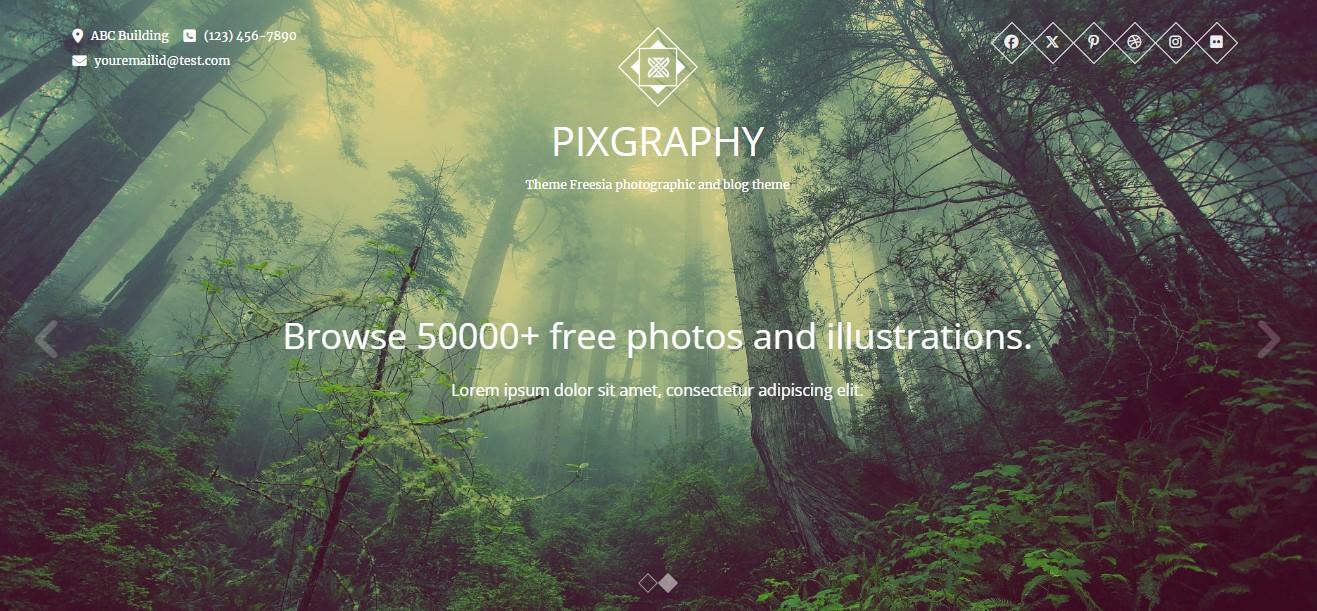
Pixgraphy is a media-rich theme for photographers. It includes features like an image slider in the header, tiled galleries, and photo lightboxes.
The theme is easily customizable. You can change colors and fonts, adjust layouts, and more.
Key features:
- WooCommerce support
- A gallery and contact page template
- Social media integration
- Different sidebar styles
Pricing:
- A free version
- A premium version starting at $59/year
11. Fotografie
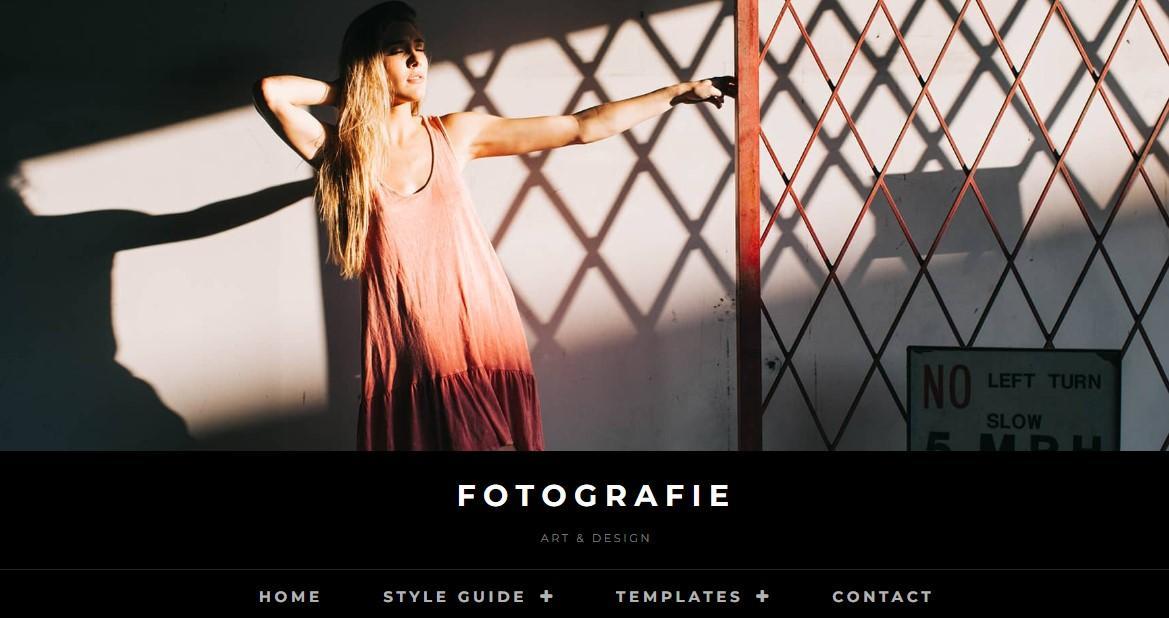
If you’re looking for a minimalist and elegant theme, Fotografie is a good option. Designed for photography sites, it comes with elements like header media options, hero content, a customizable portfolio, and more.
With the premium version, you’ll also have access to WooCommerce settings, like lightbox and slider effects for product galleries, the option to disable/enable image zoom, and more.
Key features:
- The option to display featured content on the homepage
- A custom header video or image
- WooCommerce support
- Four featured slider types: post, page, category, and image
Pricing:
- A free version
- A premium version starting at $59.99/year
12. Photo Journal
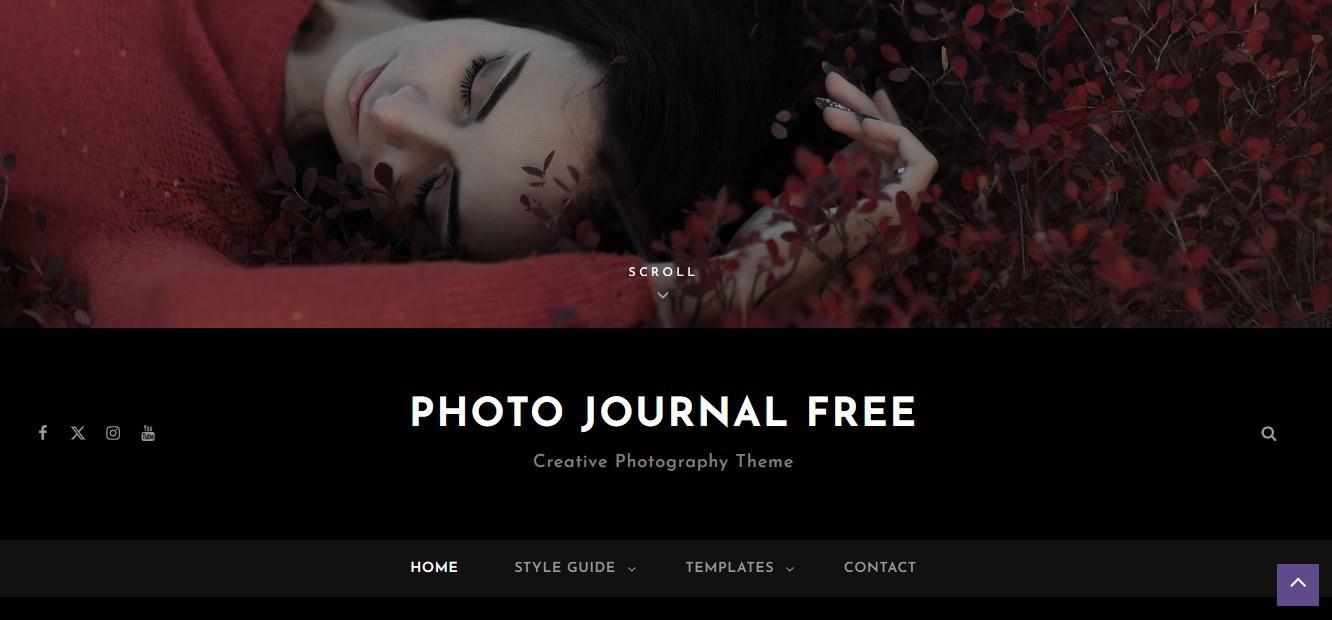
Are you looking for a theme with a dark color scheme? Photo Journal uses a grey and white text over a black background, which is ideal if you focus on monochrome photography or want the bright colors of your images to stand out.
The theme has different templates, including full-width and left or right sidebar options. There’s also a tiled gallery, with full photo details upon click.
Key features:
- Sections for displaying services and testimonials
- A featured slider
- WooCommerce integration, with lightbox and sliders for product galleries
Pricing:
- A free version
- A premium version starting at $59.99/year
13. Bold Photography
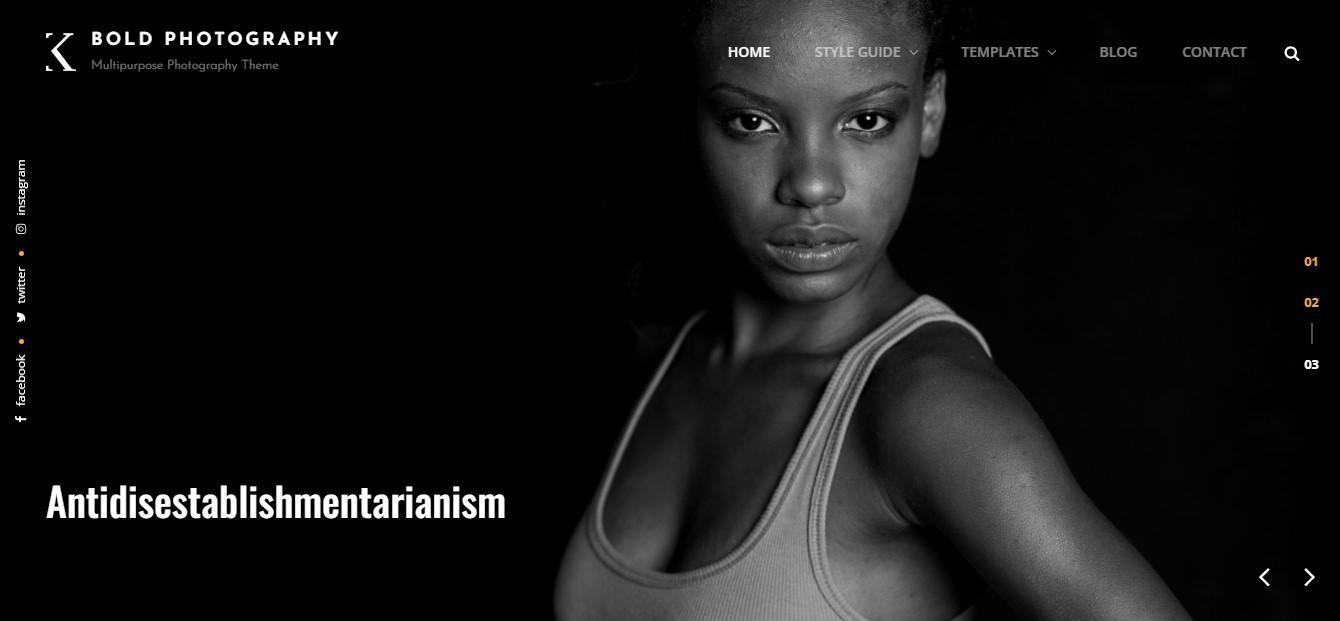
Bold Photography has a dark and elegant look, making it a good choice for photos with atmospheric or mysterious themes. Like most other photography themes, it includes a portfolio, testimonials, and a services section.
The theme has a full-width hero slider, where you can display your best works. It also comes with a large gallery in a tiles mosaic style.
Key features:
- Left and right sidebar options, and full-width templates
- Featured content and image slider
- The option to display a portfolio on the homepage or entire site
Pricing:
- A free version
- A premium plan starting at $59.99/year
14. Photo Perfect
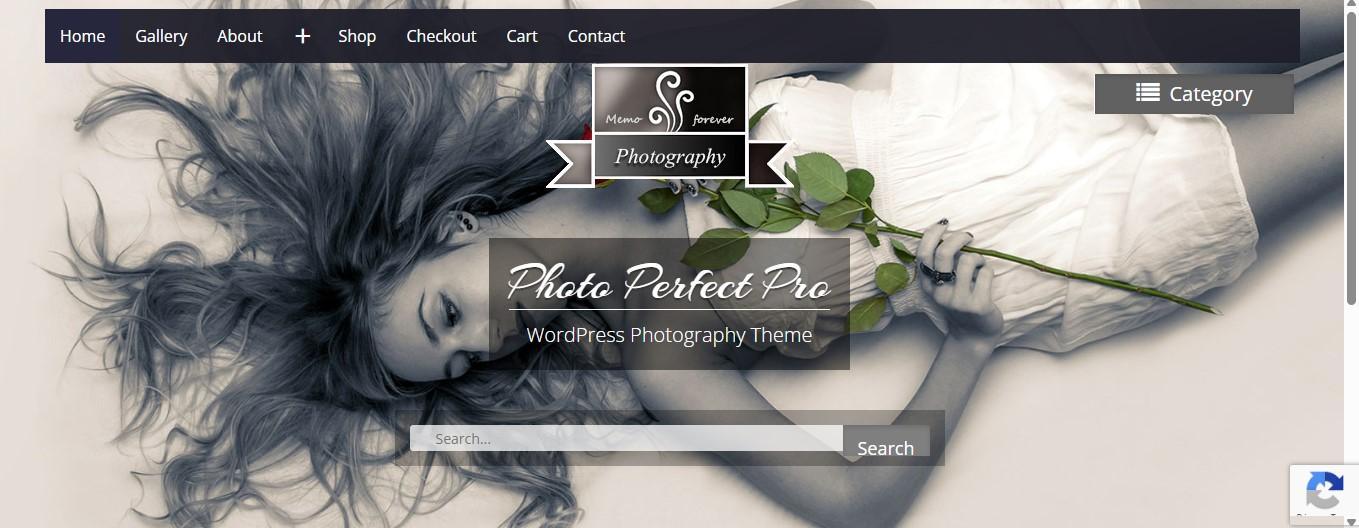
Photo Perfect is a simple theme with plenty of customization options. You can create a custom header and menu, choose your colors and fonts, and more.
It also gives you different layout settings, including optional sidebars. Images in your gallery will display two options upon hover: see lightbox view or visit the photo page.
Key features:
- A featured slider
- WooCommerce support, with shop, cart, and checkout templates
- A gallery page with photo categories
Pricing:
- A free version
- A premium version starting at $59/year
15. Shutter Up
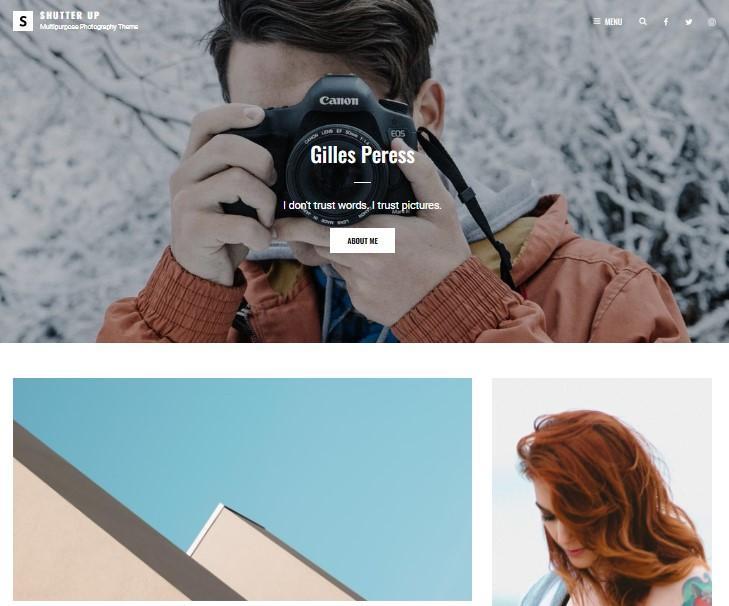
Shutter Up has a fresh look, with a clean grid portfolio for your images. You can also display testimonials and your services, and easily rearrange sections on your website to align with your preferences.
The theme has a hero content feature, where you can highlight your best work. You can display this section on the homepage or the entire website.
Key features:
- Header media, including videos and photos
- A slider for featured works
- WooCommerce support
- Full-width page templates and sidebar options
Pricing:
- A free version
- A premium version starting at $59.99/year
The best plugins to supercharge your photography theme
Choosing a photography-specific theme is a good starting point for your portfolio. However, your image-rich website will need some extra attention to run smoothly.
For instance, performance plugins will compress your photos to improve loading times.
You might install tools to help you organize your media library more efficiently. And if you’re looking to sell your photos, you’ll also need an ecommerce solution.
So, here are the best plugins for your photography website.
1. Jetpack Boost
Jetpack Boost is an all-in-one performance solution by Automattic, the people behind WordPress.com. It offers a variety of features that improve your site’s load times, including ones designed specifically for media content.
For example, it delivers your images from Jetpack’s content delivery network (CDN). This is a group of global servers that store cached copies of your content. When a visitor lands on your website, the CDN will deliver your images from the server closest to their location. This improves load times for your audience and reduces server strain.
Jetpack’s image CDN will also adjust your images to a suitable size (depending on the device type, like mobile or desktop) and convert them to modern image formats like WebP.
You can get started with Jetpack Boost for free. Once you install it, navigate to Jetpack → Boost in your WordPress dashboard and turn on the toggle button for the image CDN.
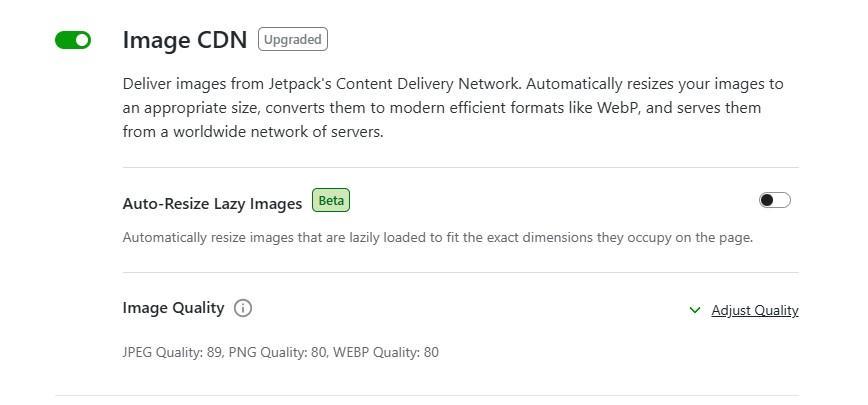
With a paid plan, you’ll get more control over how your images are processed. For instance, you can choose to automatically resize lazy-loaded images to the right dimensions. This will prevent photo distortions on your page.
You’ll also be able to adjust the image quality for each format and enable lossless compression to preserve photo quality.
Meanwhile, the image guide feature helps you find images on your website that are too large so you can replace them with smaller files.
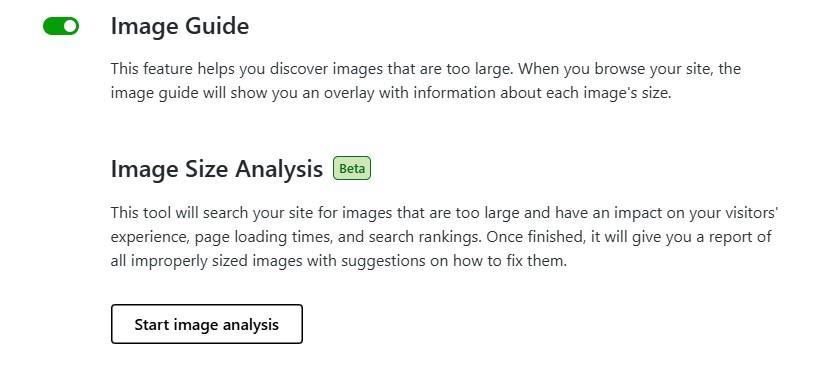
There’s also an image analysis tool that will scan your website for photos that may be negatively impacting loading times and search rankings. It will even give you suggestions on how to fix these images.
2. Jetpack AI Assistant
AI tools can save you a lot of time and work. If you’re new to site-building or you’re busy running your photography business, you’ll need some help with creating your pages.
Jetpack AI Assistant can generate text and other website content for you.
When you’re working on a page or post, you can click on the Jetpack tab to access the AI Assistant without leaving the block editor. Then, enter a prompt for the content you want it to create.
When you add an image, you can ask the AI Assistant to generate alt text and a caption for it.
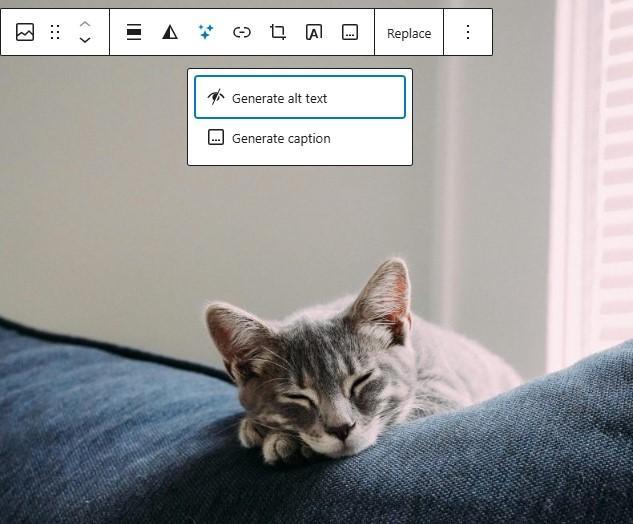
If you have a lot of photos in your portfolio, this feature will help reduce tedious work.
As mentioned earlier, Jetpack AI Assistant can generate other types of content. For instance, you can use it for translations, meta descriptions, page copy, and more.
3. NextGEN Gallery
Many of the best WordPress photography themes have customizable galleries for displaying your work. However, if you opt for one that doesn’t, you can always add one.
NextGEN Gallery is a plugin that extends the functionality of your photo galleries. The free version gives you three main gallery styles, including a slideshow, and two album styles, with various settings to adjust the size, transitions, timing, animations, and more.
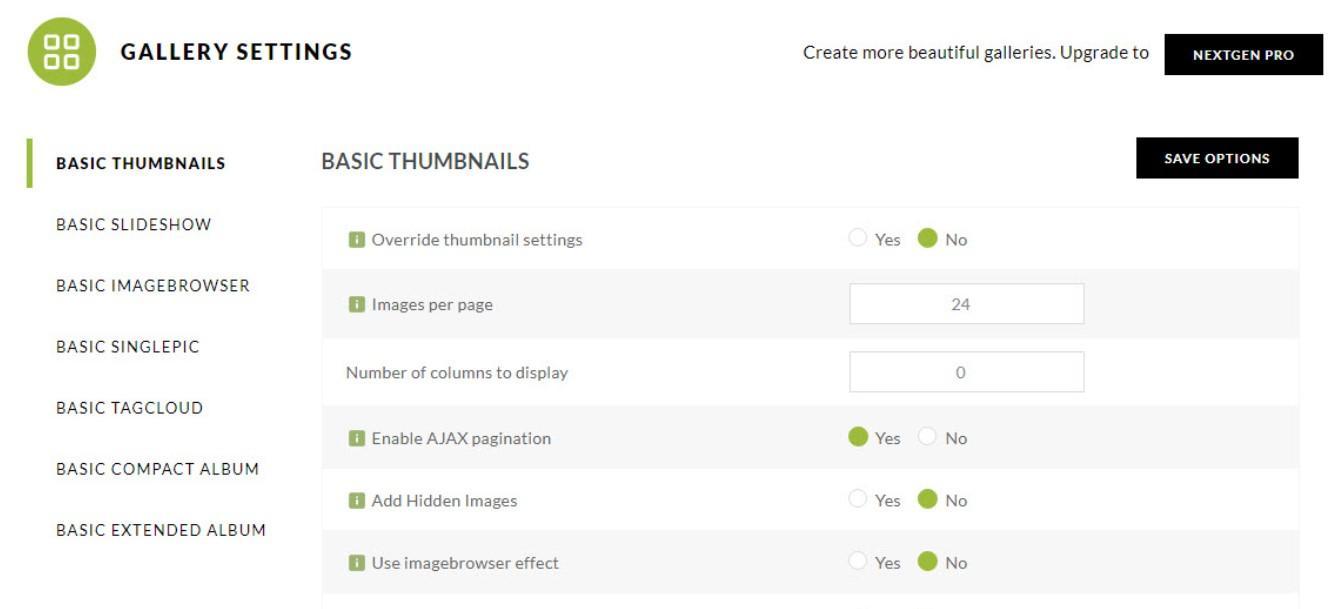
It also comes with tagging features to help you organize your images and watermarks to protect your work.
NextGEN Gallery also provides ecommerce functionality. You can sell images (or entire galleries) with built-in payment processing through Stripe and PayPal. It even offers automated print fulfillment and calculates taxes when applicable. Plus, you can offer discounts and coupons to increase your sales.
4. Media Library Assistant
When you upload photos to WordPress, they are automatically stored in the Media Library. Here, you can individually edit your images by cropping them, adding titles and descriptions, and downloading or deleting them.
Over time, your media library may become a bit unmanageable, especially if you continue to expand your portfolio. This is where the Media Library Assistant plugin comes in handy.
This tool facilitates better tagging and categorization of media files.
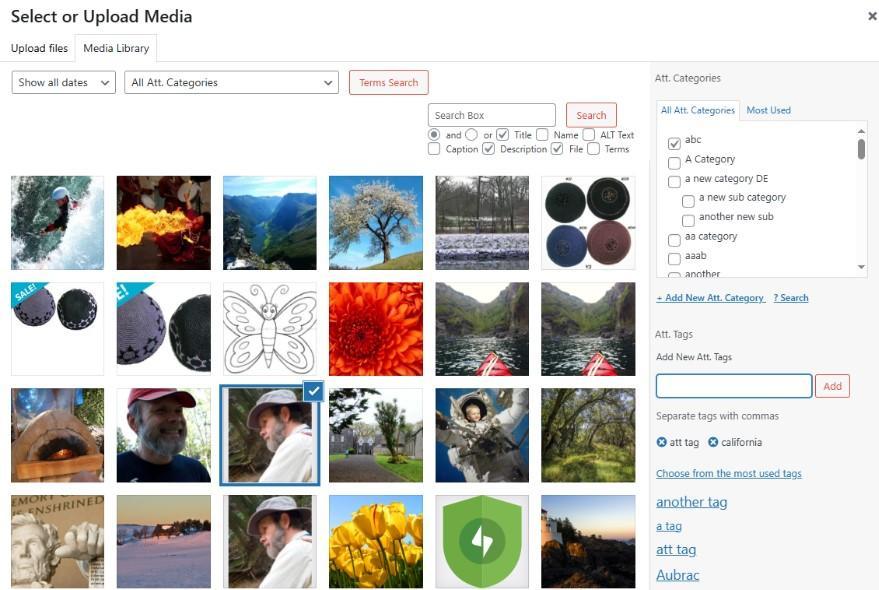
It lets you create custom taxonomies and fields, and look for images by file type, data, taxonomy, and more. Plus, you can bulk edit multiple photos at once.
5. WooCommerce
WooCommerce is the leading ecommerce plugin for WordPress websites.
WooCommerce lets you sell many types of products, including physical items (like framed pictures), digital items (like photo downloads), and services (like subscriptions or photoshoots).
When you install the free plugin, you can head to Products in your dashboard to upload your first offering.
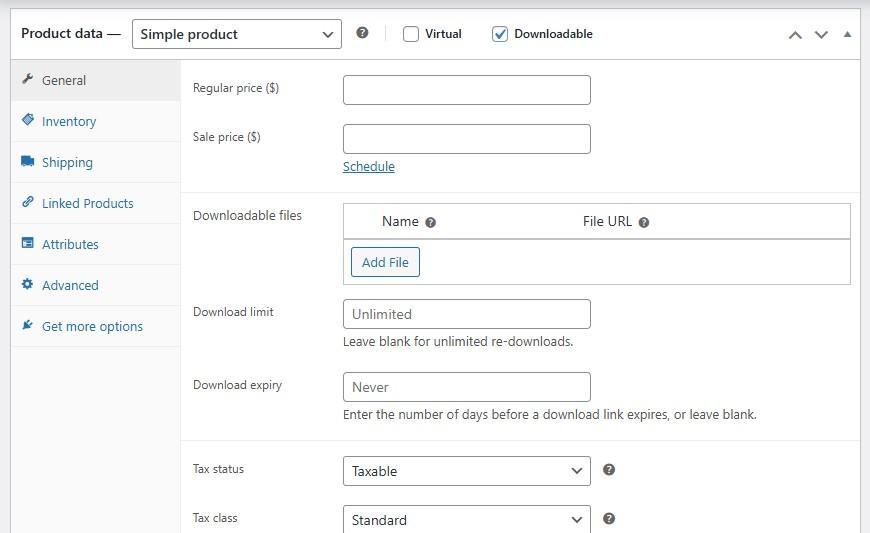
Here, you can describe the product, set the price, add shipping options (for physical items), and more. If you’re selling downloadable photos, you’ll need to set a download limit and expiry.
When you install WooCommerce, you’ll also get a collection of blocks for checkout, cart, product, and shop pages.
There are nearly unlimited extensions to customize and market your store, so you can grow your online storefront as large as you want.
6. Product Watermark for WooCommerce
This plugin lets you add watermarks to images in your WooCommerce store. These marks may include a copyright symbol, your photography logo, or just your name.
All you have to do is configure the watermark (position, size, transparency level, etc.), and it will be applied to all your product images. This will save you a lot of manual work when selling your photos.
Frequently asked questions
Let’s conclude by answering some common questions about WordPress photography themes.
What should I look for in a WordPress photography theme?
When choosing a WordPress photography theme, you’ll want to prioritize features like gallery and portfolio layouts, ecommerce support, and customization options.
Are free WordPress themes good enough for professional photographers?
Some free themes are suitable for beginners or those on a tight budget. However, premium themes often offer better design quality and more advanced features like WooCommerce integration, additional gallery styles, and customization options.
Can I switch my WordPress theme without losing photos?
Yes, your media files (like photos uploaded to your media library) remain intact when you switch themes. However, you’ll lose theme-specific galleries or layouts, so you’ll need to reconfigure some settings after switching.
Will my website and portfolio loading speed be affected by the theme I choose?
Yes. Some themes are bloated with unnecessary features and scripts, which can slow down your site. A well-coded, optimized theme can significantly improve load times, which is crucial for both user experience and SEO.
Ideally, you would choose a lightweight theme. You can also use a plugin like Jetpack Boost to minimize scripts and cache your content for faster load times.
How do I choose a lightweight and fast-loading WordPress theme?
Check user reviews and performance benchmarks if available. Themes like Astra, GeneratePress, and Neve are known for being lightweight and fast.
You can also install a theme on your website and run a speed test on Google PageSpeed Insights (or a similar tool) to see how it scores. If the test mentions actions like “eliminate render-blocking resources“, “reduce unused JavaScript”, and “minimize main-thread work”, it’s usually a sign that the theme is heavily coded and slowing down your website.