

Is your nonprofit website your most passionate volunteer, working 24/7 to share your mission and encourage donations? Or is it an accidental roadblock, turning interested visitors away?
Consider this: 85% of donors will visit a nonprofit’s website before giving, but 80% of those websites aren’t even mobile-friendly. And at the end of the day, if your website doesn’t work on mobile devices or loads so slowly that visitors turn elsewhere, you’ll miss out on important connections and donations.
The theme and plugins you use impact everything from your site’s performance and responsiveness to its ease of use and security. So, in this guide, we’ve identified some of the best WordPress themes for nonprofits, along with key plugins to empower your organization. You’ll find powerful options for every budget, from free community favorites to premium, feature-rich solutions.
How we chose these WordPress themes (our nonprofit checklist)
Nonprofit websites have different requirements than typical business sites: you’re asking visitors to trust you, donate, volunteer, and share personal information. We selected themes based on the criteria below.
Our criteria (what matters most):
- Speed & Core Web Vitals readiness: lightweight code, responsive images, minimal render-blocking assets (better LCP/INP/CLS).
- Donation-ready layouts: easy “Donate” CTA placement, landing page flexibility, and compatibility with donation plugins.
- Accessibility fundamentals: keyboard navigation, focus states, sensible heading structure, and contrast-friendly design options.
- Ease of updates: works well with the block editor, doesn’t require constant custom code to maintain.
- Ecosystem & support: active maintenance, documentation quality, and real-world adoption.
A review of popular WordPress themes for nonprofits
Since each nonprofit organization has unique needs, requirements, and budget restraints, we’ve included two types of themes in this list:
- Multipurpose themes: These are popular, powerful, and flexible themes that you can adapt for any website, including nonprofit sites. They often have specific starter templates for charities.
- Dedicated nonprofit themes: These are built specifically for charities and often come with pre-installed nonprofit features.
1. Astra
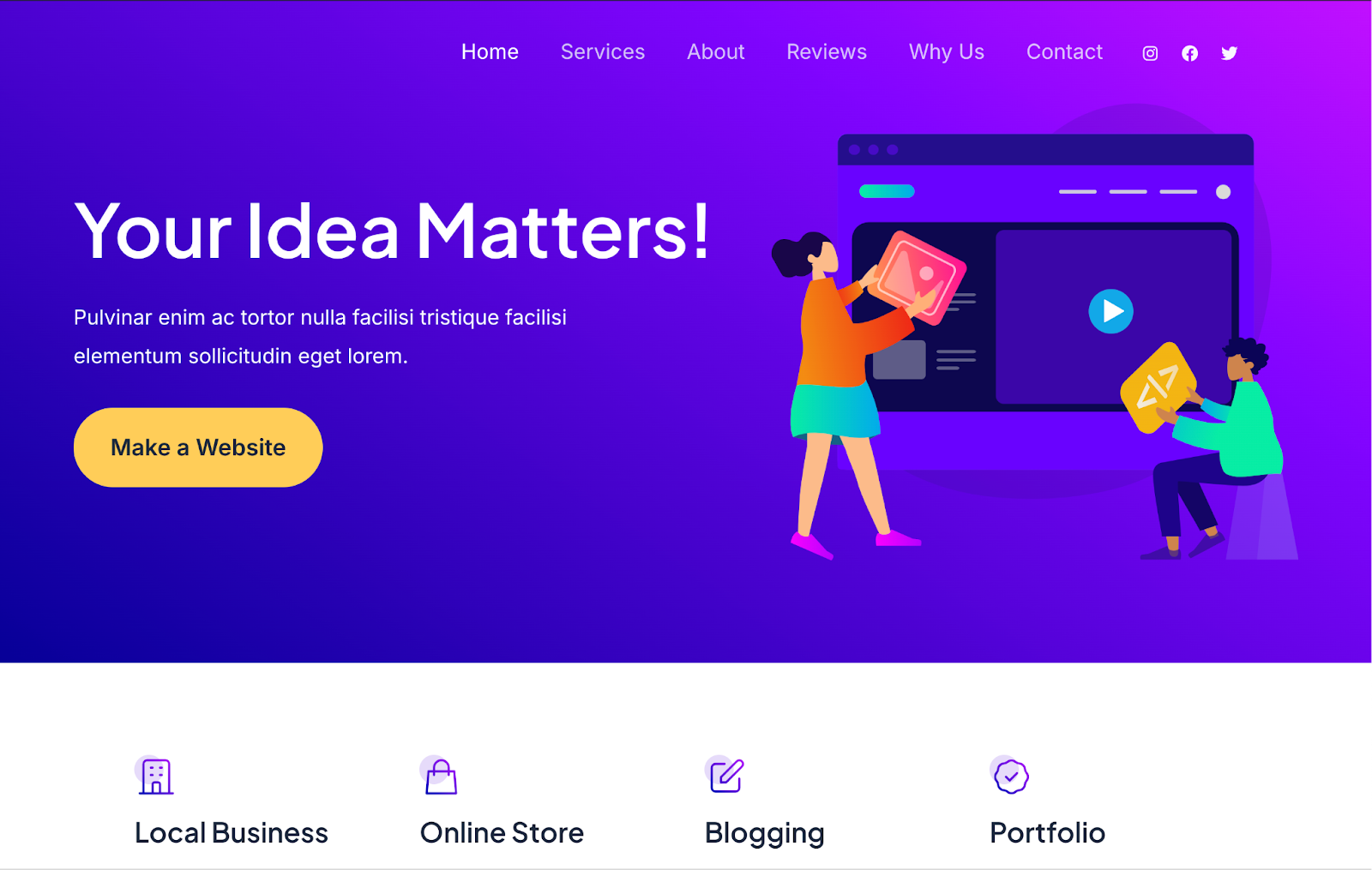
Astra is “feather-light”, providing a blazing-fast experience for site visitors and solidifying it as one of the most popular WordPress themes available. For a nonprofit, that speed keeps a potential donor on your page long enough to actually connect with your cause.
But Astra isn’t just about performance. It has a huge library of pre-built starter sites, including professionally designed templates for nonprofits, helping you launch a beautiful website quickly and easily.
- Highlight: It scores consistently high on Google’s Core Web Vitals, which boosts your SEO rankings and ensures a top-notch user experience.
- Best for: Organizations of any size that want a future-proof, lightning-fast foundation that they can customize to meet any need.
- Stats and info:
- More than one million active installations
- 4.9/5 stars (5,900+ reviews)
- Price: Free version available. Premium version starting at $49/year.
2. Hello Elementor
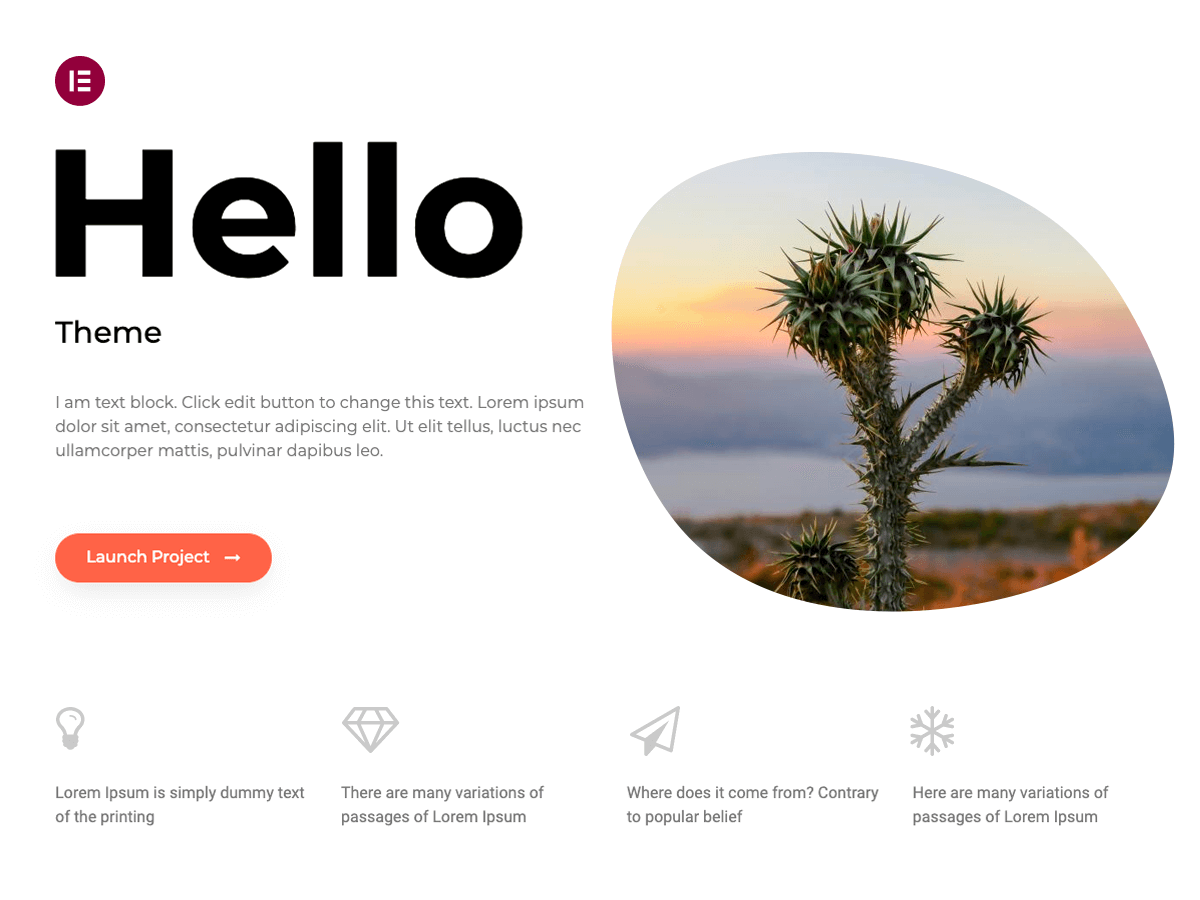
Created by the developers of the Elementor page builder, this theme is almost completely unstyled. Its entire purpose is to provide a fast, lightweight, clean foundation for you to build upon using Elementor. With this theme, you’ll essentially build from the ground up.
- Highlight: As a completely barebones framework, it’s super fast and serves as a great platform to build and design on top of.
- Best for: Organizations with a clear design vision (and some technical experience) that want to build a completely custom website with Elementor.
- Stats and info:
- More than one million active installations
- 4.6/5 stars (1,100+ reviews)
- Price: Free
3. OceanWP
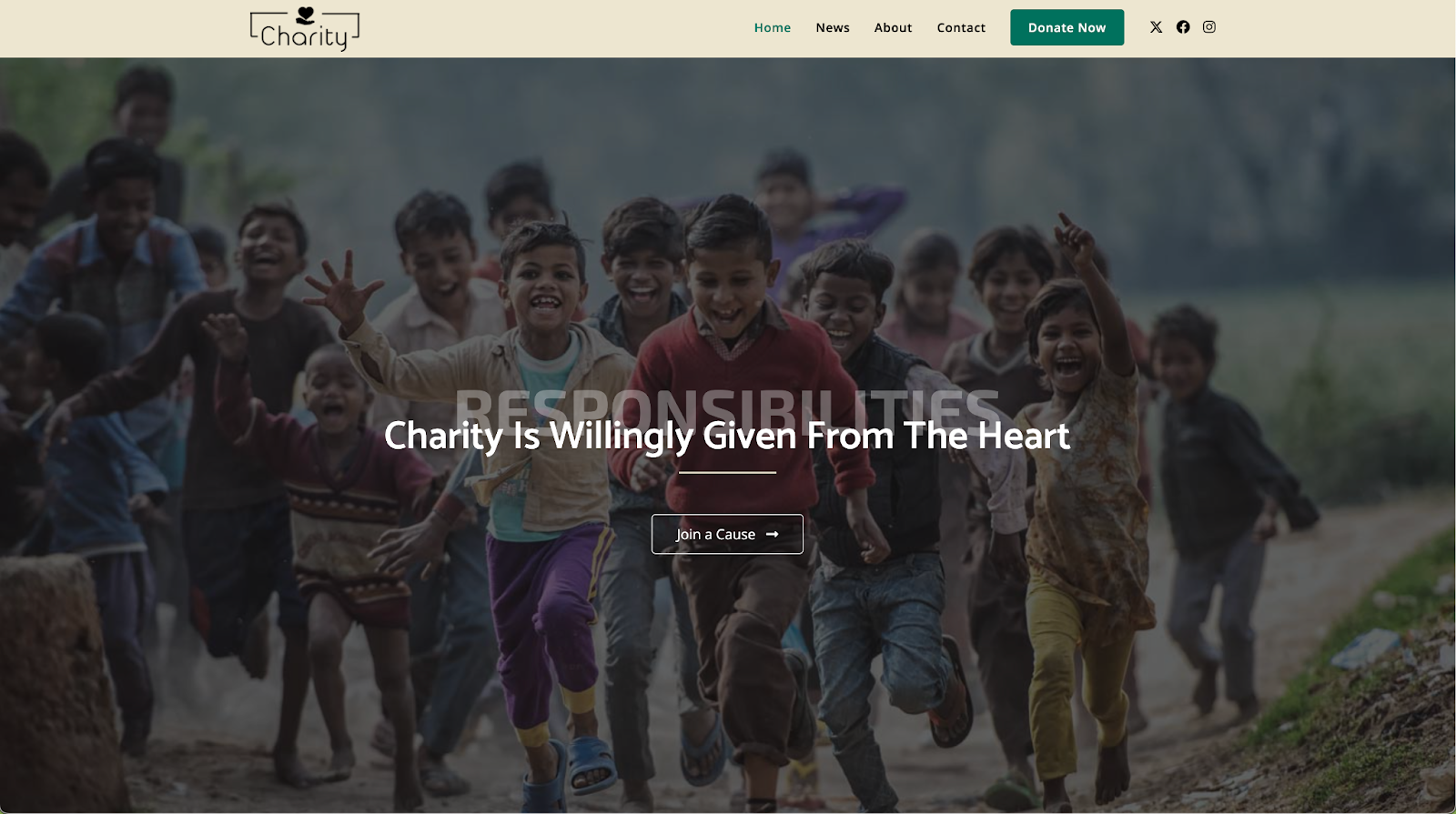
If you’re looking for a theme with a powerful toolkit of customization options, OceanWP is a top contender. It’s a true multipurpose theme known for its flexibility and an extensive list of features that allow you to tweak almost every aspect of your site’s design, from headers and footers to blog layouts and button styles.
One of OceanWP’s biggest strengths is its deep integration with WooCommerce. It has lots of great styles and settings for online stores and donation pages, along with filters, quick view features, and more. This makes it an excellent option for selling merchandise, collecting recurring donations, or letting supporters purchase specific items that your nonprofit needs.
There are also lots of templates to choose from, including options specifically for charities and nonprofits. These are excellent starting points and include predesigned pages, features for collecting donations, and more.
- Highlight: Native ecommerce tools, including a pop-up cart and quick view options, along with nonprofit-specific templates
- Best for: Nonprofits that want to use ecommerce for fundraising or those who love having a deep level of control over their site’s design.
- Stats and info:
- More than 600,000 active installations
- 4.9/5 stars (5,500+ reviews)
- Price: Free version available. Premium version starting at $35/year.
4. GeneratePress
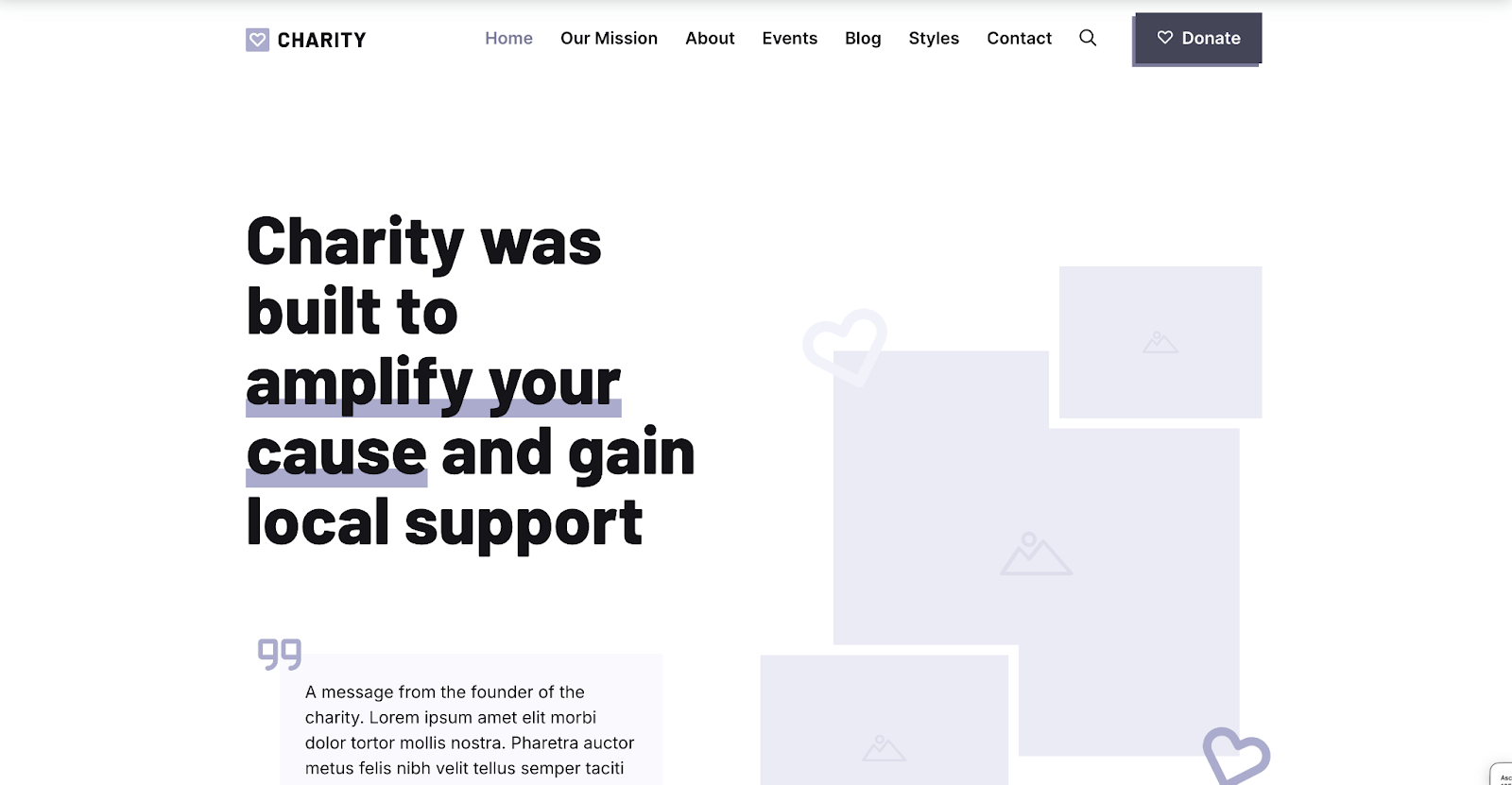
GeneratePress is incredibly lightweight — a fresh installation is less than 10 kb, which gives your website a speed advantage from the start. It uses a modular design, so you can activate or deactivate specific features as needed. This keeps your website’s backend simple, a huge benefit for staff and volunteers who may not be tech-savvy.
GeneratePress also follows WCAG standards for accessibility, ensuring that all visitors can understand your mission and message, including those using assistive technologies.
There are quite a few great starter templates just for nonprofits, including specific designs for youth, conservation, and animal rescue. GeneratePress is also completely block-based, so it uses the default WordPress block editor for all of its templates. This keeps things super lightweight and easy to learn while also being very flexible. There is also a huge library of patterns and blocks that you can use to quickly build pages without code.
- Highlight: It has a strong focus on accessibility standards, helping your organization meet key compliance guidelines.
- Best for: Nonprofits that have a strong commitment to digital accessibility and value flexibility combined with ease of use.
- Stats and info:
- More than 500,000 active installations
- 5.0/5 stars (1,900+ reviews)
- Price: Free version available. Premium version starting at $59/year.
5. Kadence
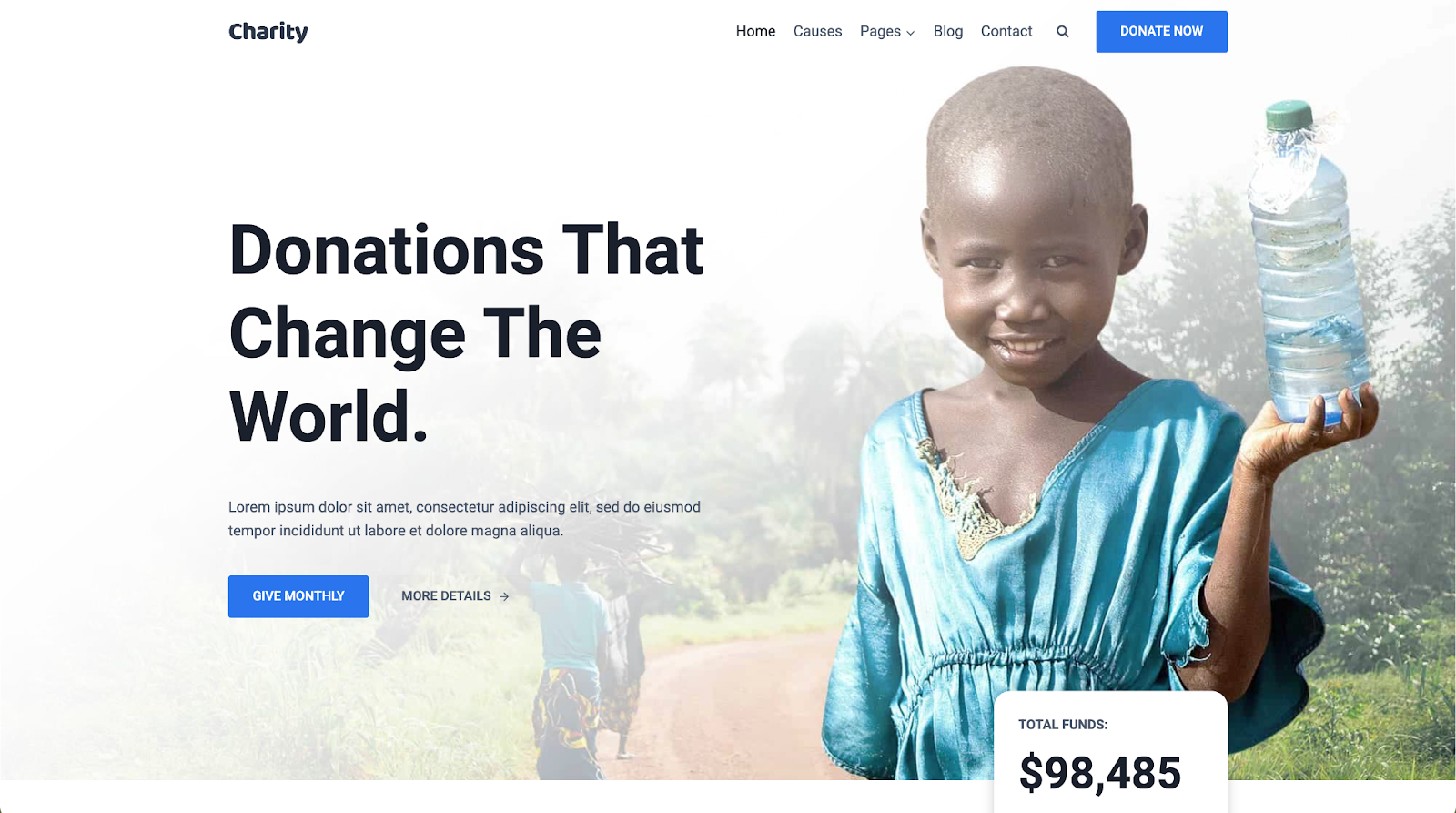
Kadence is a user favorite for a reason: it strikes the perfect balance between power and simplicity. It’s packed with high-end, professional features but still loads quickly.
For example, it includes a powerful drag-and-drop header builder that makes it simple to create a “sticky” header. You can add a can’t-miss “Donate” button that stays visible as people scroll without having to edit any code.
Kadence includes lots of built-in integrations with tools such as Give (for donation collection) and The Events Calendar (for listing upcoming events and selling tickets). There’s also a huge library of starter templates with several options for nonprofits, along with lots of drag-and-drop patterns and blocks.
Want to sell merchandise or other products? Kadence even offers a Shop Kit tool that adds powerful ecommerce features to WooCommerce.
- Highlight: Super powerful drag-and-drop tools, like a header builder, starter templates, and the Shop Kit.
- Best for: Nonprofits that want professional design control without sacrificing speed or ease of use, particularly those that also want to sell online.
- Stats and info:
- More than 400,000 active installations
- 4.9/5 stars (370+ reviews)
- Price: Free version available. Premium version starting at $69/year.
6. Neve
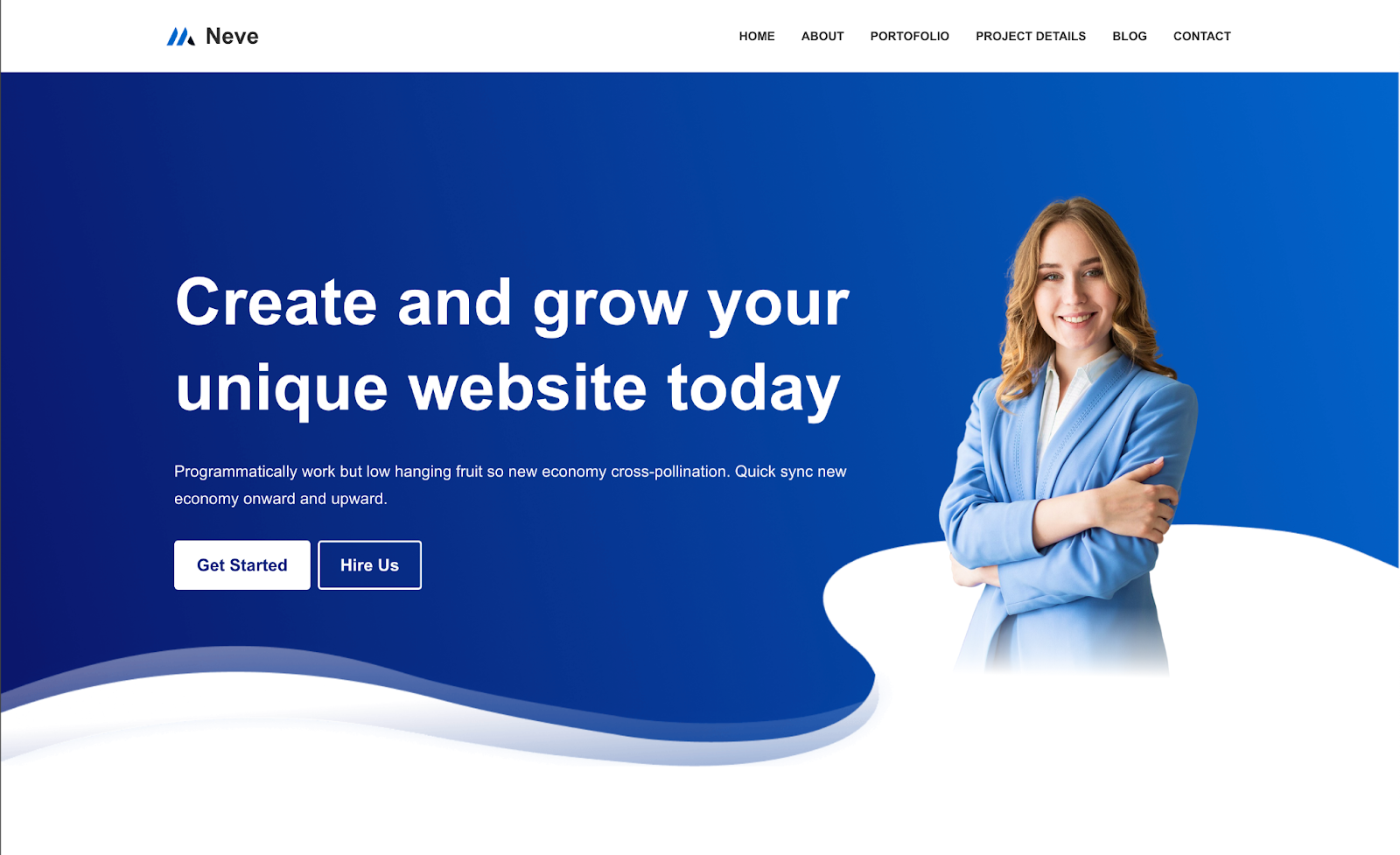
Neve is a “mobile-first” theme, so it prioritizes the experience of visitors on phones and tablets. For nonprofits, this is a huge advantage for on-the-go donations and social media marketing.
Neve offers a large library of pre-built starter sites, including options for charities, that you can import with just a few clicks. It’s also packed with features that make getting started and customizing your site easy: built-in blog layouts, a header and footer builder, enhanced WooCommerce tools, and more.
- Highlight: Its “mobile-first” design and AMP compatibility ensure an excellent experience for visitors on the go.
- Best for: Nonprofits that need a fast, reliable, and easy-to-use theme that shines on mobile devices.
- Stats and info:
- More than 300,000 active installations
- 4.9/5 stars (1,200+ reviews)
- Price: Free version available. Premium version starting at $69/year.
7. Blocksy
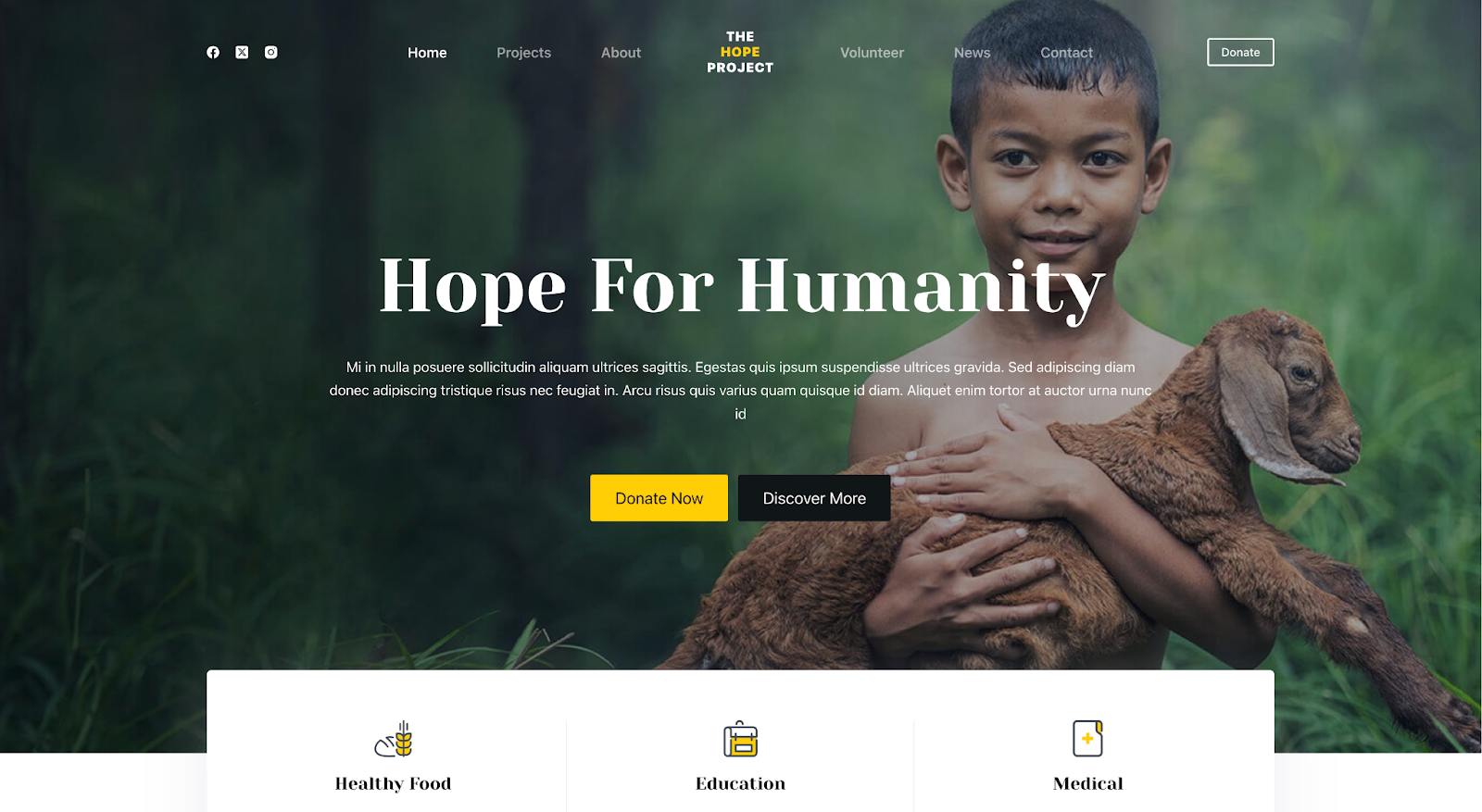
Blocksy is a lightweight theme built to work seamlessly with the WordPress block editor. This means that you can create beautiful, complex layouts without needing to install heavy third-party page builder plugins.
Blocksy stands out with its thoughtfully designed “Charity” starter site. This free template provides a perfect starting point, with a compelling hero section to grab attention, dedicated areas to showcase your projects, and a clear call to action to recruit volunteers.
The theme also features an easy-to-use header and footer builder, which makes it simple to add and customize key elements like your logo, navigation, and a “Donate” button.
- Highlight: It prioritizes the block editor, so you can create beautiful designs without slowing down your site or having to learn a new tool.
- Best for: Nonprofits that want a fast, modern-feeling website and prefer to work within the native WordPress editor.
- Stats and info:
- More than 100,000 active installations
- 5/5 stars (1,300+ reviews)
- Price: Free version available. Premium version starting at $69/year.
8. Sydney
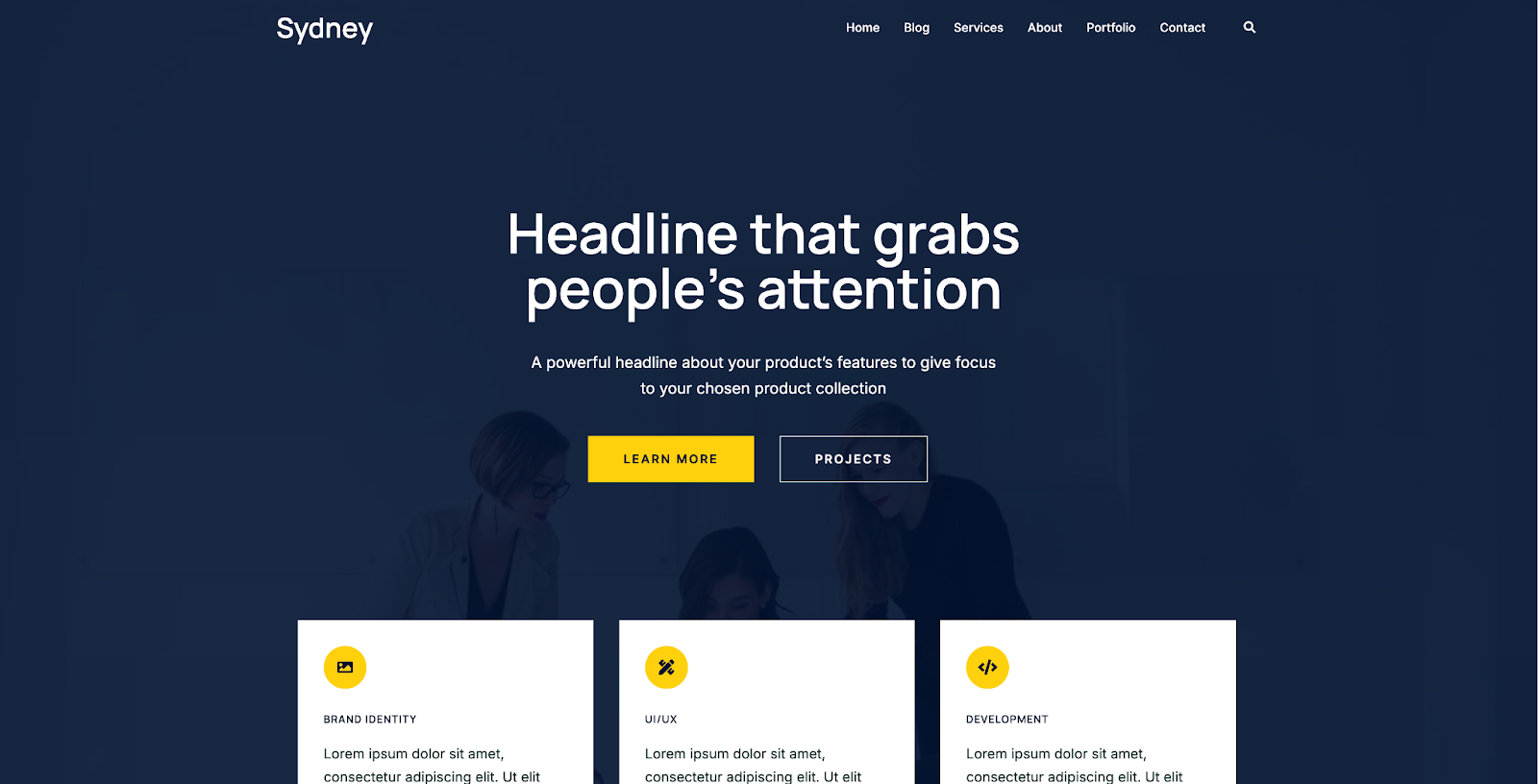
Sydney is a lightweight, SEO-optimized theme that’s both easy to use and chock-full of features. It includes a header and footer builder with a variety of presets, predefined sections to make getting started a breeze, powerful blog layouts, sliders, ecommerce features, and more.
There’s also a library of starter sites, including options for charities.
- Highlight: It has lots of code-free customization options while being easy to use.
- Best for: Nonprofits that want flexibility without hassle.
- Stats and info:
- More than 80,000 active installations
- 4.9/5 stars (670+ reviews)
- Price: Free version available. Premium version starting at $79/year.
9. Zakra
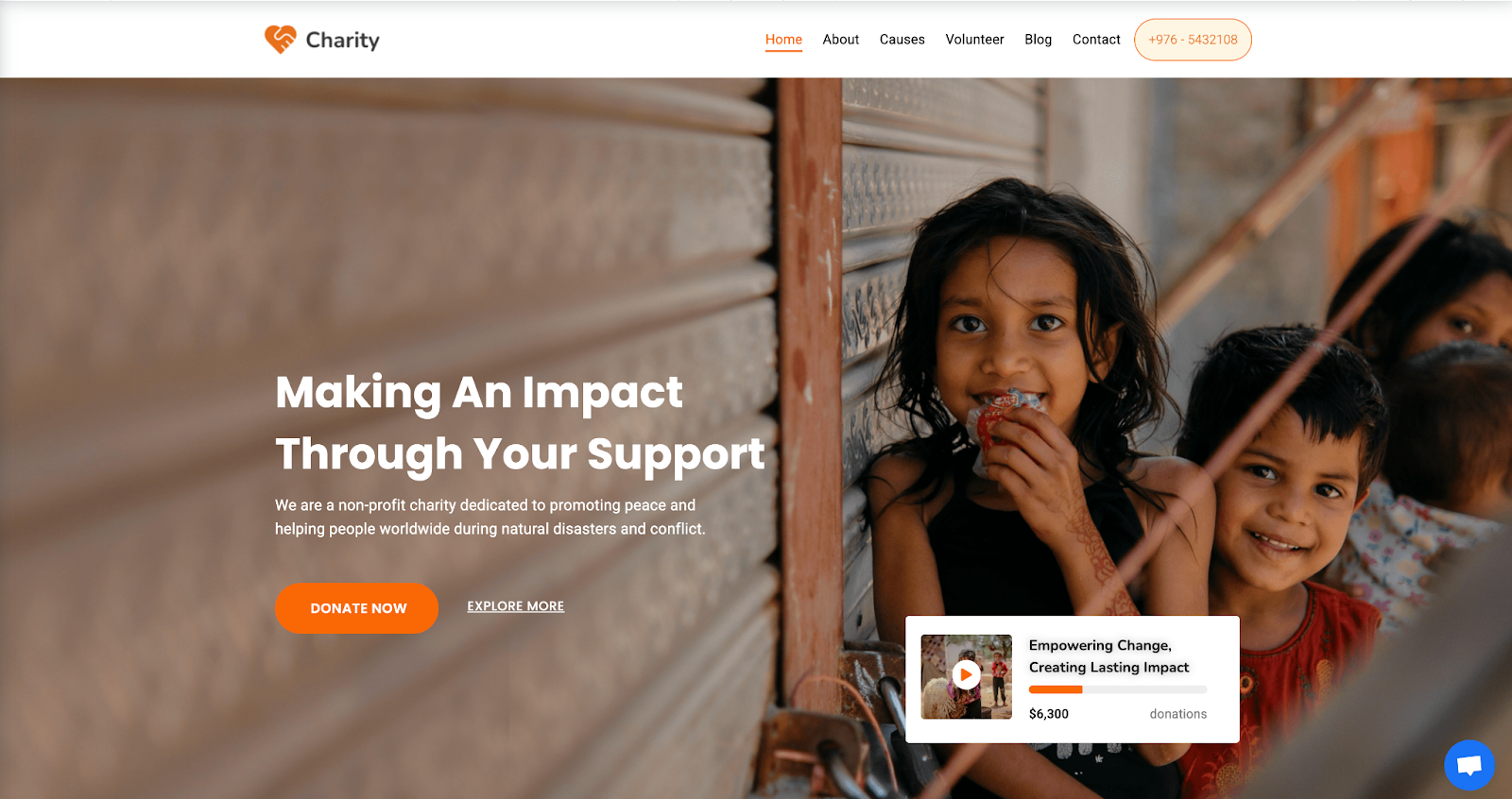
Zakra is a sleek, modern theme that’s both fast and incredibly flexible. It comes with more than 40 free starter sites with a “one-click demo import” feature — a huge time-saver! Zakra also offers a beautifully designed Charity template with beautiful CTAs, donation progress bars, image galleries, and more.
It also offers a variety of unique templates for headers, footers, sidebars, and more.
- Highlight: The Charity starter site is well-thought-out and beautifully designed.
- Best for: Organizations that want a fast, SEO-friendly theme with a customizable template you can install with a single click.
- Stats and info:
- More than 40,000 active installations
- 4.9/5 stars (570+ reviews)
- Price: Free version available. Premium version starting at $69/year.
10. Benevolent
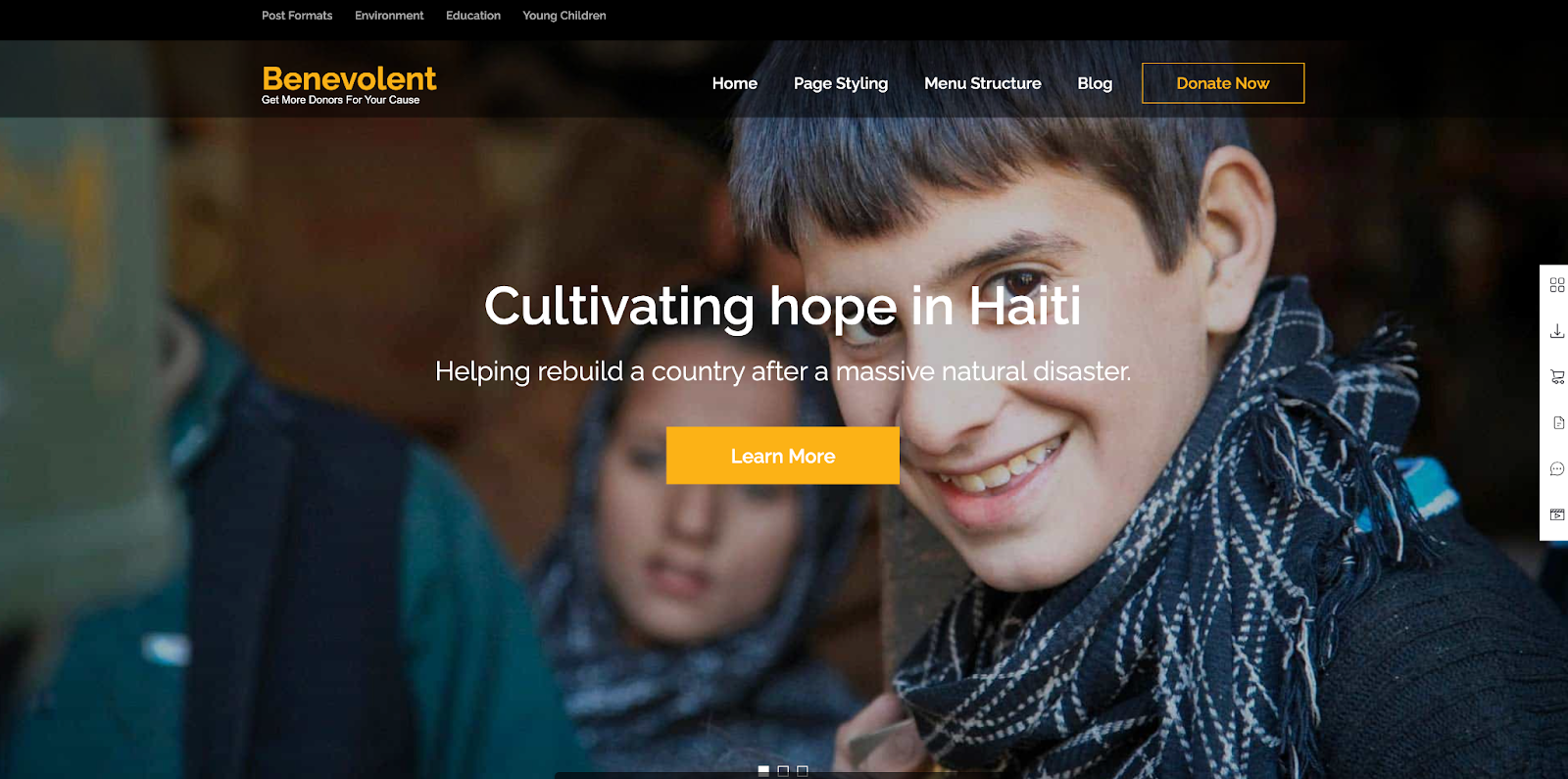
Benevolent was built from the ground up with one audience in mind: nonprofits. As a dedicated theme, it includes all the features and sections that a nonprofit organization needs.
This theme was designed to build trust and inspire action. It includes several pre-built sections that you can simply fill in with your content: a prominent call to action to guide visitors, a stats counter to showcase your impact, and a community section to highlight your work.
It also integrates with a variety of nonprofit tools for functionality like donation collection.
- Highlight: The built-in stats count provides a powerful, visual way to build credibility and show donors the tangible impact of their support.
- Best for: Startups or small nonprofits that need a professional theme and a “plug and play” design.
- Stats and info:
- More than 8,000 active installations
- 5/5 stars (100+ reviews)
- Price: Free version available. Premium version starting at $59/year.
11. Maisha
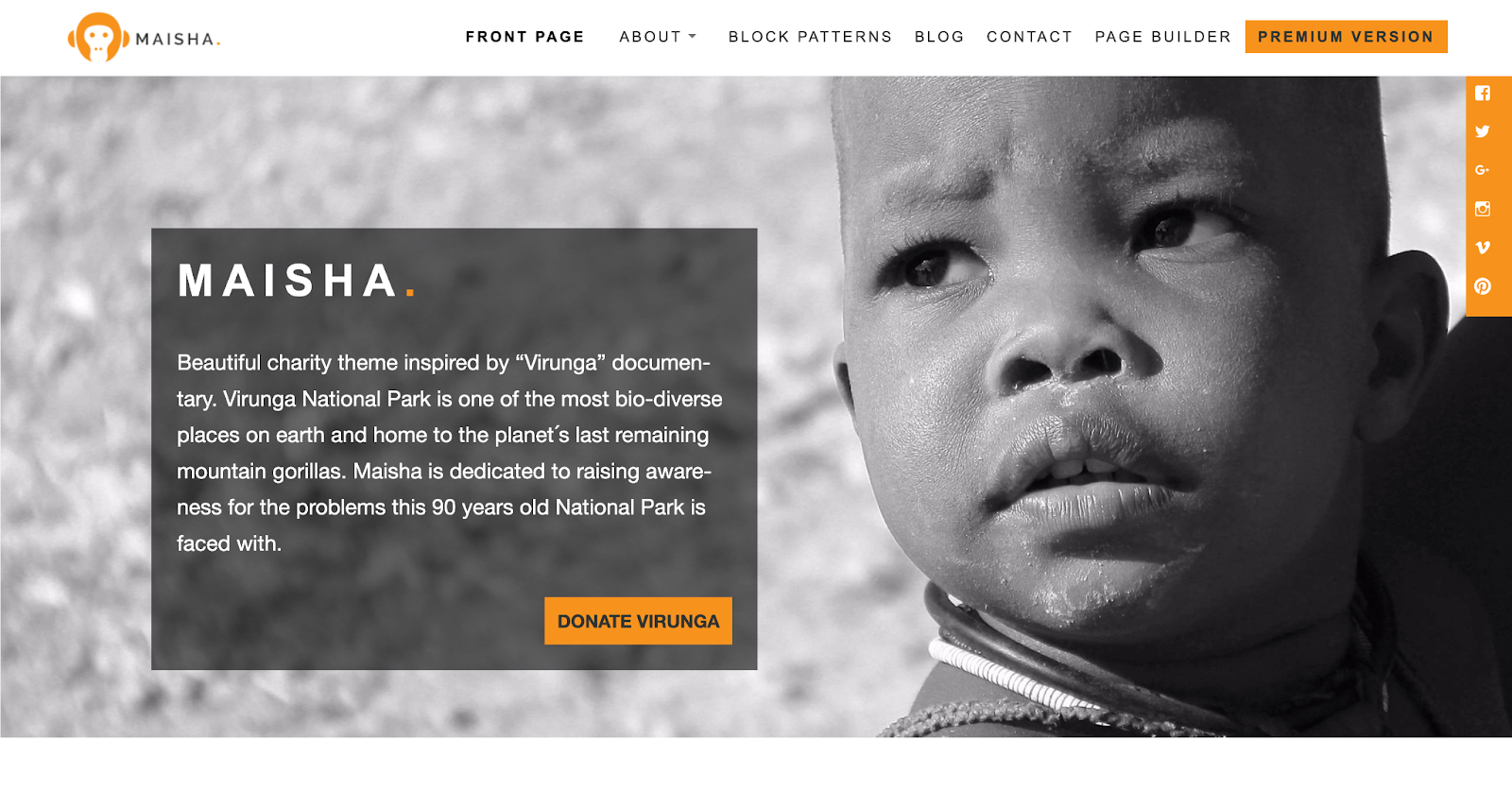
Maisha is a beautiful theme inspired by the documentary “Virunga”. It uses a clean, modern design that puts your photography and mission front and center. It’s ideal for nonprofits seeking to establish a strong emotional connection with their audience through compelling visuals.
It integrates seamlessly with WooCommerce, along with the block editor and donation tools. This means that you can take advantage of the theme’s beautiful design while editing it to fit your cause.
- Highlight: Its design is inspired by impactful storytelling, making it perfect for organizations that rely on powerful images and narratives.
- Best for: Humanitarian, environmental, and animal welfare organizations that want to create a visually driven website.
- Stats and info:
- More than 2,000 active installations
- 5/5 stars (50+ reviews)
- Price: Free version available. Premium version starting at $59/year.
The best plugins to support your nonprofit theme
A theme is the foundation of your site, but to truly create an effective fundraising engine, you need to pair it with a few key plugins. Plugins extend your theme’s capabilities and offer additional functionality, like performance tools, ecommerce capabilities, donation options, or event calendars.
Note that some of the themes on this list integrate more seamlessly with certain plugins than others. For example, several offer enhanced WooCommerce functionality or templates specifically designed for GiveWP. However, you should be able to use these tools with any of the themes listed here.
Jetpack Boost
Website speed is incredibly important for any organization, including nonprofits. If your site loads too slowly, people are likely to give up and go elsewhere, and you’ll miss out on their support. Plus, search engines prioritize speed when determining keyword rankings.
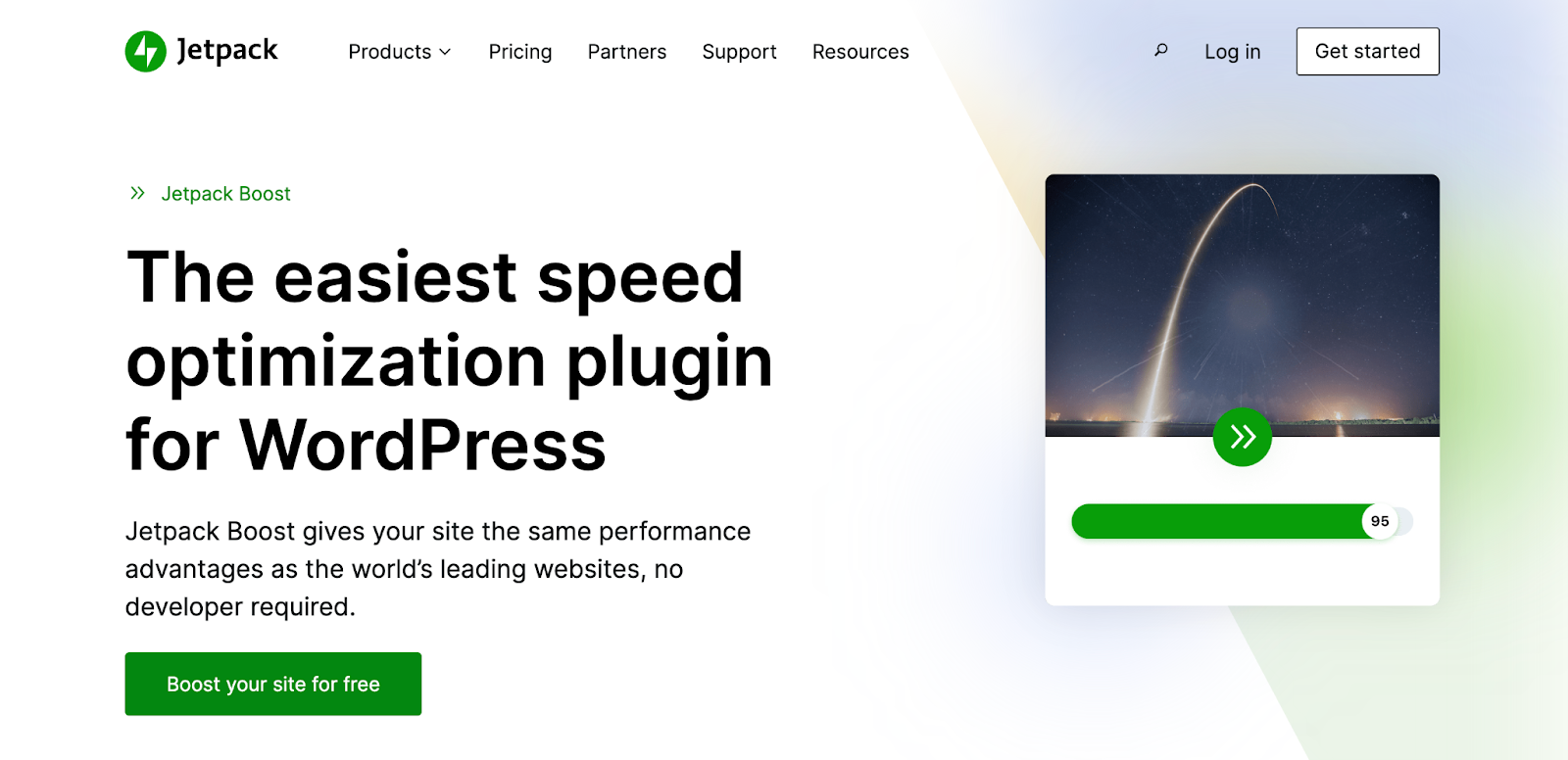
Jetpack Boost is the perfect solution for WordPress sites. It starts by providing you with a performance score so you know your current standings. Then, you can use simple toggles to enable:
- Caching: Store copies of your site in visitors’ browsers so that, when they return, it loads much faster for them.
- Core Web Vitals optimization: Turn on specific settings that focus on meeting Google’s Core Web Vitals metrics.
- An image CDN: Convert images to lightweight formats, compress them, and display them from a global network of servers.
Jetpack AI Assistant
The Jetpack AI Assistant is a powerful AI tool that you can use to develop compelling stories, grant proposals, and more. It’s built directly into the WordPress block editor, so when you’re creating pages or posts on your site, you can use it right alongside your workflow.
Simply enter a prompt into the AI Assistant and watch it create tables, images, forms, content, and more.
Jetpack Security
Jetpack Security is a plan that includes several plugins, though you can also install them separately if you’d like. Securing your WordPress site is absolutely critical to protect both your nonprofit and your donors.
Charities are also common targets for “card testing” attacks (where bots test stolen credit cards on your donation forms). Jetpack Security can help prevent this with Brute Force protection, ensuring your Stripe/PayPal/merchant account isn’t affected due to fraudulent activity.
Here are the features included with Jetpack Security:
- Real-time backups: Automatically save a copy of your site every single time a change is made or an action takes place, and restore from anywhere with a single click.
- Real-time malware scans: Scan your site for vulnerabilities and malware in real time and solve the majority of problems with just a click.
- A website application firewall: Guard your site from incoming malicious traffic.
- Anti-spam tools: Protect contact forms, comment sections, and more from spammy submissions.
- Brute force attack protection: Hackers often use bots to guess thousands of username/password combinations per minute to force their way into a site. Jetpack will block these before they even arrive.
- An activity log: Track everything that happens on your site for security and troubleshooting purposes.
GiveWP
This is the highest-rated, most-downloaded tool for creating flexible and powerful donation forms, allowing you to manage donors, view reports, and accept one-time or recurring gifts.
Charitable
This is another great option for donations, with integrations for lots of payment gateways and marketing tools to maximize your efforts.
Donation Thermometer
Use this plugin to display how your fundraising drive is progressing and encourage more donations.

WooCommerce
WooCommerce offers everything you need to turn your website into an online store. With a single platform, you can accept donations, list merchandise, offer downloads, charge for recurring subscriptions, calculate shipping, and more.
The Events Calendar
This is a fantastic tool for listing and promoting fundraising galas, community workshops, volunteer training sessions, and more.
Events Manager
The Events Manager plugin is another flexible solution for event calendars, bookings, and registration.
Frequently asked questions
Here are answers to some of the most common questions that nonprofits have when choosing a theme:
Can I switch my nonprofit’s WordPress theme without losing photos and embedded media?
Yes. Your photos and embedded media (like videos or audio files) are stored in your site’s database, separately from your theme. Therefore, none will be lost if you switch themes. However, if your site is built using your theme’s page builder, you may need to reinsert images into templates and pages.
What should I look for in a WordPress theme for nonprofits?
Look for three key things: performance, accessibility, and features that match your mission. Performance keeps donors engaged, accessibility makes your message available to everyone, and the right features help you create a site that works for your specific nonprofit.
Are free WordPress themes good enough for nonprofit organizations?
Absolutely. Many free themes are high-quality and offer all the core features that a nonprofit needs. While premium themes offer more advanced customization and features, you can still build a beautiful and effective website entirely with a free theme.
Will my website’s loading speed be affected by the nonprofit theme I choose?
Yes, your theme has a massive impact on your site’s speed. Choose a lightweight theme built for performance, like Astra or GeneratePress, to ensure a fast experience for your visitors. You can further improve your speed with a plugin like Jetpack Boost.
How do I choose a lightweight and fast-loading WordPress theme?
Look for themes that advertise a small file size (like GeneratePress, which is under 10 kb) and have excellent user reviews related to speed. Also, run the demos through Google’s PageSpeed Insights tool to see how it stacks up.
Can I build a mailing list and newsletter using my nonprofit site?
Yes, and you should! Building an email list is crucial for donor communication. You can use a dedicated tool like Jetpack Newsletter to add simple signup forms to your site and start sending beautiful, engaging newsletters.