
Starting any online store requires a lot of work and time, but the best ecommerce WordPress themes are designed to make things easier. They come with pre-made shop and product page templates, as well as other features to help launch your business faster.
But which theme should you choose?
Many free ecommerce themes offer essential functionality and are ideal for new stores. If you already have an established business and you’re embarking on your next phase of growth, however, you might need a premium theme with more advanced features.
To help you decide, we’ve put together a list of the best themes for ecommerce sites, including both free and premium options. We’ve also added essential plugins you’ll need to protect your online store and boost its performance. Let’s take a look!
A review of popular WordPress ecommerce themes
Below are the best themes for WooCommerce stores. Many allow you to opt for a free version and upgrade to access premium features if you need.
Note: This list assumes that you’re using WooCommerce to power your store, the premier WordPress tool for merchants. For more information, check out our post about selling with WooCommerce.

1. Twenty Twenty-Five
The Twenty Twenty-Five theme is an excellent choice if you want something simple to build upon and customize. Developed by the WordPress community, it’s minimal, lightweight, and the perfect foundational block theme.
Thanks to the Site Editor, you can customize page, post, product, and archive templates for a truly custom ecommerce store that loads lightning fast.
Key features:
- A library of block patterns to help you get started quickly
- Templates for a variety of use cases, including blogs, portfolios, and landing pages
- Support for international typography, which makes it a great option for global stores
- Seamless integration with nearly every plugin and extension, thanks to its status as a WordPress default theme
Pricing: Free
2. Astra
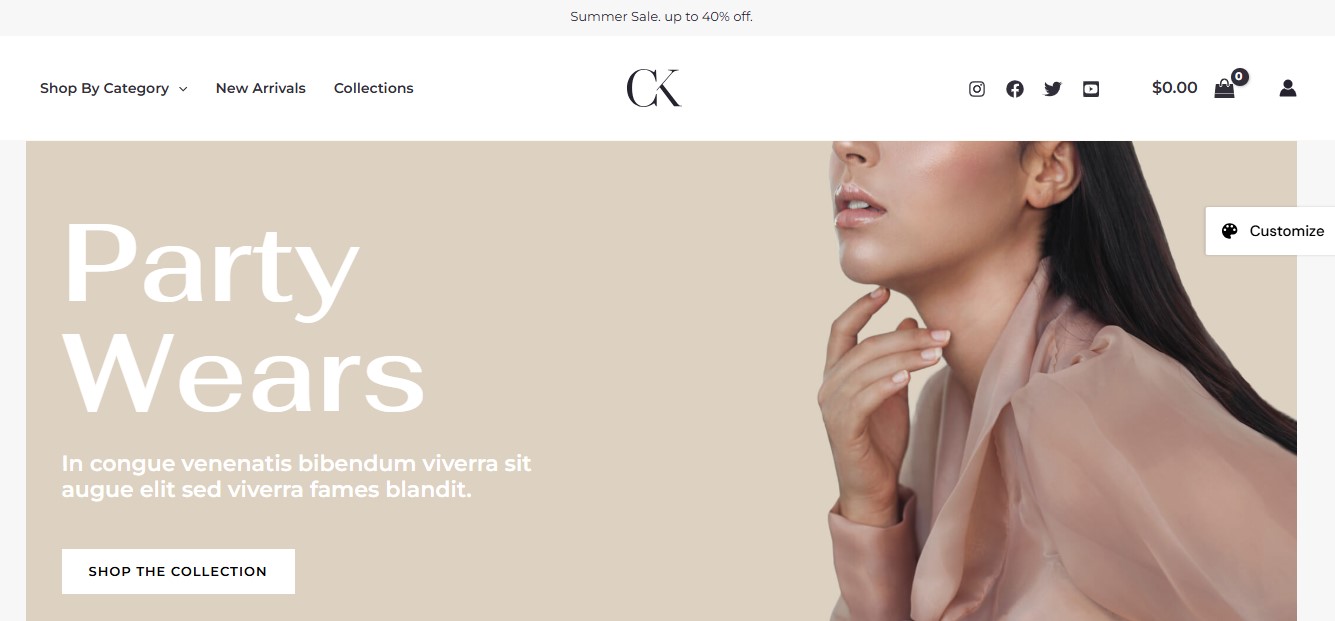
Astra is a multi-purpose theme with a wealth of starter templates, including designs for online stores. It offers options for different niches, including literature, fashion, home and garden, sports, digital downloads, and a lot more.
Astra is known for being highly flexible. For instance, it supports advanced filters, product recommendations, and subscription-based products and services.
Key features:
- Shop card designs that include category, title, ratings, price, description, and more
- A quick view option and sticky add-to-cart buttons
- Real-time quantity updates, so shoppers won’t need to leave the page to change the amount
- A two-step checkout experience that breaks the process into straightforward steps
- An organized mega menu, ideal for stores with many subcategories
Pricing:
- A free version is available
- The premium theme starts at $49/year
3. Woostify
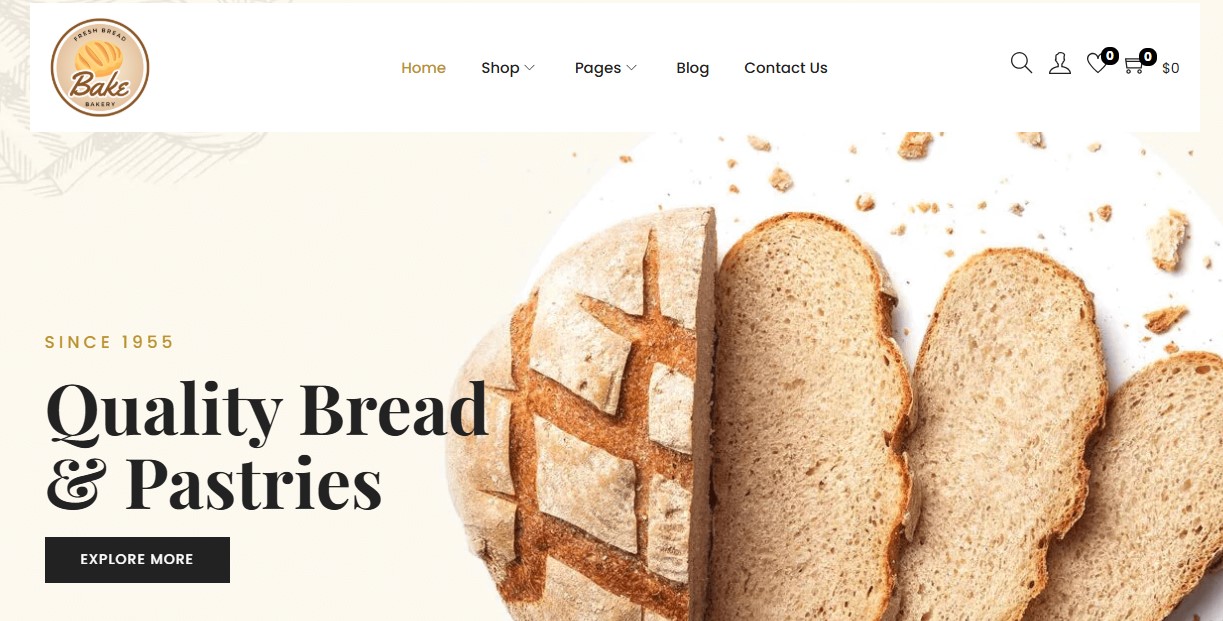
Woostify is another freemium theme with starter sites for WooCommerce stores. There are designs for bakeries, restaurants, car dealers, and more.
All of these templates are easily customizable and come with different product page styles, listing layouts, and a multi-step checkout. Woostify also offers two cart layouts: a one-row design and full-cart table design.
Key features:
- A product wishlist
- Video gallery support
- Product swatches
- Full compatibility with Dokan and WCFM Marketplace multi-vendor plugins
- Control over the add-to-cart button position and product image effects
Pricing:
- A free version is available
- The premium theme starts at $49/year
4. Storefront
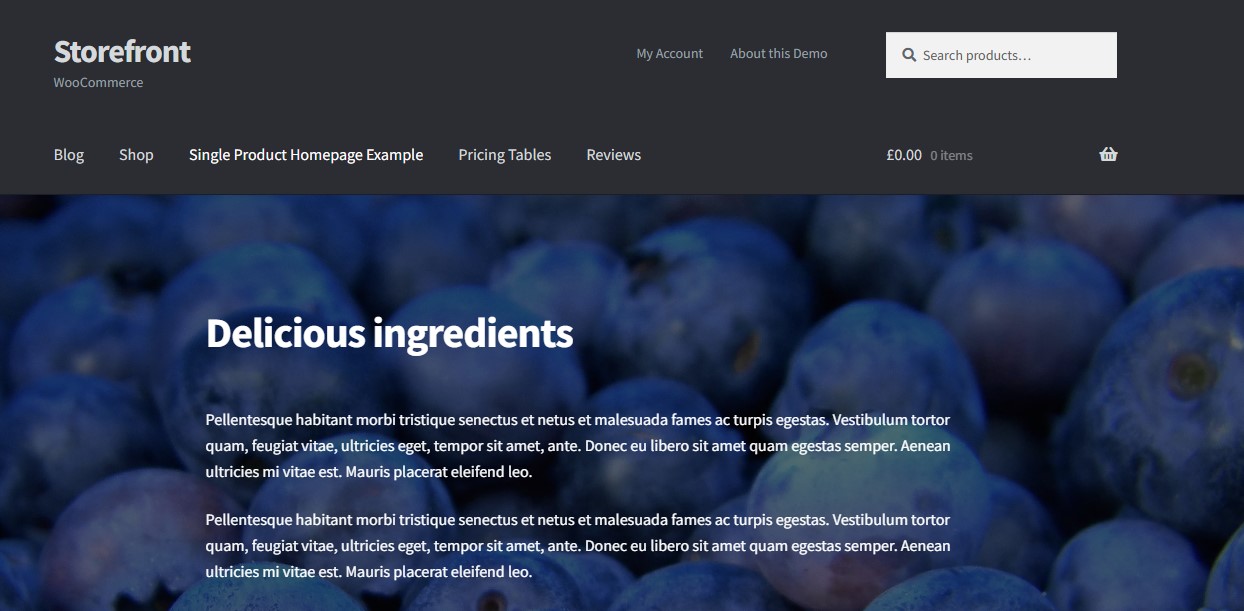
Storefront is designed by Automattic (the people behind Woo and WordPress.com). It’s a solid option for new stores, with plenty of customization settings to personalize your ecommerce site.
It has a clean look and feel, which is perfect if you want a minimalist aesthetic. You also have multiple widget regions. For example, you can add your top-rated products to the footer, and display product categories and filters in the sidebar.
Key features:
- Call-to-action banner with a video background
- Pricing tables for memberships and subscription products
- A dedicated reviews page
- An image-rich page for single products like subscription boxes
Pricing: Free
5. OceanWP
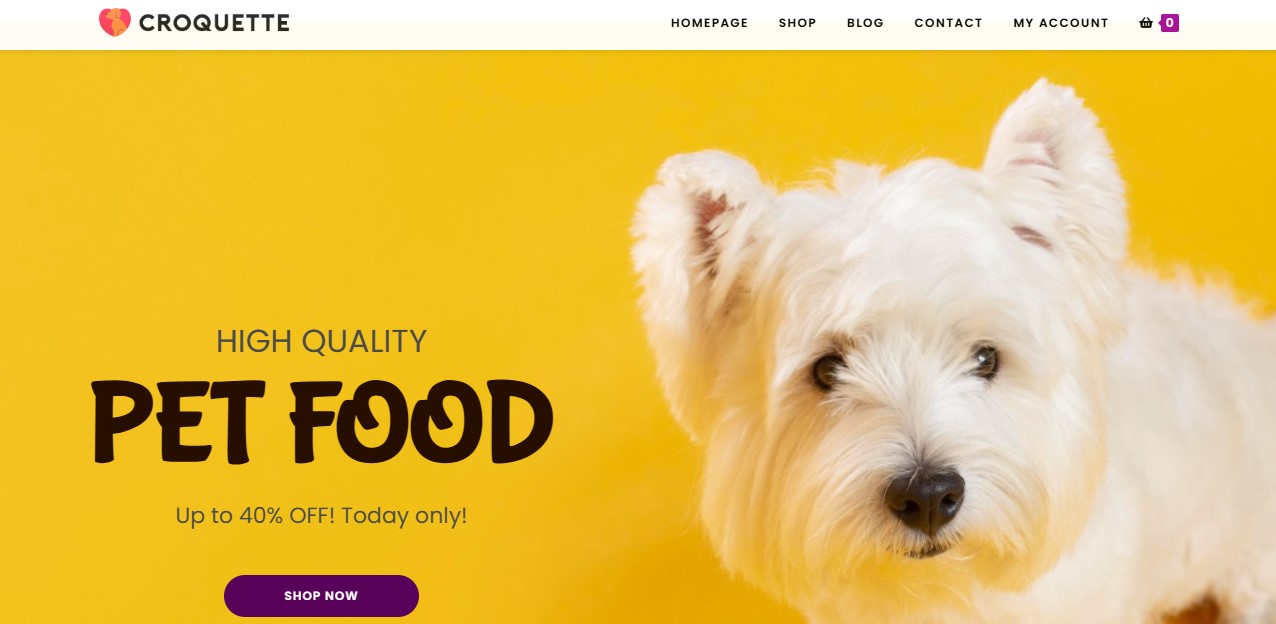
You can use this popular WordPress theme for any type of project, including online stores. It has a vast website template collection, with options for pet stores, clothing, electronics, health and wellness, home, and more.
With OceanWP, you can choose between individual styles and controls for pages, posts, products, and more. You’ll also get customizable shop and archive templates.
Key features:
- More than 100 WooCommerce templates
- An off-canvas filter (as a sidebar) for a smoother shopping experience
- Product quick view
- A mini cart and sticky add-to-cart button
- Pop-ups for capturing subscribers, promoting offers, and more
Pricing:
- A free version is available
- The premium OceanWP Store plan starts at $39/year
6. Rife
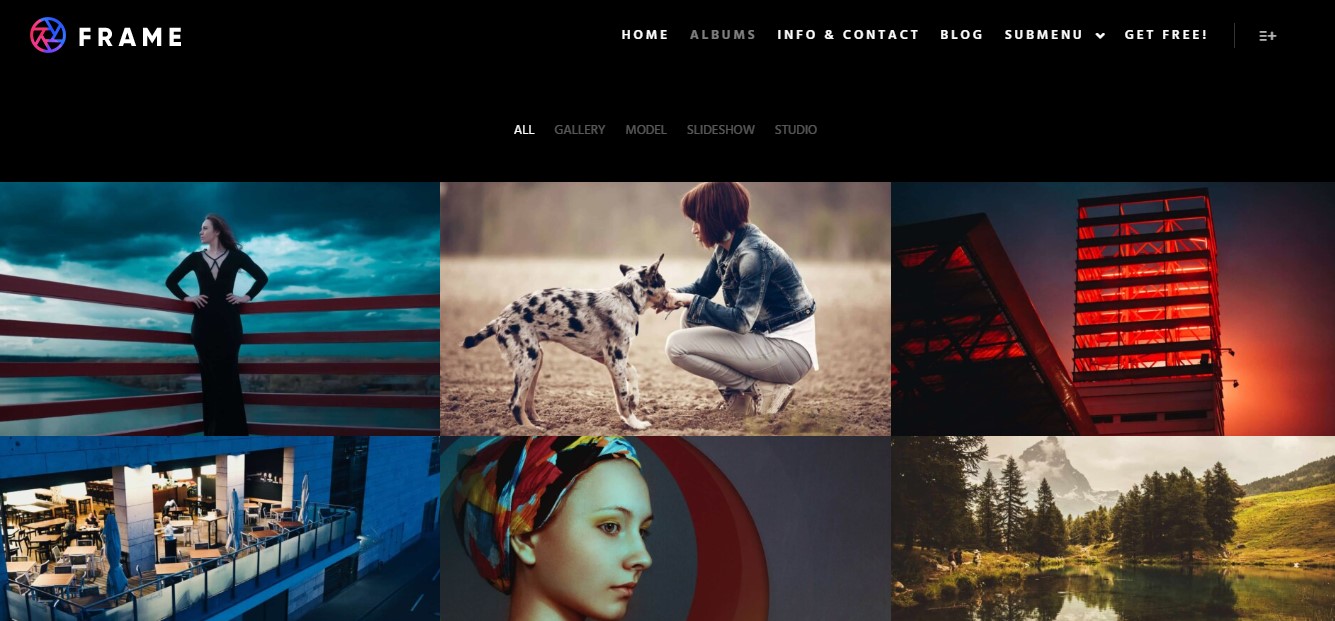
If you’re a creative professional and want to sell your work online, Rife is a good option. The free version gives you five designs, while the pro theme includes more than 40 demos. These designs are highly editable, with at least 450 options and settings in the Customizer.
Key features:
- Mega menu and sticky headers
- Photo proofing and password-protected albums, ideal for selling images
- The ability to sell products directly from sliders and galleries
- A bulk tagger and filter for images
Pricing:
- A free version is available
- Rife Pro starts at $10/month
7. GeneratePress
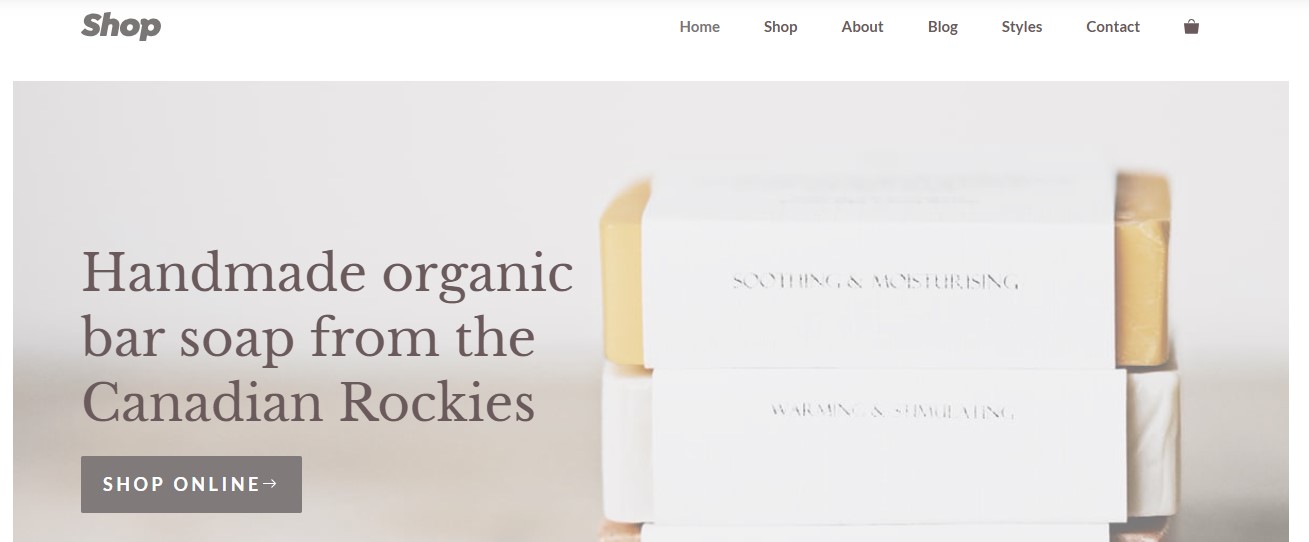
Like some of the best ecommerce WordPress themes, GeneratePress gives you a high level of control over your website. This means you can easily create a unique online store, starting with a pre-made template.
GeneratePress has its own block-based theme builder, with elements like accordions, tabs, effects, global styles, and professional patterns. It also gives you more than 100 styling options for these elements.
Key features:
- Customizable pricing tables
- An off-canvas or slide-out panel for your Shop page
- Sticky navigation
- Clean shop and product templates, designed for a smooth user experience
Pricing:
- A free version is available
- The premium version starts at $59/year
8. Kiosko
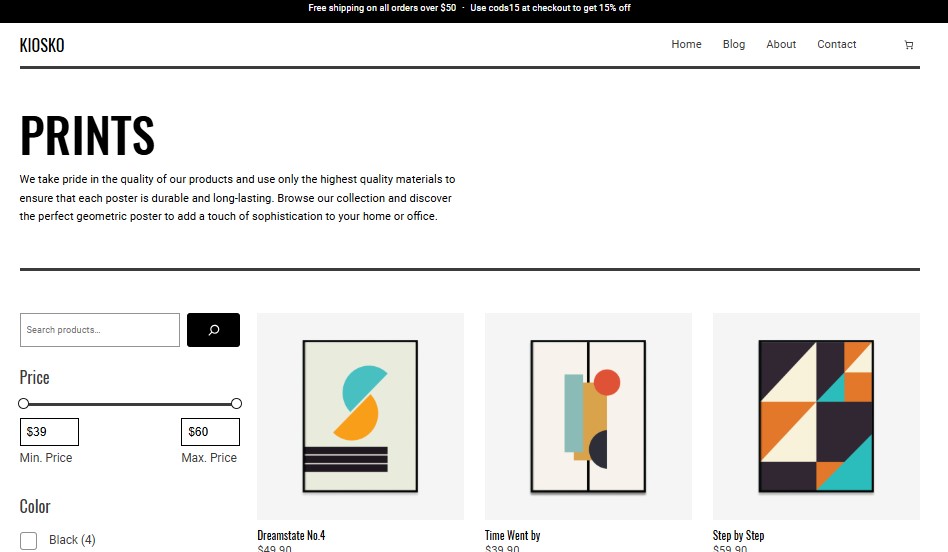
Do you sell art prints or home decor? Kiosko might be just the theme for you!
It is specifically built for this niche, with minimalist pages that put the focus on your creative work. This is a block theme, so you can customize it as you wish using the WordPress Site Editor.
Key features:
- A clean, black and white design
- A sidebar with essential filters, including price range, color, and size
- A quick view cart
- Promotional ad banner above the header
Pricing: Free
9. Neve
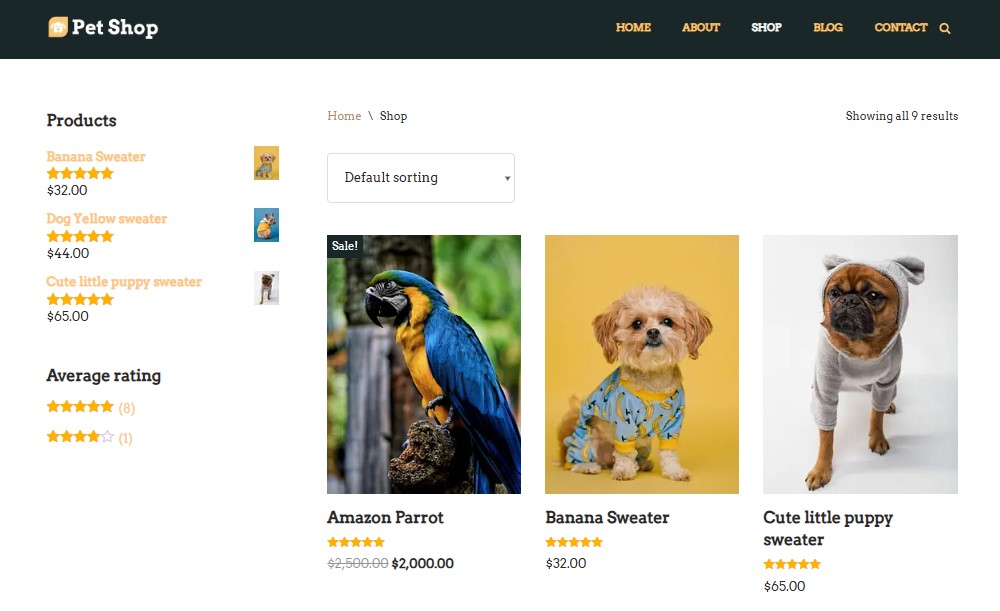
With Neve, you can build a fully functional WooCommerce store that includes handy features like a floating cart, quick view, and wishlists. It also offers a selection of starter sites for online shops, including industry-specific designs like pet stores and jewelry.
Neve is a good option if you want to run a blog alongside your shop. It has multiple blog layouts, custom article sorting, comment section styling, and more.
Key features:
- Different checkout styles, including standard, vertical, and stepped
- A product gallery slider
- The ability to build a list of exclusive products to increase cart value
- An off-canvas slider with filters
Pricing:
- A free version is available
- Neve Pro starts at $69/year
10. Hestia
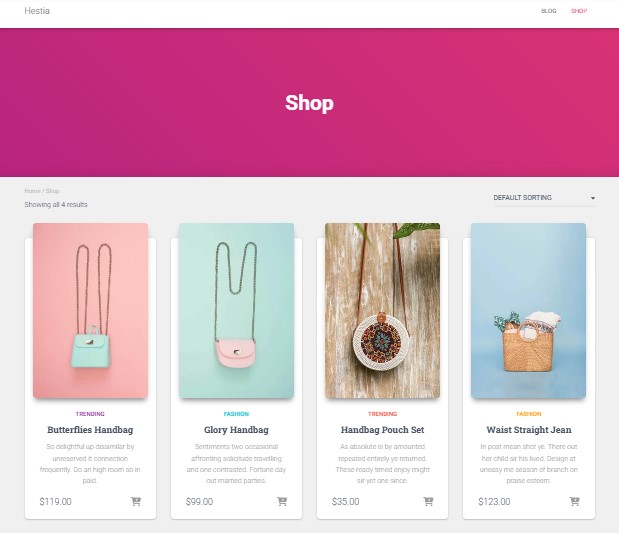
Though it might not be obvious, if you run a restaurant, a creative agency, or a professional service like wedding planning or photoshoots, you’ll get a ton of value from an ecommerce theme. Hestia is a good option — one designed for all sorts of small businesses and startups.
It’s also a one-page theme, so it’s ideal if you offer a small selection of products. It has a clean look and is fully compatible with WooCommerce.
Key features:
- Slider and video headers
- Mega menus
- Different product styles and product hover actions
- A fully customizable homepage template
Pricing:
- A free version is available
- Hestia Pro starts at $69/year
11. Zakra
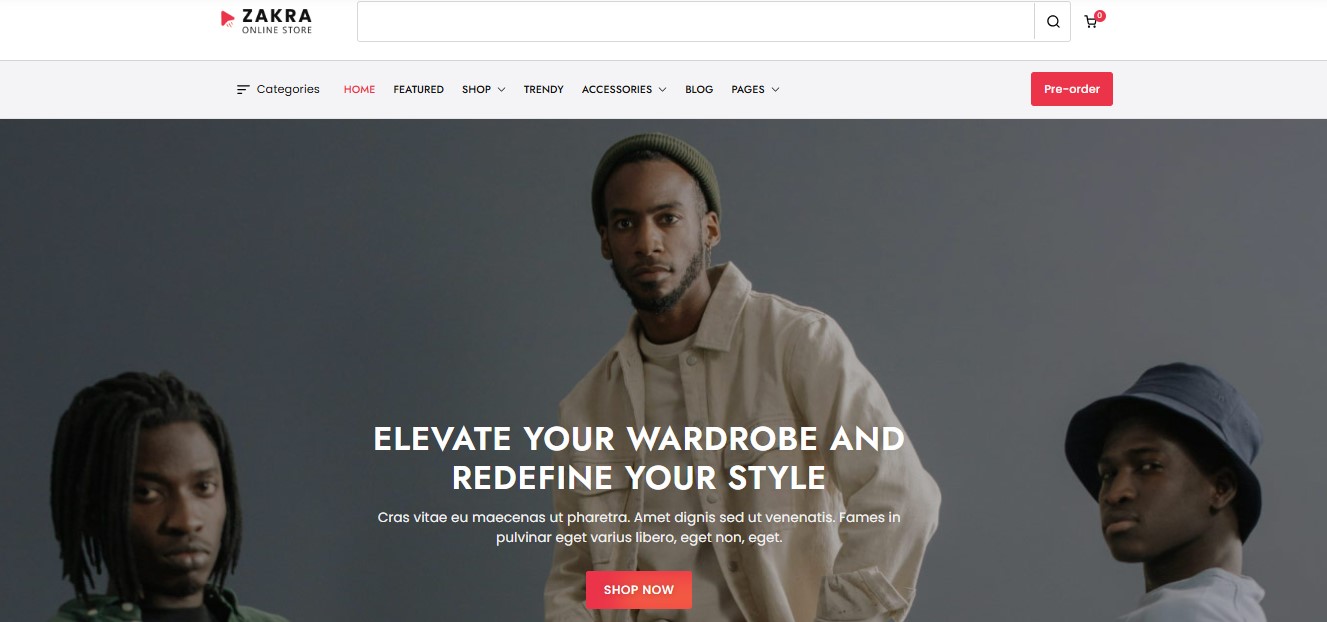
This multi-purpose theme has more than 40 free, pre-designed starter sites to choose from, including designs for online stores and niche-specific businesses like coffee shops, nutrition coaching, wedding organizers, and more.
With Zakra, you can select the preferred layout for your pages, posts, and sidebar, customize the header and footer, and personalize your store with unlimited color options.
Key features:
- An option to display an add-to-cart panel upon scrolling
- Distraction-free checkouts, without footer, header, and sidebar
- Show/hide options for different product elements, like title, rating, price, and add-to-cart button
- A related products section
Pricing:
- A free version is available
- The premium version starts at $55/year
12. Sydney
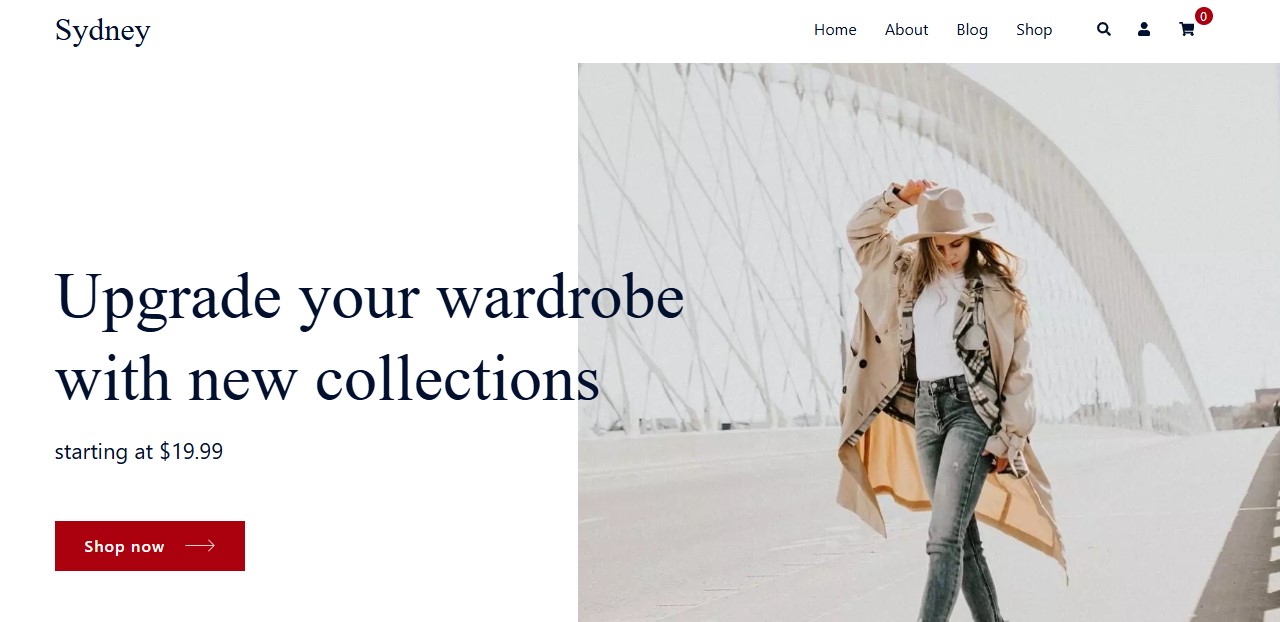
Sydney offers ecommerce starter sites for restaurants and fashion stores. However, you’ll also find demos for other businesses like wedding planners and yoga studios.
It comes with a header and footer builder, and lets you create multiple unique sidebars. Plus, you’ll get access to a library of pre-built sections, which include calls to action, services, and more. Note that many of the WooCommerce modules are only available with the pro version.
Key features:
- A multi-step checkout
- Product swatches
- A sticky add-to-cart button
- Different product tab styles
- Product gallery layouts
Pricing:
- A free version is available
- The premium version starts at $63/year
13. Botiga
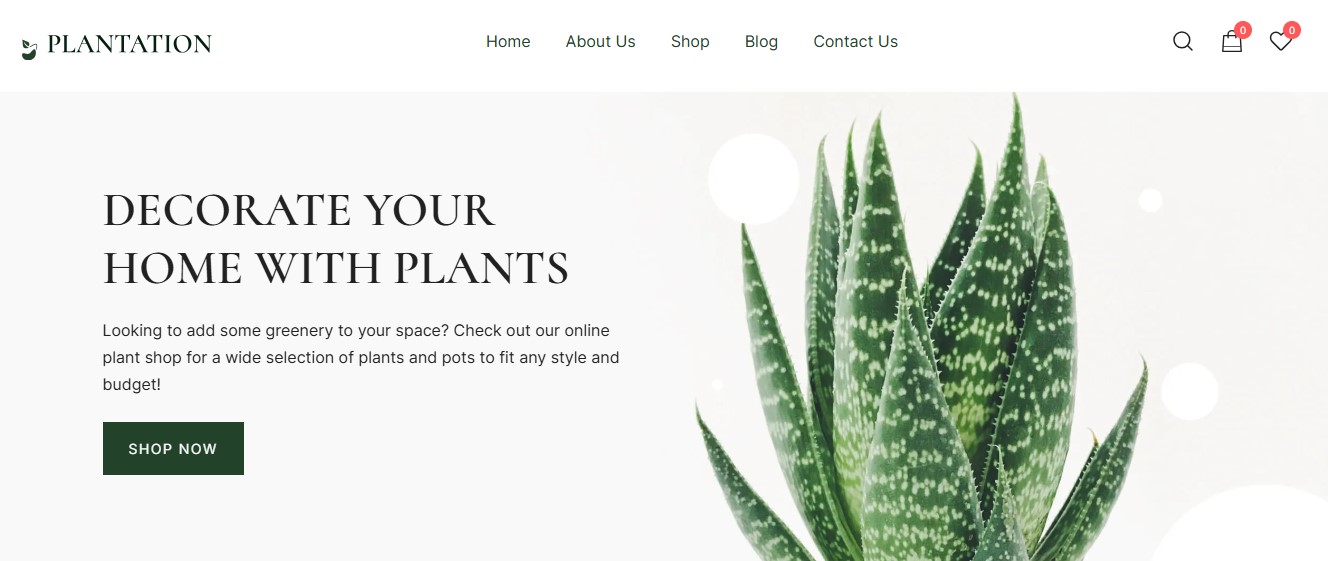
Botiga is a simple, minimalistic theme for WooCommerce stores. It has starter sites for apparel, beauty, furniture, plants, wine, books, and more. There’s also an option for multi-vendor stores.
Essential elements include quick view, mini cart, wishlists, and product recommendations. There’s also a header and footer builder, and you can build a mega menu and custom sidebars.
Key features:
- Layouts for product cards, add-to-cart buttons, quick view, and sales tags
- Three gallery styles for product pages
- Live SKU search for a faster shopping experience
- Size charts
- Variation swatches
- Featured product videos
Pricing:
- A free version is available
- The premium version starts at $63/year
14. Phlox
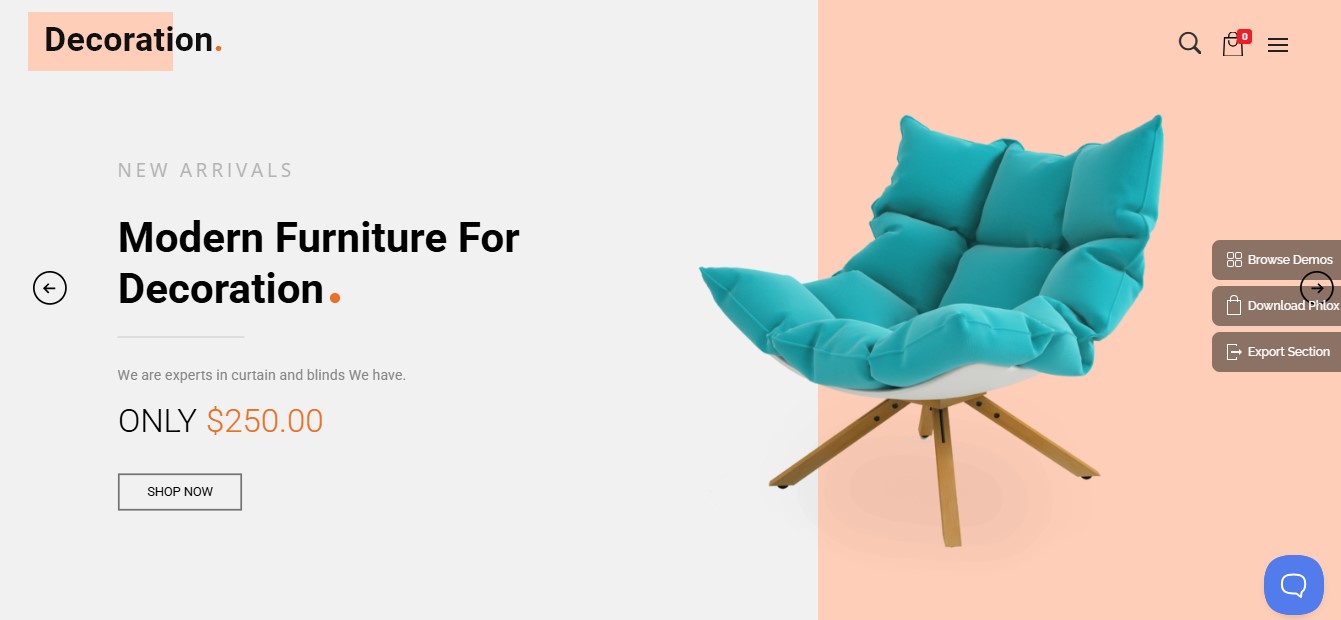
Phlox has more than 50 website templates for shops. These include designs for pharmacies, plant nurseries, grocery stores, gear, gadgets, fashion, and many other niches.
There are also dozens of ready-to-use page templates, like homepages for coffee shops, restaurants, and interior design stores. No matter your industry, you’ll likely find a design that you can use and customize for your ecommerce site.
Key features:
- An audio and video player
- Different product page layouts, including center, fullscreen, and left and right align
- Multi-vendor support
- A product quick look feature
Pricing:
- A free version is available
- The pro version costs $39
15. Orchid Store
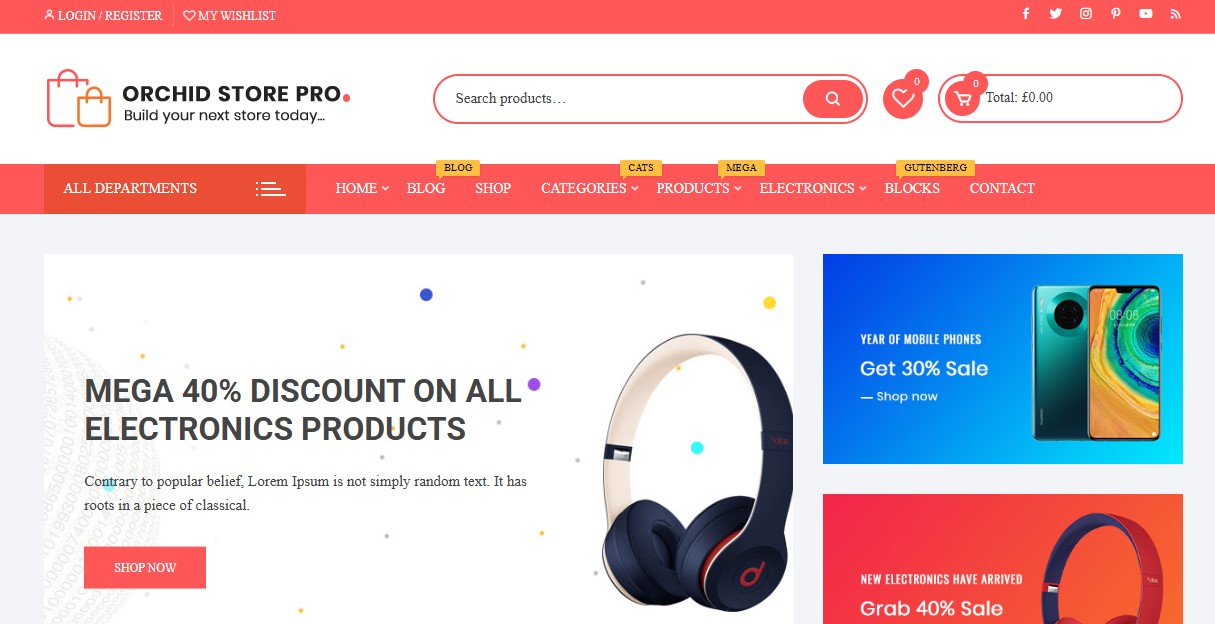
This is solely a WooCommerce theme, and while it has a small selection of demos, it’s very customizable. For example, you get multiple header layouts and banner/slider styles, and advanced color and typography options.
It also comes with a built-in mega menu and customizable calls to action. Plus, it supports wishlists, mini-carts, and quick views.
Key features:
- Widgets for featured brands, offers, and product deals
- A testimonials section
- Support for WooCommerce Memberships and Subscriptions
Pricing:
- A free version is available
- The premium version starts at $49/year
16. Pizzeria
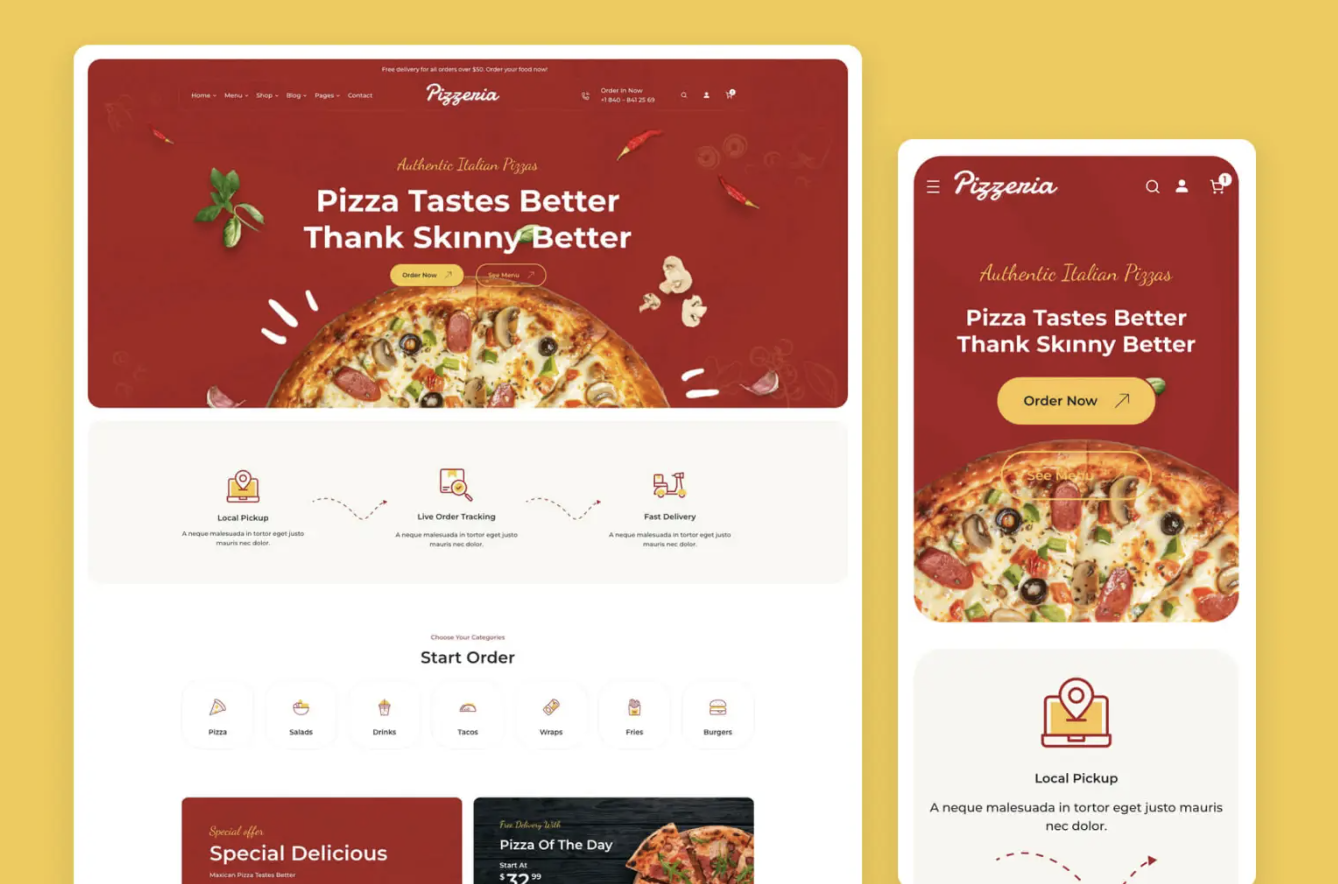
The Pizzeria theme is an excellent choice for restaurants that also sell merchandise or food products online. As a block theme, it offers tons of great page templates and block patterns that make building a visually appealing website intuitive and simple.
And thanks to features like WooCommerce Bookings integrations, you can truly create a one-stop shop for restaurant promotion, merchandise, online ordering, and reservations.
Key features:
- A variety of demos that you can import with one click
- Customizable, pre-designed Checkout and Cart pages
- Blocks and more than 50 block patterns specific to restaurants
- Interactive maps to highlight locations
- Compatibility with extensions like WooCommerce Bookings
- Mega menus for easy site navigation
- Customizable headers and footers
Pricing: $59.00
17. ShoppingCart
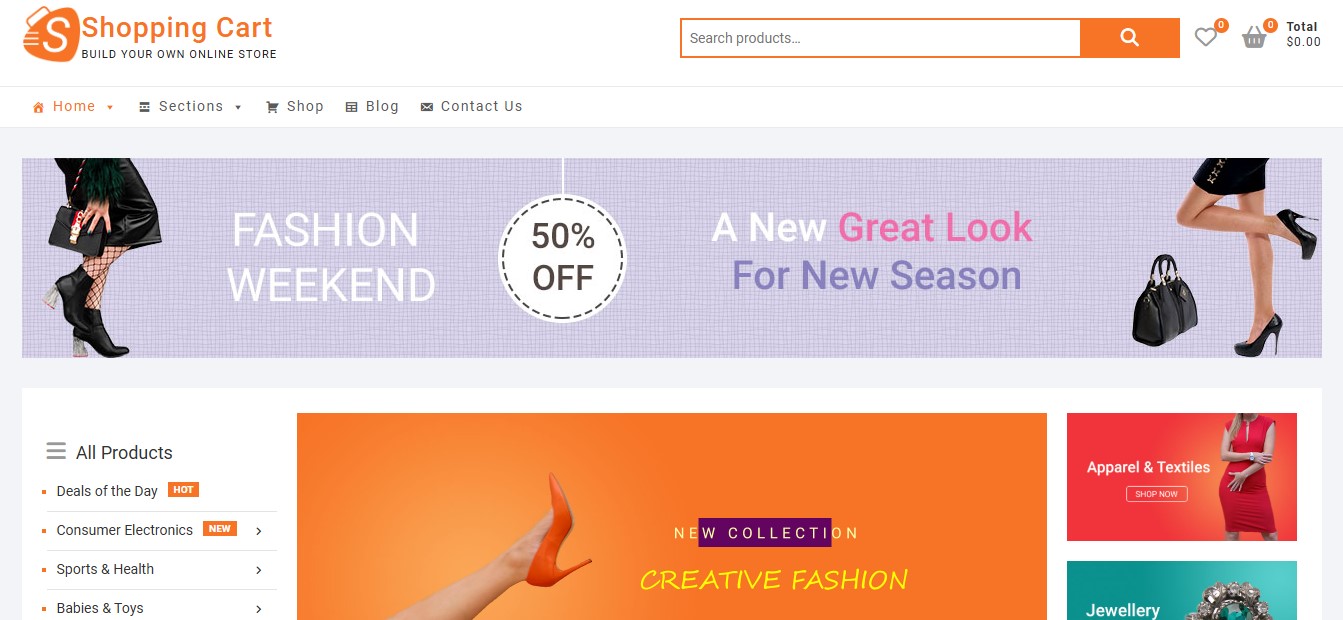
Do you want a simple, no-fuss theme to get started? ShoppingCart only has a few demos and it’s very straightforward to use.
As with many themes, you can customize the colors, fonts, and layouts. It also lets you create multiple navigation and social menus, and the homepage has plenty of space for you to display featured products, on-sale items, and other offerings.
Key features:
- Slider and grid widgets
- An ad banner with customizable positions
- Sidebar layout options
- Multiple footer layouts
Pricing:
- A free version is available
- The premium version is $20.00/year and a $39.00 sign-up fee
18. Gizmo
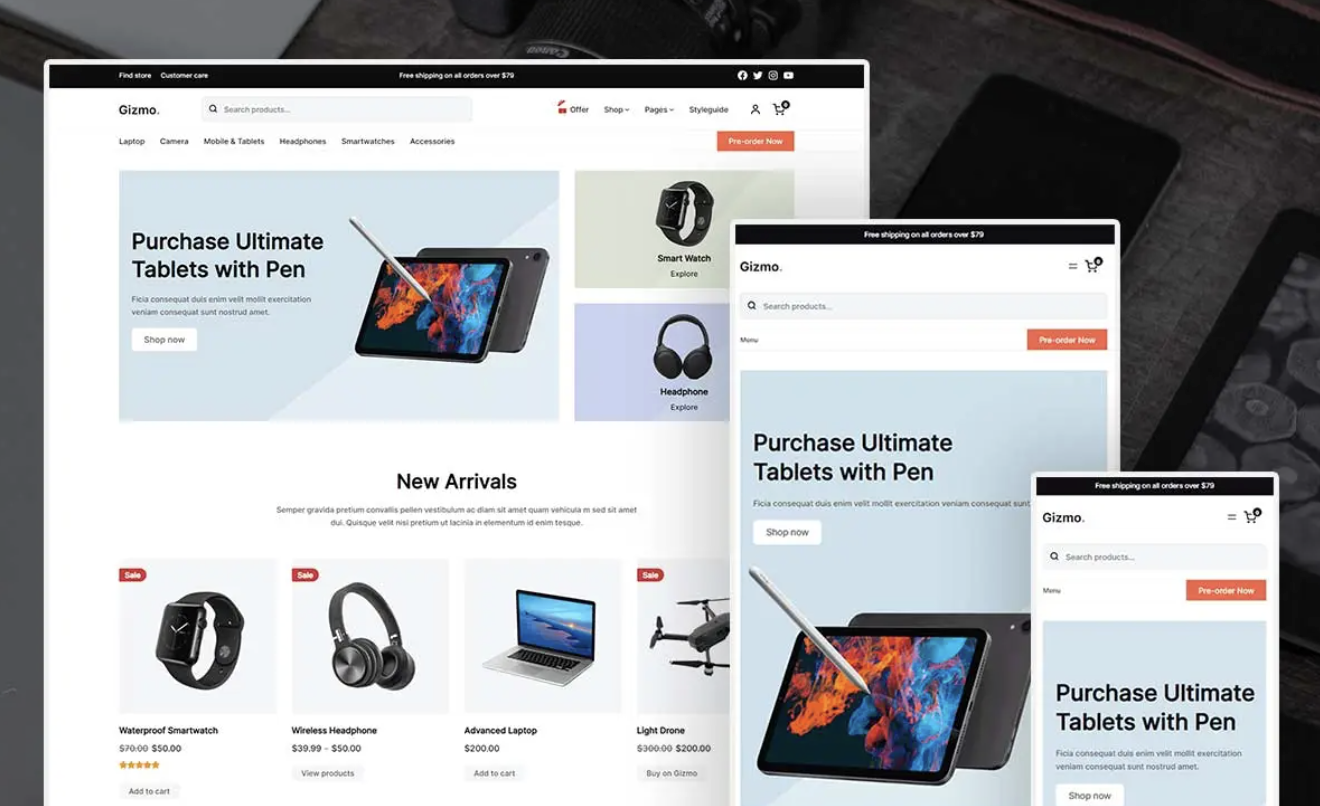
Gizmo is a block theme specifically designed for tech-based online stores, though you can certainly use it for other applications. Since it’s a block theme, you can easily customize everything from page templates to checkout pages, and it includes a variety of demo templates that you can import.
With a mobile-first design, seamless WooCommerce support, and performance-focused code, this is an excellent option for online stores.
Key features:
- A header and footer builder
- Ecommerce-specific features like a mini cart
- A wealth of block-based templates and patterns to choose from
- A mobile-first design for a quality experience on any device
Pricing: $79.00
Six plugins to supercharge your ecommerce theme and store
Once you choose a solid e-commerce theme for your website, you’ll also want to install some essential plugins. This will help protect your content, boost your site’s performance, and grow your sales.
Here are six powerful plugins for ecommerce sites:
Jetpack Boost
Jetpack Boost is an all-in-one performance solution by Automattic. It comes with several features that help boost site speed, and you can enable them with a few clicks.
To get started, go to Plugins → Add New Plugin and look for Jetpack Boost.
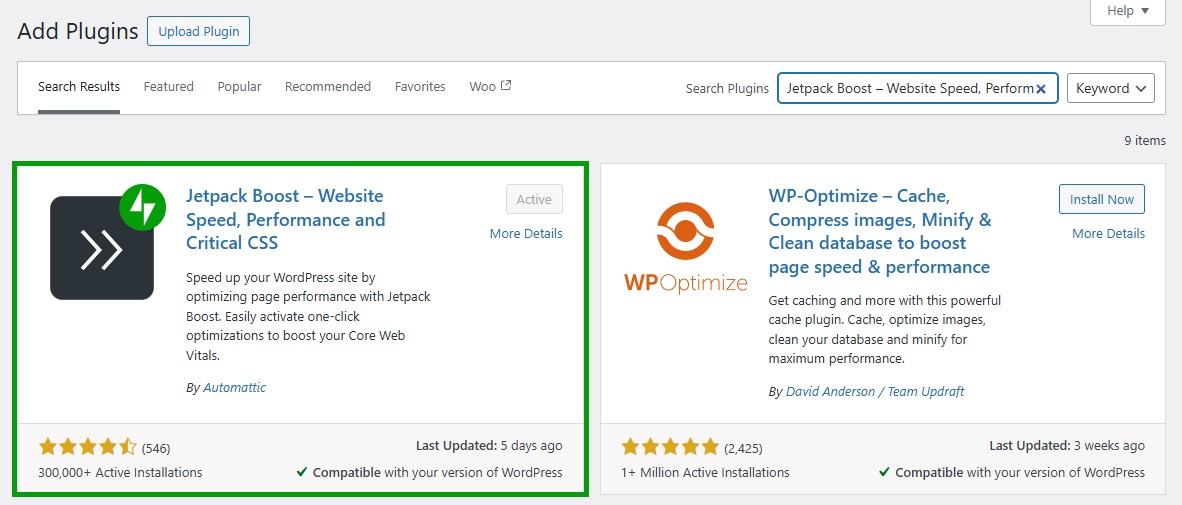
Click on Install Now and Activate. Then, connect your site to your WordPress.com account (or create one for free).
When you add and upload content to your website, including product images, it will take up space on the server. It also means that the server will take longer to load the content when it’s requested, as it has more work to do.
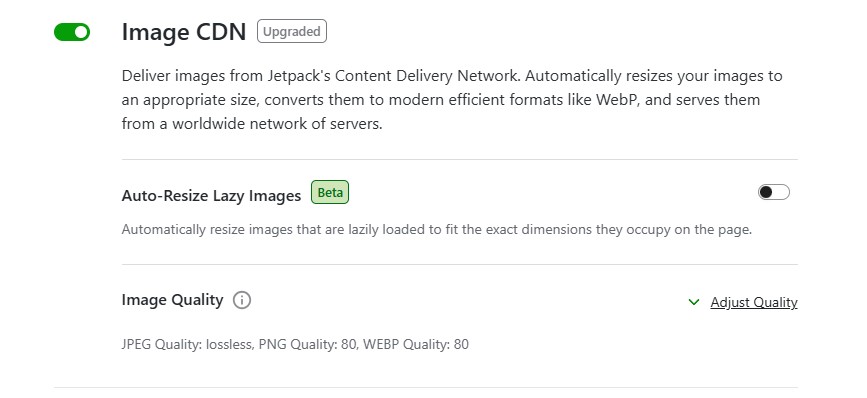
Fortunately, Jetpack is designed to minimize loading times. For example, its image CDN (content delivery network) will serve your images from Jetpack’s global network of servers in an efficient format like WebP.
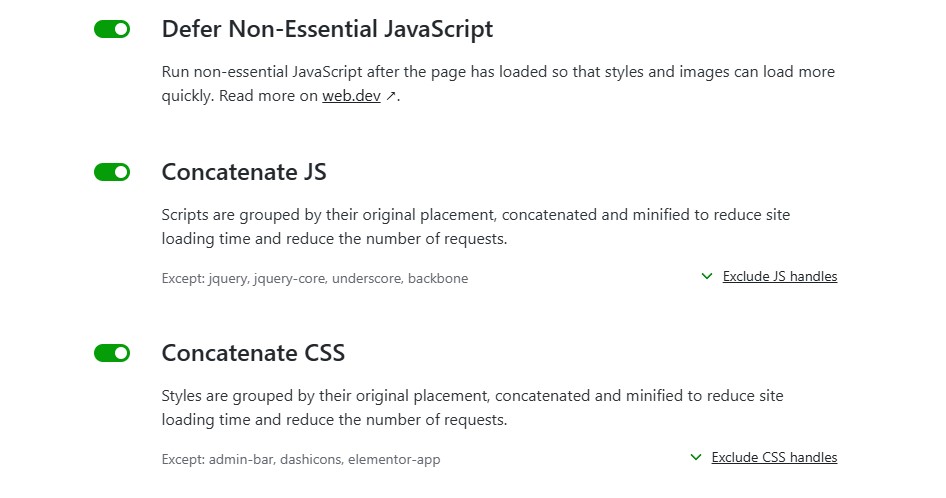
You’ll also find settings that minimize and group CSS and JavaScript code on your website. When enabled, these features reduce the number of requests made to the server, so it’s able to load your website faster.
Plus, when you enable site caching, Jetpack will instruct browsers to store and serve preloaded content. This way, when someone revisits your website, the pages will load more quickly for them.
Fast loading times are a key aspect of the online shopping experience. If product pages take too long to load, visitors will likely get fed up of waiting and leave your site without making a purchase.
Therefore, make sure that you have all the measures in place to deliver an excellent user experience. With Jetpack Boost, you can enable and manage all essential performance settings from one place.
WooPayments
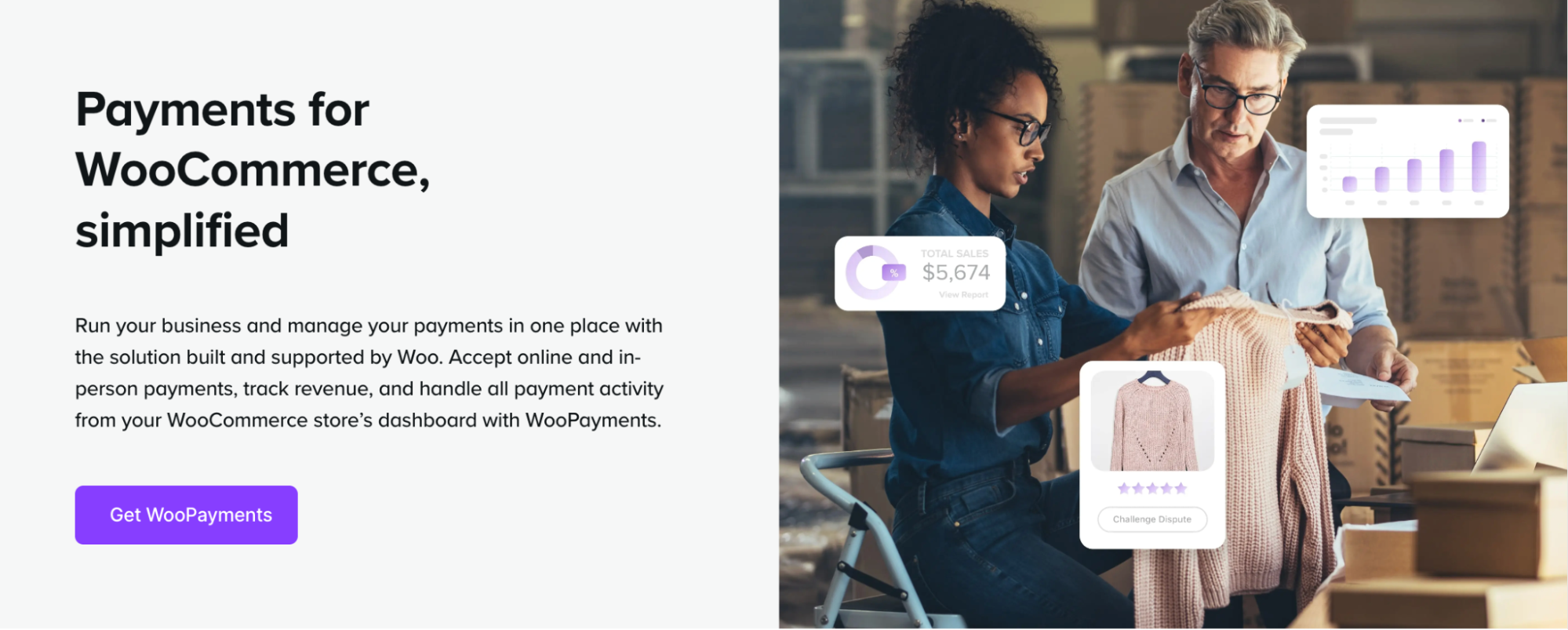
Every store needs a payment gateway to securely collect customer payments and transfer them to your bank account. For the majority of stores, WooPayments is the perfect solution.
This free extension allows you to accept everything from credit and debit cards to digital wallets, buy now, pay later options, and Tap to Pay. It supports more than 135 currencies, along with local payment methods. This allows you to tailor the checkout experience to the needs of your specific target audience.
Qualifying merchants can even collect in-person credit card payments with Tap to Pay.
But WooPayments is also great for merchants. You can manage everything from payments to refunds directly in the WordPress dashboard, integrate with tools like WooCommerce Subscriptions, and access priority support.
Jetpack AI Assistant
When you’re busy running a store, you might not have enough time to write product descriptions and other copy. The Jetpack AI Assistant will instantly generate content for you based on your prompts.
It can create paragraphs, lists, tables, and even images. For example, you might ask it to create a pricing table for your subscription box, then simply edit the placeholder text.
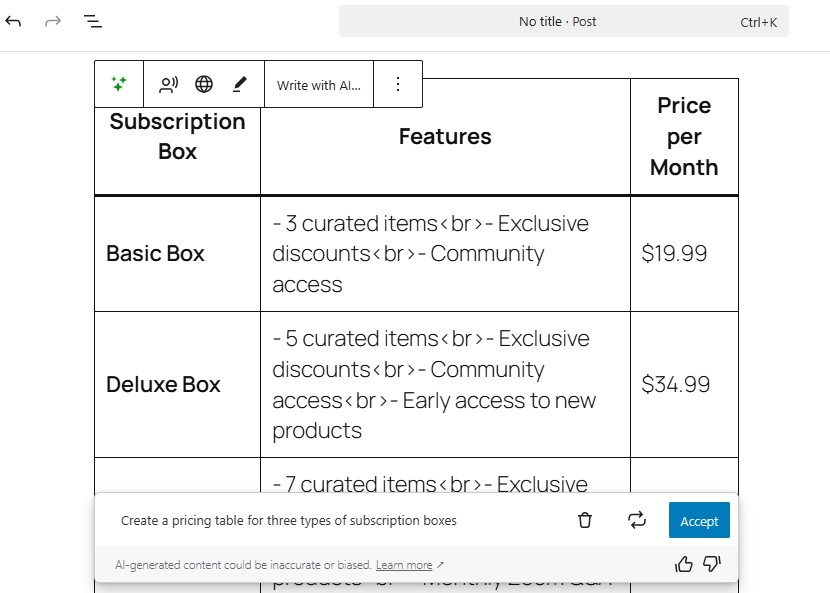
You can also use the Jetpack AI assistant to optimize your post titles and metadata, translate your content, summarize and simplify text, correct errors, and more.
Jetpack Search
If you have many products on your store, you’ll want to make it easy for shoppers to find the exact item they need. Jetpack Search delivers instant results.
It comes with filters, and you can customize it so that it aligns with the design of your store.
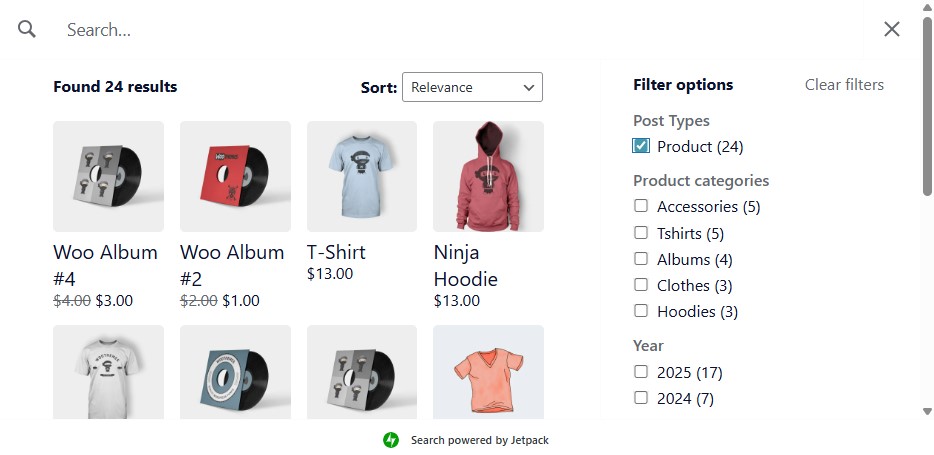
Jetpack Search corrects spelling errors in queries to deliver more relevant results. You can add the feature to any page and widget area.
WooCommerce Shipping
If you sell physical products, shipping is a core component of your business — and WooCommerce Shipping simplifies the entire process.
Manage all of your shipping needs directly from your WordPress dashboard, including label printing and shipment splitting. Save money on labels from USPS, UPS, and DHL, and skip the post office lines by scheduling package pickup from your location.
MailPoet
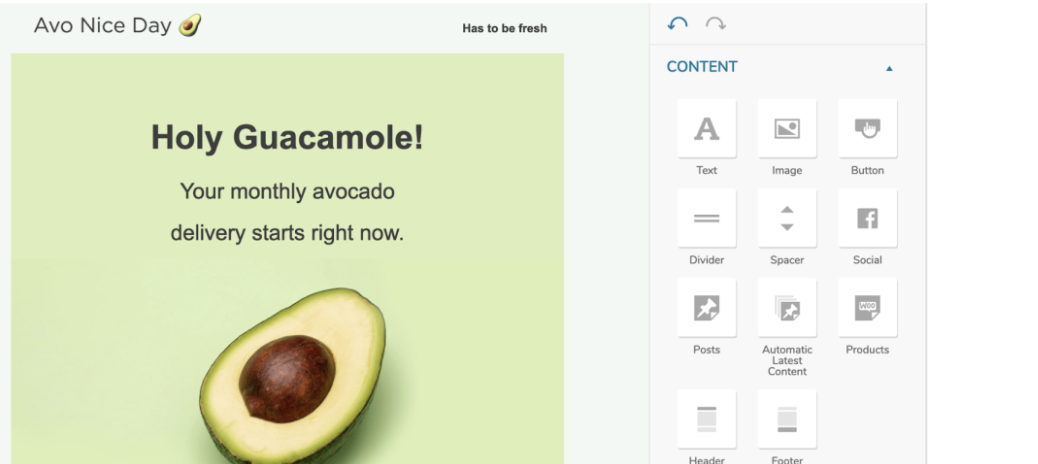
MailPoet is an email marketing solution that allows you to build email campaigns directly in your WordPress dashboard. Send automated follow-up emails, set up abandoned cart sequences, and craft newsletters and other campaigns using the interface you’re already familiar with.
Thanks to MailPoet’s seamless integration with WooCommerce, you can segment based on everything from total spent, number of orders, subscription status, and location for hyper-personalized messaging. Plus, you can even customize your WooCommerce transactional emails for maximum effectiveness.
Frequently asked questions
Let’s wrap up by answering some frequently asked questions about ecommerce WordPress themes.
What should I look for in a WordPress ecommerce theme?
First, it should be fully compatible with WooCommerce. If you’re setting up a multi-vendor store, you’ll also need a theme that supports plugins like Dokan.
Additionally, your theme needs to be responsive, meaning it should offer a seamless shopping experience on all devices. Many themes claim to be responsive, but it’s always a good idea to check the theme on a mobile device.
The best ecommerce WordPress themes will have features like product galleries, filters, and customizable shop and product layouts. You might also look for elements like quick view, sticky add-to-cart buttons, and wishlists, which can improve the shopping experience.
What’s the difference between a free and premium ecommerce WordPress theme?
Free themes offer basic functionality and limited support. They can be enough for small shops and startups, but you might need more features as your business grows.
Premium themes typically provide more built-in templates and customization options. They also have advanced features like multi-step checkouts, product swatches, and more.
Are free WordPress themes good enough for large ecommerce stores?
Some free themes work well for small to medium-sized stores. However, for large ecommerce sites, a premium theme is a more powerful solution due to its scalability, performance optimization, and advanced ecommerce features that help you manage products more efficiently.
Which ecommerce WordPress theme is best for large product catalogs?
For very large catalogs, look for themes with fast archive templates, powerful filter options, and support for mega menus. Astra, OceanWP, and Botiga are strong choices because they combine flexible shop layouts with performance-conscious code.
What is the best free ecommerce theme for beginners?
Storefront and Twenty Twenty-Five are safe starting points because they’re maintained by the WordPress/WooCommerce ecosystem and keep things simple. As your store grows, you can switch to a more feature-rich premium theme without losing your products.
Can I migrate from one theme to another later on?
Yes, you can change themes later. You won’t lose your products, as these are stored in WooCommerce, but you may need to redesign some pages and elements.
It’s important to back up your site before switching themes. It’s also a good idea to test the new theme in a staging environment first.
Will my store’s loading speed be affected by the theme I choose?
Possibly. A theme’s code quality, file size, and design complexity can impact loading speed. Heavy themes with bloated code or too many features can slow down your site. In turn, this will affect the user experience.
How do I choose a lightweight and fast-loading WordPress theme?
The best ecommerce WordPress themes have clean code with minimal external scripts. They are designed with performance in mind, and they should therefore have a good Core Web Vitals score.
You’ll find the performance specifications on the theme’s homepage. These typically include the number of resources and HTTP requests.
To check a theme’s performance, install it on your website and run a test on Google PageSpeed Insights. If it’s heavily coded or unoptimized, you’ll likely see the following warnings:
- Reduce unused CSS / JavaScript
- Eliminate render-blocking resources
- Serve images in next-gen formats
To learn more, read our article on the fastest WordPress themes for speed and Core Web Vitals.