The latest Jetpack update adds exciting new features like additional JSON API endpoints and Custom Content Types — which includes the Portfolio Custom Post Type. And we’ve got a spiffy a new logo!
Custom Content Types
Custom Post Types (or CPTs) allow you to have content that doesn’t necessary fit into a post but isn’t right for a static page. Now, you can enable Custom Post Types via Jetpack. More and more CPTs are supported by themes on WordPress.com, making the ability to access this custom content critical if a user migrates to a self-hosted site.
Introducing the Portfolio Custom Post Type
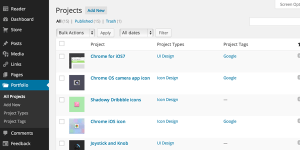
The Portfolio Custom Post Type gives you an easy way to manage projects you want to showcase on your site. It’s already supported by a number of themes, and more theme developers are planning on adding it.
If your theme doesn’t support it yet, enable the Portfolio Custom Post Type by activating the Custom Content Types module in your Jetpack settings. Then, enable the feature by going to Settings > Writing in your WordPress admin and checking the option under “Your Custom Content Types” to enable the Portfolio Custom Post Type.
You can then choose to display the portfolio using the portfolio shortcode ( [portfolio] ) or with a link to the portfolio in the menu.
New Jetpack Logo
Jetpack 3.1 also unveils a new Jetpack logo. Without further ado, here it is!
Why do we need a new logo? Glad you asked! Jetpack is ever-evolving and is a major part of Automattic and WordPress. It’s grown a lot since its introduction in 2011, and its branding should grow too. Something better, faster, stronger.
If you would like to use the new logo, you can find the official PDF on the Automattic press page.
Features for Theme Developers
If you are theme developer — or just like to tinker with your theme — you’ll enjoy Jetpack 3.1’s additions
First off, we’ve added responsive video support! One of the things that is often overlooked when developing a responsive theme is making videos responsive. To add support to your theme, just add the following line to your theme’s functions.php file.
<?php add_theme_support( 'jetpack-responsive-videos' ); ?>
This ensures that any videos are responsive, no additional markup or special coding required. It just works! Every video on your site will display just as nicely on mobile devices as they do on your largest display.
We’ve also updated to the most recent version of Genericons (3.1). For specific changes, please see the Genericons releaselog.
Features for Plugin Developers
For sites that opt in, we’re also adding additional JSON API endpoints that allow you to manage themes and plugins as well as Jetpack feature activation. If you’ve not yet explored the WordPress.com JSON API, you can do so online at the WordPress.com developer console.
More Updates to the Jetpack Admin Interface
Jetpack 3.0 dramatically overhauled the Jetpack admin interface. Thanks to your feedback, 3.1 makes new design even more user friendly and accessible! Now, you can activate, configure, and deactivate Jetpack features right in the feature description box. Manage the feature with a single click and configure its settings without backing out of the description.
We also improved the RTL support for many Jetpack features. With WordPress and Jetpack used globally, this makes it easier for people who use languages that read from right to left to better use these features.
And so much more!
As always, there are many minor enhancements and bug fixes with Jetpack 3.1. For full details, please see the change log.
We value your feedback, so please comment and let us know what you love, and what you’d like to see in future updates. If you find any possible bugs or issues, please file a new issue on the Jetpack GitHub page, create a new forum post, or simply contact our support team.