

Nextdoorブロック
最終更新日:
Nextdoorブロックを使うと、Nextdoorソーシャルプラットフォームの投稿をウェブサイトに埋め込めます。
要件
Nextdoorの投稿の埋め込みはブロックエディター専用で、クラシックエディターではサポートされていません。
NextdoorブロックはJetpackブロックシリーズの一部で、デフォルトで有効になっています。有料アップグレードは必要ありません。利用可能なブロックと有効化方法については、Jetpackブロックの記事をご覧ください。
Jetpack Blocks require the Block Editor (also referred to as the Gutenberg editor). If you’ve installed the Classic Editor plugin, you have a few options:
- Deactivate the Classic Editor: Go to Plugins → Installed Plugins in your WP Admin and deactivate the Classic Editor plugin.
- Enable both editors: If you prefer flexibility, navigate to Settings → Writing in your WP Admin (not the menu under Jetpack settings). Set Allow users to switch editors to Yes. You will only see these options if you have the Classic Editor plugin installed and active.
Some custom themes or plugins may prevent you from using the Block Editor. In that case, please contact the support team for the plugin or theme for further assistance.
For more details, see Using Blocks and the Classic Editor.
Nextdoorブロックを追加する
サイトのページまたは投稿にNextdoorの投稿を埋め込むには、次の手順に従ってください。
- 新しい投稿またはページを作成するか、既存のものを編集します。
- 「+」アイコンを選択してNextdoorブロックを検索し、クリックして投稿に追加します:
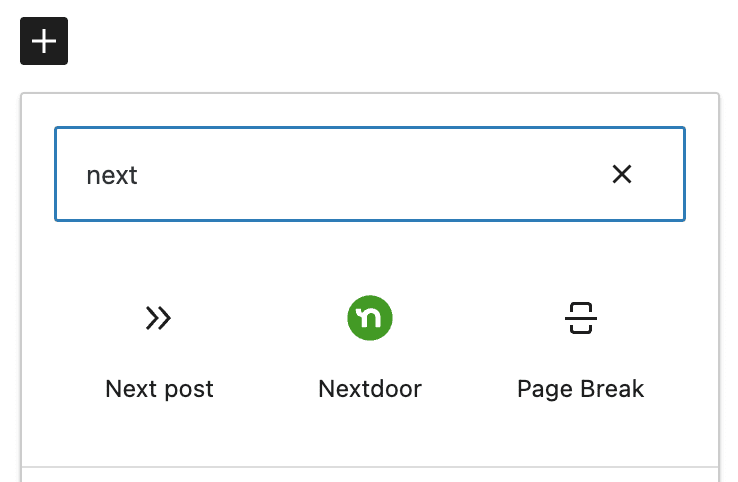
または、エディターで/nextdoorと入力すると、Nextdoorブロックが表示され、使用できるようになります。
- 埋め込みたいNextdoorの投稿のURLをブロックに貼り付け、埋め込みボタンをクリックします:
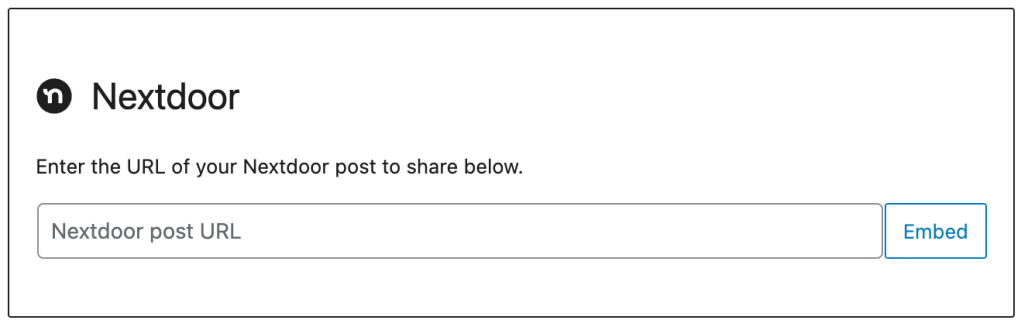
Nextdoorの投稿のリンクを投稿またはページに追加するだけでも、自動的に埋め込み形式に変換されます。
詳しくは、Jetpackブロックのページで、Jetpackブロックの追加についてご確認ください。
Still need help?
Please contact support. We’re happy to advise.

