

Startups are under constant pressure to operate more efficiently — either by reducing costs or boosting productivity. At the crux of these operational needs lies the fundamental relationship between a business and its customers. Nurturing this relationship becomes pivotal for startups aiming to outshine competitors.
This is where customer relationship management (CRM) software comes into play. CRMs transform how startups interact with and understand their audience.
However, as with any technological solution, there are a lot of CRM software options available, each with its own set of features and offerings. For startups, the challenge is twofold: understanding the criteria to evaluate these tools and selecting one that caters to their unique needs.
In this guide, we’ll delve into the factors to consider when choosing a CRM, unpack what makes a CRM optimal for startups, and present a list of the top ten CRM software available today — with a special focus on Jetpack CRM, a revolutionary tool tailored for WordPress users.
Factors to consider when choosing a CRM for startups
1. User-friendliness
Startups often operate with lean teams where members wear multiple hats. Complex tools with steep learning curves can become burdensome, detracting from their core activities. The right CRM for a startup should be intuitive, with a design and flow that feels natural. It should allow users to perform tasks with minimal clicks and offer a dashboard that gives a quick snapshot of crucial data.
A straightforward user interface helps team members adapt quickly, which can lead to swifter, more informed decisions.
2. Customizability
No two startups are alike. They vary in terms of their product offerings, business models, and target audiences. This makes it vital for the CRM software they choose to be highly modifiable.
From custom fields and modules to personalized workflow automation, a CRM should allow startups to mold the software according to their specific needs. This flexibility ensures that the tool remains relevant as the startup grows and maximizes the efficiency and effectiveness of its functionality.
3. Cost
Budget constraints are a reality for many startups. It’s essential for these fledgling companies to invest in tools that drive growth, but it’s equally crucial to ensure that the costs are justified.
Some CRMs operate on a freemium model, offering basic features at no cost and premium ones for an additional price. Others might have a fixed pricing structure. Startups need to weigh the features offered against the price, keeping an eye out for hidden costs or charges that might accrue as they scale.
4. Integration capabilities
In the dynamic startup environment, using a multitude of tools is common. Be it marketing automation, sales platforms, or analytics tools, startups often have an entire ecosystem of software solutions.
The CRM they opt for must seamlessly integrate with these platforms. This helps data flow unhindered across systems, offering a unified view of the customer and eliminating the need for manual data transfers.
5. Training and support
Lastly, the value of thorough training and support cannot be overstated. Even the most intuitive platforms can present challenges. When faced with an issue, startups should be able to rely on the software provider for timely and effective support. This can be in the form of tutorials, knowledge bases, or a support ticketing system.
A robust support system ensures minimal disruptions and helps the startup derive maximum value from the CRM.
What makes a CRM best for startups
1. Simplicity
The cognitive load of navigating a cluttered software can become a drain on productivity. Startups, characterized by their agile nature, require tools that are straightforward. A simple CRM ensures that users can focus on tasks that matter without getting bogged down by unnecessary complexities.
But don’t be fooled — simplicity doesn’t equate to a lack of features. Instead, it alludes to a design philosophy that places the user’s needs at the forefront, allowing them to leverage the tool without a barrage of unnecessary steps or information.
2. Scalability
Success for startups is most commonly measured by growth, whether it’s expanding the customer base, diversifying product offerings, or entering new markets.
The CRM they adopt should be scalable. Scalability means that, as the startup grows, the CRM can handle increased data, more users, and advanced functionality. Investing in a scalable CRM is not just a nod to the startup’s ambitions, but a strategic move to avoid the costs and disruptions associated with switching tools down the line.
3. Flexibility
Startups operate in a space of uncertainty, pivoting their strategies based on market feedback and internal advancements. The tools they utilize, especially CRMs, should offer a wide range of features that can be turned on or off as required. This flexibility allows startups to adapt the CRM to their ever-changing needs, so they’re always equipped with the functionalities that align with their current operational requirements.
4. A clutter-free interface
A seamless user experience is a hallmark of well-designed software. For startups, time is of the essence. A clutter-free CRM interface, devoid of distractions, ensures that users can perform tasks swiftly.
Such an interface, characterized by its clean design, logical flow, and emphasis on essential functionalities, reduces the likelihood of errors and enhances overall efficiency. Every second saved due to a well-designed dashboard translates into resources that startups can channel into other growth-driving activities.
The top ten CRM software for startups

1. Jetpack CRM
Key features of Jetpack CRM
Jetpack CRM stands out prominently among WordPress CRM solutions. This tool is tailored to the unique needs of WordPress users, integrating perfectly with the platform. Some of its key features include:
- Centralized contact management. Efficiently manage leads, customers, and other contacts, ensuring that important details are never missed.
- Invoicing and transactions. Integrated invoicing allows businesses to generate and send invoices directly from the CRM, for swift and organized payment processes.
- Email campaigns. Directly communicate with your audience using the email campaign feature, allowing you to send newsletters, promotional materials, or updates.
- Extensions and integrations. CRM features can be expanded using a multitude of available extensions, ensuring that businesses have the flexibility they require.
Pros and cons of Jetpack CRM
Pros:
- Jetpack CRM is built for WordPress, ensuring a seamless integration.
- It’s user-friendly with a streamlined dashboard.
- It has an extensive extension ecosystem that provides numerous customization options.
Cons:
- Jetpack CRM runs on WordPress, so it’s not suitable for startups on other platforms.
- Users will need some familiarity with WordPress to get started immediately.
Benefits of Jetpack CRM for startups
For startups operating on the WordPress platform, Jetpack CRM emerges as a powerful ally. Its seamless integration ensures that startups don’t have to grapple with complicated setup processes. Furthermore, the array of features available gives startups all the tools they need to foster and manage customer relationships, from the first interaction to invoicing and beyond.
This CRM’s emphasis on flexibility, through its extensions, helps businesses adapt the software as they pivot or scale. Given that startups often operate on tight budgets, the competitive pricing of Jetpack CRM makes it a top choice.
Learn more about Jetpack CRM here.
2. HubSpot CRM
Key features of HubSpot CRM
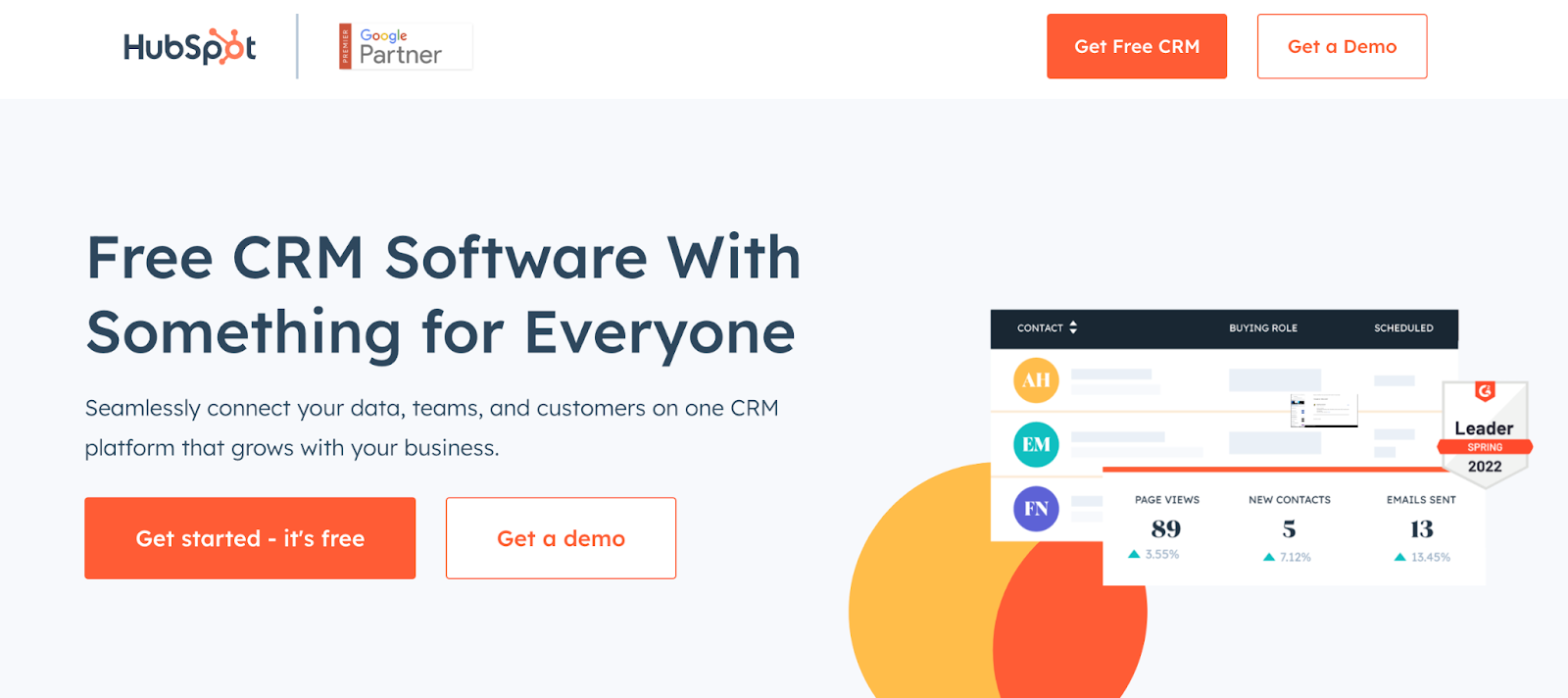
HubSpot CRM, a “household name” in the realm of customer relationship management solutions, champions automation and ease of use. With its inception, HubSpot aimed to simplify the convoluted maze of customer management for businesses of all sizes. Some standout features include:
- Contact management. Log sales activities automatically and obtain deep insights on every contact at your fingertips.
- Email tracking and scheduling. Keep abreast of when emails are opened and schedule them to be sent at optimal times.
- Pipeline management. Visualize and manage your sales funnel with clarity, optimizing every stage of the journey.
- Reporting dashboards. Analytical insights are rendered in intuitive dashboards, providing businesses with actionable intelligence.
Pros and cons of HubSpot CRM
Pros:
- HubSpot CRM is comprehensive and user-friendly. This makes it suitable for both novices and seasoned professionals.
- It offers a free tier with essential features for bootstrapped startups.
- The CRM integrates seamlessly with other HubSpot offerings and various third-party applications.
Cons:
- As businesses scale and need more advanced features, pricing for HubSpot CRM can become steep.
- The sheer range of features can be overwhelming for some users, requiring a period of familiarization.
Benefits of HubSpot CRM for startups
HubSpot CRM aligns with the dynamic pace of startups. Its emphasis on automation allows startups to minimize manual tasks, ensuring that their time is dedicated to growth and strategy.
The visual nature of its pipeline management tool is particularly beneficial, allowing startups to see, at a glance, the health and stages of their sales funnels. The availability of a free tier, replete with essential features, is a boon for startups that are watching expenditures.
As the startup ecosystem becomes more saturated, tools like HubSpot CRM that offer competitive intelligence through their reporting dashboards, can provide startups with the edge they need to stand out.
3. Streak
Key features of Streak
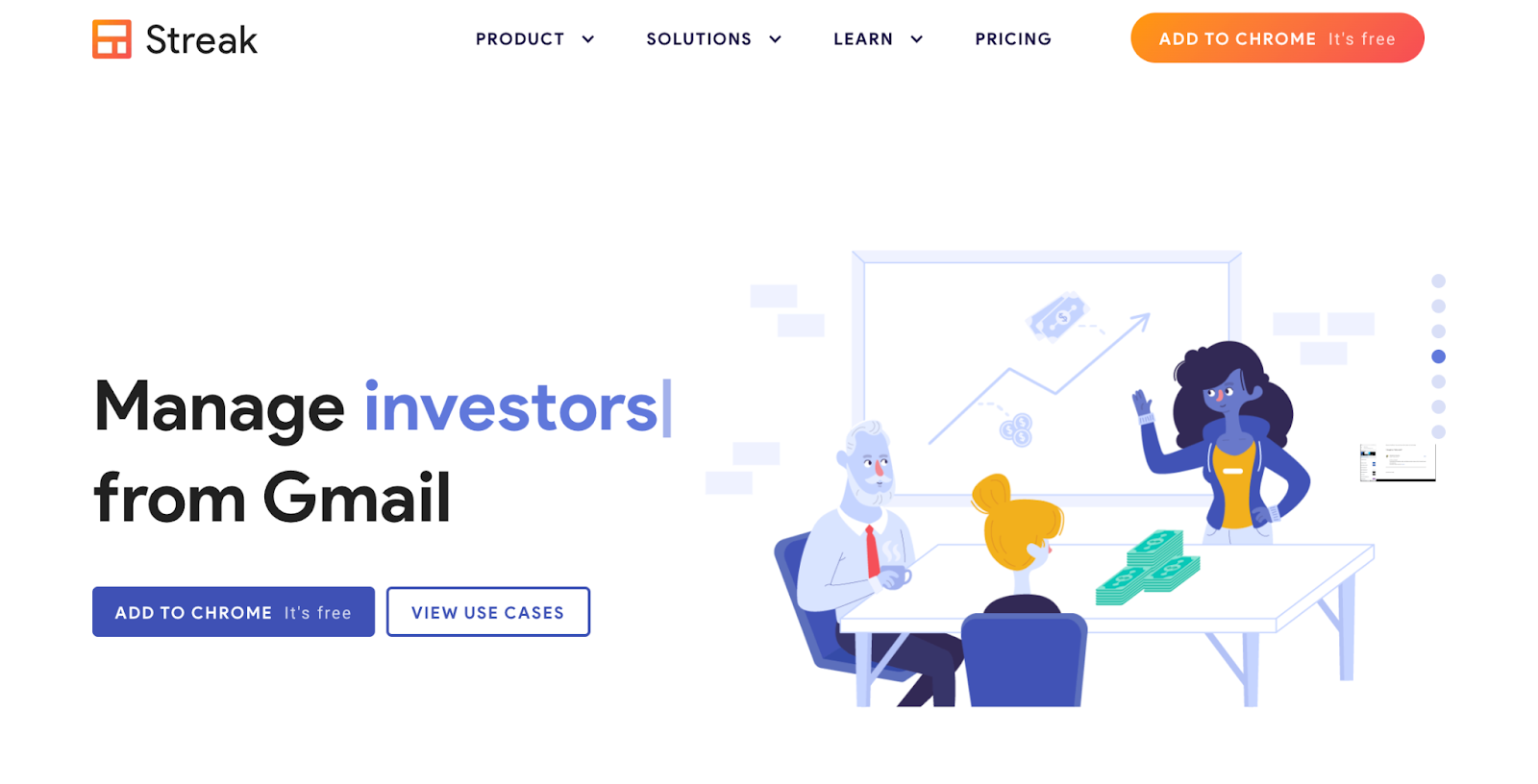
Streak is a distinctive CRM solution primarily because it operates directly within Gmail, merging CRM functions with day-to-day email activities. The primary features that elevate Streak include:
- Inbox integration. Convert emails into actionable tasks within Gmail, ensuring a seamless transition between communication and task management.
- Pipeline visualization. View and manage pipelines from the Gmail interface. This provides a clear overview of ongoing projects, sales leads, or custom workflows.
- Email power tools. Enhanced email functions such as tracking, mail merge, and snippets allow for smarter communication.
- Collaboration opportunities. Shared pipelines and real-time collaboration directly in Gmail simplifies team coordination.
Pros and cons of Streak
Pros:
- Direct integration with Gmail means there’s no need to toggle between platforms.
- Streak’s adaptability allows for custom pipelines tailored to various workflow needs.
- Streak offers a Free plan which covers basic CRM necessities.
Cons:
- Being exclusive to Gmail can limit users on other email platforms.
- As operations scale, there might be a need to migrate to a more feature-intensive CRM.
Benefits of Streak for startups
For startups, particularly those already entrenched in the Google ecosystem, Streak offers some strong advantages. The blending of a CRM into an email interface reduces the friction usually experienced when adopting a new software tool. This direct integration means teams can onboard with minimal disruption, focusing on their core tasks.
Additionally, the adaptability of Streak allows startups to mold the CRM functionalities according to their unique workflows. Whether it’s for sales, hiring, or project management, Streak’s custom pipelines can cater to diverse needs. This versatility, combined with the familiarity of Gmail, makes Streak a commendable option for startups aiming to streamline operations without the typical CRM learning curve.
4. Zoho CRM
Key features of Zoho CRM
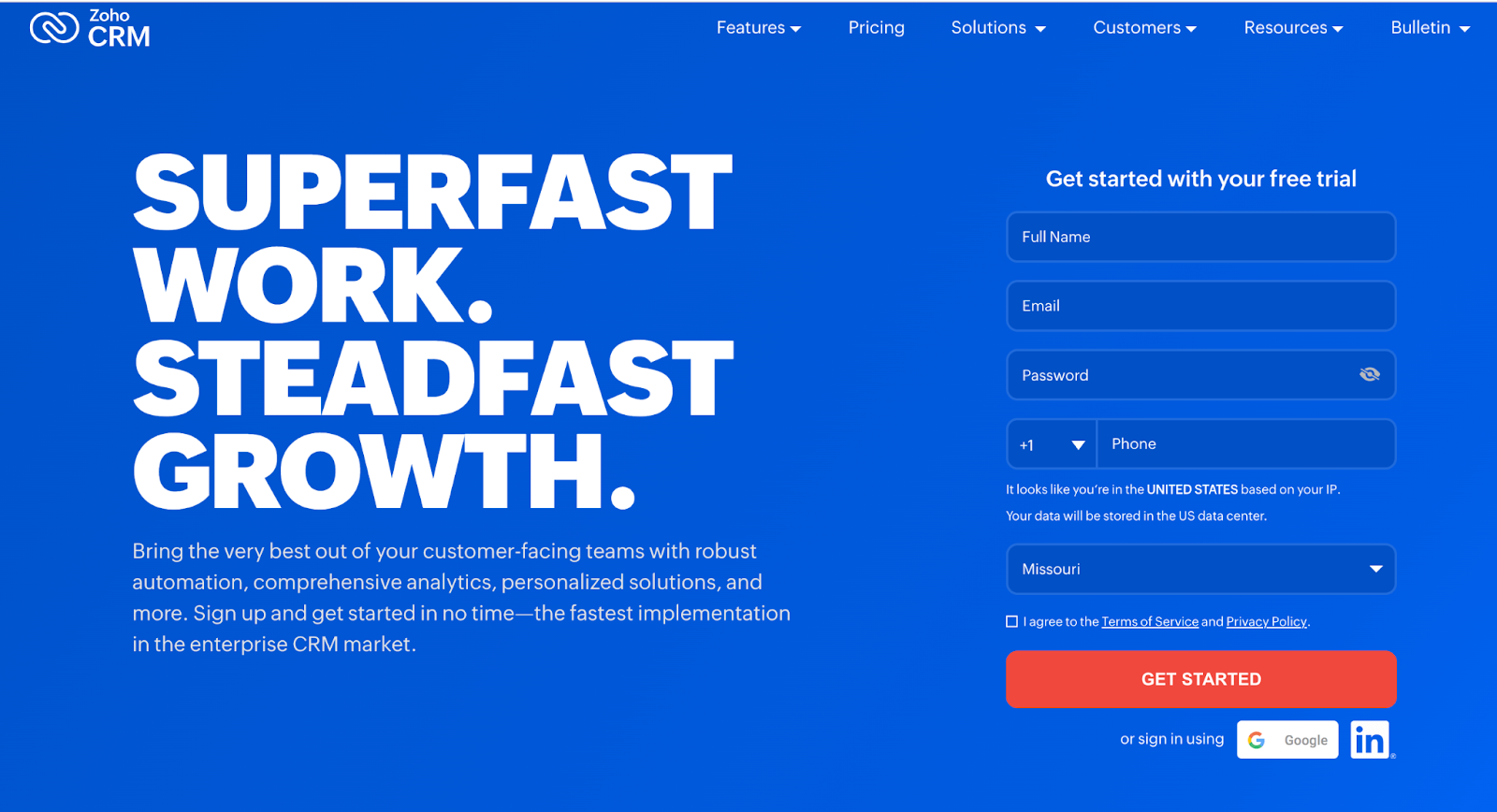
Zoho CRM has fortified its position in the CRM sphere through a blend of robust features designed to cater to businesses of varying scales. Zoho CRM’s features include:
- Multichannel communication. Engage with customers through email, phone, live chat, and social media, all from within the CRM.
- Artificial intelligence. Zoho’s AI assistant, Zia, provides predictions, analytics, and automation to help sales teams make informed decisions.
- Sales automation. Zoho has comprehensive workflow management, blueprint processes, and macro automation to alleviate manual tasks and maintain consistency.
- Performance analytics. Insightful analytics dashboards and reports can help startups understand sales trends and performance metrics.
- Customization and integration. API availability, custom modules, and a rich app marketplace mean that Zoho CRM can be tailored and integrated into existing business systems.
Pros and cons of Zoho CRM
Pros:
- Extensive sales automation tools ensure efficiency and minimize manual entry.
- Zia, an AI assistant, provides actionable insights and analytics.
- A broad suite of integrations allows businesses to connect various tools seamlessly.
Cons:
- The abundance of features might be overwhelming for very small startups.
- Pricing can become relatively high as you scale and require advanced features.
Benefits of Zoho CRM for startups
Zoho CRM is part of an entire ecosystem. For startups that are looking to get more than just a customer management system, Zoho presents itself as a viable choice. With its AI capabilities, startups can derive actionable insights from their data, refining their strategies and decision-making processes.
Moreover, Zoho’s emphasis on sales automation ensures that startups can streamline their processes — cutting down on redundancies and ensuring a smoother sales journey.
Zoho’s extensive integration capabilities mean that startups won’t find themselves trapped in a technological silo, but will be able to connect their CRM to other tools they use. The result? A unified, efficient, and insightful operational process that positions startups for growth.
5. OnePageCRM
Nurture Contacts. Grow your Business.
Jetpack CRM has all of the tools you need to grow your business. It’s also modular, so you can customize it to suit your needs.
Get startedKey features of OnePageCRM
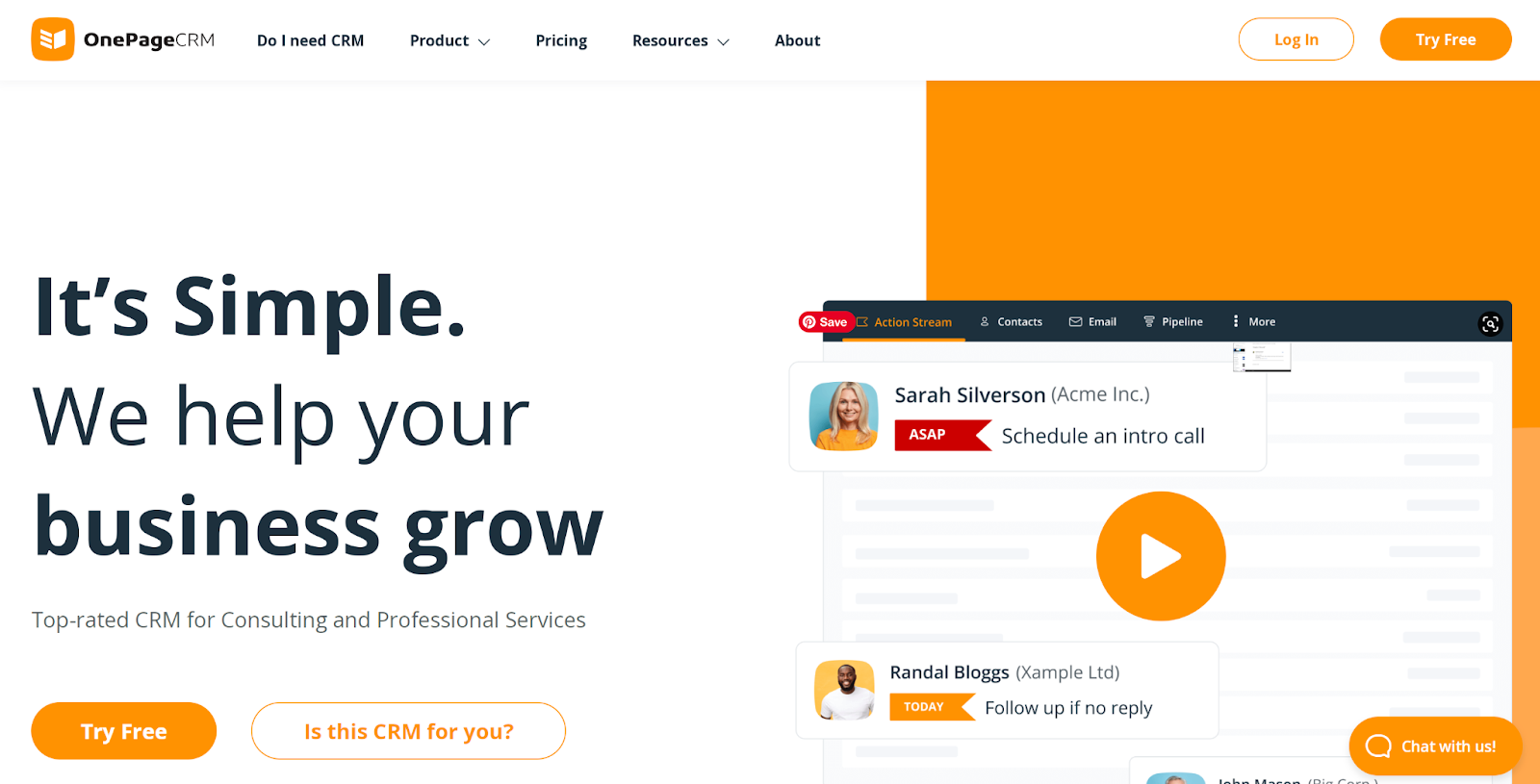
OnePageCRM has rapidly earned respect among the slew of CRM solutions, predominantly for its streamlined and action-focused approach. The platform is engineered with precision to ensure that tasks aren’t just tracked, but acted upon. Here’s an exploration of its primary features:
- The Action Stream. At the heart of OnePageCRM is the Action Stream. This helps ensure that after every completed activity, there’s a clear subsequent action. This proactive approach encourages a continuous workflow without stagnation.
- Contact management. With an intuitive interface, adding and managing contacts is straightforward. It’s equipped with a segmentation feature to categorize contacts based on tailored criteria.
- A sales pipeline. Visual sales pipelines facilitate easy management and tracking of deals. This empowers users to estimate revenues, set targets, and monitor sales cycles.
- An integration ecosystem. OnePageCRM boasts integrations with a multitude of third-party apps, allowing for seamless workflow across tools.
- A mobile CRM. With dedicated iOS and Android applications, managing contacts, deals, and tasks on the go has never been more convenient.
Pros and cons of OnePageCRM
Pros:
- OnePageCRM’s Action Stream always creates a clear subsequent action to boost productivity.
- A simple and uncluttered interface makes it user-friendly and reduces the learning curve.
- The visual sales pipeline simplifies deal tracking and fosters better revenue predictions.
Cons:
- Limited advanced features can make it less suitable for those with complex requirements.
- Some users might find the action-focused approach too rigid if they’re accustomed to more traditional CRMs.
Benefits of OnePageCRM for startups
OnePageCRM’s brilliance lies in its simplicity, ensuring startups can implement and adapt without the daunting overheads of training and transition. The clear-cut focus on “next actions” aligns with a startup’s fast-paced nature, where agility and momentum are paramount.
Furthermore, the intuitive interface means that even those new to CRMs can navigate and utilize the platform efficiently.
For startups wary of excessive technological overload, OnePageCRM offers a balanced blend of essential features without overwhelming complexities. Its integration capabilities mean that startups can embed it within their existing workflow, enhancing overall efficiency. In essence, it provides startups a clear path. From capturing leads to closing deals, each step is directed, actionable, and purposeful.
6. Salesforce Essentials
Key features of Salesforce Essentials
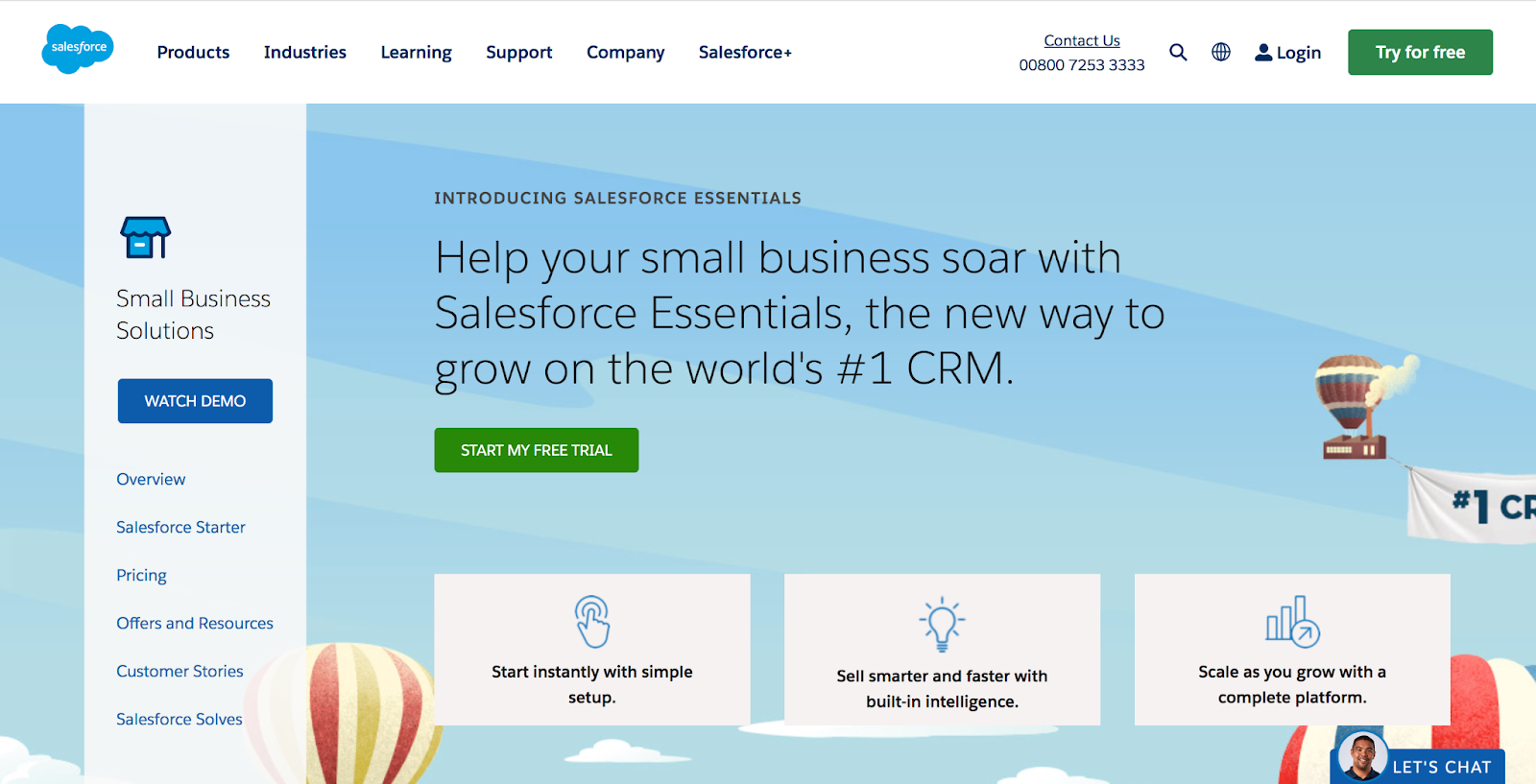
Salesforce, a titan in the CRM industry, expanded its offerings with a solution tailored for small businesses and startups: Salesforce Essentials. This streamlined version retains the power of Salesforce while being more approachable for emerging ventures. Here are some key features:
- Contact management. Salesforce Essentials allows for a comprehensive view of every client, encapsulating their activity history, key contacts, customer communications, and internal account discussions.
- Opportunity management. The platform charts the complete trajectory of deals — tracking stages, transaction amounts, and the likelihood of closing.
- Lead management. Users can track leads from click to close, optimizing campaigns across every channel.
- The Salesforce mobile app. The mobile app means that businesses can run from a smartphone, aiding productivity even while on the move.
- Customizable sales process. Startups can tailor Salesforce Essentials to their unique sales processes.
- The Einstein activity capture. An AI-backed feature that connects emails and calendar events to the CRM, providing insights and saving time.
Pros and cons of Salesforce Essentials
Pros:
- A condensed version of Salesforce, this CRM delivers robust features without overwhelming users.
- AI integrations, like Einstein Activity Capture, add an analytical edge, offering predictive insights and automations.
- The vast ecosystem of Salesforce means that there’s a plethora of third-party integrations available.
Cons:
- The price point, even for the “essentials” package, might be prohibitive for some startups.
- The versatility it offers can be a double-edged sword — businesses might find themselves lost amidst options and configurations.
Benefits of Salesforce Essentials for startups
Salesforce Essentials is a potent tool for startups seeking advanced CRM capabilities without venturing deep into the Salesforce universe. Its structure aids startups in understanding their customers better and fostering relationships that are transformational. The customizable sales processes mean that startups won’t have to mold themselves to the tool — it can fit their unique needs.
Furthermore, as startups grow, transitioning to more comprehensive Salesforce offerings is relatively seamless. The initial immersion in Salesforce Essentials equips them with foundational knowledge, ensuring future expansions are less challenging.

7. Agile CRM
Key features of Agile CRM
Agile CRM has carved a niche for itself in the CRM landscape, predominantly due to its commitment to delivering a 360-degree view of customer interactions. Recognizing the numerous touchpoints that today’s customer has with a business, Agile CRM weaves them into an intelligible narrative. Here are its notable features:
- Unified customer views. Startups are empowered with a detailed, consolidated overview of customer histories, preferences, and past interactions, all situated in one place.
- Email tracking and automation. Agile CRM allows businesses to monitor their emails to gauge success rates and equips startups with the tools to set up automated marketing campaigns.
- Web analytics. By embedding tracking codes, businesses can discern visitor behaviors, providing invaluable insights for future marketing strategies.
- Telephone capabilities. Agile CRM comes with a built-in calling feature, enabling businesses to make, receive, and record calls directly from the CRM dashboard.
- Project management. In addition to customer relations, Agile CRM lends itself to managing projects, making it an all-inclusive business tool.
- A social suite. Monitor and respond to social media mentions and conversations, an indispensable feature given the ascent of social media as a touchpoint.
Pros and cons of Agile CRM
Pros:
- A truly all-in-one solution, Agile CRM merges sales, marketing, and service operations into a single platform.
- The user interface is intuitive and user-friendly, with a modest learning curve.
- Affordable CRM pricing tiers make it a contender for businesses of various scales.
Cons:
- Some users have cited concerns about the mobile app’s performance.
- The overwhelming range of features might prove daunting for businesses solely searching for a straightforward CRM solution.
Benefits of Agile CRM for startups
The startup world is filled with challenges, and solutions that simplify operations are always welcome. Agile CRM emerges as an ally for startups, providing them a central hub for most of their operational needs.
Instead of juggling disparate systems for sales, marketing, service, and project management, startups can streamline their processes with Agile CRM. Such consolidation can lead to cost savings and increased efficiency. The embedded analytics offer startups the data-driven insights they desperately require to optimize their strategies.
With its affordable pricing model, Agile CRM ensures that startups don’t have to compromise on quality because of high costs. As the name suggests, its agility is a boon for startups, aligning with their need for swift pivots and iterations based on customer feedback and market dynamics.
8. Pipedrive
Key features of Pipedrive
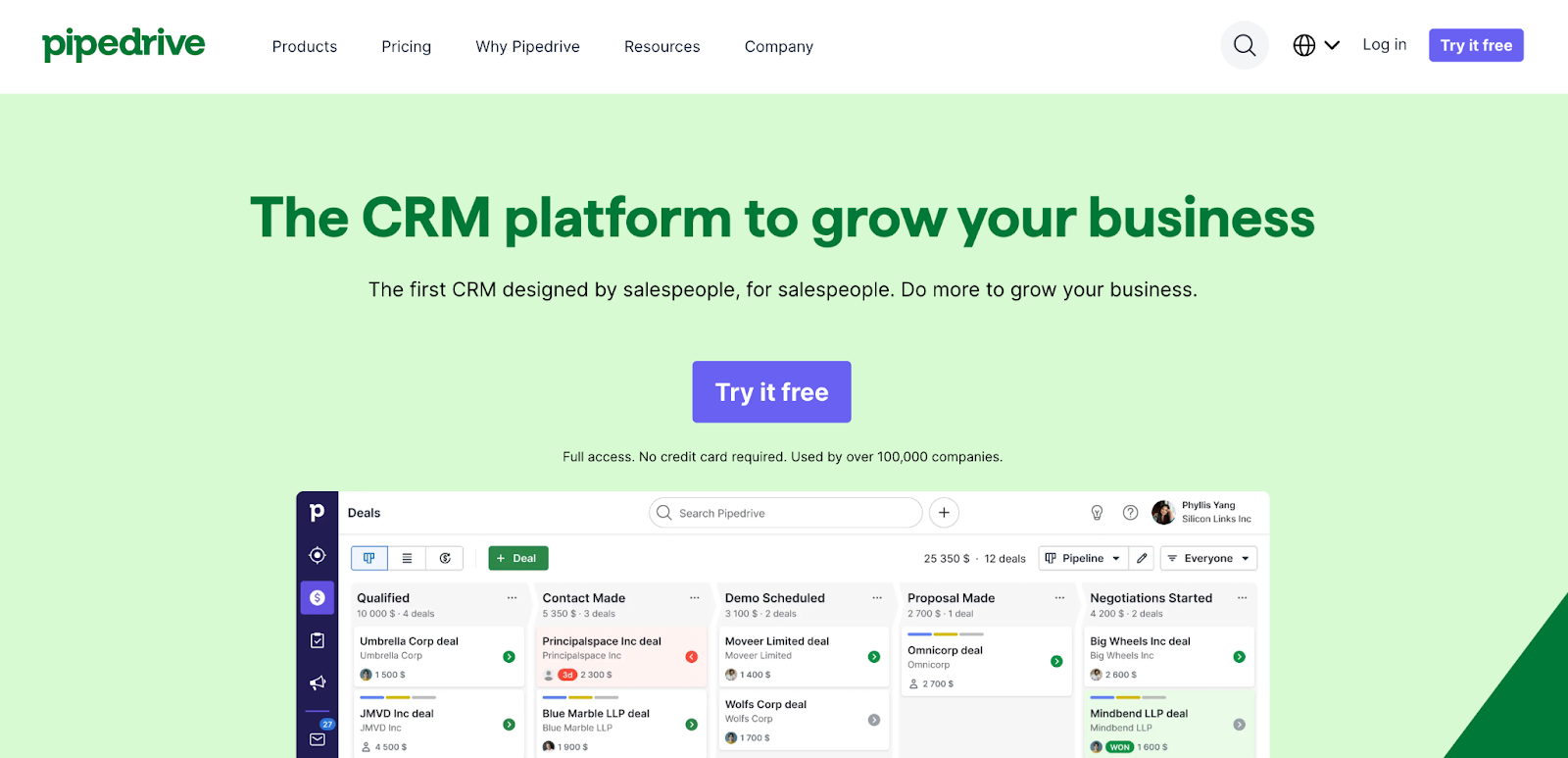
Pipedrive, recognized for its sales-centric approach, touts simplicity as its cardinal strength. With a focus on pipeline management, this CRM software stands out due to its robust features designed to optimize the sales process. Here’s a dive into its features:
- A visual sales pipeline. A drag-and-drop interface accompanied by a visual pipeline makes it easy for sales teams to move deals between stages and track progress.
- Email integration and tracking. Integrating seamlessly with most email services, Pipedrive provides real-time notifications when emails are opened, fostering timely follow-ups.
- Activities and goals. Set tasks, schedule calls, or assign follow-up emails, ensuring that sales activities align with set targets and goals.
- Customization options. With custom fields and a modifiable pipeline, businesses can tailor Pipedrive according to their unique needs.
- Data import and export capabilities. Effortlessly migrate data into Pipedrive or extract insights with its flexible data import/export features.
- Performance analytics. Dive deep into sales metrics for improved performance assessments and better strategic decision-making.
Pros and cons
Pros:
- Designed specifically with sales teams in mind, Pipedrive emphasizes the visibility and management of sales pipelines.
- The software boasts a simple, user-friendly interface, reducing the time required to get teams onboard.
- The strong integration ecosystem allows startups to easily connect Pipedrive with other tools they might be using.
Cons:
- While incredibly proficient for sales processes, Pipedrive might not be as comprehensive for those looking for a full-suite CRM solution.
- Some startups may need more advanced reporting features than Pipedrive provides.
Benefits for startups
Pipedrive, with its core strength in sales pipeline management, simplifies the sales process. A visual interface allows startups to intuitively understand where each potential sale stands, enabling timely interventions.
The streamlined sales processes Pipedrive offers can be instrumental in increasing conversion rates, a critical metric for startups operating in competitive landscapes. Additionally, its affordability means that startups, often operating on tight budgets, can still access a premium sales CRM.
With its focus on sales and associated analytics, startups can gather actionable insights, refining their approach based on tangible data. Pipedrive’s adaptability, allowing customization based on unique needs, ensures that it grows alongside the startup and accommodates evolving requirements.

9. Copper
Key features of Copper
Copper sets itself apart with a native integration into the Google Workspace, formerly known as G Suite. This alignment with Google’s ecosystem positions it as a unique player in the CRM arena. A deeper look at its features reveals why it’s captured the attention of modern businesses:
- Google Workspace integration. Copper seamlessly integrates with Google applications such as Gmail, Calendar, and Drive, providing users with a unified experience.
- Automated data entry. By reducing manual inputs, this CRM enhances productivity. It autopopulates fields using information obtained directly from emails and other Google apps.
- Visual pipeline management. Copper allows users to oversee deals with a drag-and-drop pipeline, offering a comprehensive view of the sales journey.
- Performance dashboards. Obtain insights through tailored dashboards that provide an in-depth analysis of sales performances, targets, and other crucial metrics.
- Lead and contact management. Organize contacts, link emails, and track communication history without shifting away from the Gmail interface.
- Collaboration tools. Real-time collaboration is promoted through shared pipelines, centralized conversations, and interactive sales forecasts.
Pros and cons of Copper
Pros:
- The direct integration with Google Workspace ensures that users experience minimal disruptions, especially if they’re heavily reliant on Google’s suite of tools.
- Automated data entry saves time and aids in data consistency and accuracy.
- Its intuitive user interface is easy to navigate, which is particularly beneficial for those new to CRM solutions.
Cons:
- Those not using Google Workspace might not experience the full spectrum of benefits that Copper offers.
- Some startups may need more advanced customization options.
Benefits of Copper for startups
Startups, often characterized by their dynamic nature and rapid pace, require tools that seamlessly fit into their existing operations. Copper, with its deep-rooted integration with Google Workspace, is a good option for startups heavily invested in Google’s ecosystem. It eliminates the steep learning curve often associated with new software implementations.
Automated data entry helps teams spend less time on mundane tasks and more on value-driven activities. Visual pipeline management, combined with performance dashboards, empowers startups with data-backed insights, helping them make informed decisions quickly.
Furthermore, the cost efficiency of Copper, especially when aligned with other Google services, ensures that startups derive maximum value from their investment. This synergy between ease-of-use, integration, and actionable insights places Copper as a strong tool for startups in their growth journey.

10. Freshsales
Key features of Freshsales
Freshsales, from software company Freshworks, is a CRM designed with an emphasis on usability without compromising features. It caters to businesses of all sizes, but its functionalities reveal a particular ability to help startups.
- AI-driven insights. “Freddy AI”, the solution’s artificial intelligence program, delivers actionable insights, automates tasks, and predicts sales with decent accuracy.
- Built-in phone and email tools. Freshsales allows teams to make calls and send emails from within the CRM platform.
- A 360-degree customer view. Consolidate all customer interactions so that sales personnel are equipped with a holistic customer view.
- A visual sales pipeline. Easily move deals between stages, allowing for a clear understanding of the sales process and immediate identification of bottlenecks.
- Lead scoring. Prioritize leads based on their behavior to help sales teams focus on those that are the most likely to convert.
- An activity timeline. Track every touchpoint with a lead or customer, so teams have a comprehensive understanding of past interactions.
Pros and cons of Freshsales
Pros:
- Freshsales offers an intuitive interface that promises ease of use — even for individuals unfamiliar with CRM systems.
- The AI-driven insights provide a competitive edge by offering sales predictions and highlighting areas for improvement.
- The platform’s flexibility allows for easy scalability, catering to the evolving needs of startups.
Cons:
- There’s a learning curve associated with some of the more advanced features.
- Integration with external tools, although possible, might not be as seamless as with some other CRM systems.
Benefits of Freshsales for startups
Startups are unique entities, always in pursuit of growth and efficiency. Freshsales emerges as a good tool to assist in this journey. With its AI-driven insights, startups can harness the power of predictive analytics, allowing them to forecast sales trends and adjust their strategies accordingly. The built-in phone and email functionality reduce the need for startups to invest in multiple platforms, thereby providing overall cost savings.
A 360-degree view of the customer simplifies the task of understanding customer needs, a crucial element for startups aiming for product-market fit. Furthermore, lead scoring ensures that limited resources are allocated efficiently, focusing on leads that have the highest likelihood of conversion.
The platform’s scalability ensures that as a startup grows, Freshsales adapts, accommodating larger databases and more complex processes. By marrying efficiency with actionable insights, Freshsales emerges as an indispensable tool for startups determined to make their mark.
Why CRM tools are important for startups
1. Centralized customer information is essential
The digital age has ushered in an era where the volume of customer data available to businesses is vast. While this provides an unparalleled opportunity to understand and cater to customers, it also presents the challenge of managing this flood of information. Startups, given their limited resources and emphasis on agility, face this challenge head-on.
A CRM tool steps in to transform this challenge into an advantage. By centralizing customer information, it ensures that all data — from contact details to purchase histories and other interactions with a brand — is stored in one unified location. This central repository helps teams, whether they’re in sales, marketing, or customer service, quickly access and make sense of the information.
The implications are profound — decisions are more informed, interactions more personalized, and the entire organization moves cohesively, anchored by a unified understanding of the customer.
2. Sales and marketing need constant alignment
Misalignment between sales and marketing teams can be catastrophic for startups, leading to wasted resources and missed opportunities. CRM tools bridge the gap between these two crucial departments. With a shared view of leads, campaigns, and customer interactions, both teams can better understand each other’s roles and contributions.
Marketing can see which campaigns lead to the most sales-qualified leads, and sales can provide feedback on the quality of the leads they receive. This symbiotic relationship, facilitated by the CRM, means that efforts are not duplicated, communication gaps are bridged, and the entire lead-to-sale process is streamlined.
3. Customer segmentation is crucial for marketing and sales success
It’s fundamental to understand that not all customers are the same. However, turning this understanding into actionable strategies requires tools that can segment customers based on various criteria. CRM tools shine in this aspect.
Whether it’s segmenting customers based on their buying behavior, geographical location, or interaction history, CRM systems allow startups to categorize their audience into distinct groups. This segmentation is invaluable for targeted marketing campaigns, personalized interactions, and product development tailored to specific customer needs.
For startups looking to maximize their return on investment, such precise targeting, enabled by CRM tools, is pivotal.
4. Efficient time management is essential
Time is an especially scarce resource for startups. With multiple tasks vying for attention, efficient time management becomes non-negotiable. CRM tools, with their automation capabilities, play a pivotal role in ensuring that mundane tasks don’t consume disproportionate amounts of time.
Whether it’s sending follow-up emails, setting reminders for sales calls, or even automating data entry, CRM systems streamline tasks. This efficiency not only helps accomplish more in less time, but also ensures that the quality of work doesn’t suffer due to rushed processes.
For startups, especially those aiming to carve a niche in a competitive market, a CRM tool isn’t just an operational asset — it’s a strategic imperative. Centralizing customer data, aligning sales and marketing, segmenting customers, and managing time efficiently are foundational for success.
And while there are many CRM options in the market, for those startups that are tightly integrated with WordPress, Jetpack CRM emerges as an intuitive, powerful, and seamless CRM for WordPress. After all, in the world of startups, having tools that align with your vision and operational requirements can be the difference between surviving and thriving.
Jetpack CRM: a powerful CRM for startups using WordPress
For startups, especially those with WordPress at the core of their operations, Jetpack CRM presents an optimal blend of power and simplicity. Its deep integration with WordPress _ coupled with its customization capabilities, robust extensions, data ownership assurances, intuitive user experience, and great support — makes it a compelling choice.
Startups no longer need to compromise on features for the sake of usability or break the bank to access a premium CRM experience. With Jetpack CRM, they have a tool that’s attuned to their needs, ensuring they can cultivate customer relationships effectively while navigating the challenging startup landscape.
Learn more by visiting the official Jetpack CRM website: https://jetpackcrm.com/

Nurture Contacts. Grow your Business.
Jetpack CRM has all of the tools you need to grow your business. It’s also modular, so you can customize it to suit your needs.
Get started Jetpack