

You don’t need a premium theme to build a professional-looking WordPress site. Many of the most trusted and widely-used themes on the market are free and deliver impressive performance, flexibility, and design options right out of the box.
Still, choosing the right free theme takes some care. Some are lightweight and well-maintained, while others may slow down your site or limit customization. That’s why we’ve done the research for you.
This list highlights the best free WordPress themes today, trusted by site owners, developers, and small business owners alike. Every theme here is available directly from the official WordPress theme directory, so you can install with confidence and start building right away.
1. Astra
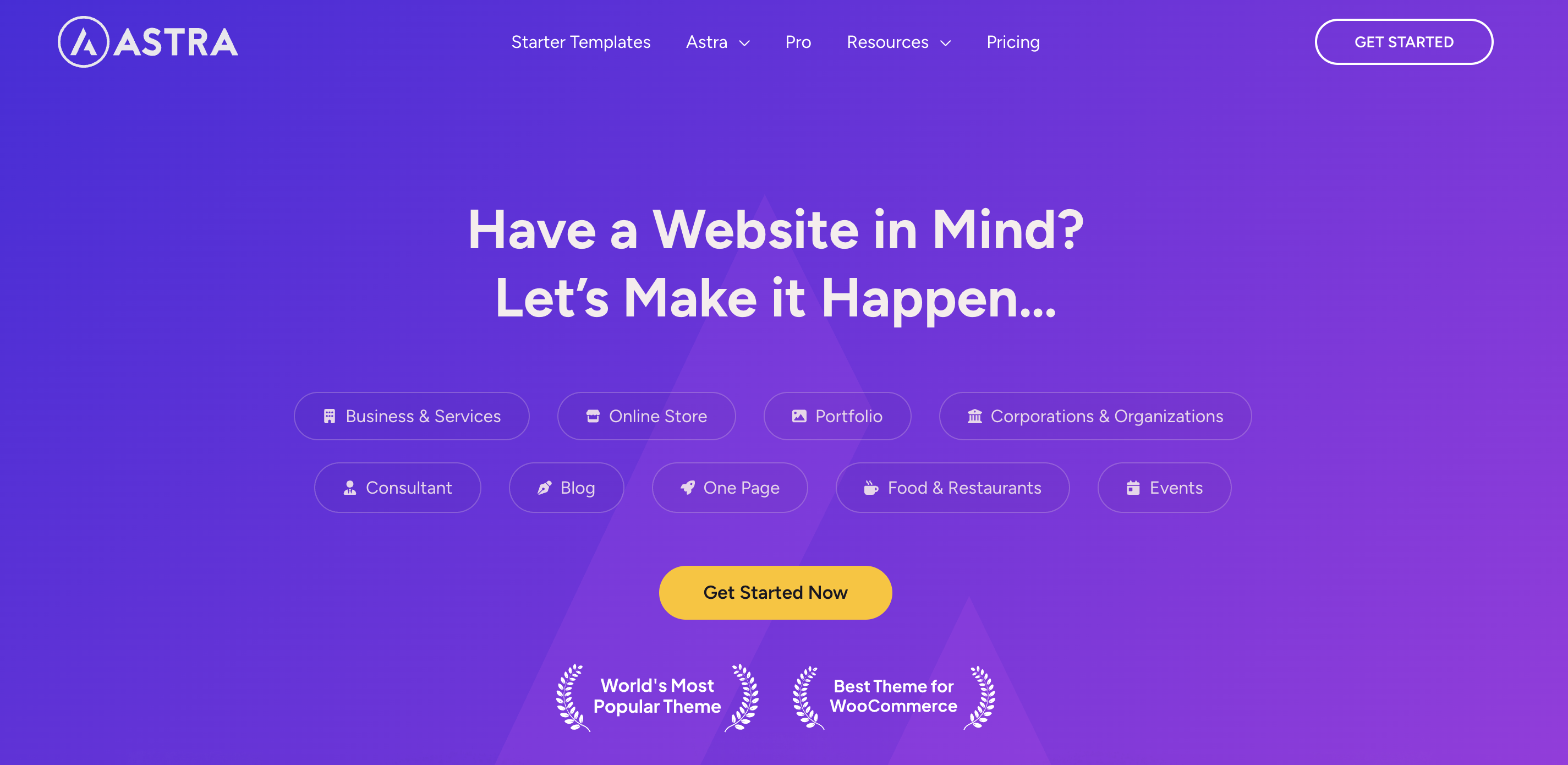
Astra loads fast, runs light, and works seamlessly with the Site Editor. You can launch a blog, business site, or store in minutes using its starter templates. Even in the free version, it gives you plenty of control and customization with no coding required.
Key features:
- Load times of under one second
- A library of ready-made starter templates
- WooCommerce integration
- Accessible-ready features
Pros:
- The theme is extremely lightweight, which helps your site load quickly.
- It’s highly customizable without requiring custom code.
- It works smoothly with nearly every major page builder and plugin.
- The available starter templates reduce setup time.
- It has a large user base and strong developer support.
Cons:
- Some advanced features are locked behind a premium version.
- The sheer number of settings may feel overwhelming at first.
- Starter templates sometimes push integrations with third-party tools you might not need.
Ease of use:
The interface is beginner-friendly, but the depth of customization can take time to fully explore.
Best suited for:
Those who want a fast, flexible, and reliable theme with extensive customization options stand to benefit the most. It’s ideal for business sites, ecommerce stores, portfolios, and content-focused blogs.
2. GeneratePress
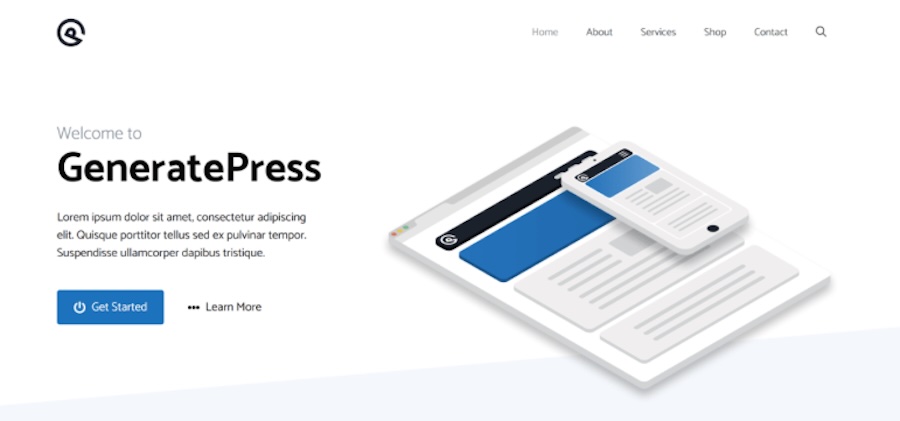
GeneratePress delivers speed, stability, and clean code right out of the box. It keeps things minimal, so you can control every part of your layout using the block editor.
Designed as a flexible blank canvas, it supports accessibility and follows SEO best practices, making it a reliable choice for long-term use.
Key features:
- Ultra-lightweight code
- A fully-responsive design that looks great on every screen size
- A block-based theme builder
- Clean, secure, and extensible code
- Translation and RTL-ready features
Pros:
- Sites built with GeneratePress load extremely quickly.
- It’s created with SEO as a priority, including schema.org markup and a clean HTML structure.
- It pairs well with both the block editor and major page builders.
- It includes excellent documentation and an active support community.
Cons:
- The design is intentionally plain, which means you’ll likely need to invest more time in customization compared to other themes.
- Some may find it less visually appealing compared to flashier “starter” themes.
- The block-based theme builder requires some familiarity with the block editor to use effectively.
Ease of use:
GeneratePress is simple to set up, but getting the most out of it takes some WordPress knowledge or design time.
Best suited for:
Developers, freelancers, and experienced site owners who want full design control and optimal speed without unnecessary bloat.
3. OceanWP
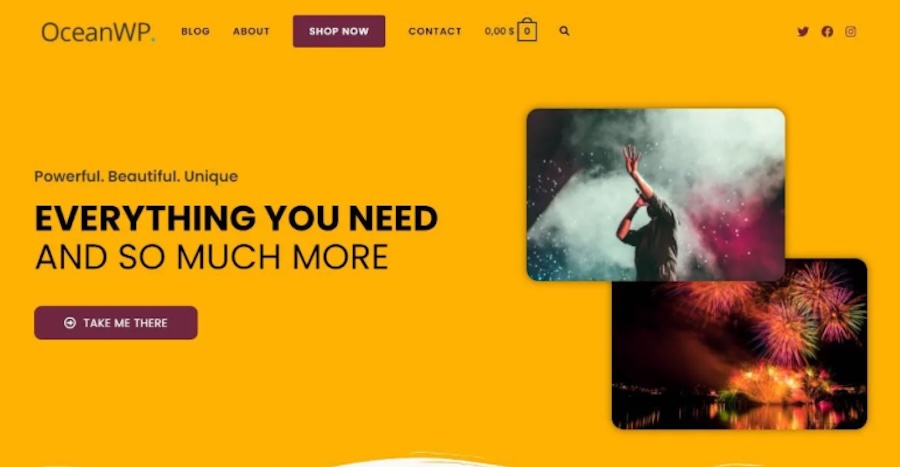
OceanWP offers flexibility, deep WooCommerce integration, making it one of the most feature-rich free themes available. It focuses heavily on ecommerce and design customization, giving you tools like layout controls, global styles, off-canvas menus, and sticky headers.
Key features:
- WooCommerce support
- A fully mobile-friendly design with translation support
- Multiple layout options
- Native popup and modal features
Pros:
- It offers advanced design controls and layout flexibility without requiring a paid upgrade.
- WooCommerce-specific features make it one of the best free themes for online stores.
- It’s compatible with nearly every popular WordPress plugin and page builder.
- It comes with multiple free demo sites to jumpstart your design.
- It’s actively maintained with regular updates and a large user community.
Cons:
- The sheer number of settings can be overwhelming.
- Some features (like demo site imports) rely on free companion plugins, which add complexity.
- Performance may require extra optimization if you enable a lot of design features.
Ease of use:
Getting started with this theme is simple but some options are hidden deep in the dashboard and take time to learn.
Best suited for:
Online stores, agencies, and creators who want full design flexibility and advanced WooCommerce support.
4. Neve
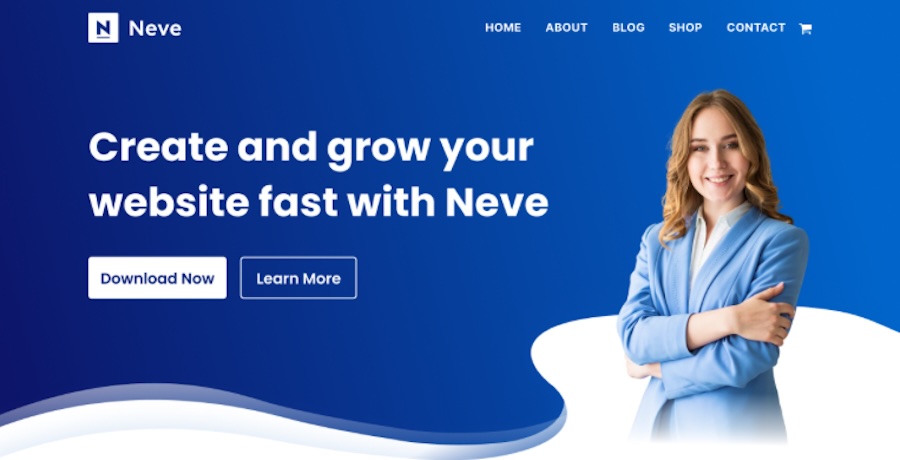
Neve loads quickly, looks clean, and works smoothly with the Site Editor. It’s mobile-first, accessibility-ready, and easy to customize, making it a strong starting point for blogs, business sites, or online stores.
Key features:
- Dozens of free, importable templates
- AMP-ready design
- SEO and accessibility-friendly tools
Pros:
- It has very fast performance, even without caching or optimization plugins.
- You can customize this theme quickly with the Site Editor or your favorite page builder.
- It comes with excellent free starter sites that look modern and professional.
- It’s developer-friendly and actively maintained with frequent updates.
Cons:
- Some starter sites and layout options are only available in the Pro version.
- The theme encourages the installation of additional plugins, which clutters the dashboard.
- It lacks some built-in WooCommerce styling unless you install companion plugins.
Ease of use:
Neve has a straightforward setup process with helpful onboarding and one-click starter site imports.
Best suited for:
Site owners who want a clean, mobile-optimized design and fast performance will benefit greatly from Neve. It’s great for blogs, small businesses, and entrepreneurs who want something flexible, yet manageable.
5. Storefront
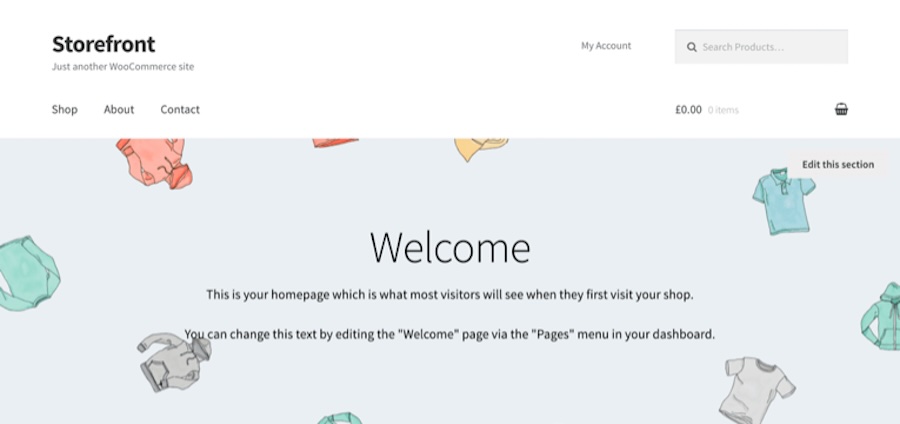
Storefront is the official WooCommerce theme developed by Automattic, the people behind WordPress.com. It’s designed specifically for ecommerce and offers tight integration with WooCommerce features and extensions. Storefront keeps things simple with a minimalist design, fast load times, and easy navigation. If you’re launching a shop, this is one of the safest free themes to start with.
Key features:
- Compatibility with WooCommerce features and extensions
- Performance and clean code prioritization
- Built-in schema markup
- The ability to build child themes or make customizations easily
Pros:
- It provides full integration with WooCommerce and its official extensions.
- Its fast, clean design focuses on product visibility and maximizing conversions.
- It’s supported and maintained by Automattic.
Cons:
- The design is intentionally minimal, so you may need custom CSS or a child theme to stand out.
- It has fewer layout and style options compared to other free multipurpose themes.
Ease of use:
Storefront is straightforward to install and set up, especially for those already familiar with WooCommerce.
Best suited for:
WooCommerce store owners who want a lean, stable, and fully compatible ecommerce theme would do well to start here.
6. Kadence

Kadence delivers modern design, fast performance, and full block editor compatibility without requiring a paid upgrade. Built for full-site editing, it stands out with a clean aesthetic, simple customization, and powerful features like a drag-and-drop header and footer builder, global design settings, and a solid library of starter templates.
Key features:
- A header and footer builder
- Global design controls to customize fonts, colors, and button styles
- Professionally-designed starter sites for blogs, businesses, and stores
- A design built specifically for the block editor
Pros:
- This theme is highly customizable.
- It works beautifully with the block editor.
- Kadence includes optimization for Core Web Vitals.
- The theme is actively maintained, with strong community support and detailed documentation.
Cons:
- Some advanced layout and WooCommerce features are only available in the premium version.
- The theme may provide more than what’s needed for simple blogs or basic one-page sites.
Ease of use:
User-friendly setup with intuitive design tools make it quick to get started and launch your site.
Best suited for:
Anyone who wants a sleek, modern theme with full block editor support will find this theme useful, especially agencies, creators, and small businesses.
7. Blocksy
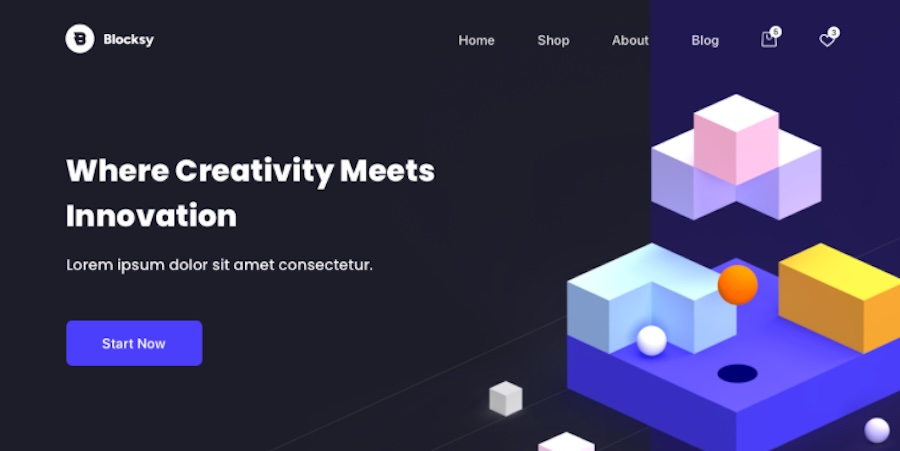
Blocksy delivers speed, visual polish, and deep block editor integration all in a lightweight, free package. It includes premium-style features like customizable headers, dynamic content blocks, and responsive previews, too. Everything feels intuitive, giving you design freedom without slowing down your site.
Key features:
- A focus on the block editor
- A drag-and-drop interface for custom header layouts
- The ability to adjust spacing, sidebars, and content width with dynamic layout controls
- Product gallery styles, quick view, and off-canvas cart capabilities
- Dark mode support
Pros:
- Blocksy is one of the fastest and most visually-flexible free themes available.
- It comes with features like dark mode and sticky headers without needing extra plugins.
- WooCommerce features are included in the free version and feel professional.
- This theme is well-documented and actively updated.
Cons:
- Some features require the free companion plugin, which might confuse newer WordPress users.
- A few layout and design settings are only accessible in the Pro version.
Ease of use:
Blocksy is simple to use, especially if you’re already comfortable with the block editor.
Best suited for:
Design-focused site owners who want a fast, modern, and block-based theme for blogs, business sites, or WooCommerce stores stand to benefit the most from Blocksy.
The easiest speed optimization plugin for WordPress
Jetpack Boost gives your site the same performance advantages as the world’s leading websites, no developer required.
Boost your site for free8. Hestia
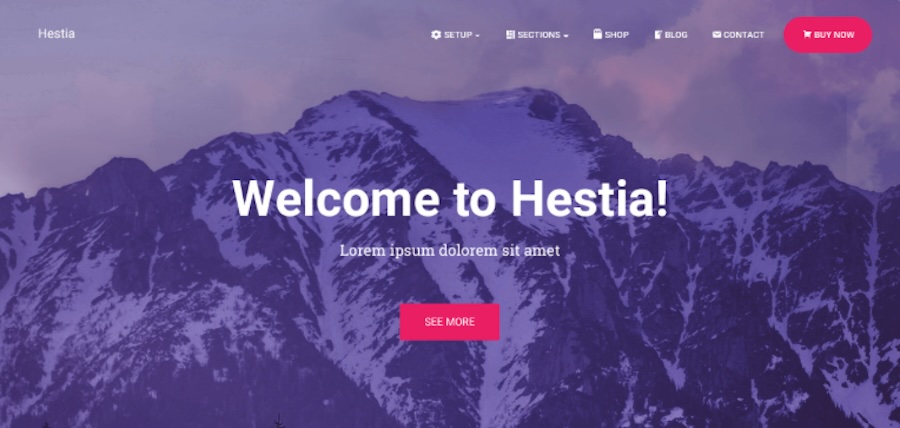
Hestia combines modern design with a simple, one-page layout that works well for small businesses, startups, and creatives. It supports parallax scrolling, section-based content, and WooCommerce, so building a stylish site or online store is fully attainable.
Key features:
- One-page layout support
- Styled product pages and store sections
- The ability to tweak layout, colors, and content in real time
Pros:
- This theme has a clean and modern look.
- It’s compatible with popular page builders for drag-and-drop customization.
- Setup is quick with starter content and helpful onboarding.
- WooCommerce styling is solid, even without extensions.
Cons:
- The one-page layout may feel limiting for more complex websites.
- Some homepage sections require companion plugins to fully customize.
- A few design and layout controls are only available in the Pro version.
Ease of use:
Hestia is beginner-friendly, with a clear setup process and straightforward controls.
Best suited for:
Freelancers, small business owners, and portfolio creators looking for a clean one-page theme that loads fast will enjoy this one.
9. Sydney
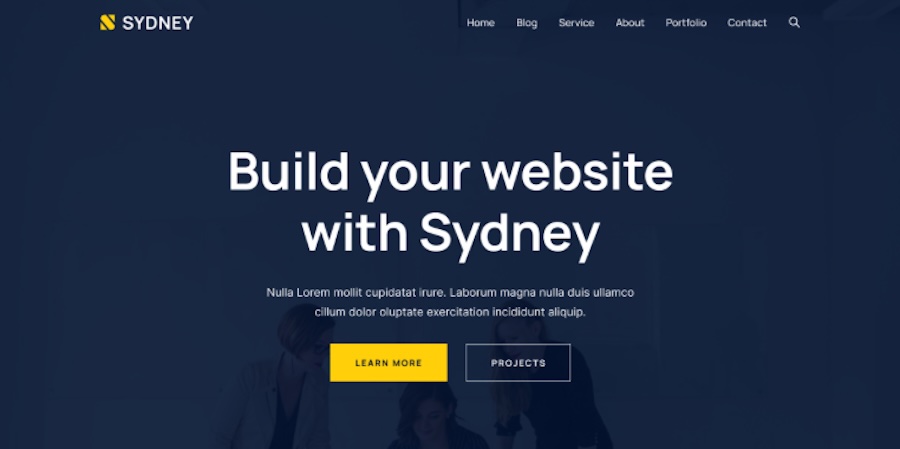
Sydney pairs bold design with business-focused features, making it a great pick for freelancers, agencies, and small businesses. It supports full-width layouts, hero images, and smooth animations. The free version gives you enough customization tools to create a polished, professional site.
Key features:
- A full-screen header option
- Built-in animations with fade-ins, slide-ins, and parallax backgrounds
- Translation support
Pros:
- Sydney is visually impressive and versatile.
- It includes a strong set of business features, including call-to-action buttons and contact sections.
- It comes with regular updates and support.
Cons:
- Heavy visuals can slow down performance if not optimized.
- The included customization options are solid but still limited compared to the Pro version.
- It requires some setup to look like the demo.
Ease of use:
Getting started is simple, but beginners may need a bit of time to set up the homepage layout and widgets.
Best suited for:
Businesses, freelancers, and consultants who want a bold, professional-looking website that leaves a strong impression can make the most of Sydney.
10. Zakra
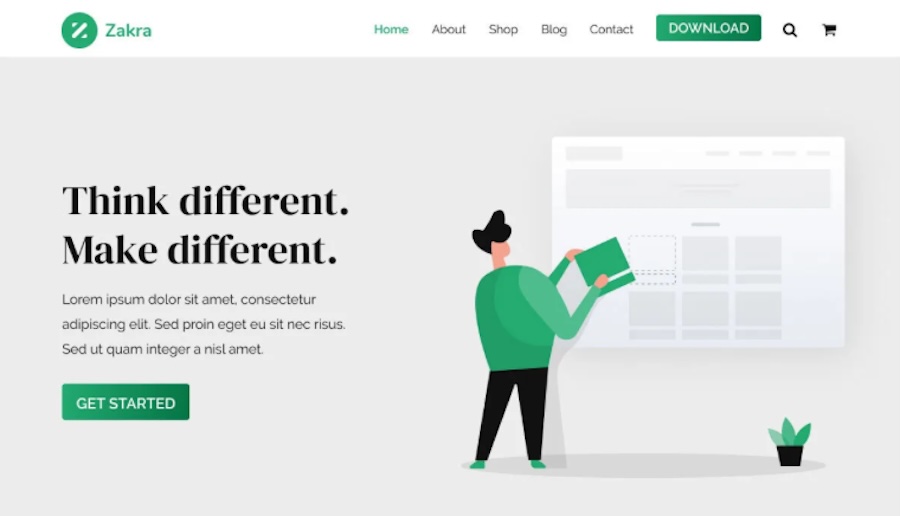
Zakra loads fast, adapts well, and comes packed with over 80 free starter templates, making it a suitable choice for beginners launching blogs, business sites, or online stores. It works smoothly with the block editor and page builders.
Key features:
- A wide range of free site demos
- Fast load times
- AMP support
Pros:
- It offers one of the largest libraries of free starter sites.
- It features a performance-focused design with minimal bloat.
- This theme is compatible with nearly every major page builder and plugin.
- It’s flexible enough to be used for any site type.
Cons:
- Some starter templates rely on installing multiple companion plugins.
- The included visual styling can be a bit basic unless customized.
- Deeper layout controls and header options are only available in the Pro version.
Ease of use:
Zakra is beginner-friendly, especially if you use the starter templates to speed up setup.
Best suited for:
Beginners, bloggers, and small business owners looking for a flexible, fast-loading theme with lots of design options and ready-made templates.
11. Ashe

Ashe offers a clean, elegant design that suits bloggers, lifestyle brands, and creators who prefer a minimalist look. It highlights your content with a centered layout, large images, and soft typography. Despite its simplicity, Ashe includes features like a built-in slider, promo boxes, and flexible sidebar layouts so you can build a polished blog without upgrading to a premium option.
Key features:
- Promo boxes
- WooCommerce compatibility
- Fully compatible with the block editor
Pros:
- Its clean, content-focused design works well for writers and bloggers.
- It includes features like sliders and promo boxes not usually found in free themes.
- This theme is simple to set up, even for first-time WordPress users.
- It pairs well with most visual branding, thanks to its minimalist aesthetic.
Cons:
- Some homepage layout controls and styling options require the Pro version.
- The default layout is blog-centric and may require adjustments for business use.
- The header and typography customization is limited unless upgraded.
Ease of use:
Ashe is easy to use, with a simple setup process and intuitive layout options.
Best suited for:
Bloggers, lifestyle creators, and personal brands who want a refined, elegant layout that keeps the focus on their content.
12. ColorMag
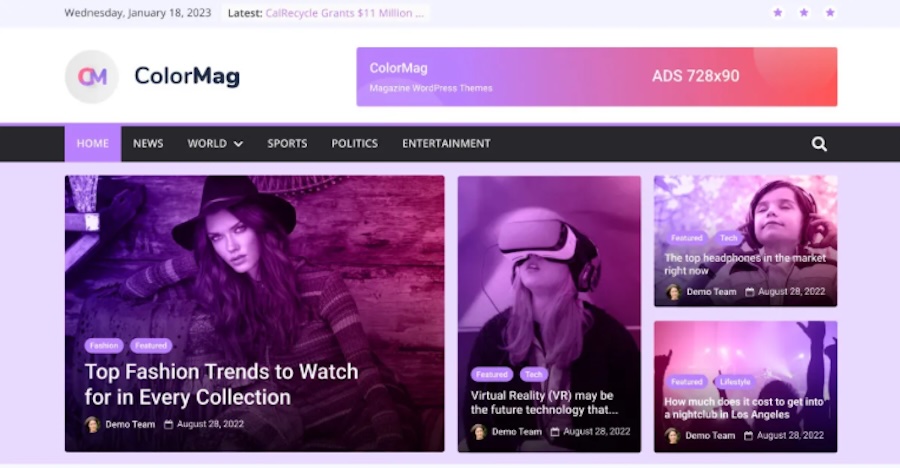
ColorMag uses a bold, widget-based layout to organize articles, making it a great fit for news sites, blogs, and online magazines. Built by ThemeGrill, it handles high-volume content without feeling cluttered. It looks professional right out of the box and supports WooCommerce, so you can add a store alongside your content.
Key features:
- A magazine-style layout
- Multiple widget areas
- WooCommerce support
- A fully mobile-friendly design
- Compatibility with WPML
Pros:
- Custom widgets let you build out a homepage that mirrors premium magazine themes.
- It comes with built-in color customization that adds personality and brand alignment.
- It supports high-volume content publishing without getting messy.
- It’s well-maintained and compatible with most modern plugins.
Cons:
- The layout can feel overly structured for minimal or personal blogs.
- Design tweaks beyond the default settings often require custom CSS or the Pro version.
- Homepage setup takes some time, especially if you want to use custom widgets effectively.
Ease of use:
This theme is moderately simple to use, especially for those already familiar with WordPress.
Best suited for:
Online magazines, news sites, review blogs, and publishers looking for a bold, organized way to display lots of content at once can make the most of ColorMag.
Theme switching checklist (avoid breaking your site)
Before switching:
- Take a full backup (using a solution like VaultPress Backup)
- Test the new theme on a staging site
- Screenshot key pages (home, blog, product/category pages)
- Note widgets/menus and custom CSS
After switching:
- Verify your H1/heading structure
- Re-check schema + breadcrumbs
- Test Core Web Vitals (LCP/CLS)
- Click through top pages on mobile to catch layout issues
See our full guide on changing WordPress themes.
The best free plugins to make your free theme faster
Start with a well-coded theme, but don’t stop there. Add a few speed-boosting plugins to get the most out of your WordPress site’s performance. These tools actively handle tasks like caching, image loading, and script optimization to improve load times, ease the strain on your server, and keep visitors engaged.
Below are two free plugins that consistently deliver faster performance, no matter which theme you’re using.
Jetpack Boost
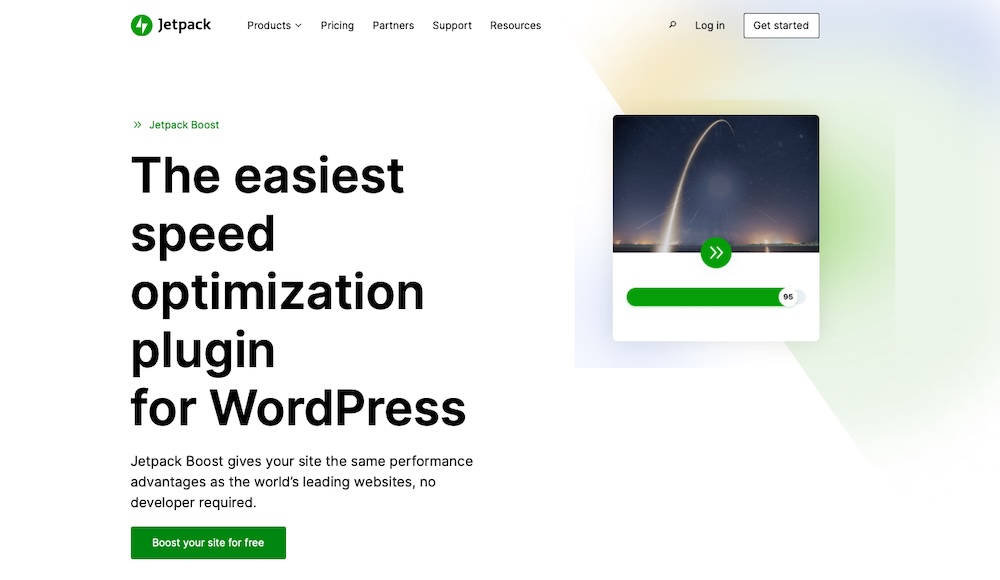
Jetpack Boost helps small and midsize sites load faster without the hassle of complex performance tools. The plugin improves Core Web Vitals like Largest Contentful Paint (LCP), First Input Delay (FID), and Cumulative Layout Shift (CLS) by applying front-end enhancements and automating key optimizations behind the scenes.
It also prioritizes accessibility and mobile responsiveness to ensure a smooth user experience across all devices.
Key features:
- Critical CSS generation to prioritize above-the-fold content and speed up initial page rendering
- Non-essential JavaScript deferment, so your site’s main content loads first and interactive elements don’t delay page performance
- Instant performance scores based on Google PageSpeed Insights
- Page caching, which works by creating static versions that load faster and reduce pressure on your server
- Image optimization when used with Jetpack’s Image CDN, serving resized, next-gen formats like WebP for better load times
- Minification of CSS and JavaScript to reduce file sizes and cut down the number of server requests
- Mobile-first enhancements to help your site perform well on smartphones and meet Core Web Vitals benchmarks
WP Super Cache

WP Super Cache speeds up your site by serving static HTML files to visitors instead of generating pages dynamically on each request. Automattic maintains the plugin, and millions of WordPress users rely on it. It works especially well for content-heavy sites or those with traffic spikes, offering both simple setup options for beginners and advanced caching controls for more technical users.
Key features:
- Static HTML file generation to serve cached pages to most visitors
- CDN integration so you can deliver static content like images, CSS, and JavaScript from servers closer to your visitors
- GZIP compression to shrink file sizes before sending them to browsers
- Cache preloading, which automatically generates static versions of your pages
Frequently asked questions
We’ve covered a lot about the best free WordPress themes, but now let’s answer some common questions for when you’re getting started.
Are free WordPress themes safe to use?
Free WordPress themes are safe if you download them from the official WordPress theme directory or WooCommerce theme library, where each theme is reviewed for security and code quality. Just make sure to keep your theme updated and follow WordPress security best practices.
How do I install a free WordPress theme?
To install a free theme, go to your WordPress dashboard, click Appearance → Themes → Add New, search for the theme name, then click Install and Activate.
Do free themes offer customer support?
Free themes usually include limited support through WordPress.org forums. Some developers also provide setup guides or community help, but for premium support, you’ll need to upgrade.
Can I customize a free WordPress theme?
You can customize most free themes to some extent. You’ll be able to change colors, fonts, layouts, and even use page builders like Elementor with many themes.
Can I use a free WordPress theme for an ecommerce website?
Yes, you can use a free theme for an online store. Themes like Storefront, Astra, and OceanWP work well with WooCommerce and support all the basics for running a shop.
Will a free theme affect my website speed?
A free theme can affect your site’s speed depending on how it’s built. Lightweight themes like GeneratePress, Neve, and Kadence generally load fast. For more options, see our guide on the fastest WordPress themes.

The easiest speed optimization plugin for WordPress
Jetpack Boost gives your site the same performance advantages as the world’s leading websites, no developer required.
Boost your site for free Jetpack