

Most companies view social media as an integral part of their marketing strategies. With approximately 63.7% of the global population on social media — an astonishing 5.17 billion social media users worldwide — it offers businesses many opportunities to connect with potential customers and build brand loyalty.
But, keeping up with the demands of multiple accounts can be overwhelming, especially for businesses aiming to maintain a consistent and engaging online presence.
The great news is that many different social media automation tools are available to help streamline and optimize your management. But with so many tools, which is the best for you?
In this guide, we’ll explore ten of the best social media automation tools available today. We’ll look at the key features you should keep in mind and answer the most pressing questions about social media automation.
Why is social media automation important?
Social media automation helps you streamline account management by automating repetitive tasks like scheduling posts, monitoring mentions, and generating reports. This saves you time and effort so you can focus on other important aspects of your business.
Social media automation can also help you maintain a consistent posting schedule, ensuring your audience regularly sees your content. Plus, some social media automation tools include features for creating content and images to help your posts stand out.
Since it can save you so much time and make your team more efficient, it’s no wonder that 80% of marketers attribute automation as a key reason for increased leads.
Questions to consider when choosing a social media automation tool
When selecting a social media automation tool, it’s important to ask a few questions upfront. The following will help you zero in on the right tool for your specific needs:
1. Does it integrate with the social media platforms you already use?
While most tools support major platforms like Facebook, others may vary in their support for image-based platforms like Instagram. Ensure that the tool you choose also supports any emerging platforms your brand is targeting, such as Threads, Nextdoor, and Mastodon.
2. What automation features and capabilities does it offer?
Identify the specific tasks you want to automate and ensure the tool can support you with them.
If finding the perfect image for posts is challenging, look for tools that automatically create images. Or, if you run a blog, seek out tools that allow you to create and schedule posts directly from your CMS.
3. How easy is it to use?
Look for a tool that integrates with the tools you already use. If your company has existing social accounts set up, look for tools that work with those platforms. Consider how intuitive the tool is as well. A user-friendly design reduces the time required to learn and implement your social media automation tool of choice.
4. What is the company’s reputation?
A provider’s reputation is vital, and a strong track record often indicates reliability and quality. A reputable company is also more likely to offer strong customer support.
Before selecting your social media automation tool, look for user feedback, reviews, and testimonials to gauge other people’s satisfaction level.
5. How much does the tool cost?
Social media automation tools vary widely in price, with some exceeding $200 per month per user. Fortunately, many high-quality, affordable options are available. Ensure the tool you select offers the best combination of features at a price your business can afford.
A review of 8 social media automation tools
Hopefully, one of the following eight social media automation tools will help you find one that works for your business, preferences, and budget. Let’s get to it!
1. Jetpack Social
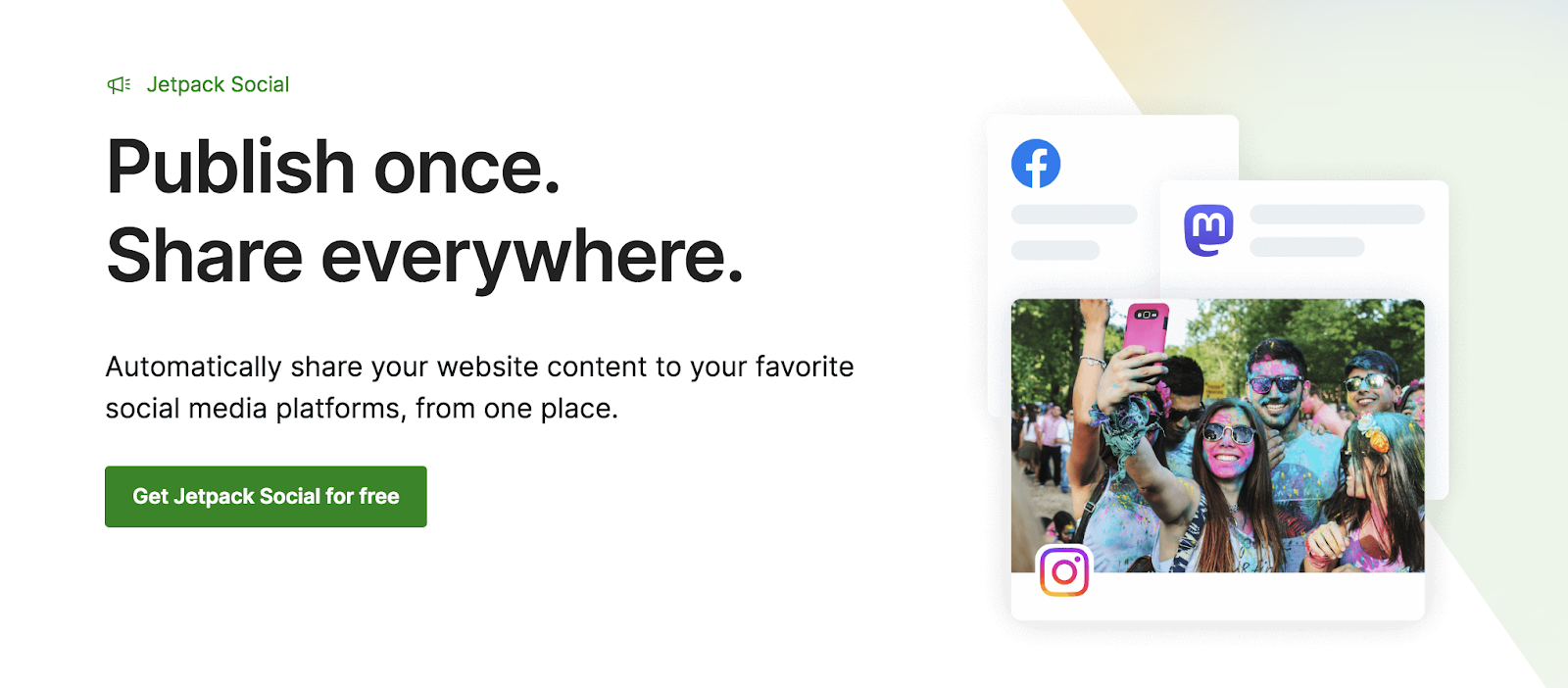
Jetpack Social is one of the best social media management tools, designed to help WordPress website owners automate and enhance how they use social media. It’s a popular tool, used to publish over one million social media posts a day.
Jetpack Social automates the sharing of your website content to a wide range of social media platforms including Facebook, Instagram, LinkedIn, Mastodon, Tumblr, and Nextdoor. Jetpack Social will automatically create a social media post for you, which you can then tailor for your audience and each platform. When you publish your content, Jetpack will automatically send out the related social posts on each platform.
Jetpack Social also simplifies the process of re-sharing content. You can share previously-published content instantly in one click or use the scheduling function to post content automatically at the best time for your audience.
Images are increasingly vital on social media, too. In fact, visual content is 40 times more likely to be shared than text-only content. But creating the right image for social media is a time-consuming task. To help with this, the automated image generator within Jetpack Social will instantly create on-brand social images, using a variety of templates and styles optimized for social media.
Jetpack Social is made by Automattic, the team behind WordPress.com and WooCommerce. It works seamlessly with WordPress and other Jetpack plugins and is supported by their team of Happiness Engineers. You can combine Jetpack Social with the Jetpack AI Assistant to transform your ideas into engaging website content and social media posts within a few clicks.
Key features of Jetpack Social
- Automatic sharing of new blog or website content
- Tools to help you re-share posts with customizable content
- Unlimited social media posts
- A social image generator
- Multi-image sharing
- A scheduler for auto-posting
- Video sharing capabilities
Pros of Jetpack Social
- Automatically share your website’s posts on social media.
- Publish your social posts at the time that’s best for your audience.
- Create engaging images for your social media content.
- Customize post content and images to enhance engagement.
- It supports various platforms, including emerging sites like Nextdoor and Mastodon.
- Consolidate tasks within the WordPress dashboard.
Cons of Jetpack Social
- It’s not a viable solution for non-WordPress websites.
Ease of use
Jetpack Social is user-friendly, with a simple interface that guides you through connecting social accounts and setting up automated sharing. It also includes comprehensive documentation and support to help with any questions.
Pricing
It has a free plan called Social Free that allows you to automatically share posts and recycle your content. The Social Pro plan adds image generation, video support, and priority customer support for $9.95 per month.

2. CoSchedule
CoSchedule is a popular social media management tool with a range of automation features. It’s based around an AI-powered marketing calendar that identifies the best time for you to post on each social media platform. You can then use the calendar to schedule content across multiple platforms.
CoSchedule helps people save time and focus on creating engaging content by automating many of the most time-consuming social media management tasks. The ReQueue feature helps your social media channels remain active by automatically republishing past posts to fill any gaps in your schedule.
It also offers an AI tool called Hire Mia, which helps you create first drafts of social media posts and generate new ideas. Plus, for businesses with a WordPress website, CoSchedule lets you schedule posts across multiple social media platforms directly from the dashboard.
Key features of CoSchedule
- A calendar overview of scheduled social media posts and website content
- Unlimited posting to Facebook, LinkedIn, Pinterest, and other major social media platforms
- Team collaboration tools
- An AI marketing assistant called Hire Mia
- Basic social analytics
- Headline Studio, which helps you create compelling headlines
Pros of CoSchedule
- Easily integrate your team, processes, and projects into one tool.
- Automatically fill gaps in your posting schedule with the ReQueue feature.
- It provides optimal posting time suggestions based on your followers’ social media activity.
Cons of CoSchedule:
- There are limited social media analytics features compared to other similarly-priced options.
- Access to more advanced automation features requires upgrading to higher-tier plans.
Ease of use
CoSchedule has a user-friendly, calendar-based interface. This simplifies social media scheduling a great deal. You can drag-and-drop content into your desired time slots, streamlining the scheduling process.
Some more advanced automation features, like setting up the ReQueue function, may require initial setup and familiarization. However, CoSchedule does offer a comprehensive knowledge base and responsive email support to help you learn these features.
Pricing
CoSchedule provides a limited free plan for the automated scheduling of up to fifteen posts at a time. The Pro plan costs $29 per user per month for unlimited posting, automated analytics, and the ReQueue feature.

3. Missinglettr
Missinglettr is a social media automation platform that helps businesses maintain a consistent online presence with minimal manual input. One of its key automation features is Drip Campaigns, which automate the distribution of content over time — including newly-published blog posts.
Missinglettr also offers an AI post writing feature that assists in generating initial drafts of social media content. And the Curate tool further enhances automation by suggesting high-quality content for sharing.
It includes a social media calendar that provides an organized overview of scheduled activities. And automated analytics give insights into campaign performance, which can help you refine and optimize your social media strategy.
Key features of Missinglettr
- Drip Campaigns for automated scheduling and posting over time
- Automated content curation
- A social media calendar for planning and organizing posts
- Automated analytics to track and optimize campaign performance
Pros of Missinglettr
- It combines a number of social media automation tools, so you can semi-automate content production and scheduling.
- The Curate feature helps you find and automatically share relevant content.
- Drip Campaigns maintain an active social media presence without constant manual input.
Cons of Missinglettr
- More advanced features, like automated analytics and social media curation, are only available with higher-tier plans.
- The automated content curation feature might occasionally suggest content that’s not perfectly aligned with your brand’s voice or target audience.
Ease of use
Missinglettr is designed to be user-friendly, with an intuitive interface that simplifies social media tasks. The platform offers a range of resources, including tutorials and email support, to help you get the most out of its features.
Pricing
Missinglettr offers a range of plans, starting with the Solo AI plan at $15 per month, which includes up to two users. Additional features — including automated content creation, more AI credits, and support for up to five users — are available on the Pro AI plan at $59 per month. If you need a wider range of support, the Premium AI plan covers unlimited users for $99 per month.
4. Tailwind
Tailwind is a social media automation platform that offers a suite of tools, including content Copilot, Content Ghostwriter, and Create, to help streamline content creation and scheduling processes. Tailwind specializes in sharing visual content on Pinterest, Instagram, and Facebook.
Tailwind’s Copilot tool automates the creation of your marketing plan, offering content ideas and scheduling suggestions tailored to your business needs. The Ghostwriter feature further helps automate the creation of AI-written copy that aligns with your brand’s voice, reducing the time spent on content creation.
Plus, Tailwind Create tools allow you to quickly automate the design of professional-quality social media posts. Use it to create images and apply brand-specific styles for consistency across platforms. While the scheduling feature is not fully automated, it does offer a quick schedule feature and provides a single place to view and manage your posts.
Key features of Tailwind
- Personalized marketing plans and content scheduling suggestions
- Automated creation of brand-aligned copy
- Automated social media post image design
- A scheduling calendar to help plan and organize posts
Pros of Tailwind
- It includes many automation tools to help at every stage of the social media marketing process.
- You can produce visually-appealing, brand-consistent posts automatically.
- Learn from personalized marketing insights to further optimize your social media strategy.
Cons of Tailwind
- The social media calendar doesn’t offer full automation.
Ease of use
Tailwind is designed to be user-friendly. Its intuitive interface simplifies the automation of social media tasks. The platform offers tutorials and a comprehensive help center, and all users have email support.
Pricing
Tailwind offers a limited free plan that allows you to make five posts per month. The Pro plan allows you to connect one Pinterest, Instagram, and Facebook account and costs $24.99 per month. This plan includes 400 AI credits, 400 posts per month, and 400 post designs. The Advanced Plan costs $49.99 a month and includes 1000 posts and two accounts for each platform.
5. SocialBee
SocialBee is a comprehensive social media management platform with various AI-powered automation tools.
SocialBee’s AI tools automate social media post creation and provide a bird’s-eye view of your overall strategy. It also includes more than 1,000 social media prompts to inspire engaging content.
The platform offers a powerful automated scheduling and publishing feature to help keep your audience engaged with regular content, too.
Key features of SocialBee
- Automated creation of social media posts and strategy
- 1,000 social media AI prompts
- Automated scheduling and publishing across multiple platforms
- Detailed analytics for performance tracking
- Integration with tools like Canva and Unsplash
Pros of SocialBee
- It simplifies social media scheduling.
- It offers insights into how to improve social media strategy and engagement.
Cons of SocialBee
- It isn’t fully automated and requires you to create prompts for each post.
Ease of use
SocialBee’s intuitive interface simplifies social media management tasks. The platform also offers a comprehensive help center, live webinars, and email support.
Pricing
SocialBee offers a range of plans, starting with Bootstrap at $29 a month. This plan includes all features, including the ability to connect five social media accounts and save up to 1,000 posts at any time. Higher limits are available on the Accelerate plan at $49 a month.
6. Buffer
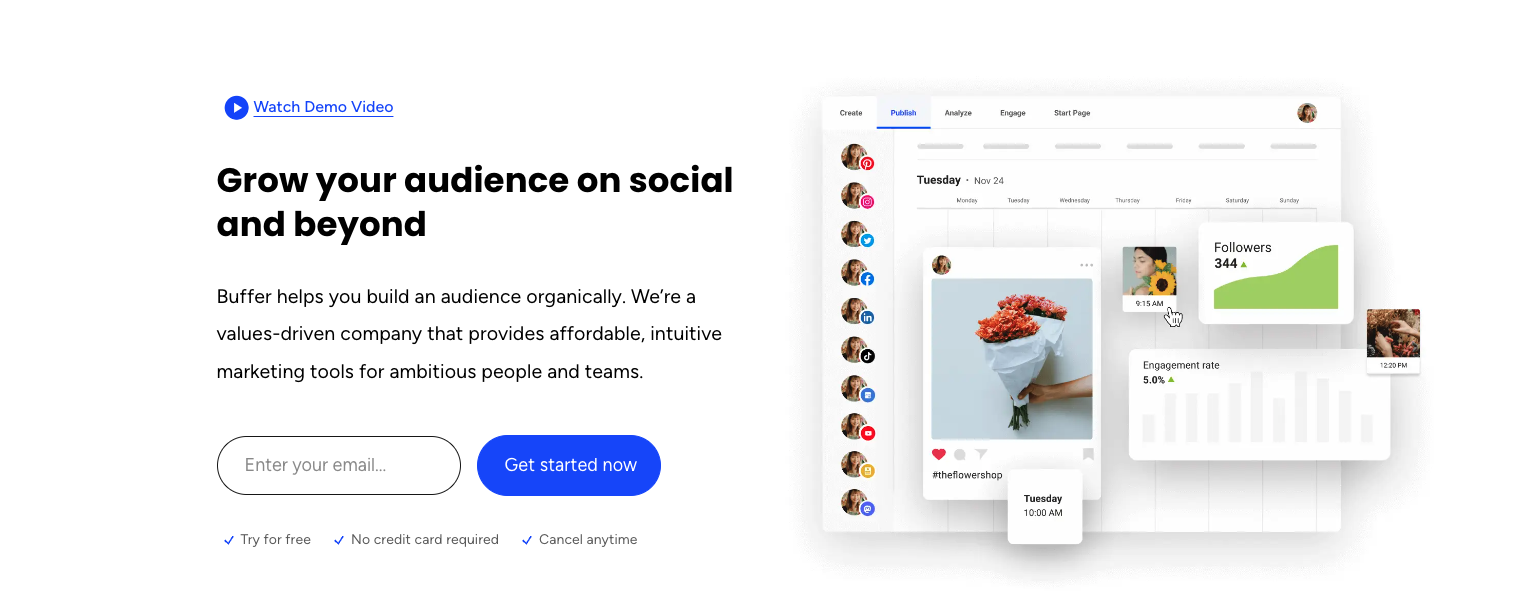
Buffer is one of the better-known social media management tools currently available. While the social media post creation and scheduling features remain at its core, Buffer has also added some AI-powered automation features through the Buffer AI Assistant.
The Buffer AI Assistant helps you generate engaging content ideas. It can also automatically repurpose existing posts to create fresh and relevant content without requiring you to manually create new assets.
Plus, once you’ve created a publishing schedule, Buffer will automatically fill it with your content, removing the need to schedule each post individually.
Key features of Buffer
- An AI Assistant for generating content ideas and repurposing posts
- Automated post scheduling
- Social media analytics
- The ability to view social media comments, engagements, and mentions within the tool
Pros of Buffer
- It reduces the time needed for content creation and planning.
- It provides robust analytics to help you understand audience engagement.
Cons of Buffer
- It doesn’t integrate with WordPress or other CMS providers, so you’ll need to use a third-party workaround or create separate posts to share your content.
- Setting up your initial posting schedule is a manual process.
Ease of use
Buffer is designed with a user-friendly interface. Its comprehensive help center and email support are available to all users, too.
Pricing
Buffer has a free plan that lets you plan and publish posts to three social media platforms, but this has limited features. The Essentials plan unlocks more features, including engagement tools and analytics, for $6 per month per channel.

7. Hootsuite
Hootsuite is one of the best-known social media management tools on the market. It offers a wide range of features to help simplify and enhance your social media marketing. They also have a suite of automation tools to help businesses spend less time managing their social media.
Hootsuite’s automation tools include OwlyWriter AI, which simplifies content creation by generating engaging social media captions and ideas in your brand’s voice. You can also use OwlyWriter AI to repurpose your high-performing posts.
The Best Time to Publish feature automates and optimizes your posting schedule to ensure maximum reach and engagement. And the included analytics tools allow you to create custom dashboards to track the social media metrics that matter to you, and then automate these reports to extract and send them on a schedule to yourself, managers, or clients.
Key features of Hootsuite
- Social media post creation and repurposing through OwlyWriter AI
- Optimized posting scheduling with the Best Time to Publish feature
- A content creation tool that allows you to collect content from across the web to use in your posts
- Comprehensive analytics for performance tracking and strategy refinement
- Saved and automatic replies to simplify responding to DMs from your followers
- A Hootsuite Social Advertising tool
Pros of Hootsuite
- AI automation features reduce the time needed for content creation and planning.
- The Best Time to Publish tool ensures that your content is posted at the best time for your audience on each social network.
- It offers support for various social media networks.
- There are advanced analytics and reporting tools.
Cons of Hootsuite
- It’s more expensive than other social media management and automation tools.
Ease of use
Due to the large number of features provided, Hootsuite can be confusing at first. The tools themselves, however, are straightforward.
Pricing
The Professional plan includes all automation tools except automatic DM management, and it allows a single user to manage up to ten social media accounts for $99 a month. Pricing for enterprise plans — which includes additional users, 50 social media accounts, and automated DM management — is available on request.
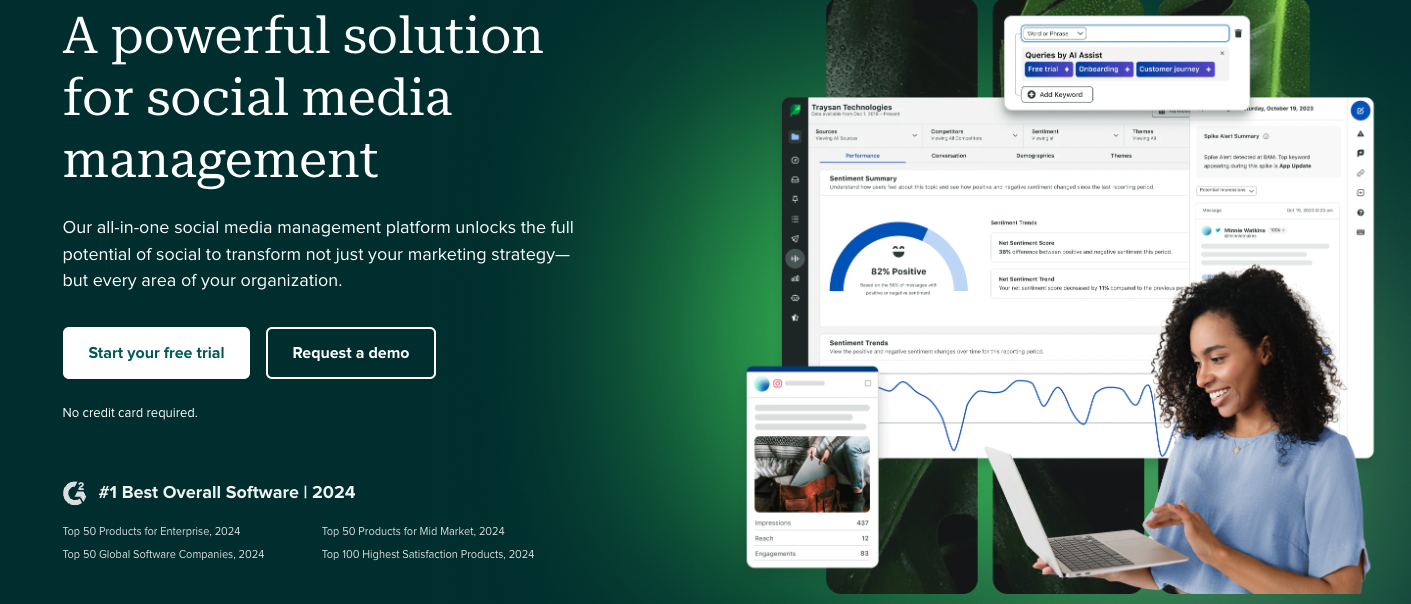
8. Sprout Social
Sprout Social is a social media management tool used by many large enterprises. It offers a comprehensive set of features to help you manage accounts.
Sprout Social also includes automated tools to help you streamline content creation, scheduling, and engagement.
Automated message features help you manage your DMs from followers by consolidating inboxes, prioritizing and assigning messages, and drafting replies using AI.
The included AI-enhanced content creation tools help you develop more effective social media content. And the platform’s Optimal Send Time feature keeps tabs on engagement patterns to recommend the best times to post.
Key features of Sprout Social
- Automated message management with a unified inbox
- Automated AI-enhanced content creation tools for engaging posts
- An Optimal Send Time feature for scheduling posts at peak engagement times
- Comprehensive analytics for performance tracking and strategy refinement
- WooCommerce integration to automatically add product links to your content
- A social media calendar to automate posts
Pros of Sprout Social
- An automated, unified inbox simplifies engagement by consolidating messages across all channels.
- AI tools reduce the time needed for content creation and message management.
- Powerful analytics and reporting tools help you understand audience engagement.
Cons of Sprout Social
- The cost is higher than competing tools.
- You can’t automatically share content from your website or CMS.
Ease of use
For companies without a significant social media following, the features in Sprout Social may feel overwhelming. They do offer email support, a knowledge base, and a resource center to help you get acquainted, however.
Pricing
The Standard plan includes all automation features apart from automatic message replies. It also allows you to connect to five social media accounts and starts at $249 a month. All automation features and the ability to connect unlimited social media profiles are available with the advanced plan at $499 per user per month.
Comparison of social media automation tools
| Jetpack Social | CoSchedule | Missinglettr | Tailwind | SocialBee | Buffer | Hootsuite | Sprout Social | |
| Automated posting and scheduling | Yes | Yes | Yes | Yes | Yes | Yes | Yes | Yes |
| Automated image creation | Yes | No | No | Yes | No | No | No | No |
| Built for WordPress | Yes | No | No | No | No | No | No | No |
| Automatically share your website’s posts and pages | Yes | Yes | No | No | No | No | No | No |
| Automated re-sharing of old posts with one click | Yes | Yes | Yes | No | Yes | No | No | No |
| Customize social media post content | Yes | Yes | Limited | Yes | Yes | Yes | Yes | Yes |
| Integration with AI content creation tools | Yes | Yes | Yes | Yes | Yes | Yes | Yes | Yes |
| Cost | Limited free version. Social Pro is $4.95 a month | From $29 per month per user | From $15 per month per user. Automated content creation: $59 per month | Limited free version. Pro plan from $24.99 a month | From $29 a month | Limited free version. Premium plans start at $6 a month per social media account | From $99 per month | From $249 a month |
What makes a good social media automation tool?
Now that you’ve seen several of the top social media automation tools side by side, you’ll need to make a decision. So what makes a tool truly great? And how do you make a decision?
Here’s a set of features to look for when selecting a social media automation tool for your business:
1. Auto-posting and scheduling features
Your social media automation tool should allow you to automatically share your website’s content and schedule your posts. This means you can increase your content’s reach and post on social media at the best time for your audience without having to be online 24/7.
2. Multi-platform capabilities
Any tool you select should integrate well with multiple social media platforms.
A great tool supports many popular and emerging social networks. Jetpack Social, for example, offers integration with traditional platforms like Facebook, Instagram, Tumblr, and LinkedIn, as well as newer networks like Mastodon, Threads, and Nextdoor.
3. A user-friendly interface
Ease of use is a big factor to look for. It impacts your productivity and ability to use the tool’s features effectively.
Look for a tool with an intuitive interface that simplifies creating, scheduling, and managing posts. Jetpack Social’s integration with WordPress makes it particularly user-friendly and allows you to manage your social media directly within the dashboard.
4. Image generation capabilities
Visual content matters a lot on social media, so a good automation tool should include features for creating engaging images. Jetpack Social offers an image generator that automatically creates visually-appealing graphics for your posts so they stand out within crowded feeds.
5. Cost-effective and time-saving features
Of course, a social media automation tool also needs to provide great value by saving you time and resources without a hefty price tag.
Once again, Jetpack Social offers a range of time-saving automation features for just $4.95 a month — a fraction of the cost of some of the other tools on the list.
Frequently asked questions
This article has covered a lot of ground about social media automation tools, but if you still have some questions, the following answers should help:
What is social media automation?
Social media automation involves using tools to manage repetitive tasks on social media platforms. Depending on the tool, these tasks include scheduling posts, curating content, responding to messages, and analyzing engagement metrics.
Automation helps you maintain a consistent online presence without needing constant manual input. Jetpack Social makes it easy to automatically post content from your website, generate images, and manage multiple social media accounts from a single interface.
Which social media platforms can be automated?
Many social media platforms, including Facebook, Instagram, LinkedIn, Pinterest, and more, can be automated. Social media automation and management tools like Jetpack Social support many platforms so you can easily schedule posts across different channels.
What are the main benefits of using a social media automation tool?
Businesses can focus on strategic planning and creative content development by automating repetitive tasks. Automating scheduling and posting also ensures posts are published at optimal times.
Can social media automation tools help with content creation?
Yes, many social media automation tools assist with content creation. Jetpack Social includes an Image Generator that automatically creates engaging visuals for social media posts. When combined with the Jetpack AI Assistant, you can easily automate content creation and sharing. Combining these two powerful tools lets you produce high-quality, relevant content so your social media presence remains active.
What are some best practices for using social media automation effectively?
To use social media automation effectively, start by setting clear goals and choosing the right tools that align with your objectives.
Make sure you schedule posts to be automatically published at optimal times for your audience, but remain flexible to adjust based on real-time engagement insights. Aim to use automation to handle repetitive tasks, but ensure personalized interaction by responding to comments and messages manually when needed. A good balance of automation and genuine engagement helps to maximize the benefits of social media.

Publish once. Share everywhere.
Automatically share your website content to your favorite social media platforms, from one place.
Get Jetpack Social for free Jetpack