

Faster websites rank higher, convert better, and keep visitors around longer. One of the simplest ways to speed up your site is by using WebP, a next-gen image format that can reduce file sizes without losing significant quality.
Manually converting images takes time, though. WebP plugins handle it automatically, turning your existing images into lightweight WebP files and serving them to compatible browsers. This results in a faster, smoother experience for your visitors and better performance metrics for you.
In this guide, we’ll compare WebP plugins for WordPress, from free converters to premium optimization tools. You’ll see how each tool handles image compression, browser fallbacks, CDN support, and setup.
Quick picks
- Best overall performance suite: Jetpack Boost (best if you want WebP + CWV + image CDN in one place)
- Best pure converter (simple + reliable): Converter for Media
- Best “power user” control: EWWW Image Optimizer
1. Jetpack Boost
Jetpack Boost is a lightweight, one-click tool that helps WordPress site owners improve Core Web Vitals and front-end speed without requiring technical setup. It’s supported by Automattic, the people behind WordPress.com.
Key features
- A built-in image CDN that automatically serves images in WebP
- A performance dashboard that displays mobile and desktop speed scores powered by Lighthouse metrics
- Automatic Critical CSS generation to prioritize above-the-fold content and speed up visual loading
- Page caching that serves static versions of pages for faster delivery
- JavaScript deferral to delay non-essential scripts and improve first contentful paint
- CSS and JS concatenation to reduce the number of HTTP requests
- A global image CDN that delivers images in modern formats, including WebP, for faster load times
- Advanced image quality controls, lazy loading, and resize options available on paid plans
- Performance history charts and insights to monitor improvements over time
Pros
- Built by Automattic, Jetpack Boost is a safe, reliable plugin that was created specifically for WordPress sites.
- It enhances image delivery, optimizes CSS and JavaScript, and includes caching for a full front-end performance lift.
Cons
- The free version locks advanced features like automated Critical CSS regeneration and image quality controls behind the premium plan.
- Using it alongside other optimization plugins may cause conflicts with overlapping features like caching or minification.
- Jetpack Boost focuses on front-end performance rather than server-level or database optimization.
Ease of use
For beginners, Jetpack Boost is the go-to option. The dashboard shows a “speed score” and each optimization is as simple as a toggle switch. Because of that, it works especially well for writers, marketers, or site owners who don’t want to manage lots of technical settings.
Pricing
- The Free plan includes core performance tools like Critical CSS generation, JavaScript deferral, caching, and a built-in Image CDN with WebP support.
- The Premium plan adds automated Critical CSS, image quality controls, and performance tracking. It starts at $9.95 per month (billed annually) for the first year and renews at $19.95 per month.
2. Converter for Media
Converter for Media is a plugin designed specifically to optimize and serve images in modern formats like WebP and AVIF on WordPress sites. It’s open source, widely used, and regularly updated.
Key features
- A Media Library converter that turns images into WebP or AVIF formats with one click
- Automatic conversion of new images uploaded to your media library
- Full browser fallback support
- WP-CLI support to run bulk conversion commands via the command line
Pros
- This plugin focuses purely on image format conversion.
- It supports browser fallbacks automatically, so you don’t need to worry about older browsers not displaying images correctly.
- It allows bulk conversion of existing media and tags along with automatic conversion of new uploads.
- It covers non-standard directories (including themes and plugins) as well as uploads, which means more complete coverage across your site’s images.
Cons
- Because the free version does not include AVIF output, you’ll need to upgrade to the Pro version for that next-gen format.
- If your images are hosted off-site, full compatibility is not guaranteed.
- While the plugin handles format conversion, it doesn’t include broader performance tools.
Ease of use
Converter for Media is quite accessible, even for non-technical site owners. New uploads are handled automatically thereafter. Advanced users will appreciate the WP-CLI support and directory exclusion filters.
Pricing
- The free version provides WebP conversion for existing and new images, directory support, browser fallback, and WP-CLI commands.
- The Pro version enables AVIF output, quality control settings, and additional advanced features with pricing that starts at $5 per month for up to 10,000 images.
3. Smush Image Optimization
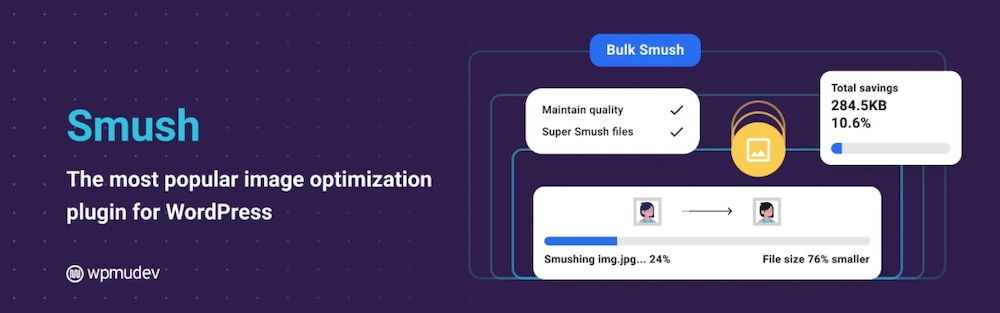
Smush has been a popular WordPress image optimization tool since 2007. It’s trusted by freelancers, agencies, and site owners alike for compressing and serving faster, lighter images.
Key features
- Bulk optimization that compresses your entire Media Library at once
- Automatic optimization for new uploads so images stay lightweight without extra work
- Lazy loading for images and videos to improve initial load times
- Resize and scale options to prevent large uploads from slowing your site
Pros
- Smush is simple to set up — simply install, activate, and start optimizing without technical knowledge.
- The free plan offers unlimited image compression (within file size limits), which is generous compared to most alternatives.
- It supports WebP and AVIF on the Pro plan, helping your site serve smaller, faster-loading images.
- The plugin integrates well with all major themes and page builders, making it a flexible choice for any site.
Cons
- The free version lacks advanced features like WebP and AVIF conversion and large image optimization, both reserved for Pro users.
- Image compression in the free plan is lighter compared to some dedicated optimization tools.
- The dashboard includes many settings, which can feel overwhelming for beginners.
Ease of use
Smush can take a bit of learning, but is still considered a user-friendly plugin. After installation, you can bulk optimize existing media, enable automatic compression for new uploads, and toggle lazy loading in minutes. The dashboard is straightforward and advanced users can fine-tune performance through additional settings.
Pricing
- The Free plan includes unlimited image compression (under size limits), lazy loading, and resizing tools, making a strong starting point for basic optimization.
- The Pro plan unlocks WebP and AVIF conversion, support for large images (up to 256 MB), a global image CDN, background optimization, and other premium features. Pricing starts around $15 per month for one site (billed annually), with discounts available for the first year.
4. Imagify
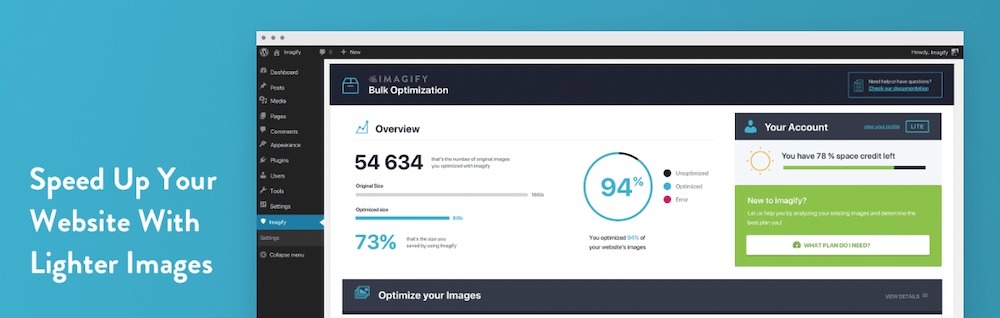
Imagify is a powerful image optimization plugin built for WordPress users who want advanced compression and next-gen image formats without complex setup.
Key features
- JPG, PNG, GIF, and PDF file compression using a smart algorithm that preserves quality while reducing file size
- Image conversion to WebP and AVIF formats for lighter, faster-loading visuals
- Optimization of existing media in bulk and automatically compression of new uploads in real time
- Automatic image resizing using defined width and height limits
- Support for unlimited websites on most paid plans, making it scalable for agencies and multi-site users
Pros
- Imagify is fast and intuitive to install, enable optimization, and compress images immediately.
- It delivers excellent compression results and supports both WebP and AVIF, helping your pages load noticeably faster.
- Bulk optimization and automatic compression save time when managing large media libraries.
- Its flexible licensing allows use on multiple sites, which is ideal for agencies and developers managing several WordPress installs.
Cons
- The free plan is limited to about 20 MB of images per month, so growing sites will need to upgrade.
- It focuses strictly on image compression and conversion rather than broader performance improvements like caching or script optimization.
- Large sites with complex delivery needs (CDNs or off-site media storage) may need complementary performance tools for best results.
Ease of use
Imagify features a clean, user-friendly dashboard. It automatically compresses new uploads and lets you bulk optimize your existing media in a few clicks. Advanced users can fine-tune compression levels and resizing rules.
Pricing
- The Free plan includes up to 20 MB of image optimization per month (around 200 images) and supports WebP conversion.
- The Growth plan costs about $5.99 per month and includes 500 MB of optimization (roughly 5,000 images), with additional gigabytes available for $5 each.
- The Infinite plan offers unlimited image optimization and upload sizes for $11.99 per month, making it ideal for high-volume sites or agencies.
5. ShortPixel Image Optimizer

ShortPixel Image Optimizer has specialized in image compression and conversion since 2014. It’s built to help WordPress sites of any size serve faster, lighter images without compromising quality.
Key features
- JPG, PNG, GIF, and PDF file compression through a cloud-based service
- Image conversion to modern formats like WebP and AVIF for improved speed and smaller file sizes
- Background optimizations and support for WP-CLI for large media libraries
- Automatic resizing of oversized images
Pros
- It supports next gen formats (WebP and AVIF), giving your site faster load times and better Core Web Vitals scores.
- Bulk and background optimization save time when managing large media libraries.
- Its multi-site licensing and credit-based system make it a smart fit for agencies managing multiple WordPress installs.
Cons
- The free plan limits you to 100 image credits per month, so high-volume sites will need a paid plan.
- It focuses solely on image optimization, which means you may need a separate plugin for caching or other front-end improvements.
Ease of use
ShortPixel is beginner-friendly, but powerful enough for developers. After installation, you enter your API key, choose between Lossy, Glossy, or Lossless compression, and let it process new and existing images automatically. WP-CLI support and folder customization options add flexibility for advanced users.
Pricing
- The free plan includes up to 100 image credits per month with access to most features.
- The monthly plans include an unlimited plan at $9.95/month for unlimited image credits and an unlimited AI plan at $15.99/month, which also includes AI tools.
- The one-time credit packs provide additional flexibility at a rate of $19.99 for 30,000 credits, $29.99 for 50,000, or $49.99 for 100,000 credits.
6. Optimole
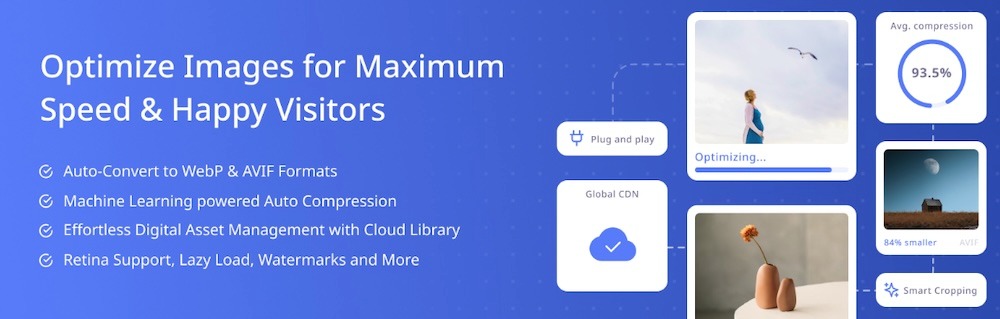
Optimole is billed as an all-in-one image optimization and media delivery solution for WordPress. More than 200,000 websites use this tool.
Key features
- Image compression and conversion to formats like WebP and AVIF
- Image delivery via a global CDN with more than 450 edge locations
- Automatic detection of each visitor’s device, browser, and connection to serve the best image size and format
- Lazy loading for images and layout shift reduction
- Advanced features for Pro users, including full media offload to the cloud, smart cropping, watermarking, and a digital asset management system
Pros
- Optimole runs automatically after setup and begins compressing, converting, resizing, and serving images through its CDN with no manual intervention.
- WebP and AVIF support, combined with device-aware resizing, delivers faster load times, especially for image-heavy sites.
- The built-in CDN reduces strain on your hosting server while saving bandwidth.
- It scales easily for agencies and multi-site networks with tools for managing large media libraries and advanced delivery options.
Cons
- The free plan only allows about 2,000 monthly visits, so growing sites will need to upgrade quickly.
- Its advanced cloud and CDN features make pricing higher than basic image compression plugins.
- Some users report minor issues with offload or backup workflows, which may require occasional support assistance.
Ease of use
Optimole is simple to set up and nearly maintenance-free. You install the plugin, connect your API key, enable optimization, and it runs quietly in the background. The dashboard is clean and intuitive for beginners, while developers can toggle advanced settings for greater control.
Pricing
- The free plan supports unlimited image uploads and optimizations, but limits usage to about 2,000 monthly visits.
- Pro plans start at $22.90 per month for up to 48,000 visits and scale to handle millions of visits. Premium tiers include image offload, custom CDN domains, advanced cropping, watermarking, and digital asset management tools.
7. TinyPNG

TinyPNG (also known as Tinify) powers one of the web’s most popular image compression APIs. Its WordPress plugin brings that same powerful engine to your site, automatically shrinking images without noticeable quality loss.
Key features
- Compression of JPEG, PNG, WebP, and AVIF images using a smart algorithm that preserves detail while cutting file size
- Automatic optimization for new uploads and bulk processing of existing images in your Media Library
- The ability to choose which image sizes to optimize and whether to preserve metadata, such as creation date or copyright
- Support for multisite installations with a single API key and handling of large, high-resolution files
Pros
- TinyPNG delivers quick results and images shrink by 40-80% without significant quality loss, improving performance and reducing bandwidth.
- It supports next-gen formats (WebP and AVIF) so your site automatically serves modern, efficient images to compatible browsers.
- The free plan includes 500 compressions per month, which is generous for smaller sites or new projects.
Cons
- The free quota of 500 compressions per month runs out quickly on media-heavy sites or when WordPress generates multiple image sizes.
- TinyPNG focuses solely on image compression, so you’ll need another plugin for caching or other front-end optimizations.
- Because it relies on an external API, usage depends on Tinify’s servers and pricing model.
Ease of use
TinyPNG is simple for anyone to use. Install it, enter your API key, and it immediately begins optimizing new uploads. You can also bulk optimize existing media with one click.
Pricing
- The free plan includes 500 image compressions per month. With multiple WordPress image sizes, that typically covers about 100 uploads per month.
- The pay-as-you-go model charges per image — working out to $85.50 for the first 10,000 compressions, then a lower per-image rate thereafter. For 50,000 compressions, the charge would be $165.50. This scalable pricing makes TinyPNG affordable for most small and mid-sized sites.
8. EWWW Image Optimizer

EWWW Image Optimizer is one of the longest-running image optimization plugins for WordPress. Powering more than a million sites, it focuses on compression, conversion, and delivery performance across every part of your website.
Key features
- Compression for new uploads and bulk optimization of existing images (JPG, PNG, GIF, and PDF)
- Conversion of images to modern formats like WebP and AVIF, with automatic fallbacks for unsupported browsers
- Optimization for images outside the Media Library, including theme, plugin, and custom directories
- The ability to choose between local compression or cloud-based optimization via the Compress API and Easy IO CDN
- Advanced tools like WP-CLI support, scheduled optimization, resizing rules, metadata removal, and developer filters
Pros
- EWWW Image Optimizer starts working immediately after activation.
- It supports WebP and AVIF formats, which helps your site stay fast and compatible across browsers.
- The plugin covers all image sources, not just the Media Library, making it ideal for sites with theme or plugin-based assets.
- It scales efficiently for large libraries and multi-site networks through bulk optimization, cloud offload, and CDN support.
Cons
- Running heavy bulk optimizations locally can use significant server resources.
- Some advanced features like AVIF support, lossy compression, and CDN delivery require a paid plan.
- The wide range of settings can feel dense for beginners and may take time to configure effectively.
Ease of use
EWWW Image Optimizer balances simplicity and depth. The setup wizard makes it accessible to beginners. Its interface and WP-CLI support make it practical for individual users and agencies.
Pricing
- The free plan includes image compression, WebP conversion, resizing, bulk optimization, and browser fallback.
- Premium plans start at $8 per month for one site and add advanced features such as CDN delivery, higher compression, and cloud offload. Pricing scales for agencies managing multiple sites.
Comparison of the WebP plugins on WordPress
| Plugin | Core features | Ease of use | Best for | Free plan | Premium pricing |
| Jetpack Boost | All-in-one performance suite with caching, Critical CSS, JS deferral, and Image CDN with WebP support | Very simple, toggle-based dashboard | Site owners who want speed boosts beyond images | Core features free | From $9.95/mo (billed annually) |
| Converter for Media | Converts images to WebP/AVIF with browser fallback and WP-CLI support | Automatic setup | Users who just need reliable WebP/AVIF conversion | WebP only | From $5/mo (AVIF & extras) |
| Smush | Bulk and auto optimization, lazy loading, resizing, and CDN (Pro) | Beginner-friendly | Users wanting a simple, visual optimization tool | Unlimited compressions (size-limited) | From $15/mo (billed annually) |
| Imagify | Smart compression, WebP/AVIF conversion, resizing, and bulk optimization | Clean interface | Agencies and site owners needing powerful compression | 20 MB/mo (~200 images) | Growth: $5.99/mo; Infinite: $11.99/mo |
| ShortPixel | Cloud-based compression, WebP/AVIF support, bulk mode, and WP-CLI | Quick setup, flexible options | Multi-site agencies and developers | 100 images/mo | Unlimited: $9.95/mo; AI: $15.99/mo |
| Optimole | Automatic compression, CDN delivery, WebP/AVIF, lazy loading, smart cropping | Automatic and maintenance-free | Image-heavy or high-traffic sites | 2,000 visits/mo | From $22.90/mo |
| TinyPNG | Smart compression for JPEG, PNG, WebP, AVIF; bulk or auto optimization | Plug-and-play | Small sites or light media use | 500 images/mo | $0.009/image (first 10K), then $0.002/image |
| EWWW Image Optimizer | Compresses all image types, WebP/AVIF, CDN delivery, and bulk optimization | Moderate with many options for pros | Power users or large sites needing full control | Core compression free | From $8/mo |
Factors to consider when choosing a WordPress WebP plugin
When comparing WebP plugins, look for features that improve speed and usability alongside the basic file conversion process, such as:
- Compression quality: Choose a plugin that reduces file size without noticeable quality loss and offers adjustable compression levels.
- Ease of setup: Prioritize tools that work immediately, with simple dashboards or one-click automation.
- Browser compatibility: Make sure the plugin provides automatic fallbacks for browsers that don’t support WebP.
- CDN or offload options: For image-heavy sites, CDN delivery or cloud offload ensures faster load times worldwide.
- Pricing and scalability: Free plans suit small sites, but paid tiers often include automation, AVIF conversion, and higher quotas.
- Extra performance features: Plugins like Jetpack Boost also handle caching, lazy loading, and Core Web Vitals optimization, which works great if you prefer an all-in-one solution.
Frequently asked questions
Still unsure which WebP plugin to choose or how these tools actually work? Below are answers to some of the most common questions about WebP, browser support, and image optimization in WordPress.
What is WebP?
WebP is a modern image format developed by Google that provides high-quality compression for photos and graphics. It reduces file size significantly compared to JPEG and PNG, helping pages load faster without losing visual detail.
Is WebP supported by all major browsers?
Yes, WebP is supported by nearly every modern browser, including Chrome, Firefox, Edge, Safari, and Opera. Older browser versions may not display WebP images, which is why fallback support in your plugin is important.
What is a WordPress WebP plugin?
A WebP plugin automatically converts your existing images into lighter formats like WebP (and sometimes AVIF). It replaces large media files with optimized versions that load more quickly on all devices.
What are the main benefits of installing a WebP plugin?
WebP plugins help your website load faster, consume less bandwidth, and improve your Core Web Vitals scores. Faster load times also create a better user experience and can lead to higher search rankings.
Do I need coding knowledge to use WebP plugins?
No. Most WebP plugins, including Jetpack Boost, are designed for beginners. They use one-click setup processes or toggle-based dashboards, so you can optimize images without touching code.
Will WebP plugins slow down my website?
Typically, no. When used correctly, they actually make your website faster. However, installing multiple performance plugins with overlapping functions can cause conflicts. Instead, choose one well-built plugin from a reputable developer.
What happens if I deactivate a WebP plugin?
Your existing WebP files will remain on your server, but your site may revert to serving original formats (like JPEG or PNG) unless the plugin’s settings specify otherwise. Check each plugin’s documentation before deactivating.
What is the best WordPress WebP plugin?
The best all-around choice for most WordPress sites is Jetpack Boost. It handles WebP conversion and optimizes CSS, JavaScript, and caching to improve your overall site performance.
How do I check if my WordPress site is actually serving WebP?
Don’t just look at the file extension in the Media Library. Open your website in Chrome Incognito mode, right-click an image, and choose “Inspect.” Look for the content-type: image/webp header in the Network tab, or check if the code uses the <picture> tag.

The easiest speed optimization plugin for WordPress
Jetpack Boost gives your site the same performance advantages as the world’s leading websites, no developer required.
Boost your site for free Jetpack