

Your theme plays a major role in how readers experience your WordPress site. It affects readability, navigation, and even site speed.
To help you choose the right one, we’ve put together a list of the best free WordPress themes for blogs and magazine-style sites. These themes support a variety of publishing needs. From daily updates to long-form content, we cover a little bit of everything. The selections included here offer interesting layouts, useful features, and speedy load times that keep people coming back.
Let’s get to it!
1. Twenty Twenty-Five

Developed by Automattic, Twenty Twenty-Five is the default theme launched with WordPress 6.7. Built entirely with blocks, it offers a clean, flexible layout suited for blogs, magazines, and content-first sites.
Key features of Twenty Twenty-Five:
- Full site editing with the Site Editor
- More than 70 pre-built block patterns
- 16 style variations with unique fonts and colors
- International font support
Pros of Twenty Twenty-Five:
- It’s lightweight and optimized for performance.
- This theme receives regular updates.
- The included style variations simplify customization.
- It relies on block patterns, which speed up page creation.
Cons of Twenty Twenty-Five:
- It doesn’t come with demo content, so setup takes more effort.
- It requires some familiarity with the Site Editor.
Ease of use:
Once you understand blocks and patterns, Twenty Twenty-Five is simple to customize. The Site Editor offers full control without code, and style variations help speed up design choices, too.
Best suited for:
Writers and publishers who want a fast and modern theme will benefit the most.
Pricing:
This theme is free and available on WordPress.org.
2. GeneratePress
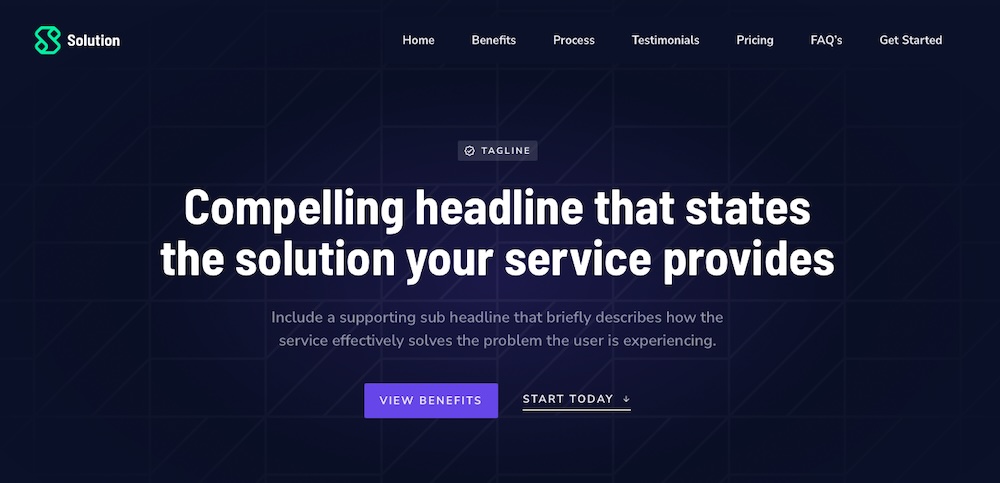
GeneratePress is a lightweight, performance-focused theme built for speed, accessibility, and stability. Its minimalist design gives bloggers and developers full control without unnecessary bloat.
Key features of GeneratePress:
- A modular layout and typography controls
- Developer-friendly code and detailed documentation
- Built-in hooks and filters for developers
- Accessibility-ready and WCAG-compliant
- Many starter site templates included with the Pro version
Pros of GeneratePress:
- It loads quickly across all devices.
- It provides a modular setup that keeps sites lean.
- This theme is compatible with most plugins.
Cons of GeneratePress:
- It has limited styling options in the free version.
- Some customizations may need CSS or a builder to achieve.
- The plain default design may require extra refinement.
Ease of use:
GeneratePress provides quick setup options with a clean interface and intuitive settings.
Best suited for:
Bloggers, developers, and publishers who want a fast, flexible theme with clean code will appreciate this theme.
Pricing:
GeneratePress is free on WordPress.org. The premium version starts at $59 per year.
3. Astra

As a fast and lightweight theme, Astra provides broad compatibility and extensive customization options. It’s a top pick for blogs and content-rich sites thanks to its starter templates and flexible design tools.
Key features of Astra:
- Pre-built templates for blogs and magazines
- Customizable headers, footers, and sidebars
- Fast-loading and optimized code
- Compatibility with the block editor
- WooCommerce and LearnDash integrations
Pros of Astra:
- It loads quickly and performs well across devices.
- It offers flexible layout and typography settings.
- The starter templates simplify setup and design.
- It works with most major plugins and tools.
- It’s reliable and frequently updated.
Cons of Astra:
- Many templates and features require the premium version.
- The number of settings can be overwhelming.
Ease of use:
Astra provides simple configuration options and the available starter templates make setup quick.
Best suited for:
Bloggers and creators who want speed, flexibility, and a professional design with minimal setup.
Pricing:
It’s free on WordPress.org. The Pro version starts at $59/year for additional features and templates.
4. OceanWP
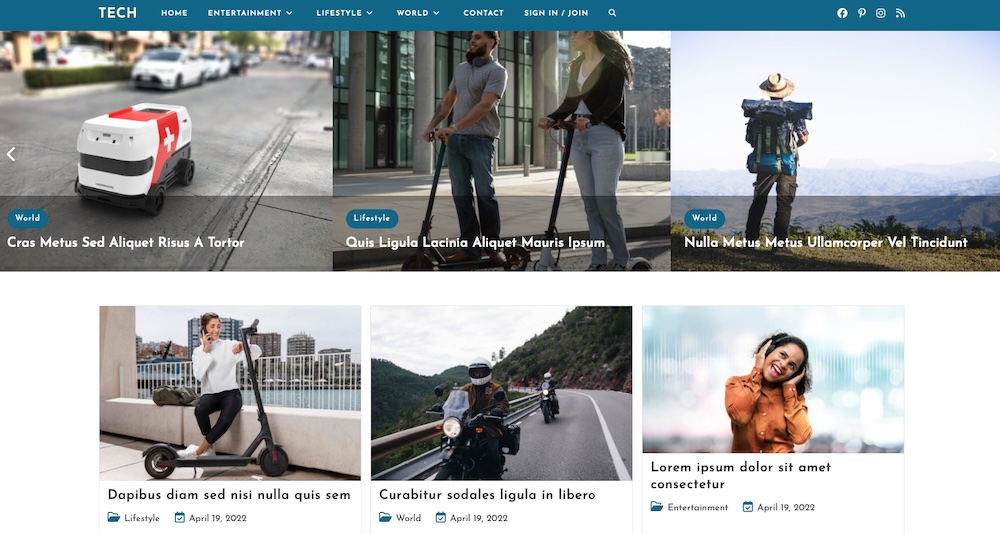
OceanWP is a flexible, high-performance theme that works well for blogs and magazine-style sites. It supports deep customization and integrates easily with major plugins.
Key features of OceanWP:
- A one-click demo import for blog and magazine layouts
- Advanced controls for headers, footers, and archives
- Built-in WooCommerce and translation plugin support
- A responsive design with mobile-specific settings
- SEO-ready code with schema markup
- An extension library for added features like sticky headers
Pros of OceanWP:
- Demos speed up setup and design.
- Layout controls offer detailed customization.
- It’s optimized for fast performance.
- The free version offers more design tools than many themes.
Cons of OceanWP:
- The settings panel can be overwhelming.
- Some features require premium extensions.
- Setup may be complex for beginners.
Ease of use:
OceanWP gives you granular control, but setup takes time. Once configured, it’s a powerful base for feature-rich content sites.
Best suited for:
Bloggers and publishers who want flexibility, performance, and wide plugin compatibility
Pricing:
Free on WordPress.org. Premium plans start at $54/year for one site.
5. Neve
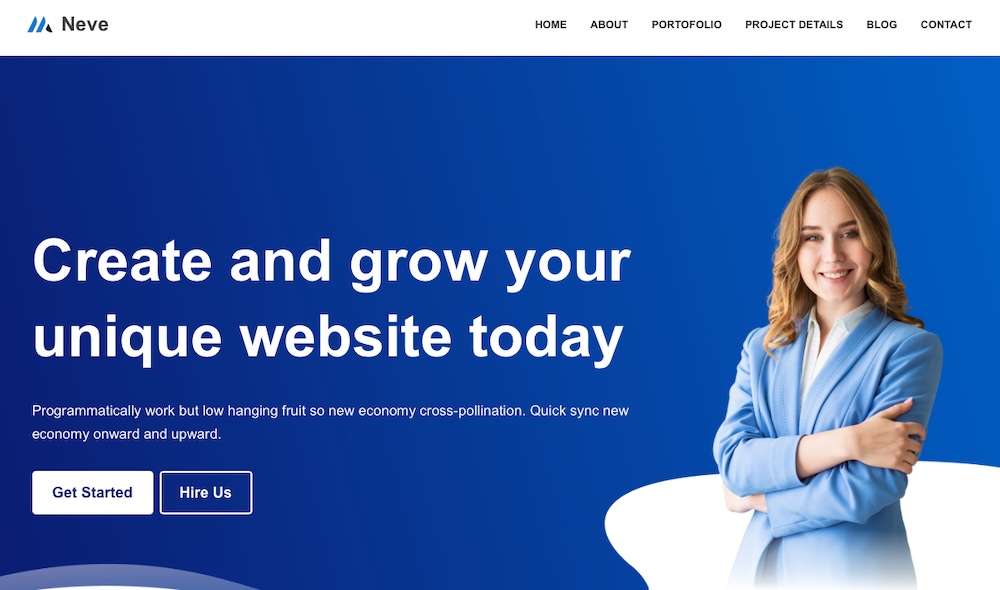
Neve, a lightweight theme developed by Themeisle, loads quickly and offers clean design, flexible customization, and full compatibility with the block editor and major page builders.
Key features of Neve:
- More than 100 starter sites, including designs for blogs and news sites
- Customizable headers, footers, and blog layouts
- A WooCommerce-ready design with custom store layouts
Pros of Neve:
- It’s optimized for speed and performs well — even on shared hosting.
- The included starter sites enable quick site launches.
- Neve has a clean user interface with intuitive settings.
- The theme receives regular updates.
Cons of Neve:
- Any advanced customization features require the premium version.
- The default design is simple and needs additional styling to stand out.
Ease of use:
Neve is quick to set up, especially when using a starter template.
Best suited for:
Bloggers and magazine publishers seeking a fast, modern site with a clean look and flexible design tools will enjoy what Neve has to offer.
Pricing:
The free base theme is available on WordPress.org. The premium version starts at $69/year and includes additional starter sites and layout features.
6. Ashe

Ashe is a minimalist theme built for personal, lifestyle, and travel blogs. Its clean design and responsive layout make it ideal for photo-rich sites that need minimal setup.
Key features of Ashe:
- A pre-designed homepage with featured slider
- Sidebar and full-width layout options
- Support for the block editor
- WooCommerce integration
- An image-focused layout with large featured image support
Pros of Ashe:
- It creates a polished, photo-friendly design out of the box.
- It provides straightforward customization options.
- This theme is lightweight and fast-loading.
- Its modern aesthetic suits lifestyle blogs.
Cons of Ashe:
- It offers fewer customization options than more advanced themes.
- Some features are Pro-only, like color controls and promo boxes.
- It’s not ideal for large or multi-author publications.
Ease of use:
Ashe is simple to set up and manage. It’s a solid option for beginners or bloggers who want a clean look without extra complexity.
Best suited for:
Personal, lifestyle, travel, and food bloggers who want a stylish, image-first theme will enjoy this one.
Pricing:
Ashe is free on WordPress.org. The pro version starts at $29.99 with added layout and style features.
7. Blockbase
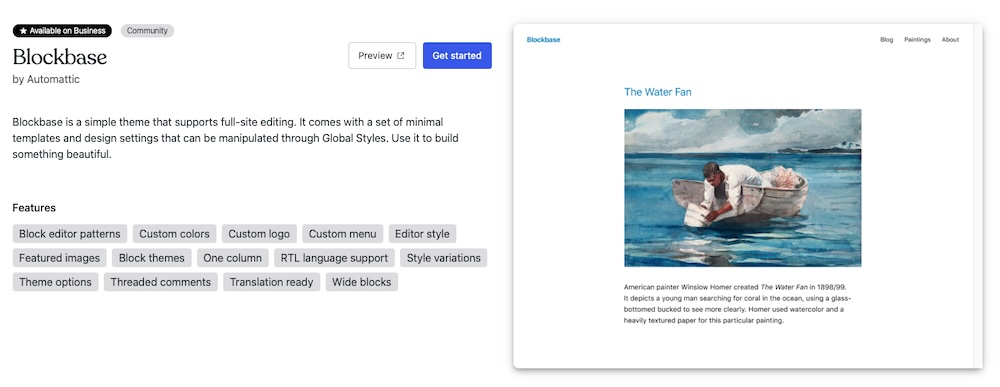
Blockbase is a minimalist block theme from Automattic, built for full customization through the Site Editor.
Key features of Blockbase:
- Full-site editing support with complete template control
- A minimal design that adapts to custom branding
- Support for style variations and block patterns
- Lightweight, performance-focused code
Pros of Blockbase:
- It acts as a blank canvas for full creative freedom.
- It integrates smoothly with Jetpack and other Automattic tools.
- This theme is fast and clutter-free.
- It’s regularly maintained by the WordPress.com team.
Cons of Blockbase:
- It’s too bare-bones for those seeking pre-designed layouts.
- It requires Site Editor experience to use effectively.
- There’s no demo content or starter templates.
Ease of use:
Best suited for those familiar with the Site Editor. It’s not beginner-friendly but offers powerful layout tools once you’re up to speed.
Best suited for:
Bloggers, developers, and publishers who want a lightweight, customizable block theme. It’s ideal for anyone who wants total design control with no extra fluff.
Pricing:
Blockbase is free on the WordPress theme repository.
8. Twenty Twenty-One

Twenty Twenty-One is a minimalist WordPress theme introduced with WordPress version 5.6. It emphasizes simplicity, readability, and full compatibility with the block editor, making it a reliable choice for blogs and content-focused sites.
Key features of Twenty Twenty-One:
- Full support for the block editor
- A soft pastel color palette and strong typography
- Customizable background colors and gradients
- Built-in dark mode support
Pros of Twenty Twenty-One:
- It provides a calm, focused reading experience suitable for long-form content.
- The theme’s minimal design adapts to different blog types.
- It’s maintained by the WordPress community, ensuring stability and support.
- It offers excellent accessibility features out of the box.
Cons of Twenty Twenty-One:
- This theme has fewer customization options compared to newer block themes.
- It lacks starter templates or pre-built patterns.
Ease of use:
Twenty Twenty-One is straightforward to set up and use. Its simplicity makes it ideal for users focused on content rather than complex layouts.
The most powerful AI tool for WordPress
Turn your ideas into ready-to-publish content at lightspeed.
Elevate your contentBest suited for:
Writers and solo publishers seeking a fast, clean, and accessible blogging experience.
Pricing:
This theme is free and available on WordPress.org.
9. Blocksy
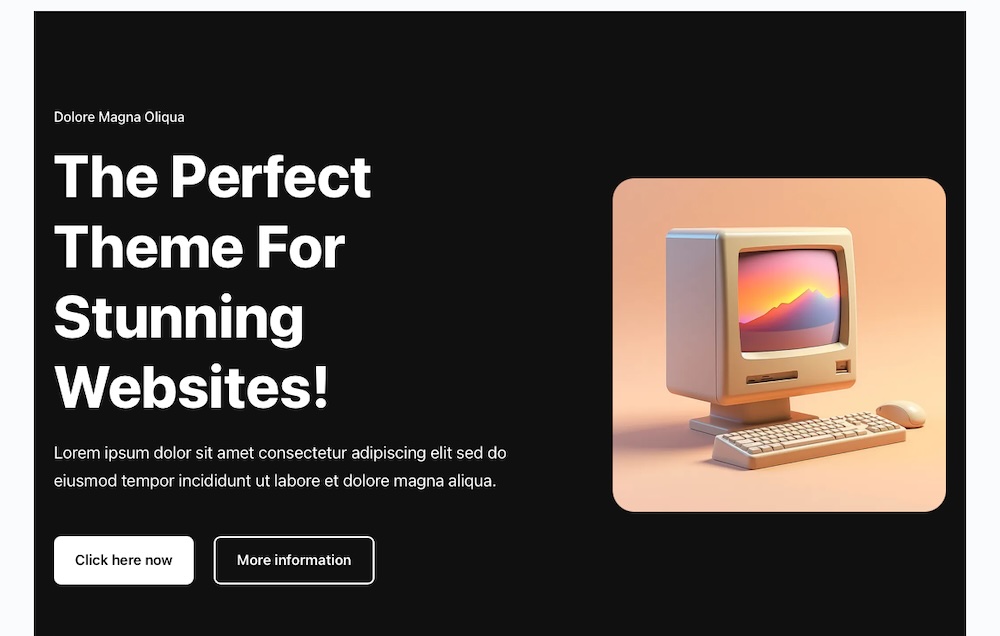
Blocksy is a fast, flexible WordPress theme built for the block editor and page builders. It’s a top choice for blogs, magazines, and content-heavy sites that need modern design tools and layout control.
Key features of Blocksy:
- Starter sites for blogs, magazines, and news organizations
- A header and footer builder
- Global color palettes and dark mode support
- WooCommerce compatibility
- Page and post layout controls
Pros of Blocksy:
- The starter sites are simple to import and adapt.
- It’s fully customizable.
- The theme is lightweight and fast-loading.
- The global design settings simplify branding.
Cons of Blocksy:
- Advanced tools like conditional headers are Pro-only.
- New users may find the interface feature-dense.
- Some people report occasional plugin conflicts.
Ease of use:
Blocksy is intuitive for those with basic WordPress experience.
Best suited for:
Bloggers, publishers, and editors who want full layout control and strong design features will find Blocksy to be a suitable choice.
Pricing:
Blocksy is free on WordPress.org. The Pro version starts at $69/year and includes additional features and integrations.
10. ColorMag
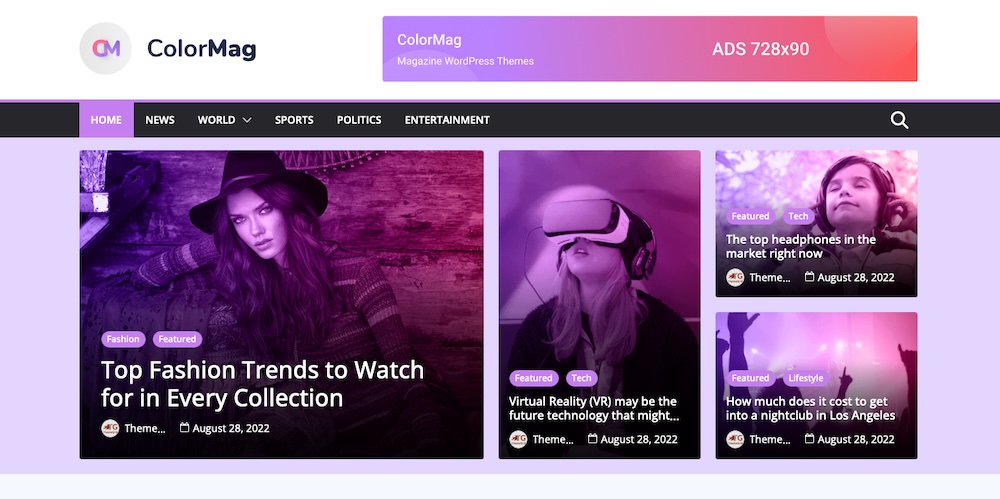
ColorMag serves as a WordPress theme for news blogs, editorial sites, and publications. Its bold design and structured layout make it simple to highlight categories and stories.
Key features of ColorMag:
- A magazine-style homepage with widget-ready areas
- Category color options for visual separation
- Grid and list-style post layouts
- WooCommerce support
- Translation and RTL-ready
Pros of ColorMag:
- It’s designed for showcasing a wide range of content.
- This theme loads quickly and design elements don’t compromise performance.
- It includes built-in ad areas for monetization.
Cons of ColorMag:
- The design feels dated compared to more modern themes.
- The layout flexibility is limited without a page builder.
- Advanced features like more demos and typography tools require the premium license.
Ease of use:
ColorMag provides a simple setup process with ready-made layouts and intuitive category organization.
Best suited for:
News sites, magazines, and editorial blogs with lots of content to organize can use ColorMag effectively. It’s a good pick for publishers who want structure with minimal effort.
Pricing:
This theme is free on WordPress.org. The Pro version starts at $69/year and adds more layout options and widgets.
11. Mission News

Mission News offers a clean, newspaper-style theme designed for publishers, journalists, and bloggers. With a classic layout and strong typography, it gives content a professional, editorial look.
Key features of Mission News:
- A three-column layout with sidebar support
- Traditional newspaper-style typography and spacing
- A fully responsive and mobile-friendly design
- Block editor support
- Custom logo, background, and color options
Pros of Mission News:
- It mimics legacy news sites, making it ideal for long-form, serious content.
- This theme prioritizes readability with thoughtful spacing and fonts.
- It’s lightweight and fast.
- The free version includes essential features for professional blogs.
Cons of Mission News:
- The minimalist design may not suit users wanting bold visuals.
- It has fewer customization options than some other themes listed here.
- It doesn’t include demo templates or starter site imports.
Ease of use:
This theme is simple to set up and configure, especially for those focused on the content alone. It delivers a polished layout with minimal effort.
Best suited for:
Writers, journalists, and bloggers who want a fast, content-first theme with a traditional layout.
Pricing:
It’s free on WordPress.org. The Pro upgrade starts at $49/year, adding font controls, sliders, sticky headers, and more layout options.
12. Feature

Feature is a modern block theme by Automattic, built for bold, visual storytelling. It uses the Site Editor for full customization and includes multiple style variations to support different content styles.
Key features of Feature:
- Customizable templates and parts
- Multiple style variations
- A grid layout optimized for media-rich posts
- Block patterns for featured content and author bios
- A lightweight design for performance
Pros of Feature:
- It’s great for showcasing visual content like photos and editorials.
- It offers full customization through the Site Editor and block patterns.
- This theme loads quickly, even with image-heavy pages.
- It includes useful pre-built layout sections.
Cons of Feature:
- It includes no starter templates, so setup takes more time.
- The editorial-focused design may not fit all blog styles.
- Beginners may need time to learn the Site Editor.
Ease of use:
Once you learn the Site Editor, Feature acts as a powerful tool for building custom layouts without extra plugins.
Best suited for:
Content creators, photographers, and editorial bloggers who want a modern, image-forward theme will enjoy this one, though it’s best for those already familiar with the Site Editor.
Pricing:
Feature is free on WordPress.org.
13. Newsup
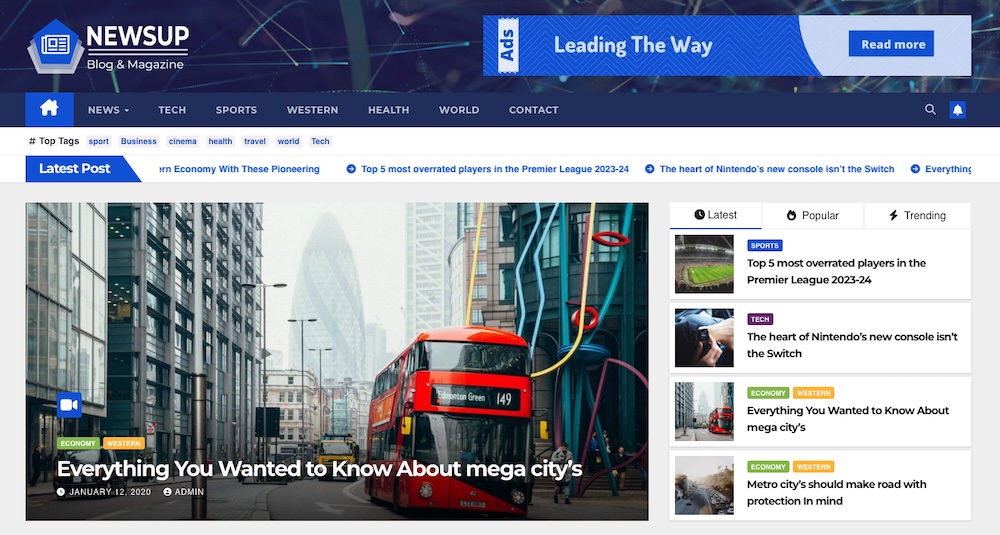
Newsup is a free WordPress theme designed for news and magazine sites. Its structured layout and widget-based design provides a convenient way to organize high-volume content across multiple categories.
Key features of Newsup:
- A customizable homepage with category-based content blocks
- Header and footer layout options
- Widget-ready sidebars and homepage zones
- Compatibility with the block editor and major page builders
- WooCommerce support
Pros of Newsup:
- The news-style layout helps surface a wide range of content clearly.
- It performs well on mobile and supports ad placements.
- The theme integrates with WooCommerce and translation plugins.
Cons of Newsup:
- The default design feels generic without custom styling.
- Customization is limited in the free version.
- The free version includes promotional elements.
Ease of use:
Newsup provides a simple setup process and plenty of options to edit within the Site Editor or your favorite page builder.
Best suited for:
News blogs, editorial publishers, and sites with high content volume that need a clear, multicategory layout.
Pricing:
Newsup is free on WordPress.org. The Pro version starts at $59/year with more layout styles and design controls.
14. HitMag

HitMag combines modern visuals with a traditional blog layout. With a featured slider and multiple post formats, it’s a solid pick for content-heavy blogs across various categories.
Key features of HitMag:
- A featured post slider
- Custom widgets for bios, recent posts, and categories
- List and grid-style post layouts
- Custom background, header, and color settings
- A responsive and translation-ready design
- Support for related posts and pagination
Pros of HitMag:
- Features like the slider and category highlights suit content-rich blogs.
- The clean layout makes articles easy to browse.
- This theme is simple to customize.
- It supports multiple post formats for mixed-media blogs.
Cons of HitMag:
- The basic default design needs styling tweaks.
- Advanced layout controls require the Pro version.
Ease of use:
HitMag provides a simple setup process with built-in widgets.
Best suited for:
Bloggers and small publishers who want a clean, traditional magazine-style layout stand to benefit the most from HitMag.
Pricing:
This theme is free on WordPress.org but the Pro version starts at $39 and adds layout sections, typography options, and premium support.
The best free plugins to make your theme load faster
Even a well-coded theme can slow down your site if it’s not properly optimized. For blogs and magazines, fast load times support better engagement and search visibility. The following tools help improve performance without complicated setup.
Jetpack Boost
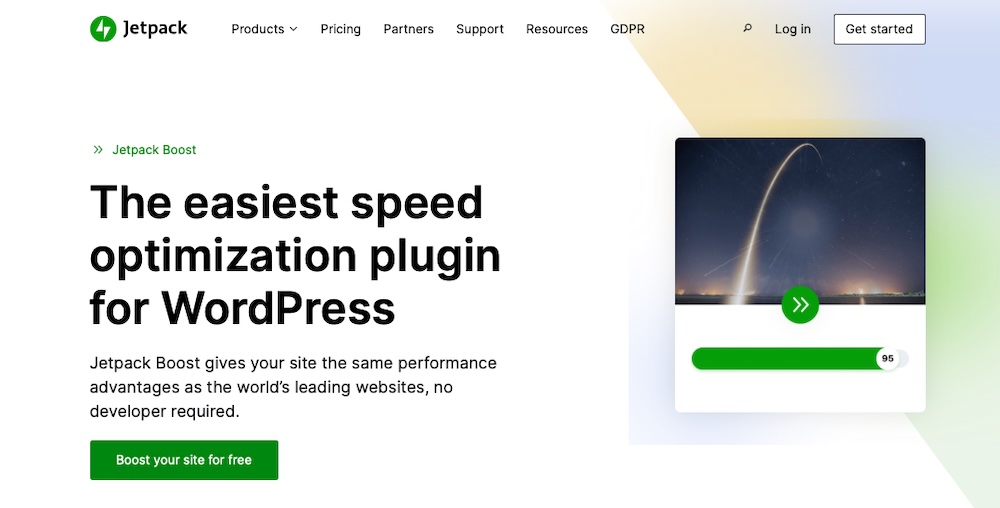
Jetpack Boost is a performance plugin from Automattic that helps WordPress sites meet Core Web Vitals and SEO standards. It’s ideal for site owners who want faster speeds without having to spend time on technical work.
It includes features like:
- Local critical CSS generation for faster initial rendering
- Lazy loading for images and embedded content
- Deferment of non-essential JavaScript
- An image CDN and image quality control
Jetpack Boost works immediately upon activation, making it a smart choice for content-heavy sites that rely on featured images, embeds, and steady traffic.
WP Super Cache

WP Super Cache creates static HTML versions of your site’s pages, which reduces server load and speeds up delivery. It’s particularly effective for high-traffic blogs and publishing sites where performance matters most.
How to optimize your content strategy with Jetpack AI Assistant
Creating consistent, high-quality content takes time. Jetpack AI Assistant helps accelerate the process by supporting content creation directly inside the WordPress editor — no need for external tools or tabs.
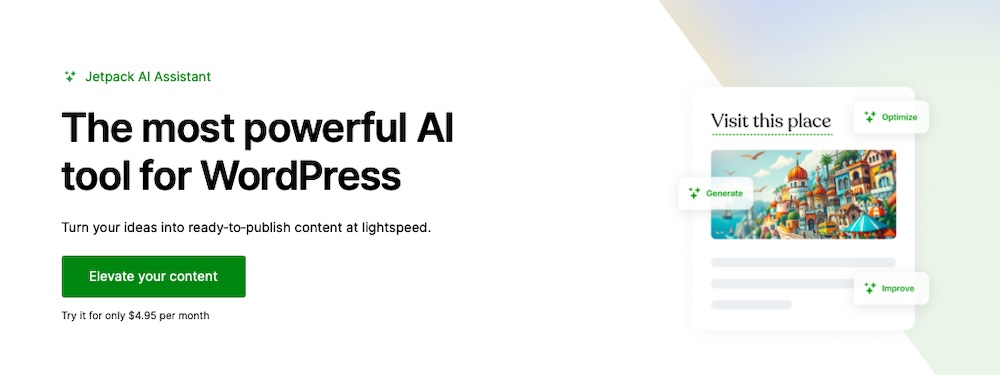
Key features include things like:
- Instant generation of headlines, summaries, and meta descriptions
- Context-aware editing suggestions
- Grammar and tone improvements
- Support for content translation
- Automatic text rewrites, shortening, or expansion based on prompts
Use it to draft post intros, reformat long content into listicles, or translate articles for international readers. Since it works inside the block editor, you can stay focused and publish faster without switching tools.
Frequently asked questions
You’ve learned a lot about WordPress themes for blogs and magazines, but we’ll answer a few more common questions next.
What should I look for in a WordPress theme for blogs and magazines?
Choose a theme with a clean layout, strong typography, and intuitive navigation. Ensure it supports the block editor, is responsive, and optimized for performance.
Are free WordPress themes good enough for professional blogs or magazines?
Yes, many of the best free themes offer high performance and polished designs. Themes like Astra, Neve, and Blocksy provide features often found in premium products. Just ensure the theme matches your site’s specific needs.
Can I switch my WordPress theme without losing content?
Yes, switching themes doesn’t delete your posts, pages, or media. However, you may need to reconfigure widgets, menus, and custom layouts. Always back up your site before making changes.
Will my website’s speed be affected by the theme I choose?
Absolutely. Themes vary in performance. Some are lightweight and fast, while others may include heavy scripts that slow things down. Opt for well-coded themes and consider using performance plugins like Jetpack Boost to enhance speed.
How do I choose a lightweight and fast-loading WordPress theme?
Look for themes with small file sizes and test their speed using tools like PageSpeed Insights or GTmetrix. Prioritize themes adhering to WordPress coding standards and those that don’t rely heavily on external libraries. For more tips, make sure to read our guide on fast WordPress themes.

The most powerful AI tool for WordPress
Turn your ideas into ready-to-publish content at lightspeed.
Elevate your content Jetpack