

You’d rather be on stage playing than behind a computer trying to pull together the perfect website. But there’s no way around the need for a digital basecamp for your art — one that reflects your vision and works 24/7 to promote your latest releases, sell merch and tickets, and help you connect with fans.
That’s where WordPress comes in. With the right theme, you can launch a professional, feature-rich music website without touching a line of code. Many of these themes include audio players, support for tour date listings, ecommerce tools, and social media integrations .
In this guide, we’ll highlight the top WordPress themes for musicians and bands. Whether you’re a solo act, a jazz ensemble, or a rock group planning your next tour, you’ll find a theme here to match your style and goals. We’ll also share a few powerful plugins to take your site even further.
Let’s get started.
How we chose and compared these themes
Music sites have different needs than typical business websites. We evaluated each theme against musician-specific requirements and practical site-build realities:
- Music & video support (Spotify/SoundCloud/Bandcamp embeds, video blocks, playlist UX)
- Tour & events readiness (events layouts, calendar compatibility, ticket button placement)
- Merch & monetization (WooCommerce readiness, digital downloads compatibility, donation options)
- Customization approach (Full Site Editing vs classic customizer, starter templates, builder dependence)
- Performance risk (heavy animations, large assets, builder bloat)
List of WordPress themes for musicians and bands
Here are the top WordPress themes for bands and musicians, including their key features and pricing details to help you make a final decision.
1. Astra
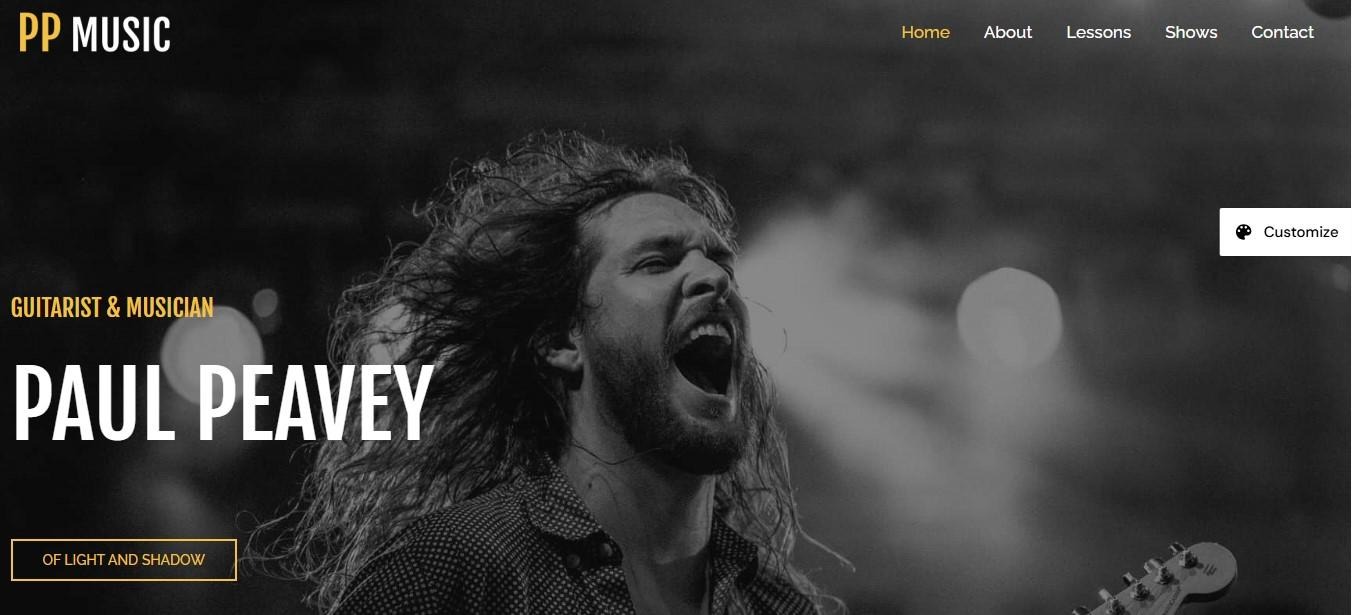
Astra is a popular WordPress theme that comes with a wealth of starter templates, including designs for musicians.
For example, the Guitarist and Musician templates are ideal for bands and DJs who want an overall digital home, while the Music Event template is designed to promote specific festivals and tours. There are also templates like Piano Instructor and Music School, which help teachers accept bookings for lessons.
Depending on the template you choose, you’ll be able to list upcoming gigs, embed videos, and sell your albums.
Key features:
- A built-in, drag-and-drop site builder, which lets you customize headers, footers, menus, and other parts of your theme
- Seamless WooCommerce integration, with elements like a sticky add-to-cart button and customizable shop cards
- Support for GiveWP, so you can accept donations through your site, and Easy Digital Downloads, which is ideal for selling downloadable music
Pricing:
- A free version
- Astra Pro starts at $49/year
2. My Music Band
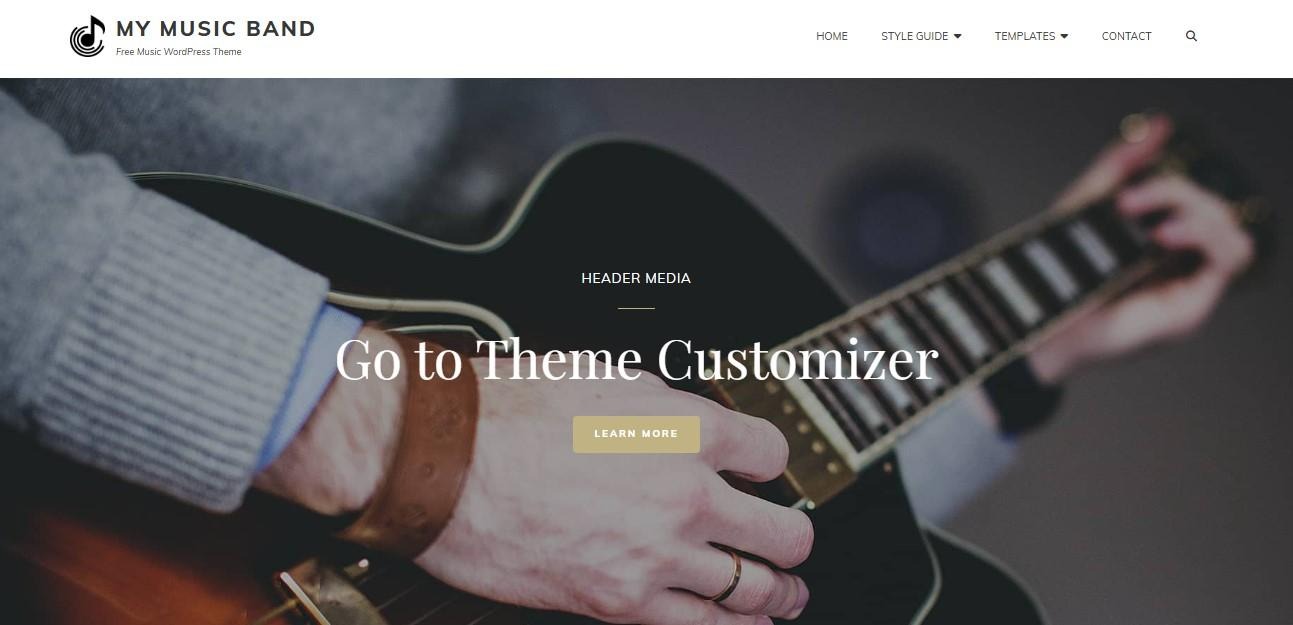
If you’re looking for a WordPress theme that’s specifically designed for bands, My Music Band is a good choice. It comes with a selection of demos, including light and dark designs.
The theme has sections for showing tour dates, your latest releases, and reviews from fans. You can even display your portfolio on the homepage for added visibility.
Key features:
- A built-in music player
- A hero content section, where you can highlight your new album, upcoming concerts, and anything else you want
- A featured page slider for displaying your latest news
- Several customization options, including the ability to design custom headers and page layouts
Pricing:
- A free version
- My Music Band Pro starts at $59.99/year
3. Eveny
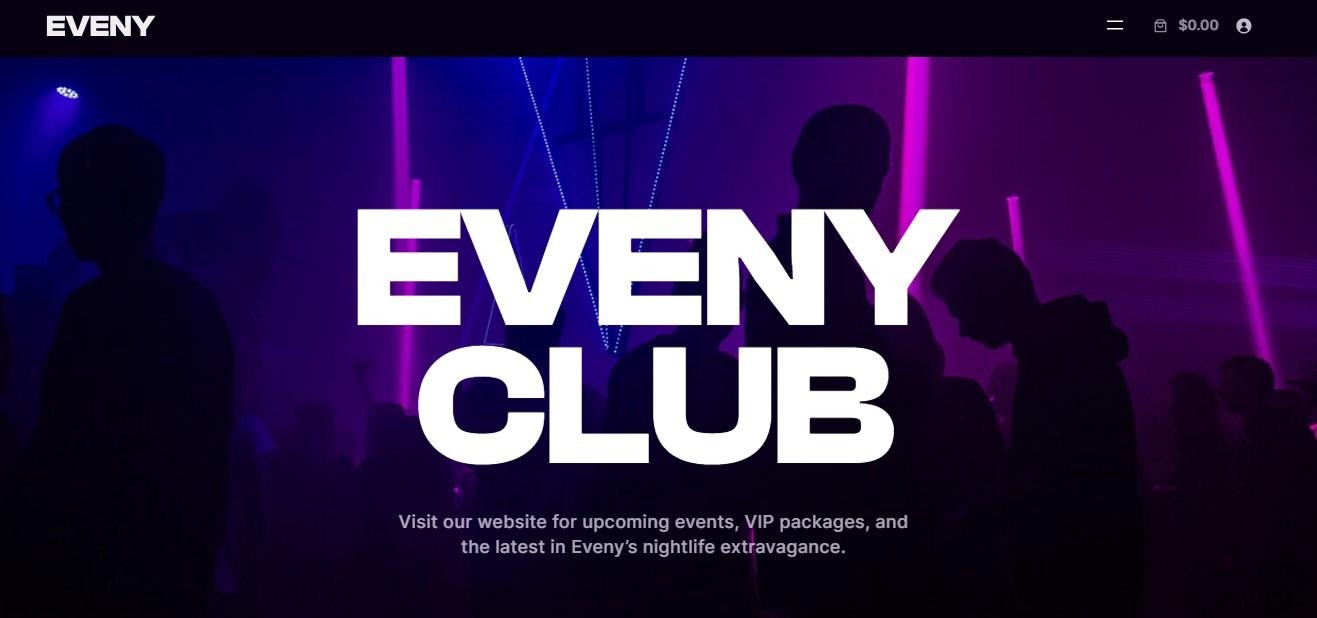
Eveny is a premium theme for WordPress.com sites. It’s focused on event promotion, so is ideal if you want to list upcoming concerts and sell tickets.
In fact, the theme provides seamless integration with Tickera, enabling you to manage ticket sales and attendees on your website. It also gives you access to features like seating charts and custom booking forms.
Evenly also offers full WooCommerce support, so you can sell albums and merchandise alongside event tickets.
Key features:
- 63 ready-made section patterns, which include Event Listing, Pricing, Testimonials, Call to Action, and more
- Global style settings for creating a unique and cohesive look for your site
- Full customization control with the WordPress Site Editor
Pricing:
- The theme is available with a WordPress.com Business plan, which starts at $25/month. You’ll need to pay an additional $7/month for the theme.
4. OceanWP
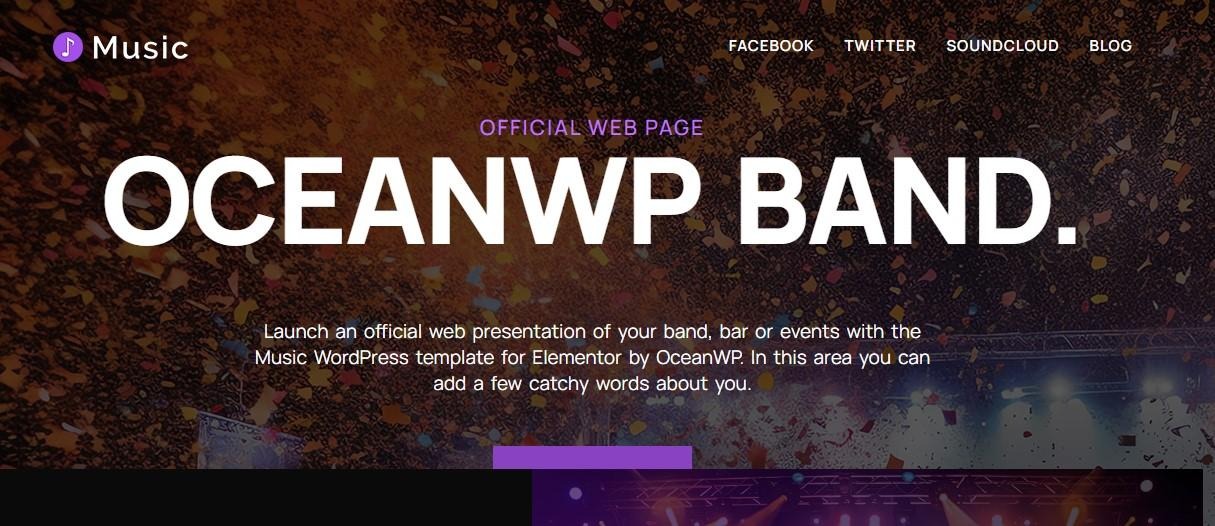
OceanWP is a multi-purpose theme that offers plenty of customization options. It has a large selection of site templates, with the Music demo being ideal for musicians and bands.
You’ll have ticket functionality, audio embeds, and a live counter that shows the number of streamings, awards, and followers. Plus, you can display your upcoming gigs and integrate your site with your Facebook, Twitter, and SoundCloud accounts.
Key features:
- Customizable header, footer, and page layouts
- Integration with WooCommerce and Easy Digital Downloads, so you can sell both physical and virtual products
- Global styles and page settings for quick customizations
- WooCommerce designs like mini carts and sticky add-to-cart buttons
Pricing:
- A free version
- OceanWP Pro starts at $35/year
5. Rock Star
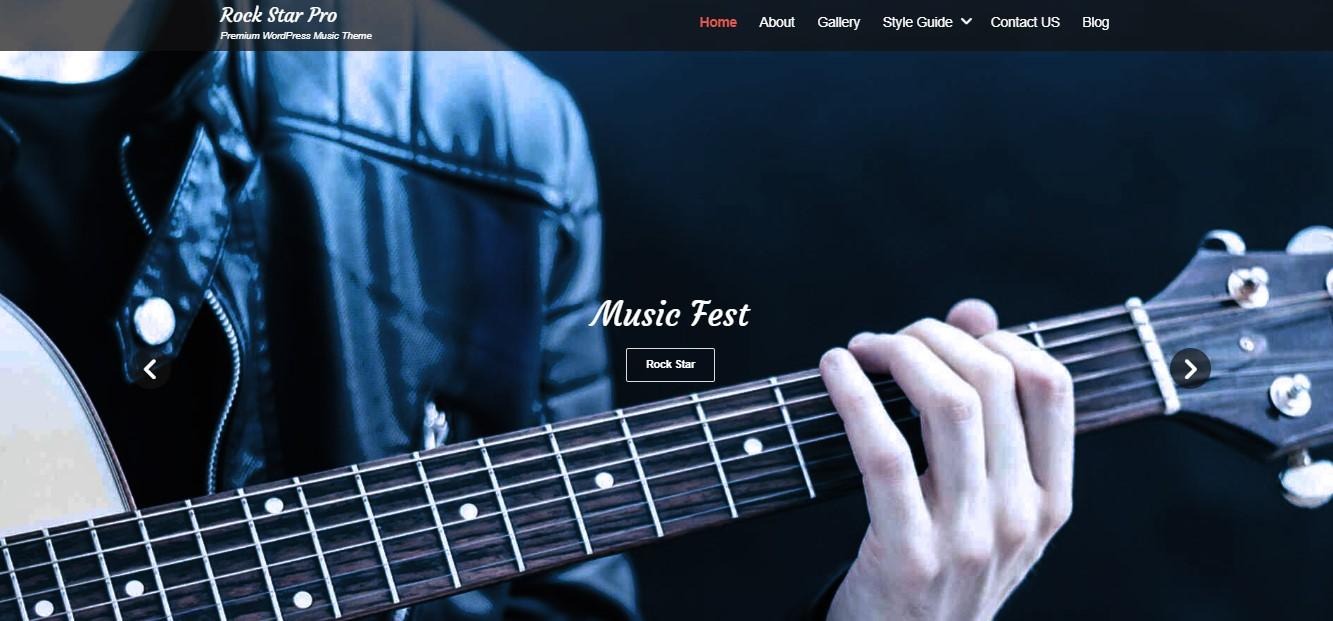
This theme has a dark and gritty design, making it a good choice for artists in the rock genre. You can display upcoming tours, embed music videos, create an image gallery, and a lot more.
Rock Star offers social media support, helping you grow your following. It also includes Featured Content and Featured Slider elements for highlighting news and releases.
Key features:
- A customizable audio widget
- A Tours section with a Buy Now button for ticket sales
- A full-screen background image, perfect for displaying album covers
- WooCommerce and multilingual support
Pricing:
- A free version
- Rock Star Pro starts at $59.99/year
6. The Jazzers

This is an innovative music theme for WordPress.com, with a full-screen image background and bold, vibrant text. It’s a suitable option for promoting albums and band members.
You can create bios and album stores as posts, then display the feed on the main page with stunning covers and titles. When visitors click on a name, they’ll land on the respective post and read more about the album and the band.
Key features:
- Dark, minimalist design, which you can customize with the Site Editor
- Prominent titles and large cover photos for added visibility
Pricing:
- The Jazzers theme is available with any premiumWordPress.com plan, which starts at $4/month.
7. Neve
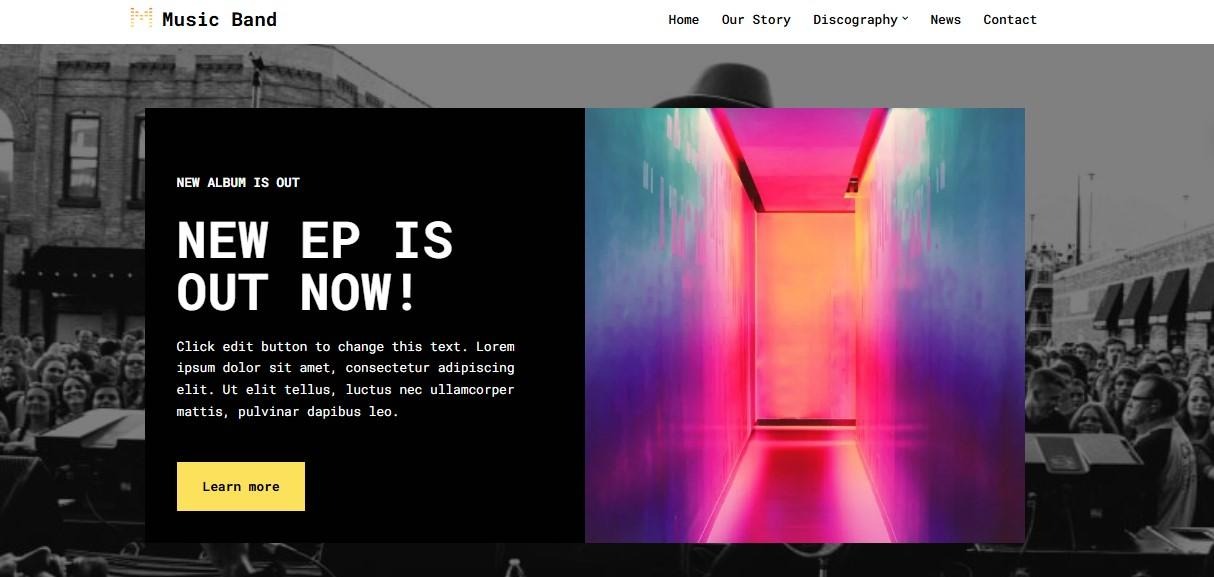
Neve is a flexible theme with a library of starter sites. The Music Band demo comes with video embedding functionality, ticket sales capabilities, and integration with major music platforms, including SoundCloud, Spotify, and Bandcamp.
When you purchase the pro version, you’ll be able to restrict access to content to members only. This is an effective way to make money through paid memberships, giving the most devoted fans access to exclusive content.
Key features:
- A header and footer builder
- WooCommerce support
- Control over website layout
- A discography page where you can list albums with buttons for different streaming options
Pricing:
- A free version
- Neve Pro starts at $69/year
8. Euphony
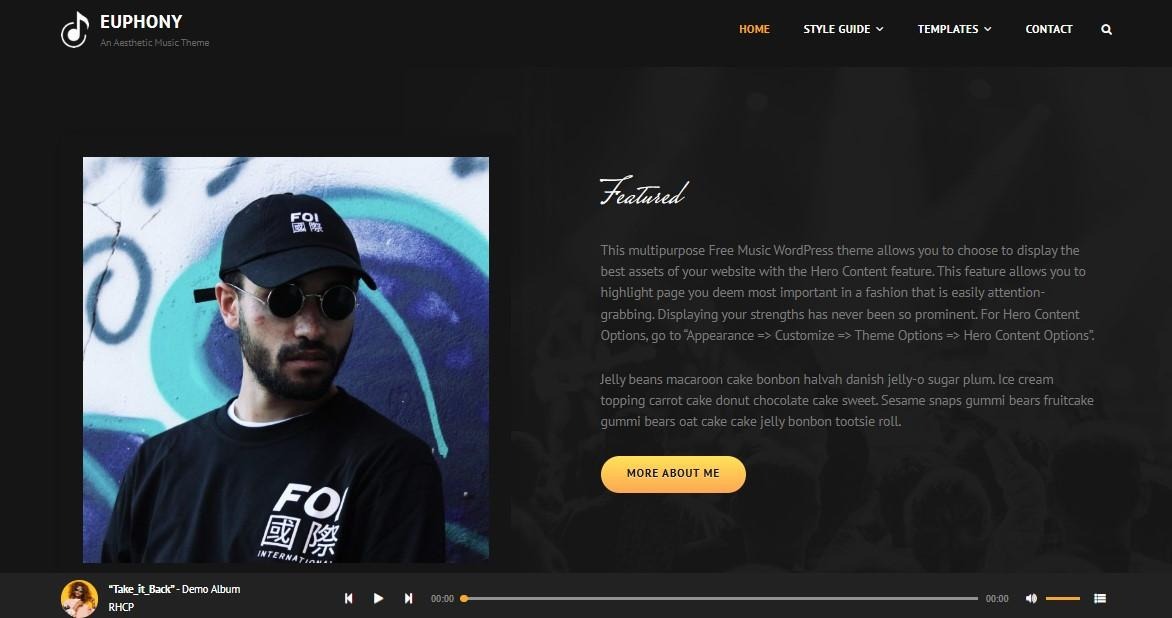
Euphony is one of the best WordPress themes for musicians if you’re looking for a minimalist-yet-interactive design. It neatly organizes your featured content, updates, projects, and services, while using bold buttons to prompt visitors to read more or listen to your music.
Euphony has a sticky playlist, which appears at the bottom of every page. This means visitors can play your songs while browsing your website.
Key features:
- A Services section, which is useful if you play at events like weddings
- Hero content, featured content, and featured slider elements
- A portfolio and testimonials section
Pricing:
- A free version
- Euphony Pro starts at $59.99/year
9. Bass
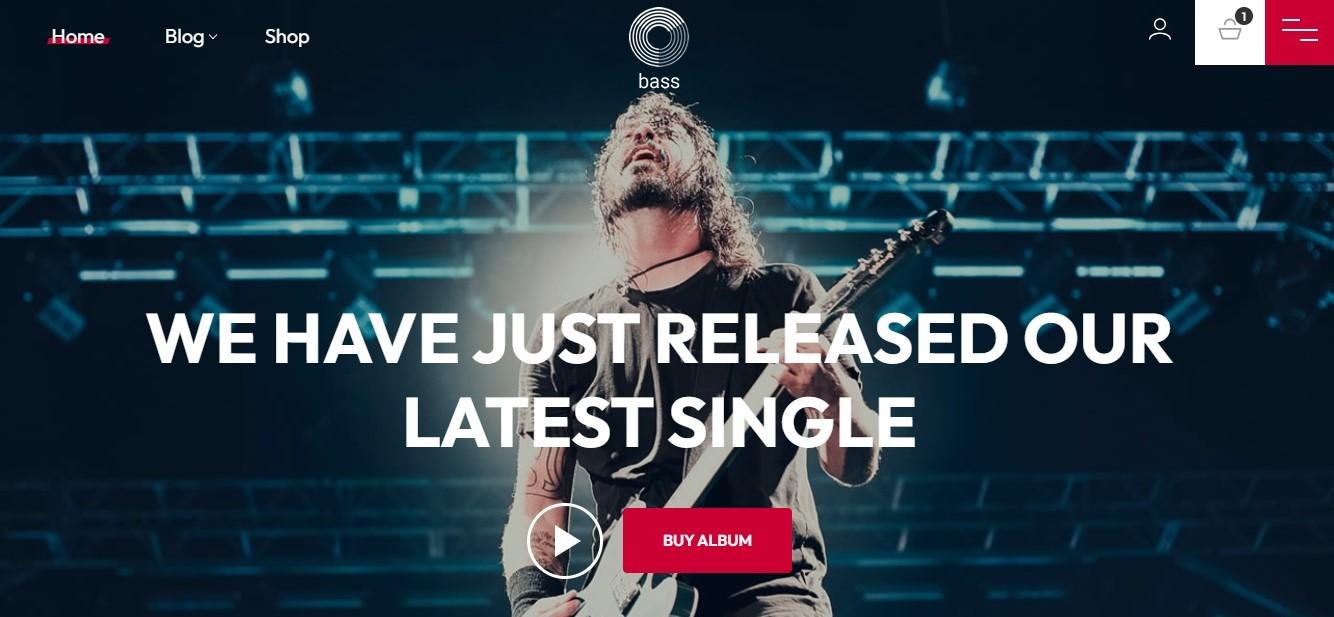
If the main goal of your website is to sell albums and merchandise, Bass is an excellent choice. It’s an ecommerce theme designed for music artists, with full WooCommerce integration.
You’ll get customizable layouts for the Shop page, product page template, and more. The theme also offers a selection of blocks and patterns for key pages, including About, Contact, and Blog.
Key features:
- Neat shop layouts for selling merchandise
- An embedded audio player in the hero content for instant listens
- A built-in playlist widget
Pricing:
- Bass is available with a WordPress.com Business plan, which starts at $25/month, plus an additional $7/month for the theme.
10. Audioman
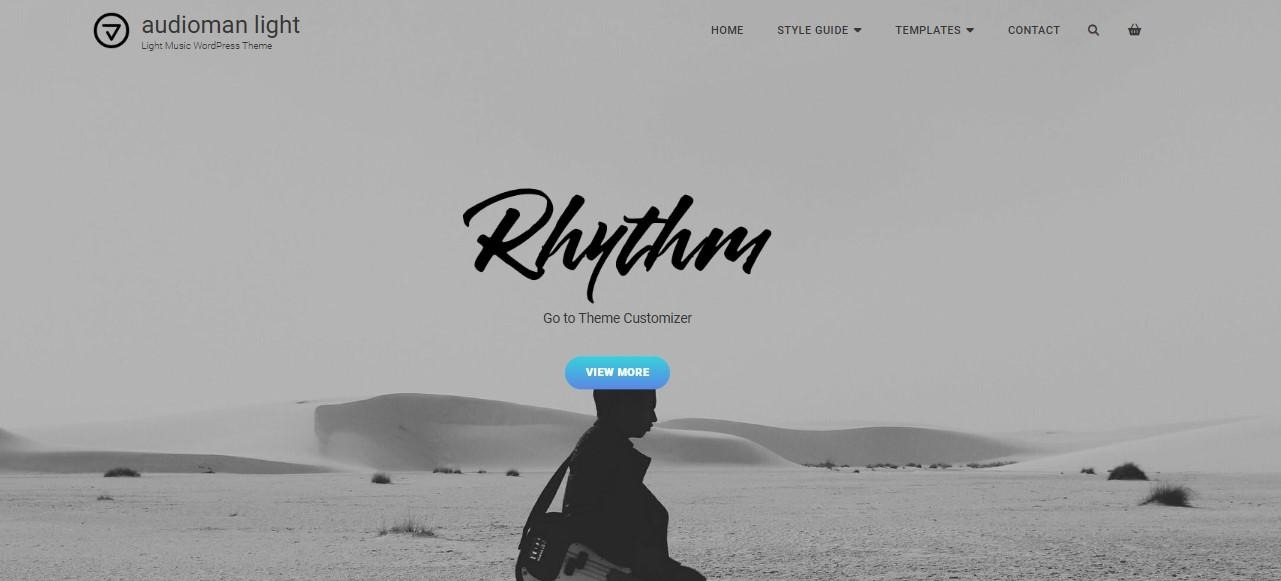
Audioman offers a light and dark demo, with attractive elements like featured videos, a visual playlist, an events calendar, review sliders, and more. It also provides ecommerce functionality for both merchandise and ticket sales.
There’s a portfolio available, which you can add to the homepage or the entire website. This is ideal if you want to get more eyes on your albums.
Key features:
- A featured page slider for highlighting important content
- A hero content section with a call-to-action button
- A band members section with links to profiles
Pricing:
- A free version
- Audioman Pro starts at $59.99/year
11. Zubin Music
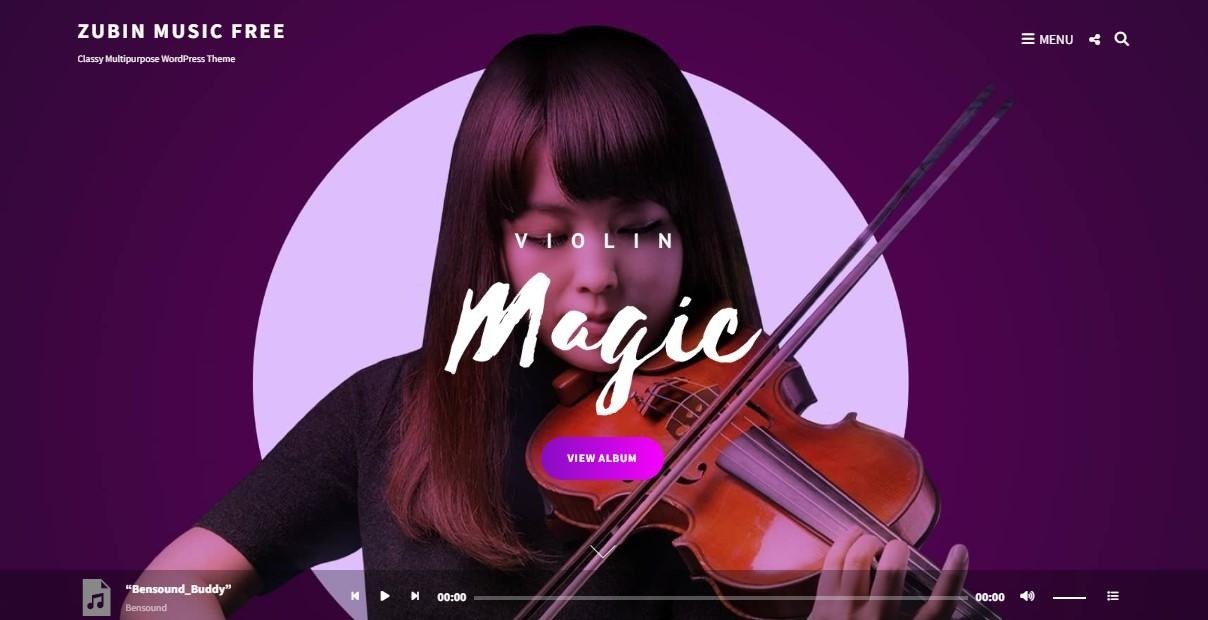
Zubin offers a demo for the music industry. It’s an image-rich theme, which you might find useful if you play at many venues and want to upload photos.
The theme has a sticky audio player at the bottom of the page, and also lets you display your best work in a featured content section. Plus, it’s compatible with WooCommerce, so you can seamlessly sell music and merchandise on your website.
Key features:
- A services and testimonials section
- A grid portfolio for showcasing albums and other projects
- A section sorter that enables you to rearrange various elements as you wish
Pricing:
- A free version
- Audioman Pro starts at $59.99/year
12. ePentatonic

Finally, we have ePentatonic, another strong music business theme. It has a dark and minimalistic design, and it can be fully customized with the site editor.
This theme is ideal if you have a music podcast. It lets you connect to Apple Podcasts, Google Podcasts, Spotify, and Stitcher, and display a live counter of subscribers, podcast episodes, and followers.
Key features:
- More than 30 block patterns, which include Band Members, Music Podcasts, Testimonials, and more
- WooCommerce support
- Integration with social media and podcast platforms
Pricing:
- You’ll need a WordPress.com Business plan, which starts at $25/month, and then pay an additional $7/month for the theme.
The best plugins to supercharge your musician theme
Choosing the best WordPress theme for musicians or bands is a good starting point. You’ll also need to install some essential plugins to protect and manage your website more efficiently.
Here are the must-haves for musician sites:
Jetpack Boost
Jetpack Boost is an all-in-one performance solution by Automattic. Every website needs speed-boosting features to provide a good user experience, but this is especially important for musician sites that contain large files.
Every file you upload to your website, whether it’s an image or video, gives your server more work to do. This leads to slower loading times, which can frustrate your visitors.
Jetpack Boost comes with a set of features to speed up your website. For example, there’s an image CDN (content delivery network) that will automatically resize and reformat your images to optimal versions and serve them from Jetpack’s global network.
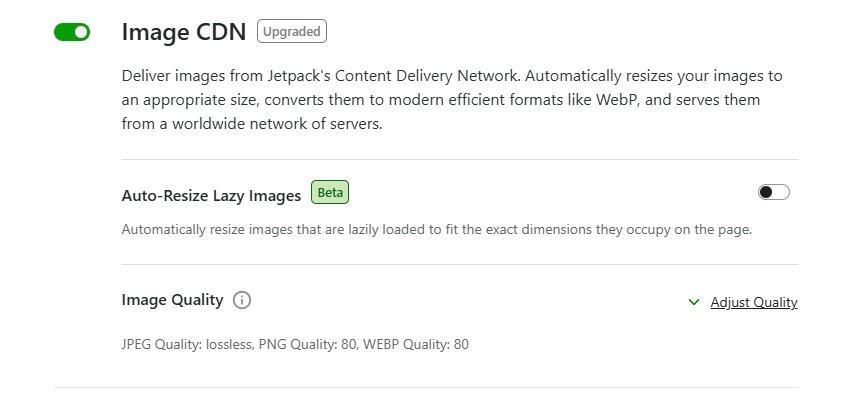
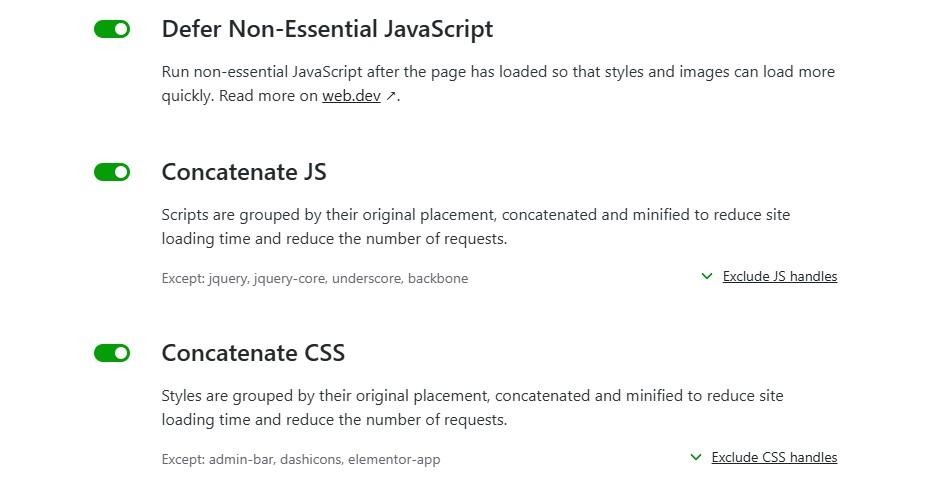
Jetpack Boost also provides settings that minimize and group CSS and JavaScript code on your website so that it loads faster. It’s as easy as clicking the toggle buttons to enable this speed-boosting feature.
You’ll also want to enable the Cache Site Pages setting. This will instruct browsers to store and serve preloaded content, so when someone revisits your website, the pages will load more quickly for them.
Jetpack Boost is a free plugin with premium options. To get started, navigate to Plugins → Add Plugin and look for Jetpack Boost.
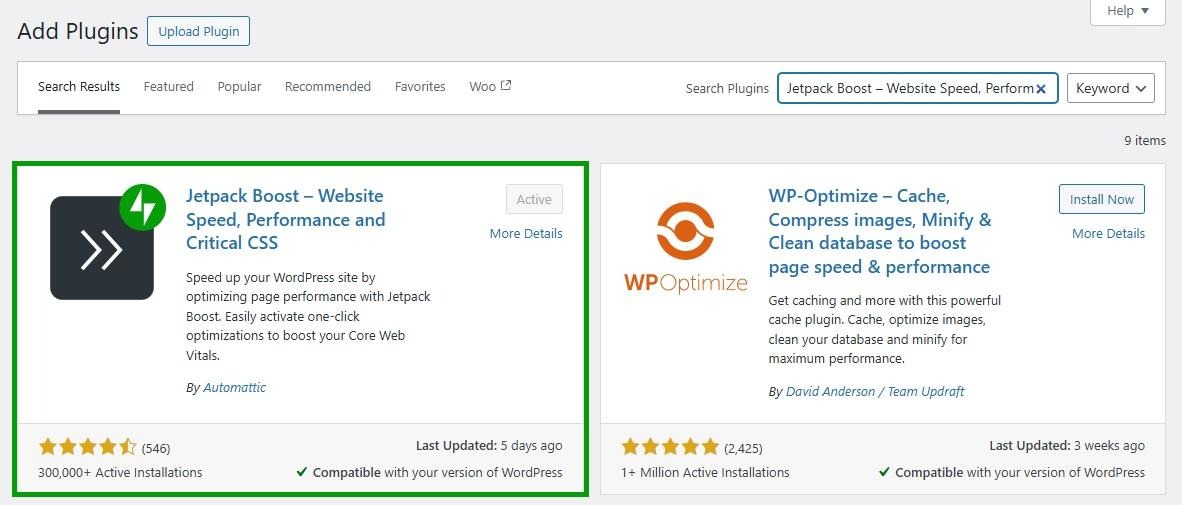
Click on Install Now and Activate. You’ll then need to connect your site to your WordPress.com account. If you don’t have one, you can set it up for free.
Jetpack AI Assistant
You probably don’t have the time to create amazing text for your website. This is where the Jetpack AI Assistant comes in.
This tool will instantly generate content for you, including paragraphs, lists, and tables. It also offers AI-generated images, based on your prompts.
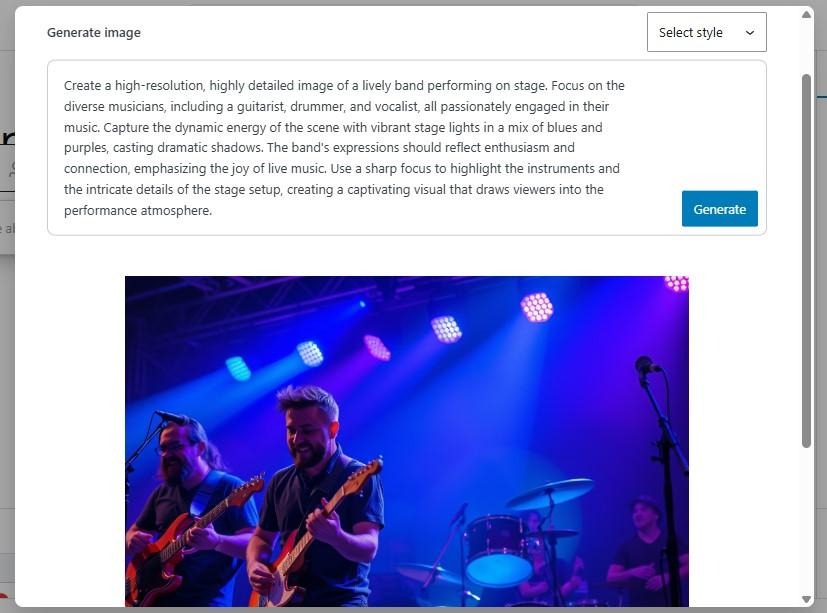
Jetpack AI Assistant will even optimize your post titles and metadata to help you gain visibility. And if you’re targeting a global audience, you can use the tool to translate your content into different languages.
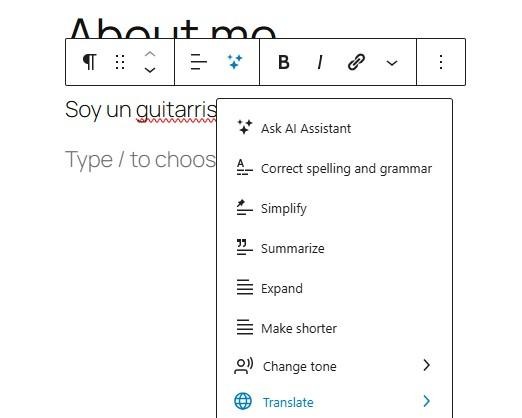
You might even use it to summarize and simplify text, change the tone, and correct errors. You can try AI Assistant for free.
The Events Calendar
If your band goes on tours or you do gigs in your area, you’ll likely want to promote these events on your website. The Events Calendar plugin lets you do just that, and more:
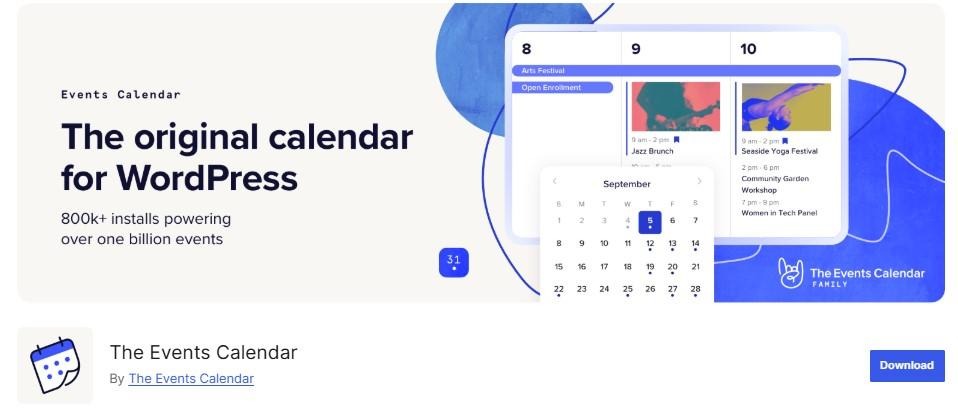
You can create a custom calendar that lists your events, with venues, organizers, and other key details. If you purchase the premium version, you’ll also be able to sell tickets.
The plugin supports the block editor and includes features like an upcoming events list widget, Google Maps, event search, and more.
AudioIgniter Music Player

If you want site visitors to listen to your music, you’ll need a plugin like AudioIgniter. This is an MP3 music player that lets you create playlists and embed them in your posts and pages.
It supports unlimited audio and playlists and grants a lot of flexibility. For example, you can show/hide track listings, covers, and artist names, and show numbers in reverse order.
With the pro version, you’ll be able to bulk upload your tracks, show lyrics, enable shuffle mode, and a lot more.
MP3 Music Player by Sonaar
This plugin lets you add unlimited playlists, albums, and podcasts to your website.
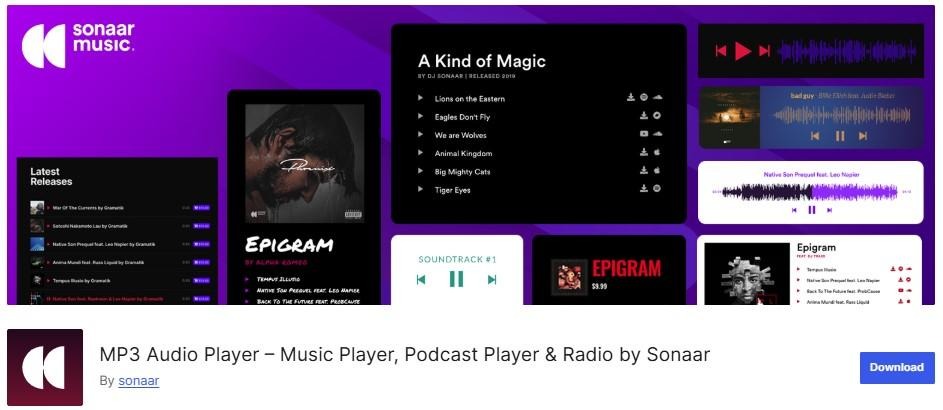
It’s fully compatible with WooCommerce, so listeners can easily buy the tracks in your music player.
You have the option to display a waveform bar under the audio player, which makes it more visually appealing. You can also choose between a coverflow and a slider mode.
There are plenty of customization options available. For instance, you have the choice to add download, lyrics, and call-to-action buttons. With the pro version, you can even create a sticky player and an animated audio spectrum, and sell music files and sample packs.
What to look for in a WordPress music theme
Now that we’ve reviewed specific recommendations, here’s what to evaluate when choosing a theme for your music website:
Audio player support: Can visitors listen to your music directly on your site? Look for built-in sticky players (like those in Euphony or Zubin Music) or themes that integrate cleanly with plugins like AudioIgniter or Sonaar.
Event and tour management: If you perform live, you need a theme that either has a built-in gig calendar or integrates cleanly with The Events Calendar plugin. Themes like My Music Band and Audioman include dedicated tour sections.
Ecommerce functionality: Selling merch, albums, or ticket downloads? Confirm the theme is WooCommerce-compatible. Themes like Astra, OceanWP, and Bass have deep WooCommerce integration.
Performance: Music sites are image and audio-heavy. Choose a theme optimized for Core Web Vitals. You can test any theme’s performance at Google PageSpeed Insights before committing.
WordPress.org vs WordPress.com: Some themes are only available on WordPress.com’s Business plan. If you’re self-hosting, stick to themes from the WordPress.org directory.
Genre fit: A dark, gritty theme like Rock Star suits metal or punk. A minimalist theme like The Jazzers suits jazz or classical. Your theme is your brand — make sure the design matches your sound.
Frequently asked questions
To wrap up, let’s answer some common questions about choosing the best WordPress theme for musicians and bands.
What should I look for in a WordPress theme for musicians and bands?
While some general-purpose themes, like OceanWP and Astra, will have demos or templates created for music websites, a dedicated music theme is often packed with features not otherwise available.
Ideally, the theme should include features like audio player support, event/tour calendars, discography pages, and integration with platforms like Spotify or SoundCloud. If you want to sell song downloads or merchandise, make sure that the theme supports WooCommerce.
Are free WordPress themes good enough for professional musicians?
Some free themes are well-designed, but they often lack advanced features and customization options. If you or your bandmates have development skills, you may be able to create what you want on your own. Otherwise, if you want more functionality and flexibility, a premium theme is usually a better investment.
Having said that, you could always install plugins like The Events Calendar and AudioIgniter if key features like event management and audio players are missing (or lacking functionality).
Most free themes have premium versions. So, if there’s a theme you like but want more features, you can upgrade to a paid plan.
Can I switch my WordPress theme without losing photos and embedded media?
Yes. When you upload photos, videos, and audio files, they are stored in your WordPress media library, not in your theme.
However, some content displayed in theme-specific areas may need to be reconfigured after switching. For example, you might need to set up your audio player and image galleries again.
Will my website’s loading speed be affected by the theme I choose?
Themes with heavy design elements, bloated code, or lots of animations can slow down your site. A poorly optimized theme can negatively impact user experience and search engine rankings.
How do I choose a lightweight and fast-loading WordPress theme?
Look for themes that are optimized for performance, with clean code, minimal external scripts, and designed with Core Web Vitals in mind. Many theme developers will list the performance specifications on the theme’s homepage, including the number of resources and HTTP requests.
You could also install a theme on your website, then run a test on Google PageSpeed Insights to see how it performs. If the score is low and you get the following recommendations, your theme might not be optimized for speed:
- Reduce unused CSS / JavaScript
- Eliminate render‑blocking resources
- Serve images in next‑gen formats
You can read our article on the fastest WordPress themes for speed and Core Web Vitals if you need more guidance.
Can I embed Spotify or SoundCloud playlists in my WordPress website?
Yes. If you use Jetpack, you’ll get a large collection of blocks in addition to the ones already available in the block editor. These include a Spotify Embed and a SoundCloud Embed.
All you need to do is add the block to the page or post, and enter the URL of the content you want to display.
Can I sell music or tickets directly through a WordPress site?
Yes. You can use an ecommerce plugin like WooCommerce or Easy Digital Downloads to sell music through your website.
For ticketing specifically, you’re better off using a plugin like the Events Calendar. This will list your upcoming concerts and gigs, and enable visitors to purchase tickets. It also makes it easy for you to manage your events and ticket sales.
Can I build a fan mailing list using my WordPress site?
Absolutely. You can collect emails using sign-up forms and integrate newsletter services.
A great option is Jetpack Newsletter, which enables you to send updates and announcements right from your WordPress dashboard. It also comes with a newsletter signup form that you can add anywhere on your website, plus reports that help you keep track of new subscribers and key metrics like open and click rates.
Which WordPress theme is best for a music teacher or music school?
Astra is the standout choice here. Its Starter Templates library includes a Piano Instructor and Music School template, both designed with booking forms and lesson scheduling in mind. Pair it with a booking plugin like Amelia or Simply Schedule Appointments.
What’s the difference between WordPress.org and WordPress.com themes?
WordPress.org (self-hosted) gives you access to thousands of free themes in the WordPress theme directory, and you can install any premium theme. WordPress.com is a hosted service — most themes work across both, but some premium themes are exclusive to WordPress.com’s Business plan or higher.
Do I need a developer to set up a WordPress music theme?
Not for most themes on this list. Astra, OceanWP, Neve, and My Music Band all include one-click demo importers that set up your site layout automatically. You can then customize colors, fonts, and content through the WordPress Customizer without touching code.

 Jetpack