
Need to translate your WordPress site? We reviewed six leading translation plugins — comparing features, pricing, and ease of use. Whether you need AI-powered automation, manual control, or hybrid translation, this guide helps you choose the right solution.
Quick answer: For most users, TranslatePress offers a good balance of features and affordability. For AI-powered speed and accuracy, Jetpack AI Assistant excels. For complex multilingual sites, WPML remains the industry standard.
A review of popular WordPress translation plugins
The right WordPress translation plugin should do more than just convert text. It should also make your site truly multilingual. The best options simplify translation, optimize content for search engines, and work with the theme and plugins you have already installed.
Whether you want AI-powered automation, full manual control, or a mix of both, your chosen plugin should allow you to reach a global audience without added complexity.
Let’s take a closer look at the top WordPress translation plugins, starting with Jetpack AI Assistant.
1. Jetpack AI Assistant
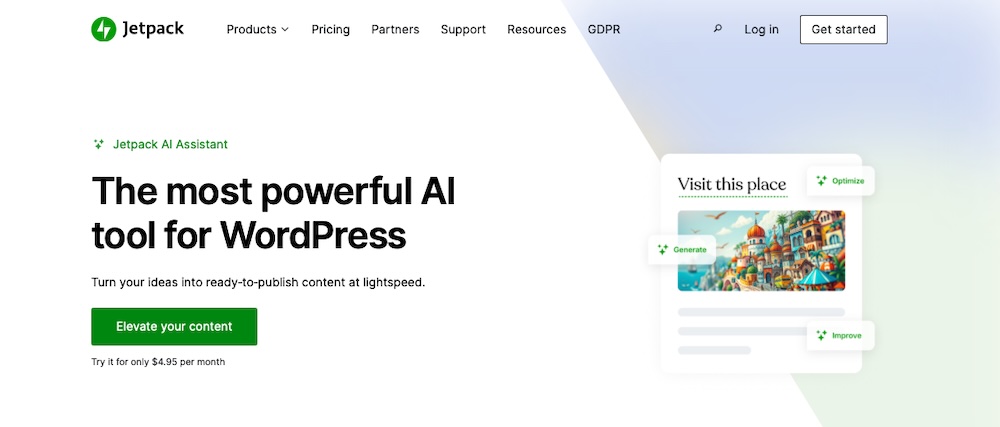
Jetpack AI Assistant makes translating and creating content in WordPress a straightforward prospect. It provides AI-powered translations for multiple languages and works directly in the block editor, so you can generate, edit, and refine translations without switching tools.
Beyond translation, it helps with content generation, tone adjustments, grammar corrections, and image creation, making it a powerful tool for businesses, bloggers, and ecommerce sites looking to reach a global audience.
Features
- AI-assisted translation for multiple languages, including Spanish, French, Chinese, and Hindi
- Direct integration with the WordPress block editor
- Customizable tone settings
- Built-in spelling and grammar correction.
Pros:
- Fast and scalable AI translations make translating large amounts of content speedy.
- It has a user-friendly setup process and doesn’t rely on additional plugins or external tools.
- SEO-friendly translation ensures that multilingual content remains optimized for search engines.
- Customizable tone settings allow content to maintain consistency across different languages.
- It integrates directly into WordPress with no bouncing between applications.
Cons:
- AI-generated translations may still require manual review to ensure full accuracy.
- There’s limited free usage with a cap on the number of AI translation requests.
Ease of use:
Jetpack AI Assistant keeps things simple, letting you generate and edit translations in the WordPress editor. Minimal setup makes it one of the most intuitive translation tools to pick up and start using.
Best for:
This plugin works well for bloggers, businesses, and ecommerce store owners who need an AI translation solution that works with their existing website.
Pricing
Jetpack AI Assistant offers a free plan with a limited number of translation requests. The premium plan costs $4.95 per month for the first year (billed annually) and includes higher request limits and priority support.
2. WPML (WordPress Multilingual Plugin)
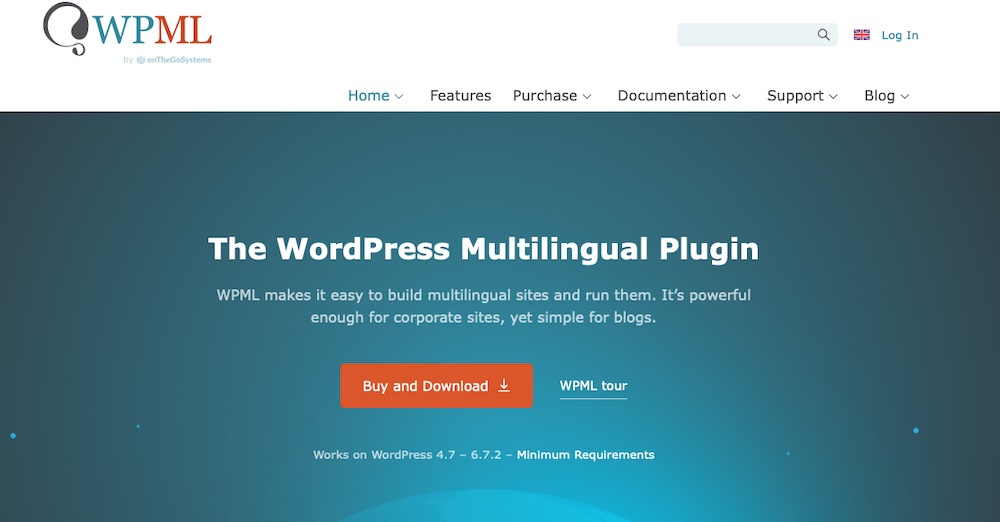
WPML offers automatic and manual translation for WordPress, supporting over 65 languages with options to add custom variants. It translates posts, pages, menus, and plugin strings, ensuring full multilingual support.
Built for multilingual SEO, it supports hreflang tags, translated meta descriptions, and custom URLs to improve rankings.
Features
- A translation management system
- Full SEO compatibility
- WooCommerce integration across product pages, variations, checkout fields, and emails
- String translations
- Media translations
Pros:
- This plugin provides in-depth control over translations.
- It contributes to strong SEO performance.
- It integrates with most WordPress themes, page builders, and plugins.
- It includes professional translation service integrations.
Cons:
- This plugin is more complex and difficult to use.
- It can impact performance on large sites due to additional database queries.
- It requires a paid plan.
Ease of use:
WPML has a feature-rich but complex interface. It requires time to configure properly. However, the included documentation, support forums, and built-in translation management tools make it easier to navigate once set up.
Best for:
WPML is best suited for businesses, ecommerce stores, and content-heavy websites that need detailed multilingual control. If you want AI-assisted and manual translations, it performs well.
Pricing
WPML offers premium translation plans starting at €39 per year for blogs, €99 for CMS-level sites, and €199 for agencies. Each plan includes one year of updates and support, along with a 30-day money-back guarantee.
3. Polylang

Polylang lets users manually manage translations for posts, pages, menus, media, and more across 100+ languages. Unlike many plugins, it doesn’t rely on automatic translation by default, giving users full control over multilingual content. It integrates smoothly with WordPress and supports most themes and plugins, making it a reliable choice for those who prefer a structured, hands-on approach to translation.
Features
- Manual translation with an easy-to-use interface
- A customizable language switcher
- SEO-friendly with hreflang tag support and SEO plugin integration
- Flexible URL structures (subdirectories, subdomains, or separate domains)
Pros:
- This plugin lets you manage translations without technical expertise.
- It runs efficiently and keeps multilingual sites fast.
- It supports unlimited languages so you can reach global audiences.
- The free version includes some essential translation features.
Cons:
- The free version lacks automatic translation, so manual input or third-party integration is required.
- URL slug translation and other advanced features only come with the paid version.
- Some themes or plugins may have compatibility issues.
Ease of use:
Polylang installs quickly and provides a straightforward interface for managing multilingual content. Without default automatic translation, though, you’ll need to manually input translations.
Best for:
Polylang works well for bloggers, small businesses, and content creators who want full control over translations. It suits those who prioritize SEO and prefer manual translation over automated solutions.
Pricing
Polylang provides a free version with essential translation features. Polylang Pro costs €99 per year for a single site, with Polylang for WooCommerce available at the same price. The Polylang Business Pack, bundling both, costs €139 per year.
4. TranslatePress
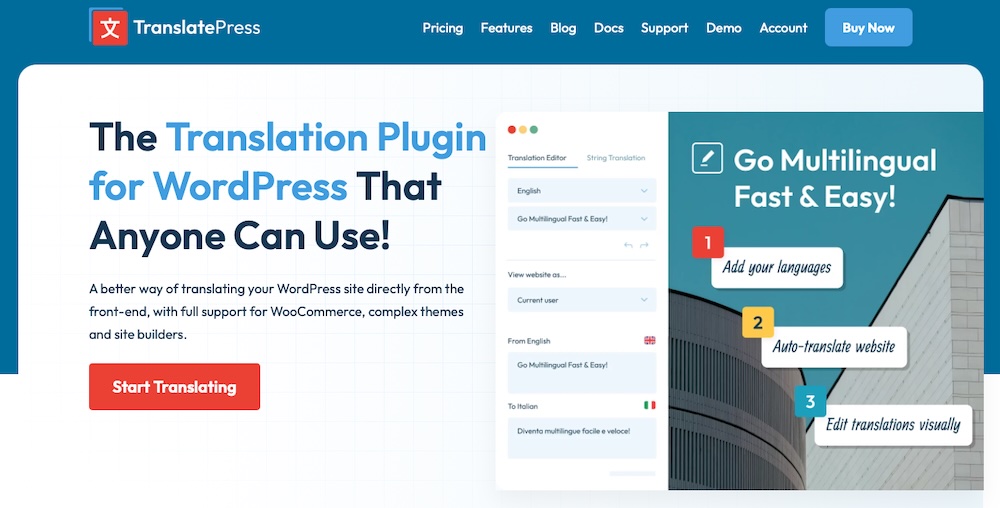
TranslatePress lets people translate their websites directly from the front end with a live, visual editor. Unlike plugins that require switching between interfaces, it enables real-time translation of text, images, and dynamic elements. Supporting both manual and AI-powered translations, it offers automation with the flexibility for fine-tuning.
Features
- A front-end visual editor for direct content translation
- Support for Google Translate and DeepL for automatic translation
- SEO-friendly translations, including translated URLs, metadata, and hreflang tags
- Image translation, allowing different images for different language versions
- Customizable language switcher options, including shortcodes and menu integration
Pros:
- It integrates well with popular themes, plugins, and WooCommerce.
- You can choose between automatic or manual translation.
- It supports SEO for multilingual content and ensures proper metadata and language tagging for search engines.
Cons:
- The free version only allows translation into one language.
- Storing translations in the WordPress database impacts performance on large websites.
Ease of use:
TranslatePress simplifies translation with its front-end visual editor so you can click on any part of your website and edit translations directly. This eliminates the need for complex backend settings.
Best for:
Bloggers, small businesses, and WooCommerce store owners use TranslatePress as a straightforward way to translate their websites. It works especially well for those who prefer a visual translation workflow and want flexibility between manual and automatic translation.
Pricing
TranslatePress offers a free version with basic translation features, while premium plans start at €99 per year for one site, unlocking unlimited languages, multilingual SEO, and AI-assisted translations. Higher-tier plans support multiple sites, more AI-translated words, and advanced features, with all subscriptions including one year of updates and premium support.
5. Translate WordPress with GTranslate
Translate WordPress with GTranslate is a plugin that uses Google Translate’s automatic service to make your WordPress site multilingual. Supporting over 100 languages, it helps your content relate to a wide range of visitors.
Features
- Google Translate integration with support for 100 languages
- A customizable widget for visitors to select their preferred language
- SEO-friendly features available with paid versions
- Support for URL translation
- Manual editing of translations to ensure accuracy
Pros:
- Straightforward installation makes it accessible to most WordPress users.
- This plugin includes support for over 100 languages.
- It offers a free version with basic features.
- GTranslate doesn’t limit the number of translated words or pageviews in premium plans.
Cons:
- Some users have reported issues with site performance and SEO when using the plugin.
- Advanced features like SEO support and URL translation are only available in the paid versions.
Ease of use:
GTranslate keeps the setup process simple with a clean interface and automatic translation that quickly deploys multilingual content.
Best for:
Small to medium-sized businesses, bloggers, and organizations use GTranslate as a cost-effective way to reach a global audience. It works well for those who need automatic translation with the flexibility to make manual adjustments.
Pricing
GTranslate offers a free version with basic features, including automatic translation and a language selector widget. Paid plans start at $9.99 per month and include additional features like neural translations, search engine indexing, URL translation, and language hosting.
6. Weglot
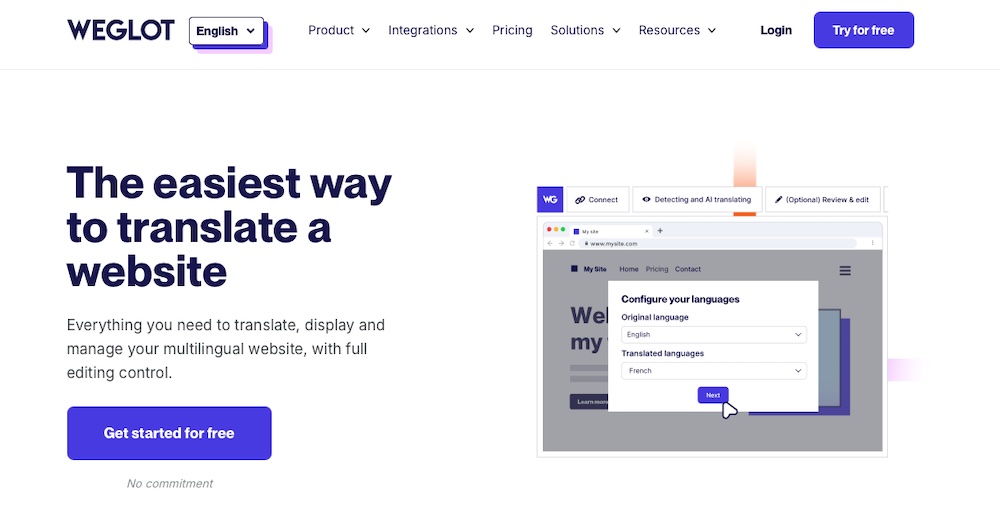
Weglot enables WordPress websites to become multilingual quickly, supporting over 110 languages. It offers both automatic and manual translation options, letting you edit translations through a visual editor. It translates all site content, including posts, pages, widgets, and SEO metadata and real-time translation capabilities make it a popular choice among website owners.
Features
- Automatic translation
- Multilingual SEO support
- A language switcher
- Compatibility with popular plugins and themes
Pros:
- It allows for rapid deployment of multilingual content without extensive configuration.
- It supports over 110 languages.
- It simplifies translation management with intuitive editing tools.
- It enhances multilingual SEO by managing translated metadata and following best practices.
Cons:
- The cost of this plugin escalates for larger websites due to word count-based pricing.
- Included customization options for the language switcher and other elements are slightly lacking without custom code.
Ease of use:
Weglot simplifies multilingual setup. Its automatic translation feature instantly converts content, while the dashboard lets you manage and refine translations.
Best for:
Weglot works best for businesses and individuals who need a quick way to make their WordPress sites multilingual. It’s great for those who want a cloud-based solution with minimal setup and maintenance.
Pricing
Weglot offers a free plan for small websites, allowing one translated language and up to 2,000 words. Paid plans start at $17 per month for one translated language and 10,000 words, with higher-tier plans accommodating additional languages and higher word counts. A 10-day free trial is available to test the service before committing.
Comparison of translation plugins on WordPress
| Free Version | Starting Price | Languages Supported | Translation Type | SEO Features | |
| Jetpack AI Assistant | Yes (limited translation requests) | $4.95/month (first year) | Multiple (including Spanish, French, Chinese, Hindi) | AI-assisted | Yes |
| WPML | No | €39/year | 65 | Manual & AI-assisted | Yes |
| Polylang | Yes | €99/year | 100 | Manual | Yes |
| TranslatePress | Yes (one additional language) | €99/year | Unlimited (Premium) | Manual & AI-assisted | Yes |
| GTranslate | Yes | $9.99/month | 100 | AI (Google Translate) | Yes (paid only) |
| Weglot | Yes (one language, 2,000 words) | $17/month | 110 | Manual & AI-assisted | Yes |
What makes a good WordPress translation plugin?
WordPress translation plugins vary in quality. The best ones do more than just translate — they automate the process, support SEO, and integrate smoothly with your site.
Here’s what to consider when choosing the right one.
Ease of use for non-technical users
A good translation plugin should make the process smooth, not frustrating. The best options let you translate content quickly using a visual editor or a simple dashboard with no coding or tech skills required.
Integrated AI for automatic translations
Manual translation takes time, and hiring professionals can be costly. AI translation changes that. A good plugin includes built-in AI tools, generating instant translations while letting you refine them as needed.
Seamless integration with WordPress
A good translation plugin should work well with your theme, page builders, and other plugins. The best ones support WooCommerce, Elementor, and SEO tools without disrupting your site’s design, ensuring everything from menus to widgets displays correctly in every language.
SEO optimization for multilingual content
Translating your site won’t help if search engines can’t find it. A good translation plugin should support multilingual SEO with hreflang tags, translated URLs, and localized metadata. These features help your content rank in different languages and attract more visitors.
Flexible language switching options
Visitors should be able to switch languages without hassle. Choose a plugin with a customizable language switcher for menus, sidebars, or floating buttons. Some tools even auto-detect language based on browser settings.
Affordability compared to standalone translation services
Hiring professional translators can be costly, especially for large websites. A good WordPress translation plugin lowers expenses by automating translations while allowing manual edits. Look for one with a free plan or affordable premium options to keep costs down without sacrificing quality.
Types of translation methods
Choosing the right WordPress translation plugin starts with understanding the different translation methods. The best approach depends on your content, audience, and workflow.
1. Manual translation
With manual translation, human experts rewrite content in different languages to ensure accuracy and cultural relevance. This method captures nuances, industry-specific terminology, and brand voice better than machine translation.
Many WordPress translation plugins support manual translation, allowing you to enter them directly. Some also integrate with professional translation services, making it easier to hire experts for high-quality multilingual content.
Manual translation takes time and can be expensive though, especially for websites that update frequently. Keeping translations current requires ongoing effort, making this method less scalable for large sites.
2. Automatic (machine) translation
AI tools like Google Translate, DeepL, and OpenAI-based models can instantly translate content into multiple languages. Many WordPress translation plugins integrate these technologies, automating translations with minimal effort.
Machine translation delivers fast, scalable, and cost-effective results, making it an attractive option for multilingual websites. An important note? AI-generated translations often struggle with accuracy, especially when handling complex sentences or industry-specific language.
AI-assisted translation has improved significantly, but it still isn’t flawless. Some plugins allow you to edit machine-generated translations, improving accuracy and making it a strong choice for websites that prioritize speed over precision.
3. Hybrid approach (manual + automatic translation)
A hybrid approach blends AI-generated translations with human editing to deliver both speed and accuracy. Some WordPress translation plugins translate content automatically, then let you refine the text for better readability and SEO.
This method strikes a balance between efficiency and quality. AI handles bulk translations in seconds, while human editors polish key sections for clarity. Many premium translation plugins have this capability, which works well for businesses, ecommerce stores, and content-heavy websites that need automation without losing control.
Key features to look for in a translation plugin
WordPress translation plugins vary in the features offered, so finding the right one depends on how well it fits your site. A good plugin should integrate well, be simple to use, and offer advanced features like AI-assisted translations and SEO.
Here’s what to look for:
Compatibility with existing WordPress themes and plugins
A great translation plugin should integrate smoothly with your WordPress theme, page builders, and essential plugins. Compatibility issues lead to formatting errors, broken layouts, or missing translations, so choosing a plugin that supports popular themes and major page builders is critical.
The top translation plugins should also work with WooCommerce, making it easy to translate product descriptions, checkout pages, and notifications for a seamless multilingual shopping experience.
Support for AI-assisted translation options
AI-powered translation tools make it easy to translate content quickly, saving time and effort. The best plugins automate the process while still allowing users to refine translations manually. This hybrid approach keeps translation fast and cost-effective while ensuring accuracy for key pages like product listings, blog posts, and landing pages.
A user-friendly interface for easy content translation
A good translation plugin should be intuitive to use, even for those without tech knowledge. The best options let you edit translations directly on the page or compare them side by side for accuracy. Some also include automatic language detection, adjusting the site’s language based on the visitor’s browser settings or location.
SEO capabilities for translated content
Multilingual SEO helps attract global visitors, so a good translation plugin should support SEO-friendly URLs, translated meta tags and titles, and hreflang tags. Without these features, search engines may index the wrong pages, causing duplicate content issues and lower rankings in non-English search results.
Regular updates and active support from the plugin developers
A well-maintained translation plugin stays compatible with WordPress updates, security patches, and third-party tools. Look for frequent updates, responsive support, and clear documentation. An active development team and strong user community make a plugin more reliable and secure.
Frequently asked questions
Before wrapping up, let’s address some common questions about WordPress translation plugins and how they work:
What is a WordPress translation plugin?
A WordPress translation plugin allows you to convert your website’s content into multiple languages. These plugins provide features like automatic translation, manual translation management, and multilingual SEO support. Some also integrate with AI services like Google Translate or DeepL.
How do automatic, AI-assisted translation plugins work?
AI-assisted translation plugins use machine learning to instantly translate text into different languages. They integrate with AI translation engines to generate translations in the moment. Some plugins allow manual edits after the AI translation to improve accuracy and ensure the content matches your brand’s voice, too.
Can I manually edit translations created by an automatic translation plugin?
Yes, many translation plugins offer manual editing alongside automatic translation. This hybrid approach lets you use AI for speed while fine-tuning translations for accuracy. Plugins like Jetpack AI Assistant let you review and modify AI-generated content before publishing.
How much does a translation plugin cost for WordPress?
The cost of a WordPress translation plugin varies based on features. Many plugins offer a free version with basic translation capabilities, while premium versions can range from $99 to $200 per year for advanced features like multilingual SEO, URL translation, and WooCommerce integration. AI-assisted plugins may also charge for higher word usage limits or access to better translation engines.
Is it easy to set up and use a translation plugin on WordPress?
Setup difficulty depends on the plugin. Some, like Jetpack AI Assistant, require only a few clicks to start translating content automatically. Others, like WPML, offer more advanced features but require manual configuration and setup of language structures. Most translation plugins include user-friendly interfaces to simplify the process, even for beginners.
What is the best AI-assisted translation plugin?
Jetpack AI Assistant stands out as the best AI-assisted translation plugin for WordPress due to its full integration, AI-powered translations, and ease of use. Unlike other plugins, it allows for quick and accurate translations without additional configuration. It also supports manual editing for improved accuracy.