

Everybody’s creating content these days. Whether it’s a blog post, social media video, or email, high-quality, original content is key to success. That being said, it’s also a hard thing to publish consistently on a daily basis.
You know the feeling: late nights hunched over your keyboard, wrestling with ideas and endless drafts to produce a single piece of content. It’s time-consuming and makes you question if there’s a better way to do things.
Fortunately, there are some great content creation tools available that move you from idea to approved draft in a third of the time it would otherwise take. On this page, we’ll review the top 13 content creation tools and explain how to find the right tool for your needs.
The best content creation tools by category
If you’re looking for a specific category of tools, why not jump right into the ones you need? Here are the best content creation tools by category:
Content writing tools
When you know what needs to be said, but you’re having trouble saying it. These tools help you get from idea to finished written project faster.
1. Jetpack AI Assistant
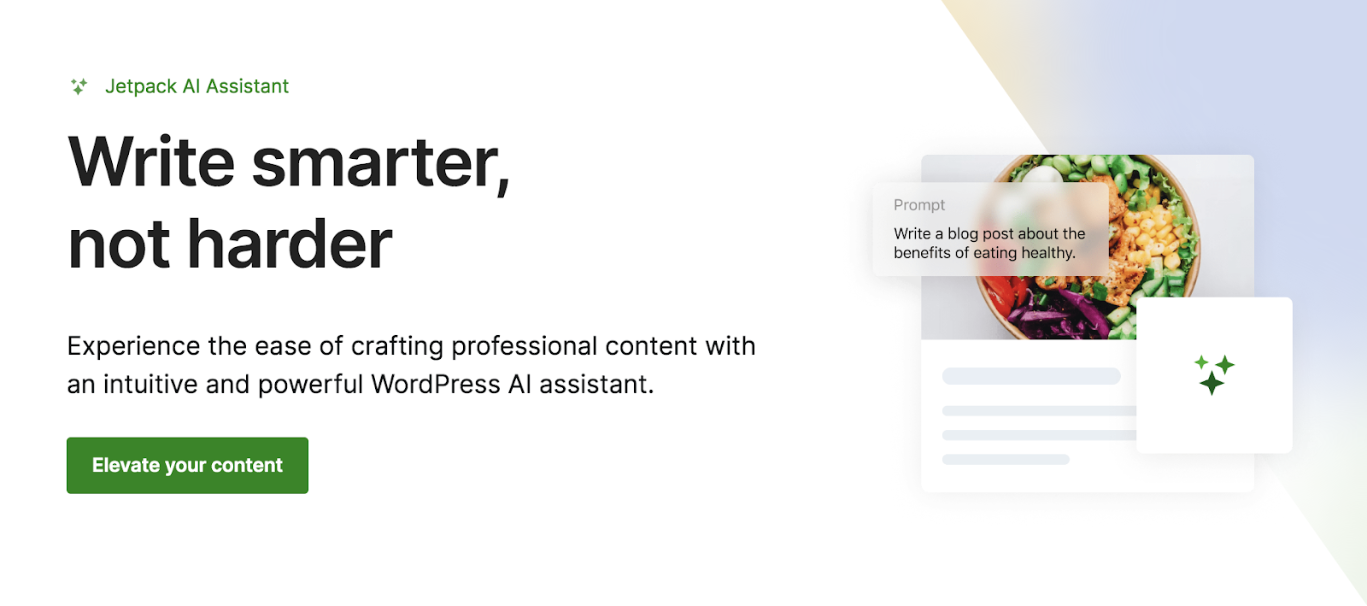
The Jetpack AI Assistant is a content creator designed for WordPress users to generate and enhance content directly within their dashboard. It was designed to overcome the challenge of switching back and forth between platforms while writing or editing content.
Key features:
- Automatic content creation for blog posts, lists, etc.
- The ability to adjust the tone of your content assets as needed
- Grammar and spelling corrections, along with readability suggestions
- Image generation using custom prompts
- Integration with the WordPress editor
Pros of Jetpack AI Assistant:
- You can generate text and images to handle all of your content creation needs in one place.
- You don’t have to switch platforms or toggle between windows to write or edit, which saves time and confusion.
- You can create lists and tables directly within the block editor, saving time spent formatting.
- The tool is maintained by Automattic, the people behind WordPress.com. That means that it works seamlessly with WordPress, along with popular themes and plugins.
Cons of Jetpack AI Assistant:
- The free version is limited, as you get only 20 requests. So, you’ll eventually have to upgrade to a paid plan.
- Like all AI tools, you may experience inaccurate outputs either due to outdated training data or user error with prompts.
Ease of use:
If you already use the WordPress editor and Jetpack, it’s a no-brainer to consider the AI assistant. It’s already built into the plugin and works within the dashboard. There aren’t dozens of extra steps or processes to learn. Plus, you can communicate with it like you would a colleague.
Best suited for:
Any business or individual that uses WordPress.
Pricing:
Jetpack AI assistant costs $4.95 per month (billed annually) for the first year. After the first year, it’ll cost $9.95 per month. The paid option includes a higher request capability, priority support, and free features.
2. Rytr
Rytr is a highly rated AI-powered writing assistant that empowers people to create original, high-quality content. It offers multiple templates and is quite flexible — making it ideal for any use case you have. It’s built on OpenAI’s GPT-3 model, so it’s quick and reliable.

Key features:
- The ability to analyze your writing and mirror its tone
- A Chrome extension that lets you use the tool anywhere on your desktop
- An in-line editor that allows you to edit smaller sections as needed
- Content creation in over 35 languages
- The ability to create your own voice and tone guidelines
- A plagiarism detector powered by Copyscape
- A pay-as-you-go API that can connect the generator to different tools
Pros of Rytr:
- Rytr is quite a straightforward tool. If you need to write copy, you can start doing so almost immediately.
- The transaction speed for generation is often between two and five seconds — much faster than competing tools in the market.
- Many users have reported that the tone of voice feature helps them write in their style, which saves time editing the output.
Cons of Rytr:
- Rytr is not well-suited for long-form copy, which requires more context and input. If you do use it, the output isn’t the best.
- You might have to provide more input or adjust your prompt to get the desired results, especially if you have a specific output in mind.
- In the free plan, you can reach your output limit quite quickly, which pushes you to sign up for a paid plan.
Ease of use:
Rytr has a simple user interface where you can choose your use case, provide inputs, and get short-form copy in minutes. It doesn’t require a steep learning curve, and beginners can use it immediately.
Best suited for:
Rytr is ideal for marketers and business owners in the following segments: ecommerce, local stores, and blogging.
Pricing:
Rytr offers a free plan that lets you output 10,000 characters per month. If you need a higher output, you can sign up for the following paid plans:
- Unlimited: $9 per month for unlimited characters with one tone match.
- Premium: $29 per month for unlimited characters and multiple tone matches.
3. ChatGPT
ChatGPT is OpenAI’s brainchild and the program that brought about the AI renaissance in marketing. It can help you with writing, brainstorming, and even problem-solving tasks. For example, you can generate article outlines or find content gaps in competing blog posts to reduce the time it takes to create unique, valuable content.
Key features:
- Content generation for blog posts, email copy, and more
- The ability to research topics by browsing the entire internet (in natural language)
- File uploads like images and text documents for analysis
- Custom GPT creation for specific use cases
- Picture creation using models like DALL-E
Pros of ChatGPT:
- It has a wide range of use cases — from writing to data analysis, so it’s excellent for crunching large datasets or transcripts while writing.
- Its ability to understand natural language queries is the best compared to competing tools in the market.
- It can scan and understand web pages, which makes it useful for research and analysis.
Cons of ChatGPT:
- It could hallucinate and give you factually incorrect outputs — so you’ll need to fact-check all of its work.
- The subscription can feel pricey if you’re not using it enough but still need the advanced models for content generation.
- Recent models like GPT-4 show telltale signs of using AI, like excessive semicolons, absurd metaphors, and over-use of words like “supercharge” and “imagine that.” which require much editing to get the content in shape.
Ease of use:
Since ChatGPT relies on natural language to process queries, its chat-based interface is relatively easy to get started with. The output can be pretty generic, but you can expect better results if you learn how to create effective prompts.
Best suited for:
ChatGPT doesn’t cater to a specific audience and is open to individuals and businesses of all sizes.
Pricing:
ChatGPT offers a free plan with limited access to models like GPT-4o. It also has three paid tiers:
- Plus: $20 per month and offers access to its latest models — including image generation.
- Team: $30 per user per month and is meant for small businesses. ChatGPT doesn’t use your data to train its models in this plan.
- Enterprise: You need to contact sales for a quote. This plan is meant for larger businesses that need account management and support.
4. Jasper
Jasper is an AI platform tailored to marketing teams, offering tools to create, optimize, and scale content across different formats. You can generate on-brand content and manage marketing campaigns with its built-in AI workflows. It also provides enterprise-grade features like analytics and team collaboration tools.

Key features:
- A brand voice tool that lets you create content in your style and tone
- The ability to talk to Jasper in natural language using the Chat feature
- Image generation and editing using the AI image suite
- Content generation in 80+ languages
Pros of Jasper:
- Jasper has a massive set of templates (currently more than 50) to help users get started with content generation.
- Its chat feature mimics ChatGPT’s capabilities, making it easier to interact with the tool.
- Unlike other tools, you can create your own internal database to make the output more nuanced and brand-specific.
Cons of Jasper:
- Many users have reported issues with their subscriptions, where they’ve either been unable to get a refund or used it even after they have time left on their subscription (post-cancellation).
- The tool is expensive when you consider others in the market.
- The translation feature is not entirely accurate, so you’ll have to review the text for grammatical errors before publishing.
Ease of use:
Many users find the platform easy to use because it already has built-in templates and the ability to add assets. As a result, you don’t have to waste time tinkering with the output or learning how to use a new workflow.
Best suited for:
Jasper suits individuals and marketing teams from industries like Ecommerce, Technology, Media, and Insurance.
Pricing:
Jasper only offers a 7-day free trial to test its paid tiers. The paid plans include the following:
- Creator: $49 per month for one brand voice and user seat.
- Pro: $69 per month, per seat for up to five seats and ten knowledge assets
- Business: Contact the sales team for a quote. This plan includes enterprise-grade security and performance analytics.
Content optimization tools
Take your writing from good to great or enhance your content to attract more visitors from search engines and keep them engaged longer. These tools help make your content product better.
5. Grammarly
Grammarly is an AI-powered writing assistant designed to help users improve their writing — no matter where they’re publishing. The platform offers real-time grammar, punctuation, tone, clarity, and style suggestions.

Key features:
- Grammar, punctuation, and spelling correction
- Clarity and conciseness suggestions
- The ability to detect tone mismatch and adjust accordingly
- Plagiarism detection (with sources)
- Integrations with multiple platforms (Gmail, Word, Slack, etc.)
Pros of Grammarly:
- It’s helpful for getting your document into the right shape with its edits.
- It’s also available as an extension or desktop/mobile app, making it easy to edit content anywhere.
- The app comes with a plagiarism and AI detector so you can edit the content to make sure it’s original and human-like before publishing.
Cons of Grammarly:
- Not all suggestions are worth taking — so you’ll need some command over your language to accept them.
- It doesn’t offer very specific editing formats like the APA or MLA style guides, which would be helpful for other kinds of copy, like press releases.
- There are instances where it keeps switching suggestions — which hampers the editing process.
Ease of use:
Grammarly is easy to start, but some upgrade calls to action may distract you while editing. Other than that, it’s easy to adjust the tone and document type to get specific recommendations to improve.
Best suited for:
Grammarly is suited for any content creator who wants to make sure they’re producing error-free copy that’s original.
Pricing:
Grammarly offers a free plan that lets you make basic corrections, generate text, and match a required tone of voice. It also offers two paid plans:
- Pro: $30 per user, per month and includes advanced editing suggestions and plagiarism reports.
- Enterprise: You need to contact the sales team for a quote. This plan offers features like confidential mode and data loss prevention.
6. Hemingway Editor
The Hemingway App is a writing tool that improves readability by highlighting complex sentences, excessive adverbs, and passive voice. The tool gives you real-time feedback to make your writing clearer and more concise by simplifying word choices and sentence structure.

Key features:
- Text scoring and a readability grade
- The ability to highlight complex sentences for simplification
- Passive voice usage flagging
- Detection of excessive adverbs, along with suggested alternatives
- The ability to identify complicated phrases and offer simpler options
Pros of Hemingway Editor:
- The tool makes your writing more accessible based on your audience as it grades the text and offers suggestions to correct it.
- There’s no need to create an account if you’re using the app without AI.
- It’s great for eliminating words that could distract your audience from the message at hand.
Cons of Hemingway Editor:
- No integrations or extensions are available, so you’ll be heavily reliant on the web or desktop app.
- The company recently released extensive editing tools like AI and grammar checks. But it’s still not up to the mark, and provides incorrect suggestions.
- There’s a tendency to make the text too simple, so take the suggestions with a grain of salt.
Ease of use:
There’s essentially no learning curve with the Hemingway App. You can just paste text from anywhere, and it’ll automatically highlight words in different colors based on the issue. For example, adverbs are marked in blue so you can click on them and “fix” them.
Best suited for:
Any content creator who wants to be clearer and more concise in their writing.
Pricing:
Hemingway Editor is free to use. However, if you want to use its AI version (Hemingway Editor Plus), you’ll need to sign up for a paid plan after a short free trial.
- Individual 5K plan: $10 per month for 5,000 AI sentence corrections.
- Individual 10K plan: $15 per month for 10,000 AI sentence corrections.
- Team 10K plan: $15 per user, per month, but you can invoice multiple users on one bill and get priority email support.
7. Surfer
Surfer is a content optimization platform that helps marketing teams improve their search engine rankings. With a comprehensive suite of SEO-focused tools, you can analyze your search rankings, optimize content, and link the right pages using one tool.

Key features:
- A content editor for real-time SEO
- SERP analyzation to compare top-ranking pages
- Help with keyword research and NLP keyword integration
- The ability to audit content and improve existing content
- SEO guidelines for content briefs
Pros of Surfer:
- The platform easily integrates with Google Search Console (GSC) and WordPress. This lets you optimize based on recent data and publish it quickly.
- The product and customer support team is very involved and constantly asks for feedback to improve the product.
- It provides a range of keywords based on natural language processing (NLP) technology. So, you’ll cover keywords comprehensively.
Cons of Surfer:
- The tool can become very expensive because once your credits are used, you either have to move into the next plan or pay for additional credits (per article).
- It doesn’t account for the plural version of the keywords and is too literal in its suggestions. As a result of this and other sometimes illogical suggestions, you might be tempted to stuff keywords unnecessarily or add an absurd number of images.
Ease of use:
As Surfer offers a number of features for content generation and optimization, it can be hard to get started. That said, the user interface is quite simple, and once you get the hang of it, it’s easy to use.
Best suited for:
Surfer is mainly geared towards freelancers, agencies, or in-house marketing teams who want to produce and optimize content for SEO.
Pricing:
Surfer doesn’t offer any free plans or trial offers. It has four paid plans, which include:
- Essential: $89 per month for 30 articles per month.
- Scale: $129 per month for 100 articles per month.
- Scale AI: $219 per month for 100 articles and 10 AI articles per month.
- Enterprise: You need to contact them for a quote. This plan includes a dedicated support manager and quarterly review meetings.
8. Yoast SEO
Yoast SEO is a popular WordPress plugin designed to optimize website content for search engines. It provides tools for keyword optimization and content readability. With Yoast SEO Premium, users get advanced options like multiple keyword targeting, redirect management, and 24/7 support.

Key features:
- Keyword optimization recommendations
- A readability check for posts and pages
- A preview of meta tags
- Schema.org integration for rich snippets
- XML sitemap generation
Pros of Yoast:
- Depending on the plan you have, it takes care of on-page issues like redirection and updating meta tags, so you don’t have to.
- It works well for technical and non-technical users and guides them in optimizing pages effectively.
Cons of Yoast:
- Off-page suggestions are available only in the paid plans.
- The company’s customer support is not very responsive, which could lead to delays if you run into issues.
- Some users report that the menu can be confusing to navigate if you’re trying to find specific features like XML sitemaps.
Ease of use:
Once you install the plugin, it’s easy to get started. It sits right in your WordPress editor so you don’t have to worry about checking a complicated dashboard.
Best suited for:
Any marketer using a WordPress website who wants to make quick work of on-page, technical SEO.
Pricing:
Yoast offers a free plan with basic features, but it also offers two paid plans:
- Premium Yoast plugin: $99 per year for all premium features and access to the Yoast academy.
- All Yoast plugins: $229 per year for access to plugins like WooCommerce SEO and Local SEO.
Content research tools
Planning the right content is just as important as creating the content itself. These tools help you outline a winning strategy so you can attract the right people and make the most of your hard work.
9. Google Trends
Google Trends analyzes and visualizes the popularity of search queries over time. It allows users to explore trending topics, compare search volumes across regions, and identify patterns in user interest.

Key features:
- Search query analysis over specific periods of time
- Regional interest reports
- The ability to identify trending topics
- The option to filter for time, location, and category
- Access to related search terms and rising queries
Pros of Google Trends:
- The best part is that you can get location-specific data, making it easier to get more context on a search query.
- The tool provides comprehensive data for a search query over time — even as far back as 20 years.
- You can drill down into different search engines like image search, YouTube search, and News search.
Cons of Google Trends:
- Recently, the company moved to a percentage-based data report, which makes it hard to understand the actual demand for the query.
- You’ll need to research the query further to understand true searcher intentions.
Ease of use:
Google Trends is as easy to start using as Google itself. Simply enter a keyword and a report will generate right away.
Best suited for:
Any content creator who wants to search for trending topics in their industry or region.
Pricing:
Google Trends is free to use.
10. BuzzSumo
BuzzSumo is a content research and discovery platform designed to help users identify trending topics, monitor brand mentions, and analyze competitors’ content performance. You can access insights on the most shared content across social media platforms and find influencers in your space.

Key features:
- The ability to discover popular content and industry trends
- Analytics that show which pieces get the most social shares
- Tracking for competitors’ content performance
- Monitoring of competitors’ backlinks
- The ability to watch your and competitor’s brand and media mentions
Pros of BuzzSumo:
- It lets you look at content holistically and not just from an SEO perspective, so you get SEO and social data in one place.
- You can create a custom feed depending on your goals and interests. As a result, you don’t miss out on important content.
- Monitoring brand mentions really helps businesses see how users/potential customers engage with their brand.
Cons of BuzzSumo:
- The pricing plans are too expensive for many small business owners or marketing teams.
- Since it’s limited to English, all the data you get is only for English-speaking countries.
- The user interface is slightly outdated and needs improvements to make it easier to use.
Ease of use:
Buzzsumo has several features — more than most content creation tools, making it hard to ramp up. It has a steep learning curve, and you need to spend time with it to use it well.
Best suited for:
It’s made for marketers, public relations (PR) professionals and large agencies who want to stay on top of trends and popular news.
Pricing:
Buzzsumo doesn’t offer a free plan, but you can try its paid plans for seven days. Here is what the paid plans include:
- Content Creation: $199 per month for one user and unlimited searches.
- PR & Comms: $299 per month for up to five users and unlimited searches.
- Suite: $499 per month for up to 10 users and unlimited searches.
- Enterprise: $999 per month for up to 30 users and unlimited searches.
11. Feedly
Feedly is a content aggregation tool that helps users track trends, news, and updates from various sources in one place. You can follow specific topics, industries, or competitors by gathering insights from blogs, news outlets, and other content platforms.

Key features:
- Content aggregation from various sources
- The ability to organize and prioritize content using AI
- Tracking of trending topics in your niche and industry
- Personalized news feeds
- Team collaboration tools for sharing and discussing insights
Pros of Feedly:
- You can create your own custom collection of blogs, news, and interesting stories, making your research process easier.
- It also integrates with tools like Slack to access your feed within other apps and devices.
- You can generate insights from top articles using AI and even send automated newsletters to the right stakeholders to keep them in the loop.
Cons of Feedly:
- You’re relying on RSS feeds to get the data, so if there are any issues with that connection or your site doesn’t have a feed, it could impact your analysis.
- You’ll sometimes find irrelevant content in your feed as the AI keeps learning your preferences.
Ease of use:
Feedly is quite easy to set up and curate your own news feeds. Many users report that it’s a strong successor to Google Reader in terms of coverage and ease of use.
Best suited for:
Content creators, marketers, and researchers who want to keep up with the latest news and content in their industry.
Pricing:
You need to provide your details to try the product. There’s no public pricing available at the moment.
Visual content creation tools
Find the perfect complement to your written content and attract more views, engage more readers, and inspire more action. These tools are all about the visual arts.
12. DALL-E
DALL-E is an AI system developed by OpenAI that generates images from text descriptions. You can create unique and detailed visuals based on natural language inputs, ranging from realistic scenes to imaginative art.
Key features:
- Image generation using text prompts
- Highly detailed and unique visuals
- Support for realistic and imaginative art
- Image generation from abstract or complex descriptions
Pros of DALL-E:
- Its ability to generate images based on pure text input drastically reduces content creation time.
- For each prompt you provide, you get multiple outputs — helping you choose the one most suited to your needs.
- It generates realistic outputs, which are usually hard to do with non-AI image tools.
Cons of DALL-E:
- The images the model generates can be quite abstract in some cases due to the lack of a better prompt or its inability to generate specific details.
- If you’re providing a large prompt, generating a result could take a few minutes.
- The output is usually available in 1:1 sizing only, so you’ll have to tweak your prompts a lot to get the desired results.
Ease of use:
DALL-E doesn’t require a steep learning curve, as the user interface is simple. That said, it could take a lot of experimentation with your prompts to start getting the output you need.
Best suited for:
Any content creator who wants to generate on-brand images using AI.
Pricing:
DALL-E is only available on OpenAI’s paid plans. It’s token-based, so you need to contact their sales team to get a quote.
13. Canva
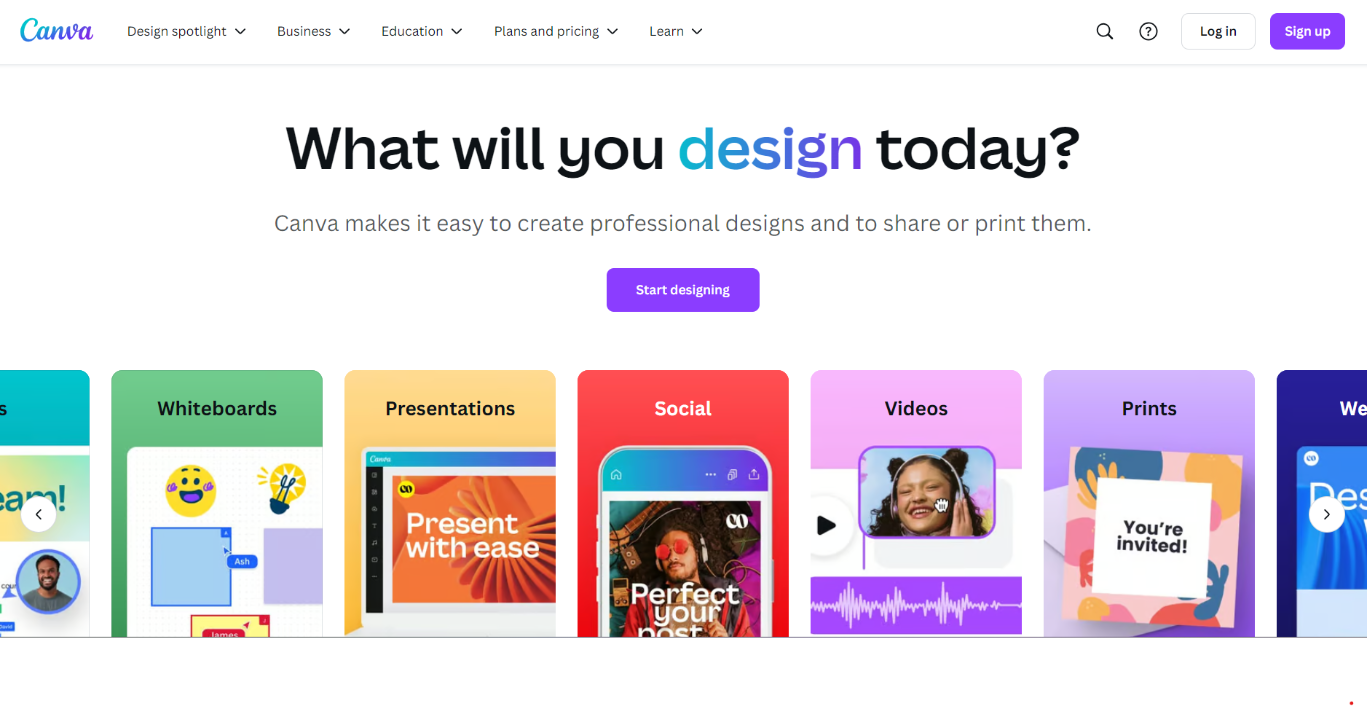
Canva is a graphic design platform that lets you create visually-appealing designs for various purposes, like social media posts, presentations, posters, and more. It’s relatively simple to use because of its user-friendly interface that has a drag-and-drop functionality.
Key features:
- Millions of customizable templates
- An extensive library of stock images, illustrations, and fonts
- The ability to export designs for print and digital use
- Video editing and animation tools
- A brand kit for consistency in logos, fonts, and colors
Pros of Canva:
- The platform lets you create a wide variety of content — like images, videos, GIFs, animations, posters, and presentations.
- You won’t deal with blank page syndrome as you get to choose from millions of templates to get started.
- With the newly-released features, even skilled designers using complex design solutions, like Adobe, find value through its editing and manipulation tools.
- The company’s customer support team quickly responds and resolves issues.
Cons of Canva:
- The platform doesn’t offer offline editing capabilities like many other design software suites.
- The video editing features could use more improvement as many users report that there’s a lack of control over the editing process.
- Many templates or elements are not free, which eventually forces you to upgrade your subscription.
Ease of use:
Canva is one of the most accessible design tools on the market right now. It was created with beginners and non-designers in mind, meaning the product has a simple onboarding process that lets you jump in. The user interface is also easy to navigate, so you can find the right features when needed. That said, to prevent poor-quality output, you’ll still need an eye for design or close adherence to pre-built templates.
Best suited for:
Any content creator who wants to edit graphics for their business or personal needs.
Pricing:
Canva has a free plan that gives you access to over one million templates and AI tools. It also offers three paid plans:
- Canva Pro: $15 per user per month for unlimited premium templates and 1000 brand kits.
- Canva Teams: $10 per user per month and provides access to collaboration tools.
- Canva Enterprise: You need to contact them for a quote. This plan offers features like IP indemnity and a dedicated success manager.
Seven factors to consider when evaluating content creation tools
Choosing the right content creation tool is a challenge, considering they all seem similar at first. So, keep the following factors in mind during the evaluation process:
1. CMS integrations
First things first, make sure the AI tool you choose integrates with your content management system (CMS). You don’t want to waste a ton of time trying to figure out how to get the content you create on your website.
This is why you need a tool that integrates with your CMS so you don’t waste time importing content — and can work directly within it. For example, if you’re using WordPress, Jetpack’s AI Assistant is available within the block editor itself, making it easier to generate content and publish it all in one spot.
2. Ease of use
User-friendliness is one of the most underrated factors. If you can’t get started quickly, it’s too complex to use because you’ll waste time figuring out the tool instead of doing the actual work.
Look for tools that have clean and straightforward interfaces and logical workflows. You should be able to see the right features almost immediately, and it shouldn’t take multiple clicks to start working with it. Why? Because you want to reduce the time spent on the creation process.
3. Features and functionality
The features you choose should align with what you need. Some AI content creation tools become bloated over time, making things far too complex for users. Others may be over-simplified — requiring you to open multiple tabs or run a variety of programs at once.
There are plenty of tools available, so you should be able to outline all of your needs and find just a few that can work together to accomplish the majority of your workflow.
4. Automation capabilities
You also want to evaluate if the tool can automate specific tasks. Can you bulk upload prompts and generate multiple versions of text/images? Can you connect it to third-party tools and integrate it into your workflows?
Automating repetitive tasks — like scheduling posts, crunching datasets, and organizing information — is a huge advantage.
5. Cost
When looking at pricing, go beyond the “sticker price” and evaluate what you get for that price. For example, the Jetpack AI assistant costs $4.95 per month when billed annually, but you get super high request capacity and can also:
- Work directly within your WordPress dashboard
- Create tables and structured lists for your WordPress posts
- Get title, grammar, and tone suggestions
Imagine the hours you’ll save for one content piece, let alone hundreds across the year. Also, you’ll keep getting access to updates and new features at the same subscription price, increasing its value over time.
Similarly, if you’re choosing a paid plan for any tool, assess your budget and see which tools give you the right features, capabilities, and value over time. As much as you want to sign up for the most feature-rich tool, there’s no point paying for something you won’t use.
6. Scalability
If you plan on increasing content output over time, you need a tool that can scale to meet your needs. For example, can the current pricing plan give you enough high-quality output if you tripled your requests next year? What does the price increase look like?
What if you add team members and need to work collaboratively? Find options that can go far beyond your current needs.
7. Accuracy and reliability
Do your editing tools provide helpful, proper suggestions? Do your content generation tools produce engaging, interesting paragraphs? Is it easy to plan new campaigns with your research tools? Accuracy means something different for every type of tool.
You want to test the tool to see if it works properly all the time without:
- Frequent crashes
- Data loss
- Unexpected behavior
The main goal is to make sure it can handle complex tasks without slowing down or becoming unstable.
Frequently asked questions
Still have questions? Let’s answer some common ones about content creation tools.
1. What are the advantages of using an AI-powered content creation tool?
AI-powered content creation tools offer multiple benefits. This includes the ability to:
- Brainstorm ideas and refine them as needed
- Generate outlines based on content briefs
- Write first drafts faster with the right input
- Create on-brand images with natural language prompts
- Increase content output while maintaining quality standards
- Research topics faster without sifting through multiple pages
2. Can I use an AI content creation tool directly in my WordPress editor?
Yes, you can use AI content creation tools like Jetpack AI Assistant in the WordPress Editor. Since it works directly in the CMS, you don’t have to worry about importing or exporting content to other platforms. From generating content to editing and publishing, everything is handled within WordPress.
3. Where can I learn more about Jetpack AI Assistant?
If you want to learn more about Jetpack’s AI Assistant, head over to the website or check out a few additional resources published on the topic:
- Meet Your New Creative Writing Partner — The Jetpack AI Assistant
- The 10 Best AI Writing Tools to Create Content
- Jetpack AI Assistant Block
The best way to learn it is to try it out. With the free plan, you’ll receive 20 requests, which is perfect for testing. Ready to roll? Get started today.

The most powerful AI tool for WordPress
Turn your ideas into ready-to-publish content at lightspeed.
Elevate your content Jetpack