

Website speed matters — a lot. It’s a core element of SEO best practices, leads to better conversion rates, and satisfies your visitors’ desire for instant results. The faster a website loads, the faster people get where they need to go.
This holds true no matter what content management system (CMS) you’re using. There’s no shortage of guides and tutorials with tips to fine-tune performance, but you can’t overlook the fact that it all starts with the foundation: Your hosting provider.
This article will help you find the fastest WordPress hosting for your needs, along with practical tips for optimizing performance and key factors to consider when choosing a host that prioritizes speed.
Looking for the fastest WordPress hosting? Here are 5 hosts to consider
Time to hit the ground running. These are some of the fastest providers currently on the market.
Later in the article, you’ll find a breakdown of what to look for in a WordPress hosting plan and how to optimize performance — no matter which provider you choose. As you go through this list, watch for some recurring themes. These hosts tend to share key features that consistently deliver speed.
For example, the top three all run on WP Cloud. Created by Automattic, this WordPress-specific cloud hosting infrastructure provides cutting-edge functionality and reliability for the world’s most critical websites.
Let’s take a look at the full list:

1. Pressable
Pressable delivers high-performance managed WordPress hosting built to handle whatever your site throws at it — all backed by a 100% uptime guarantee.
The company utilizes WP Cloud infrastructure, which auto-scales with your site’s growth and includes automatic failover backups to keep content live even if a server encounters issues. Pressable also provides a global CDN, 24/7 automatic backups, server-side caching, and performance reports to help monitor key speed metrics.
Plans include a complimentary subscription to Jetpack Security, offering real-time activity monitoring, malware scanning, and brute force protection. With expert support from a team trained by Automattic, Pressable stands out as a fast, dependable choice for managed WordPress hosting.
Key performance features:
- WP Cloud infrastructure
- A 100% uptime guarantee
- Auto-scaling
- A free CDN
- SSD Storage
- Ten base PHP workers per site
- AMD EPYC Milan CPUs

2. Bluehost
For WordPress sites, Bluehost Cloud offers a performance-focused hosting lineup built for speed, stability, and scalability.
These plans include a 100% uptime guarantee, automatic scaling for resources and PHP workers, and a free CDN—all powered by the WP Cloud framework. Bluehost also provides full data center redundancy, so if one server goes down, your site seamlessly reroutes to another without missing a beat.
Backups and malware monitoring, both powered by Jetpack, help keep your site secure and running smoothly. Bluehost Cloud users also get access to premium support from agents with specialized WordPress expertise, making it a reliable choice for those who prioritize performance.
Key performance features:
- WP Cloud infrastructure
- 100% uptime guarantee
- Auto-scaling
- A free CDN
- SSD Storage
- Five base PHP workers per site (varies by plan)

3. WordPress.com
The Business plan from WordPress.com delivers top-tier performance, powered by the WP Cloud infrastructure. It offers seamless scalability, a 99.99% uptime guarantee, and multi-data center failover with real-time data replication — keeping your site live and available, even in the face of server issues. The plan also includes a premium global CDN and daily automatic backups to maintain speed and stability.
Running a WooCommerce store? The Commerce plan includes all the performance features of the Business plan, along with premium themes, tools, and add-ons tailored for ecommerce.
Both plans come with Jetpack Security, spam protection, and malware scanning, as well as access to Happiness Engineers — a support team trained across Automattic’s full product suite, including Jetpack, and WooCommerce.
Key performance features:
- WP Cloud infrastructure
- A 99.99% uptime guarantee
- Auto-scaling
- A free CDN
- Site monitoring

4. WordPress VIP
For enterprise-level WordPress sites, WordPress VIP offers a premium solution built to handle high volume, security-focused, and mission-critical projects. It eliminates performance bottlenecks and supports the most demanding digital experiences.
WordPress VIP hosts sites on a fully containerized cloud environment, enabling seamless, on-demand scalability — even during traffic surges. The platform consistently delivers fast, reliable performance under pressure.
In addition to infrastructure speed, WordPress VIP includes built-in asset optimization for images, scripts, and stylesheets. It also supports application self-healing, a forward-looking feature that detects and resolves service issues before they affect performance.
Key performance features:
- Enterprise cloud infrastructure
- A 99.95% uptime guarantee
- A free CDN
- Site monitoring
- Application self-healing
- Asset optimization
5. DreamPress
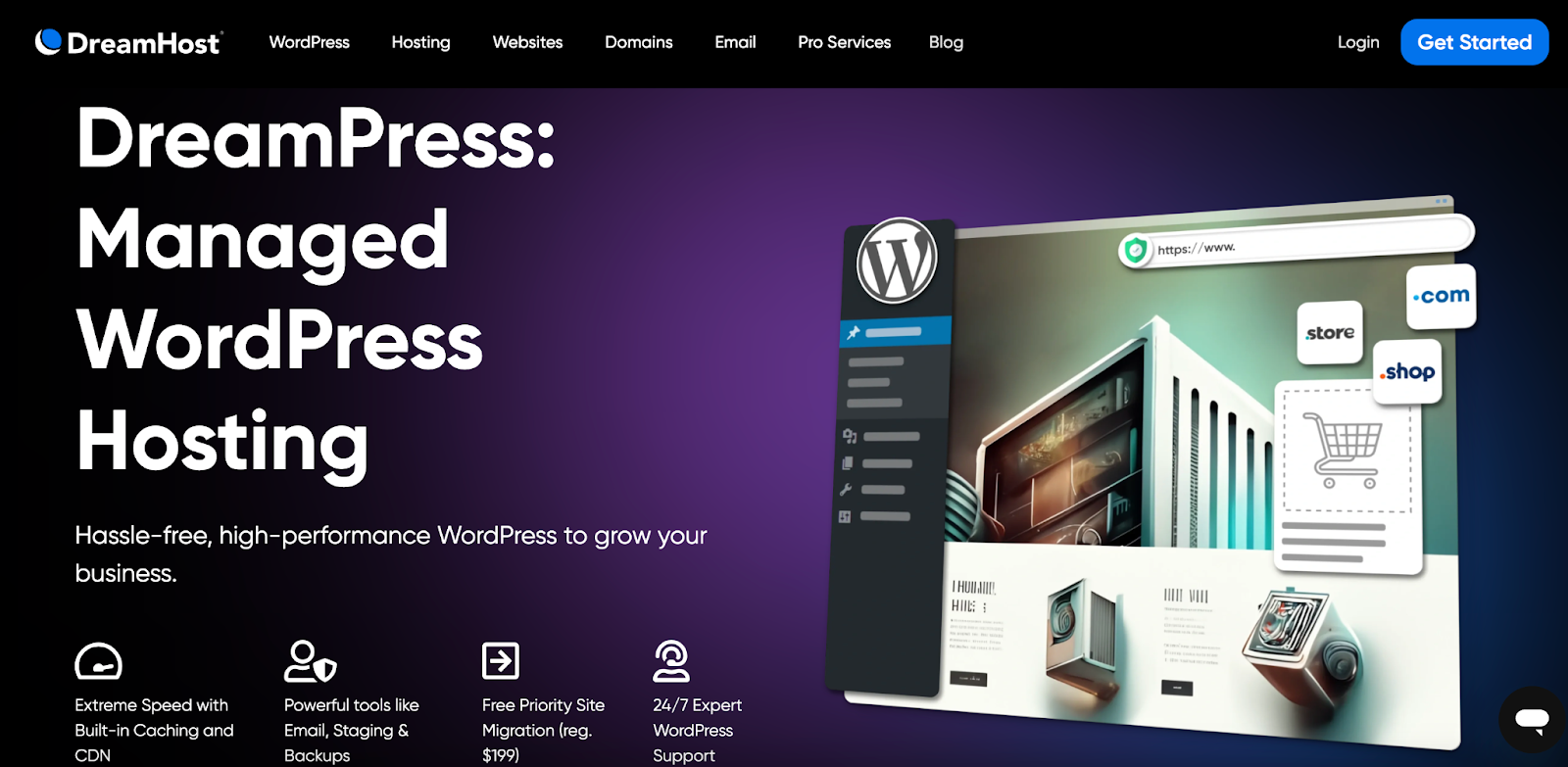
DreamPress, the cloud hosting platform from DreamHost, delivers NGINX-based hosting built for speed and performance-focused projects.
While it comes at a higher price point than DreamHost’s WordPress Basic and VPS plans, DreamPress includes a range of features to boost speed and usability. These plans offer auto-scaling, server-side caching, and Jetpack Security for added protection — along with built-in traffic analytics to monitor performance.
Customers also benefit from free priority site migrations, automatic backups with one-click restoration, and priority support, making DreamPress a smart choice for users who want a fast, feature-rich WordPress environment without the technical overhead.
Key performance features:
- A 100% uptime guarantee
- Auto-scaling
- A free CDN
- NGINX servers
- SSD storage
Comparison of WordPress high speed hosts
Now that you’ve seen the breakdown of the top high-performance WordPress hosting providers, here’s a side-by-side comparison to highlight how they stack up across key features.
| Pressable | Bluehost Cloud | WordPress.com | WordPress VIP | DreamPress | |
| Number of Websites | Multiple (on some plans) | Multiple | One website | Multiple | One website |
| Monthly cost | $25.00 | $90.00 | $40.00 | Quote needed | $23.99 |
| Infrastructure | WP Cloud | WP Cloud | WP Cloud | Enterprise cloud | Cloud hosting |
| Free SSL Certificate | Yes | Yes | Yes | Yes | Yes |
| Uptime Guarantee | 100% | 100% | 99.99% | 99.95% | 100% |
| Jetpack Integration | Yes | Yes | Yes | Yes | Yes |
| Automatic WordPress updates | Yes | Yes | Yes | Yes | Yes |
| CDN Integration | Yes | Yes | Yes | Yes | Yes |
| Automatic Backups | Yes | Yes | Yes | Yes | Yes |
| Firewall and DDoS protection | Yes | Yes | Yes | Yes | Yes |
| Support Options | Phone, live chat, and email | Priority phone and live chat | 24/7 support from Happiness Engineers | Live chat and email |
Managed vs unmanaged hosting: Which is best for fast load times?
When shopping for a WordPress host, you’ll often run into terms like managed and unmanaged. These don’t just apply to WordPress-specific plans — they also show up across VPS, dedicated, and even some shared hosting options.
The difference boils down to how much of the technical work the hosting provider handles, and how much control you can expect to take on yourself.
Pros and cons of each option
Looking at these through the WordPress lens (rather than purely from a server management standpoint), here’s how the two options compare:
Managed WordPress hosting
Pros:
- Optimized for speed and performance out of the box: The server is pre-configured specifically for WordPress, with server-level caching, CDN integration, and auto-scaling already set up.
- Less technical maintenance: The host handles core updates, security patches, backups, and uptime monitoring, freeing up time for content and strategy.
- Better security: Managed hosts often include tools like malware scanning, DDoS protection, and login hardening — without requiring manual setup.
- Expert support: Support teams tend to specialize in WordPress and can troubleshoot plugin conflicts, performance issues, or theme bugs.
Cons:
- Higher cost: Managed plans generally cost more due to the added convenience and infrastructure.
- Less server-level control: Developers who want root access, custom stacks, or deep configuration may find these plans limiting.
- Plugin restrictions: Some managed hosts block certain plugins (especially caching or security-related ones) to avoid conflicts with their systems.
Unmanaged WordPress hosting
Pros:
- Greater control: You can configure the server environment exactly how you want — ideal for advanced users or custom projects.
- Lower cost: Unmanaged plans are cheaper, especially for VPS or cloud-based hosting.
- No plugin or theme restrictions: You’re free to use any tools you like, without worrying about host-imposed limitations.
Cons:
- More responsibility: You’re on the hook for server updates, security hardening, performance tuning, and backups.
- Higher risk of downtime or slow performance: Without the right configurations in place, your site might lag behind fully optimized managed plans.
- Steeper learning curve: Beginners, or those without sysadmin experience, may run into hurdles when managing the environment.
When managed hosting is better
One of the biggest advantages of WordPress is that you’re already working with the world’s most popular CMS. The next step is choosing a hosting setup that fits your team size, technical experience, available time, and budget.
Unmanaged WordPress hosting can be more affordable upfront, but often requires additional purchases — think security tools, backup plugins, caching systems, and more — not to mention the time and know-how to manage them.
Managed WordPress hosting, while typically more expensive, lifts the technical burden. The host handles server maintenance, performance tuning, backups, and security, so your site stays fast and protected. This frees up more time to focus on growing your business, content, or client base, knowing the infrastructure is running smoothly in the background.
Core features to prioritize for fast WooCommerce hosting
Running a WooCommerce store means that performance isn’t just a luxury — it’s a necessity. From large product catalogs to flash sales that bring traffic spikes, speed, and reliability directly impact revenue.
The providers above continue to perform well even under ecommerce-specific demands, but when evaluating any WooCommerce host, keep an eye out for the following key features:
1. WP Cloud infrastructure
For online stores, cloud hosting offers the flexibility and scalability that WooCommerce demands. Resources automatically scale based on traffic and usage, so whether you’re adding new products or handling a surge in orders, your site stays fast and stable.
WP Cloud stands out as the only WordPress-as-a-service cloud platform, purpose-built for the CMS—and a top-tier choice for WooCommerce sites. Hosts that use WP Cloud deliver excellent performance, strong uptime, and built-in security features designed to support high-traffic, high-conversion environments.
2. High-performance SSD storage
Storage may not be the flashiest feature, but it plays a critical role in site speed. Faster drives mean quicker data transfers between your server and your customers’ browsers — which directly impacts page load times and overall user experience.
Solid-State Drives (SSDs) have become the industry standard for performance hosting, offering major speed improvements over traditional hard drives. Most providers use high-speed SATA SSDs, known for their reliability and broad compatibility. However, some hosts now offer NVMe SSDs, which provide even faster direct access to flash memory.
3. Efficient server software (Nginx/Apache)
NGINX and Apache are two of the most common open-source web servers used in hosting environments today. While often viewed as alternatives, they serve different functions and can even work together to maximize website performance.
Here’s a quick breakdown:
- Apache: A widely adopted web server known for its flexibility and deep integration with WordPress. It handles dynamic content well and supports .htaccess configuration files for custom setups.
- NGINX: A high-performance web server and reverse proxy designed to handle large volumes of traffic efficiently. It’s particularly effective at serving static assets quickly and reducing server load.
Although both can power fast websites on their own, many high-speed hosting providers combine them — using NGINX for speed and Apache for flexibility — to get the best of both worlds.
4. Autoscaling and automated caching
Caching plays a major role in optimizing WordPress websites. By storing copies of your site’s data and serving them to visitors, caching reduces the load on your server and delivers content faster — a must for WooCommerce stores expecting high traffic or repeat visitors.
Here are some types of caching worth looking for:
- Object Caching: Stores frequently requested database queries to avoid repeated lookups, reducing the load on your site’s backend.
- Database Caching: Saves query results to speed up interactions with your WordPress database, especially useful for dynamic content.
- API Caching: Caches responses from third-party services (like payment gateways or social feeds), cutting down on external request times.
- Opcode Caching: Pre-compiles PHP code so it doesn’t need to be processed from scratch on every page load.
Alongside caching, autoscaling ensures your server resources adjust in real time to handle sudden traffic spikes — without slowing things down. Many high-speed hosts automate both features, while others give you manual control depending on your plan.
5. Built-in scalability for traffic surges
If you opt for a traditional hosting model, VPS hosting will provide more flexibility than shared plans. You can typically upgrade your plan directly from your dashboard, and thanks to virtualization, this process is quick and usually doesn’t cause significant downtime. That said, scaling often requires manual input — and during a sudden traffic surge, every second counts.
Cloud hosting, by contrast, taps into a distributed network of servers. More traffic? The infrastructure scales instantly. Traffic drops? Your usage — and often your cost — scales down with it. That level of elasticity is ideal for WooCommerce stores with fluctuating demand or plans to grow fast.
The easiest speed optimization plugin for WordPress
Jetpack Boost gives your site the same performance advantages as the world’s leading websites, no developer required.
Boost your site for free6. Content delivery network (CDN) integration
Before CDNs became common, every visitor’s request had to connect directly to your hosting server — which meant the farther away they were geographically, the longer your site took to load. That lag translated to slower performance, frustrated visitors, and potentially lost conversions.
Content delivery networks (CDNs) solve that by caching static assets — like images, stylesheets, and scripts — across a network of global servers. Instead of connecting to your main server, users load your site from the location closest to them. The result: faster page loads, smoother browsing, and a better overall user experience.
Many high-performance hosts now include built-in CDN integration, which makes setup painless and performance gains automatic.
7. High uptime guarantees and reliability (99.99% or higher)
Uptime refers to the percentage of time your website is accessible to visitors — and the closer that number is to 100%, the more reliable your site is. For ecommerce sites especially, even a few minutes of downtime can mean lost sales and a hit to your credibility.
Solid uptime isn’t just about hardware. It reflects the provider’s overall infrastructure, monitoring, and failover systems.
Reputable hosting providers typically advertise uptime guarantees of 99.99% or higher. When reviewing plans, verify that the guarantee isn’t just a marketing claim — the host’s terms of service should back this up with clear compensation policies (often in the form of account credits) if the standard isn’t met.
8. Support for the latest PHP version
PHP is the backbone of WordPress — and like any foundational software, it performs best when kept up to date. Using the latest PHP version improves speed, security, and overall site performance. But for that to happen, your hosting provider needs to support it.
A modern, WordPress-optimized host should meet these key requirements:
- PHP: Your host should support the latest stable version of PHP and ideally let you switch between versions for plugin or theme compatibility.
- HTTP/3: This newer web protocol reduces latency, improves load times, and offers a more efficient connection for modern browsers.
- MySQL: As WordPress’s database engine, the latest MySQL release increases performance, streamlines queries, and tightens security.
These backend technologies work together to ensure your WordPress site runs fast and stays future-proof. If your host doesn’t support them, it’s time to reconsider.
9. Robust security features
Performance means nothing if your site isn’t secure. A fast-loading store that’s vulnerable to attacks won’t stay online for long — and recovering from a breach can cost more than just lost traffic.
A reliable hosting provider should include built-in security features to protect your site and customer data. Look for essentials like:
- DDoS protection: To defend against traffic overload attacks.
- Malware scanning: To catch threats early.
- Web Application Firewalls (WAF): To block suspicious traffic before it reaches your site.
Many hosts also bundle premium security plugins or offer add-ons for features like automated backups, activity logging, and brute force protection.
For an all-in-one solution, Jetpack Security stands out — combining real-time monitoring, malware scans, spam filtering, Jetpack VaultPress backups, and more to keep your WordPress or WooCommerce site safe around the clock.
10. Dedicated and knowledgeable WordPress support
When things go wrong, you should be able to reach out for expert help. The best hosting providers offer support teams specialized in WordPress, ensuring quick, effective solutions.
If a provider doesn’t advertise WordPress-specific support, don’t hesitate to ask about their team’s WordPress training, support tiers, expertise, and response times. Customer reviews and testimonials are also a great way to gauge how responsive and knowledgeable the support team is.
A knowledgeable support team can make all the difference when you need to troubleshoot issues and maintain site performance.
Performance optimization tips regardless of your hosting choice
Optimizing your WordPress website is just as important as choosing the right hosting provider. While a great host includes server-side tools, it’s up to you to ensure your site runs efficiently on the front end.
Whether you’re running a bustling online store or sharing your travel adventures, following these best practices will keep your site performing at its best.
1. Install a fast, lightweight theme
The theme you choose plays a crucial role in your website’s performance. While animations and popups may grab attention, they can slow down your site.
Opt for a lightweight fast-loading theme focused on usability. This will help your site load faster and run more efficiently. As your site grows, you can add more features or dynamic elements using plugins that won’t weigh down the theme itself.
2. Optimize images and media files
High-resolution visuals enhance your site’s appearance, but they can use up bandwidth and slow things down if left uncompressed. To keep things fast, use tools like TinyPNG or Smush to reduce file sizes without sacrificing quality.
Another key strategy is enabling lazy loading, which ensures images only load as users scroll through them. This cuts down on initial load times and improves overall site performance.
3. Regularly clean your WordPress database
Your WordPress database stores everything from posts and pages to plugin settings and theme configurations. Over time, clutter builds up — especially from unused plugins, old drafts, and outdated settings.
Regularly clearing out this digital dust helps reduce load times and improve performance. Use plugins like WP-Optimize to safely remove unused content and keep your site running efficiently.
4. Install a reputable WordPress performance plugin
Performance plugins offer an all-in-one solution for improving your website’s speed. These tools handle caching, optimize CSS and JavaScript, compress images, and even fine-tune PHP performance.
Popular options like Jetpack Boost and WP Super Cache make it easy to implement performance best practices and take precious seconds off your load time.
5. Regularly update WordPress core, themes, and plugins
Your site runs on a foundation of WordPress core files, themes, and plugins — all of which need regular updates to perform at their best. These updates often include speed enhancements, bug fixes, and security patches.
If you’re not on a managed WordPress plan, consider enabling automatic updates in your dashboard or using a plugin to handle it. Just remember: always back up your site before making any updates to avoid issues if something breaks due to a compatibility conflict.
Frequently asked questions
Why does website speed matter for WordPress sites?
Website speed directly impacts SEO rankings, user experience, and conversion rates. A fast-loading site keeps visitors engaged, reduces bounce rates, and helps ensure search engines rank your pages more favorably.
How do I test the speed of my WordPress host?
Use tools like GTmetrix and Google PageSpeed Insights to measure your site’s speed and performance. These platforms provide load time metrics and suggestions to help optimize your WordPress site for both speed and SEO.
How can I speed up my WordPress site besides choosing fast hosting?
In addition to selecting a reliable host, you can boost speed by using lightweight themes, optimizing images, enabling caching, and regularly updating your site. For a deeper dive, check out this Jetpack article on 19 ways to speed up your WordPress site.
What type of server is best for WordPress hosting? (LiteSpeed, Nginx, Apache, etc.)
There’s no one-size-fits-all answer — Apache, NGINX, and LiteSpeed can all power fast WordPress sites when properly configured. What matters more is how your hosting provider optimizes their stack for WordPress performance.
Look into their infrastructure details or ask about their server setup to better understand how they handle caching, traffic surges, and compatibility with WordPress-specific tools.
What are SSD and NVMe storage, and how do they affect speed?
SSDs use flash memory to deliver faster, more reliable data transfer than traditional hard drives. NVMe SSDs are an even faster version, offering direct high-speed access to storage. Both improve load times, with NVMe being the newer, top-performing standard.
What role do PHP versions play in WordPress performance?
PHP is the scripting language WordPress utilizes, so the version your server runs can significantly impact your site’s speed, security, and compatibility. Using an outdated version can slow down your site and increase your vulnerability, so it’s important your host supports the latest PHP version and allows version switching when needed.
Can a speed optimization plugin improve WordPress site speed?
Absolutely. A good performance plugin like Jetpack Boost can significantly improve your site’s speed by handling tasks like code minification, image compression, and page caching. Many also offer helpful insights to identify performance bottlenecks, making them a smart addition to nearly any WordPress setup.

The easiest speed optimization plugin for WordPress
Jetpack Boost gives your site the same performance advantages as the world’s leading websites, no developer required.
Boost your site for free Jetpack