One of the biggest benefits of WordPress is the ability to create a beautiful, compelling website with little to no coding knowledge. With hundreds of professional themes and the flexible, drag-and-drop block editor, it’s an excellent solution for DIY website owners.
But what if you want to go a step further and make more in-depth visual customizations? CSS is one of the fastest ways to change your website’s appearance.
Jetpack is well known for its image CDN, backup features, and stats, but did you know it also offers more than 30 other ways to customize your website? With a modular approach — no features are automatically enabled, and you choose which items to turn on individually — it adds features without loading unnecessary code, so your website runs efficiently.
Please note: Mobile Theme was deprecated in March, 2020. The following information is being kept for posterity.
Howdy Jetpackers,
You might already be familiar with the Mobile Theme module: it displays your content in a clean, uncluttered interface for phones, making it easy visitors to access your latest post on the go.
If you have enabled the Mobile Theme module, your mobile visitors see a fresh blue home page:
But did you know you could customize the look of this Mobile Theme? With a few simple changes, bring your site’s mobile experience more in line with the full-screen version. Your can customize both the kinds of content that appear on your mobile home page and the colors and header.
Customize the contents of your homepage
The Mobile Theme includes two home page options:
You can choose to display excerpts or full posts on the home and archive pages.
You can show a promo for WordPress mobile apps in your footer.
Access these options by clicking on Configure under the Mobile Theme module in the Jetpack menu.
Change the look of the theme
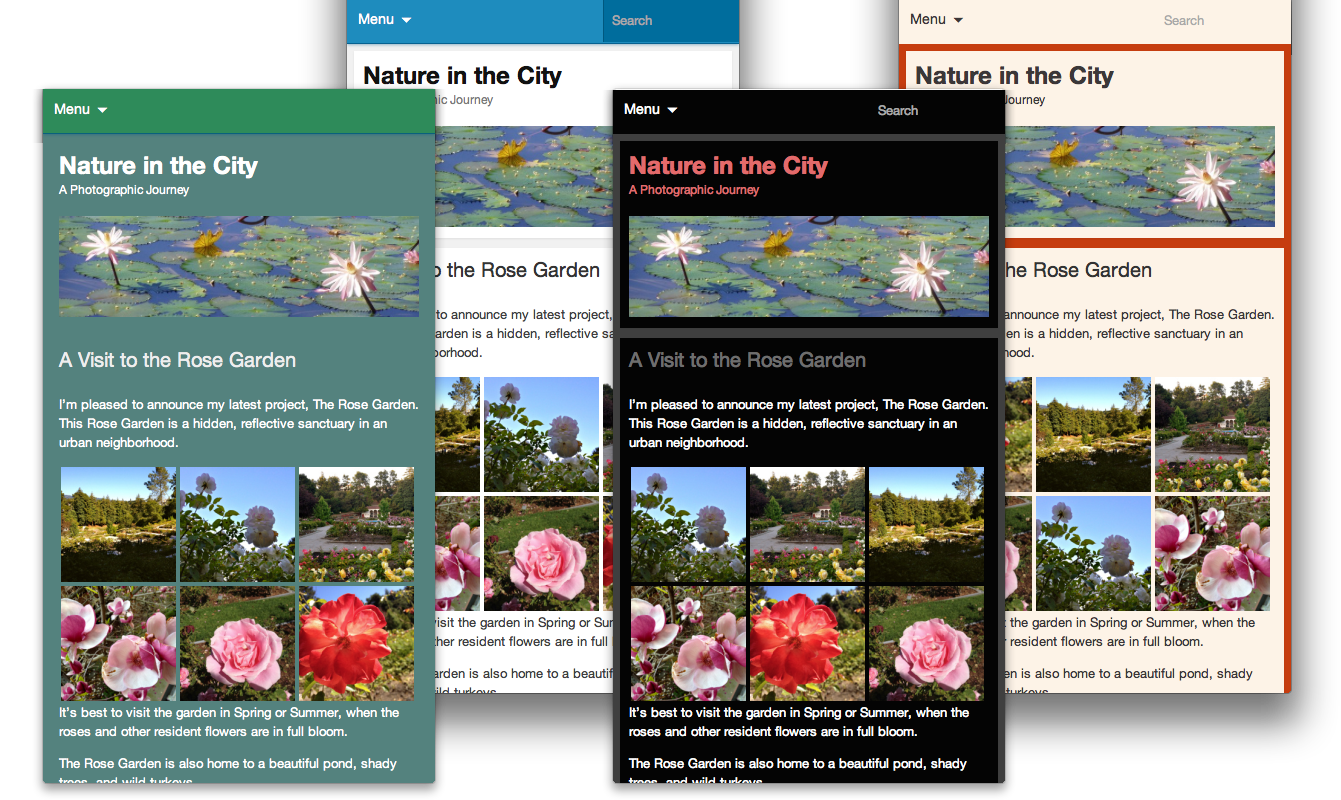
It does use a lovely shade of blue, but what if the Mobile Theme could use the same color scheme as your desktop theme? The same header and background? Luckily, you can do just that — and more!
We’ll go through three ways to customize the Mobile Theme. Depending on what you want to do and how comfortable you are with code, you can make changes through the Customizer, with CSS, or with actions and filters.
Through the Customizer
If your theme features a Custom Background or a Custom Header, the images or colors will automatically be ported over to the Mobile Theme, no additional work needed.
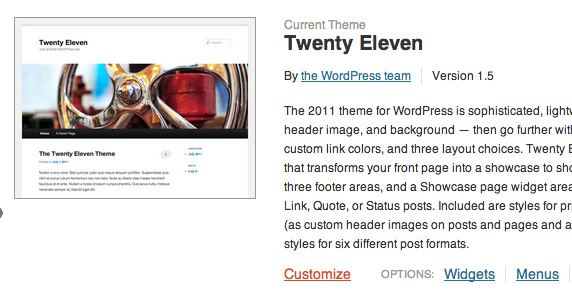
To get started with headers and backgrounds, go to Appearance >> Themes in your dashboard, and click “Customize”:
If your desktop theme supports them, you’ll be able to specify a custom header or a custom background for your desktop and Jetpack’s Mobile theme.
Through the Custom CSS Module
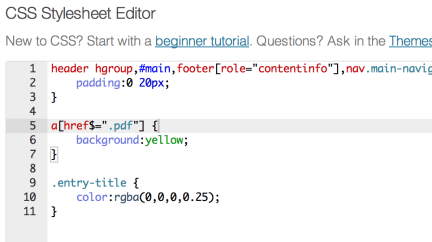
Jetpack includes a module named Custom CSS that allows you to add your own CSS code without having to edit your theme stylesheet. The custom CSS editor is available under Appearance >> Edit CSS in your dashboard.
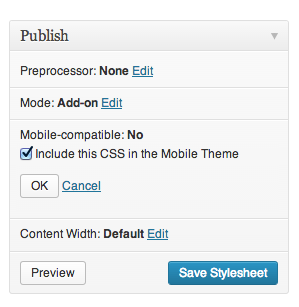
You may have used it to make changes to your desktop theme, but it also includes a Mobile-compatible option:
If you choose the mobile compatible option, all your custom CSS will also apply to the Mobile theme.
You can also use CSS to make changes that are specific to the Mobile theme. To do that, use the .mobile-theme class to target only the Mobile theme.
Through actions and filters
Jetpack’s Mobile theme, like other themes and plugins, uses actions and filters to add data and features to your site. If you want to remove or edit some of the mobile theme’s functions, you can build a small plugin.
Here is a small example: we will add post authors’ Gravatar images before each post on the mobile home page. To do this, we’ll create a new function named jetpackme_author_image, and we will hook that function into the the_content filter.
// Check if we are on mobile
function jetpackme_is_mobile() {

    // Are Jetpack Mobile functions available?
    if ( ! function_exists( 'jetpack_is_mobile' ) )
        return false;

    // Is Mobile theme showing?
    if ( isset( $_COOKIE['akm_mobile'] ) && $_COOKIE['akm_mobile'] == 'false' )
        return false;

    return jetpack_is_mobile();
}

// Let's add the post author's Gravatar image, but only if we're on a mobile device
function jetpackme_maybe_add_filter() {

    // On mobile, and on the home page?
    if ( jetpackme_is_mobile() && is_home() ) {
        add_filter( 'the_content', 'jetpackme_author_image' );
    }
}
add_action( 'wp_head', 'jetpackme_maybe_add_filter' );

// Build the function
function jetpackme_author_image( $content ) {

    global $post;
    $avatar = get_avatar( $post->post_author );

    return $avatar . $content;
}
You could use a similar method to add, edit, or remove features from the Mobile theme. (If you do, please let us know about the cool things you built with the Jetpack Mobile Theme!)
Is there anything else you’d like to know about Jetpack’s Mobile Theme? Is there a particular Jetpack module you’d like to learn more about? Let us know!
The updates just keep on rolling in—Custom CSS has just landed in Jetpack! You now have the ability to add to or replace your theme’s CSS right from your blog dashboard, no child theme required.
To use the CSS editor, first make sure the Custom CSS panel is activated on your main Jetpack page and go to Appearance → Edit CSS. You’ll find the editing interface is fueled up with features like syntax coloring, auto-indentation, and immediate feedback on the validity of the CSS you’re writing. Revisions are saved in case you make a mistake, and invalid CSS is removed on save.
In addition, we’re always working to improve the existing features in Jetpack. Jetpack Comments got a nice UI improvement in this release: when you submit a comment, there’s no more annoying fullpage load on jetpack.wordpress.com. Everything stays on your site 🙂 Also, if you’re using the pretty (a.k.a. not “official”) sharing buttons, we’ve added share counts to the Twitter, Facebook, and LinkedIn buttons.
Last but not least, no release is complete without bug fixes. We fixed a bunch of bugs in the Sharing, Contact Form, Subscriptions, Carousel, and other features. For a more complete list of bug fixes, see the changelog.



 The updates just keep on rolling in—Custom CSS has just landed in Jetpack! You now have the ability to add to or replace your theme’s CSS right from your blog dashboard, no child theme required.
