

Quick Summary
✅ File uploads for Forms – Visitors can attach files with new drag-and-drop support
✅ Forms integrations central – Salesforce, MailPoet, and more in one dashboard
✅ Boost LCP Image Optimisation – Better SEO rankings through faster image loading
✅ My Jetpack unified hub – All products and modules now in one streamlined interface
✅ Stats archive breakdown – See exactly which categories, tags, and author pages get traffic
Full Details
Jetpack Forms are getting more powerful
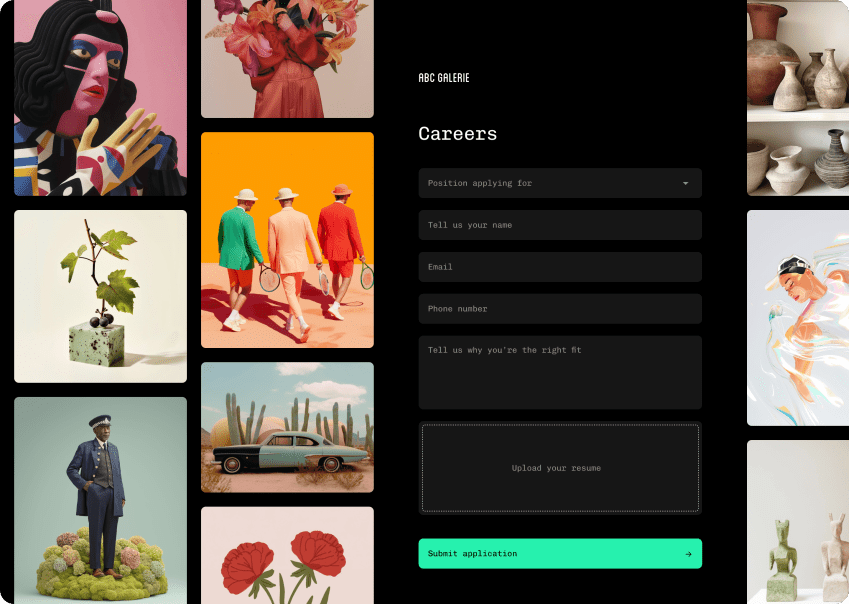
Now great for job applications, event signups, file uploads, and more:
- Drag-and-drop uploads: Visitors can easily drag files directly onto the form.
- Visual upload progress: See real-time progress indicators. Works even with reduced motion settings.
- Secure file storage: Access uploaded files through secure URLs.
- AI Assistant compatible: File upload fields work seamlessly with AI-powered features.
Forms gets smarter with central integrations
Managing form connections has never been easier:
- Central integrations dashboard: All your connections in one place.
- Salesforce integration: Connect your forms directly to your CRM.
- Export enhancements: See count labels on export buttons.
- Unread badges: Know at a glance which forms need attention.
- More integrations are coming soon: including MailPoet, Zapier, Google Drive, Mailchimp, so you can connect your favourite tools and streamline your workflow
- Multi-step forms coming soon: Build more interactive, user-friendly forms with ease.
Boost delivers faster page loads for everyone
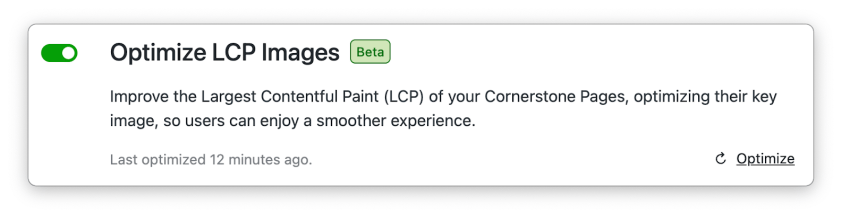
Jetpack Boost’s Largest Contentful Paint (LCP) Image Optimisation is now available to all customers. We are still monitoring it as part of an early access release – marked as “beta”.
- Automatically improves your Core Web Vitals scores by identifying and optimising the largest visible image on your website’s Cornerstone Pages.
- Boosts SEO performance since LCP is a Google ranking factor—websites with good LCP scores (under 2.5 seconds) rank higher than slower competitors.
- Handles both regular images and background images with device-specific optimisations for mobile and desktop.
- No manual work required – LCP Image Optimisation analyses your Cornerstone Pages automatically and applies optimisations behind the scenes.
- Makes your site feel faster to visitors by ensuring the main visual content loads quickly, even if other elements are still loading.
My Jetpack transforms into a unified hub
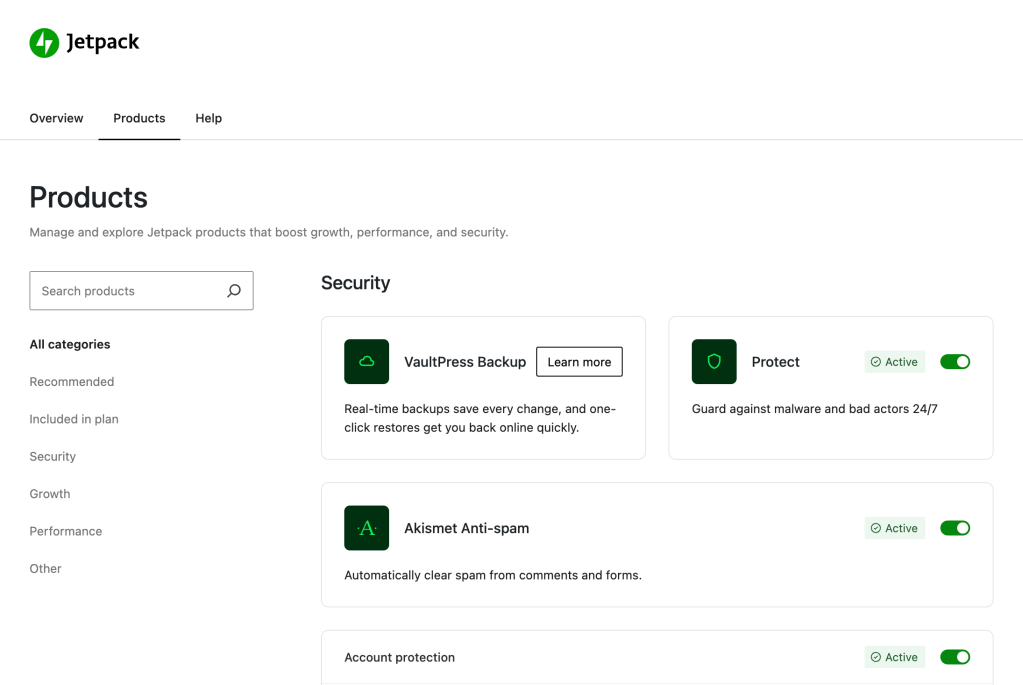
The My Jetpack page received its most significant update yet, building on June’s redesign:
- Single destination for discovery: All products and modules are now discoverable in one unified interface with improved categorisation.Head to My Jetpack → Products tab to explore all products and tools.
- One-click activation: Enable features instantly without navigating multiple screens.
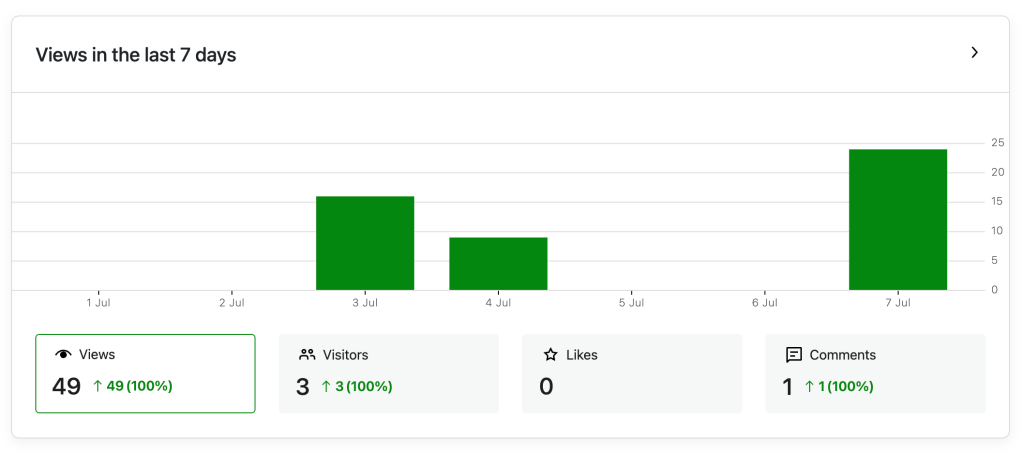
- Enhanced Stats card: View analytics charts directly in your dashboard for quick insights.
Boost makes your pages load faster for visitors
Jetpack Boost’s newest optimisation feature is now available to all users:
- Faster first impressions: Your main content (hero images, headlines) now appears up to 40% faster.
- Automatic improvements: Boost identifies and speeds up your slowest-loading elements without any setup.
- Smarter image loading: Images display at the right size and load in the optimal order.
- Works on all pages: Automatically finds and optimises your most visited pages.
Better experience with your tools
Jetpack Stats shows you exactly where your traffic goes
Stats now breaks down your page views with much more detail:
- New Archive pages section: See traffic for categories, tags, author pages, and search results separately.
- Clearer organisation: Archive traffic is no longer mixed with your regular pages.
- More specific insights: Know exactly which category or author pages get the most views.
- Simplified homepage tracking: Homepage views are now tracked more accurately without confusion.
Find these new breakdowns under “Posts & pages” in your Stats dashboard.

Help when you need it
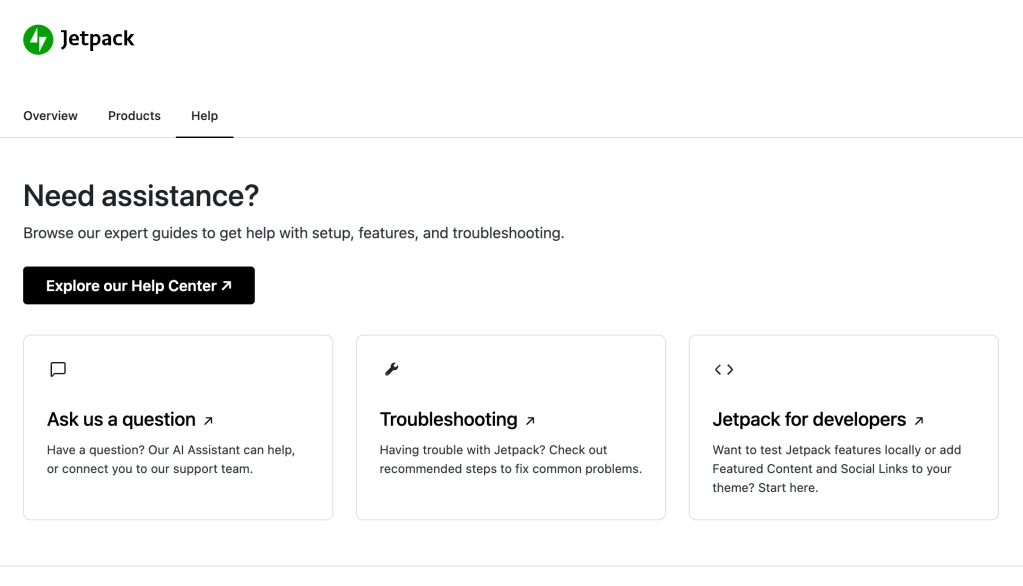
The WordPress.com Help Centre is now built right into Jetpack pages – click the help icon anywhere to get instant answers without leaving your dashboard.
Newsletter and sharing enhancements
- Accurate subscriber counts: Newsletter features display consistent numbers across all dashboard widgets.
- Improved email handling: Clickable email addresses in Forms inbox for quick communication.
Performance updates
- Faster page loads: Improved caching means your pages load quicker for visitors.
- Smoother animations: Forms validation and multi-step forms transition seamlessly.
- Archive pages work better: New technology for displaying your post archives and category pages.
- Enhanced security: Better protection against spam and malicious form submissions.
- No more jumping content: Images and slideshows stay in place while loading.
Bug fixes that matter
- Forms stability: Fixed multi-step navigation, field name validation, and HTML in subject lines.
- VideoPress thumbnail checks: Thumbnail generation process will warn you when you try to navigate from the page but updating is not yet finished.
- Jetpack Settings module search: Small updates fixing search results in settings.
- Multi-site Forms permissions: Forms access correctly respects Super admin user roles.
- Connection reliability: Like blocks now properly check site connection status.
What’s Coming Next
New features and improvements are in development for the July release.
Stay in the loop: Subscribe below to be the first to know about new features and updates.
Get Jetpack updates in your inbox
Subscribe now or forever wonder why you didn’t.
Coming soon
Multi-step forms: Build more interactive, user-friendly forms with ease
Complete list
For more technical details, check out the complete changelog.

 Jetpack