Jetpack plugin features

What Does the Jetpack Plugin Do?

One of the greatest benefits of WordPress is its extendability — there’s a plugin for nearly any task you could imagine so you can build a website that accomplishes anything that you want. 

Does this mean you should load up on plugins? No. The more plugins you have, the slower your site loads, which negatively impacts your visitors’ experience. And some plugins can conflict with one another or with your theme, leading to errors or downtime.

That’s why Jetpack is a great option for WordPress sites: with dozens of tools in a single plugin, it provides a ton of functionality without weighing down your site.

Continue reading → What Does the Jetpack Plugin Do?

Posted in Features | Tagged , , , | 4 Comments

Simple CSS Tips for DIY Website Owners

One of the biggest benefits of WordPress is the ability to create a beautiful, compelling website with little to no coding knowledge. With hundreds of professional themes and the flexible, drag-and-drop block editor, it’s an excellent solution for DIY website owners.

But what if you want to go a step further and make more in-depth visual customizations? CSS is one of the fastest ways to change your website’s appearance. 

Continue reading → Simple CSS Tips for DIY Website Owners

Posted in Learn | Tagged , , , , , , , , , | Comments Off on Simple CSS Tips for DIY Website Owners

Meet Filipe from Jetpack: A Designer with a Passion for Discovery

At Jetpack, our team members are usually busy tinkering under the hood to make sure everything is humming along and our customers are satisfied — but we interrupted one of them for an inside look at Jetpack and some valuable tips and tricks. 

Continue reading → Meet Filipe from Jetpack: A Designer with a Passion for Discovery

Posted in Meet Jetpack | Tagged , , , , , | 1 Comment
screen shot of the new jetpack contact form

Jetpack 5.2: New Contact Form Experience

Jetpack 5.2 brings you a brand new contact form experience, a better explanation of our recommended features, and several performance improvements.

New Contact Form

Jetpack’s Contact Form for WordPress is one of our most popular free features. And with good reason: it’s the simplest and most effective way of enabling your readers to get in touch with you be it for praise, complaints, requests, or suggestions.

And now we’ve made it much simpler and faster to use.

screen shot of the new jetpack contact form

The new Jetpack contact form is now easier to use.

The next time you add a contact form to a page on your site you will see a new visual interface right inside the editor instead of a popup. Enjoy a full editing experience including adding and customizing fields and labels, re-ordering them by dragging, and easily setting email subject lines and recipients.

To edit, simply click on the form itself, and hit the “edit” icon. You can edit or remove the existing fields, or add new ones by going to the bottom of the form and clicking “add field.”

screen shot of new jetpack contact form

Click on the contact form and then the “Edit” icon in order to add new, change the order of, or delete fields in your form.

Simply drag and drop your fields to organize their order the way you want them. Click “Update Form” at the bottom when you’re done to save your changes.

screen shot of new jetpack contact form

Click “Add Field” at the bottom of your new contact form to add new fields. Click “Update Form” to save your changes.

Recommended Features

When you install Jetpack on a new site, we recommend activating certain popular features that are most valued by our users.

We’ve now improved this experience to better showcase and explain what the features and how they benefit your WordPress site.

Performance Improvements

We’ve also streamlined and reduced weight (file size) of the plugin as well as fixed bugs and introduced enhancements for stability. All these are under the hood ensuring a smoother Jetpack functioning with each version.

Full Changelog and Thanks

The changelog provides the full list of updates and changes in this release and if you have feedback please get in touch as always.

Install Jetpack on your site or upgrade your current version today and let us know what you think.

Thank you to the contributors to this release:

Alexandru Bucur, Anthony, Artur Piszek, Ben Lowery, Brandon Kraft, Daniel Walmsley, Derek Smart, Donncha Ó Caoimh, Drew Butler, Elio Rivero, Eric Binnion, Filipe Varela, George Stephanis, Igor Zinovyev, Marko Andrijasevic, Michael Arestad, Michael Turk, Miguel Lezama, Mohammad Jangda, Payton Swick, Richard Muscat, Rob Landers, Stephen Edgar, Thomas Guillot

Pro Tip: Personal plan customers benefit from priority support and faster assistance.

Posted in Releases | Tagged , , | 9 Comments

Jetpack 4.8: The Settings Redesign You’ve Been Waiting For

Today we’re very proud to unveil some changes to the Jetpack settings user interface — available now for upgrade or installation — that have been in the works for a few months.

Back in September, when we launched Jetpack’s new design, we knew it was just the first step in a longer journey. Since then, Jetpack engineers and designers have been collecting your feedback, designing prototypes, running tests, and writing code.

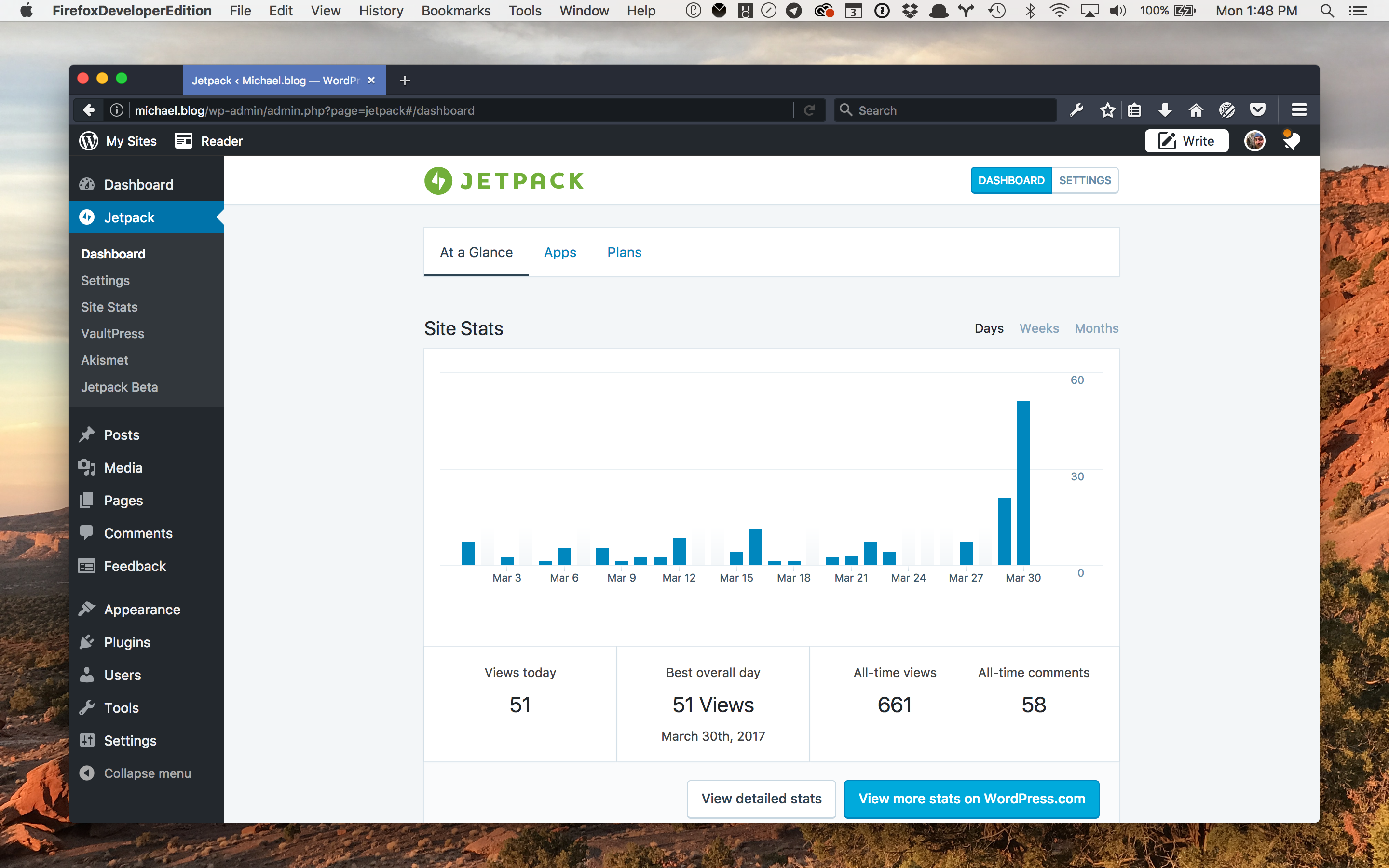
dashboard

New Jetpack dashboard.

To give you a tour of the new user interface, I spoke to Michael Arestad — the Jetpack designer who’s been the glue behind this project.


Continue reading → Jetpack 4.8: The Settings Redesign You’ve Been Waiting For

Posted in Releases | Tagged , , | 44 Comments

Jetpack 1.7: Custom CSS

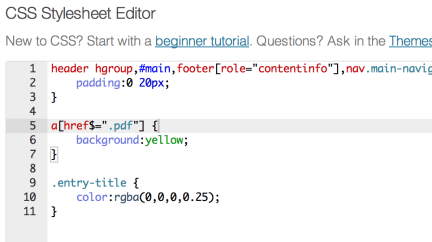
The updates just keep on rolling in—Custom CSS has just landed in Jetpack! You now have the ability to add to or replace your theme’s CSS right from your blog dashboard, no child theme required.

To use the CSS editor, first make sure the Custom CSS panel is activated on your main Jetpack page and go to Appearance → Edit CSS. You’ll find the editing interface is fueled up with features like syntax coloring, auto-indentation, and immediate feedback on the validity of the CSS you’re writing. Revisions are saved in case you make a mistake, and invalid CSS is removed on save.

In addition, we’re always working to improve the existing features in Jetpack.  Jetpack Comments got a nice UI improvement in this release: when you submit a comment, there’s no more annoying fullpage load on jetpack.wordpress.com.  Everything stays on your site 🙂  Also, if you’re using the pretty (a.k.a. not “official”) sharing buttons, we’ve added share counts to the Twitter, Facebook, and LinkedIn buttons.

Last but not least, no release is complete without bug fixes.  We fixed a bunch of bugs in the Sharing, Contact Form, Subscriptions, Carousel, and other features.  For a more complete list of bug fixes, see the changelog.

Posted in Releases | Tagged , , , | 36 Comments
  • Enter your email address to receive news and updates from Jetpack

  • Join 99K other subscribers
  • Browse by Topic