This article was originally published on the BruteProtect blog. BruteProtect was a plugin designed to stop malicious IPs from accessing WordPress websites. The technology behind BruteProtect is now part of Jetpack’s security features, protecting millions of website from brute force attacks every day.
Want the TL;DR? Jump to the test results
To date, the majority of the feedback we’ve received about our acquisition by Automattic has been positive, but we’ve continued to hear from some of our users that they’re concerned about being forced to use Jetpack if they want to continue to receive the protection offered by BruteProtect. Most of these objections are due to the perceived “Bloat” of Jetpack, a plugin that has the capability to add over 30 discrete features to your WordPress site.
We’ve just passed the four-month mark as a part of the Jetpack team at Automattic, and I’d like to address the “Bloat.”
Is Jetpack Bloated?
The power of Jetpack is its ability to provide functionality which can’t (or shouldn’t) be included in core for one reason or another. The primary reason for many of the features is their need to be connected to outside servers in order to function well – tools like
- Photon (which provides a free content delivery network to your site using WordPress.com’s extensive global infrastructure),
- Related Posts (which uses Automattic’s large Elasticsearch cluster to calculate similarity between your posts),
- Monitor (which provides uptime monitoring from a number of servers around the world),
- Stats, Publicize, Subscriptions, Single Sign On, etc.
Most, if not all, of these are features are tools that make your site faster, more secure, keep visitors on your site longer, create a better user experience, help you build more traffic, and help you know more about the traffic that is currently coming to your site.
On top of those core heavy-duty features, Jetpack adds a number of smaller but still useful features – items like Custom CSS, Omnisearch, Beautiful Math, Markdown, Spelling and Grammar tools, Widget Visibility, integrated notifications, contact forms, and more. These are features that add no weight to your WordPress install if you choose not to utilize them.
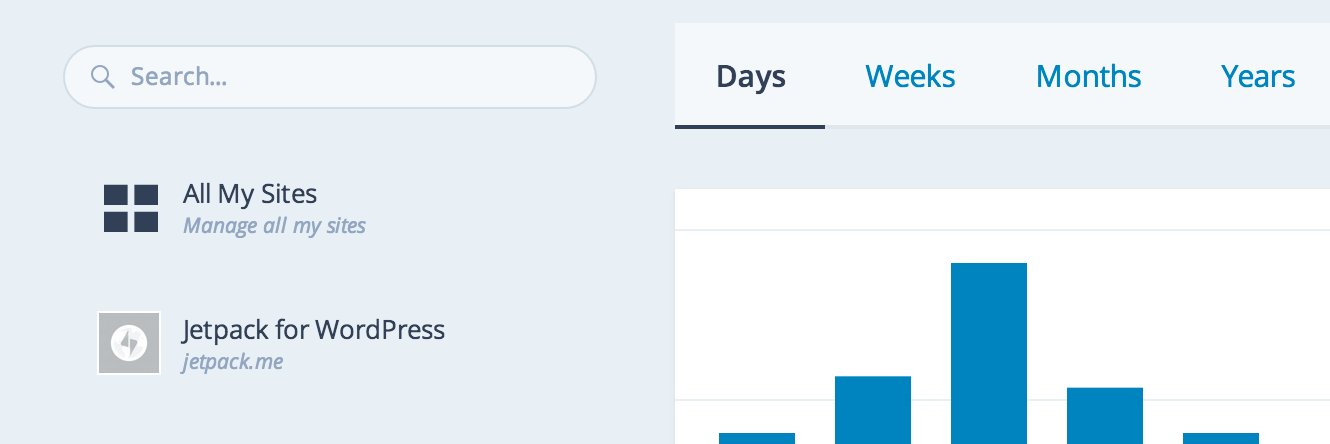
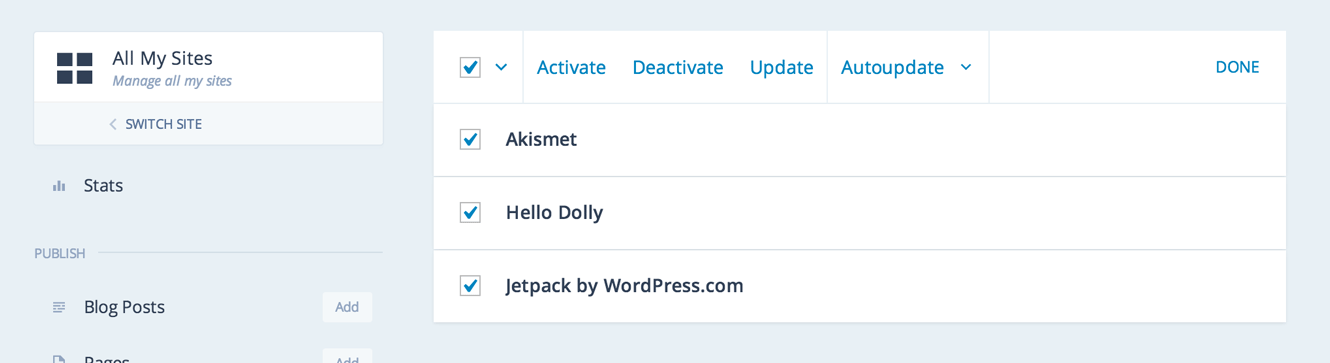
This doesn’t even begin to touch on the new site management features. You can now manage plugins, posts, and pages on all of your WordPress sites from one interface, keeping your sites automatically up to date and secure.
It’s worthwhile to consider the fact that nearly all of Jetpack’s functionality shares a codebase with the same functionality on WordPress.com, so this code is under constant load and testing by tens of millions of users around the world and is being written by some of the best WordPress developers in the world including public contributors (everything we do is public on Github). Every line of code has eyes on it from multiple developers who are looking at it to be both well-performing and secure.
Since joining Jetpack, Derek and I have written a series of 35 tests which are run against Jetpack EVERY TIME there is a commit to the master branch. This tool will immediately raise red flags if there are any code changes which negatively impact the performance of the a WordPress site running Jetpack. We’ll be releasing all the results of these tests to the public in the near future. Every member of the Jetpack team is committed to making sure that performance is a high priority for the project.
Time for Testing
In an effort to look at exactly what effect Jetpack has on a site, and determine whether Jetpack slows down WordPress, we decided to create a test site and run tests against it in two situations.
In situation 1, a user is running only Jetpack, with the 19 Jetpack modules that are activated out of the box (After The Deadline, Contact Form, Custom Content Types, Custom CSS, Gravatar Hovercards, Latex, Notes, Omnisearch, Post By Email, Publicize, Sharedaddy, Shortcodes, Shortlinks, Stats, Subscriptions, Vaultpress, Verification Tools, Widget Visibility, Widgets).
In situation 2, a user is running five plugins that replicate some of our most used functionality: Contact Form 7, Google Analytics Dashboard for WP, Simple Custom CSS, Share Buttons by AddToAny, NextScripts: Social Networks Auto-Poster. Each of these plugins has the most downloads in the WordPress.org plugin directory for its functionality.
So, does Jetpack slow down WordPress?
The results:
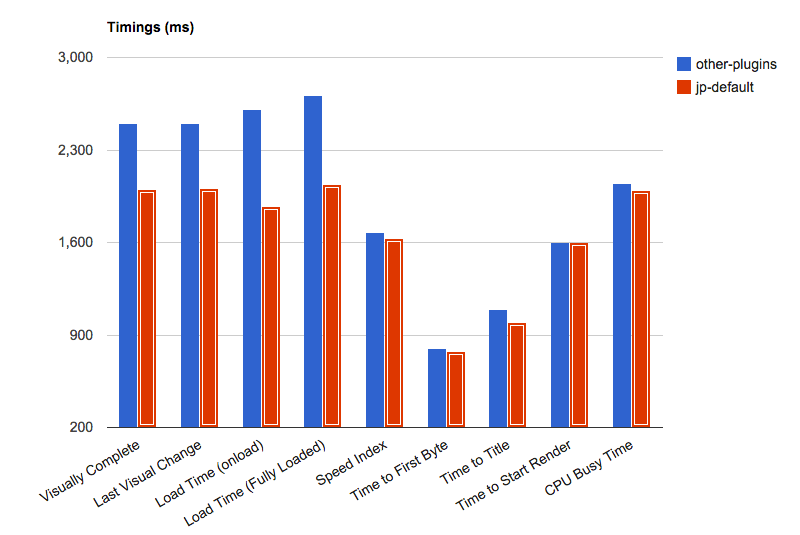
- Jetpack, First load, TTFB: 773ms
- Jetpack, First load, Complete page load: 1876ms
- Jetpack, Repeat view, TTFB: 143ms
- Jetpack, Repeat view, Complete page load: 322ms
- Other Plugins, First load, TTFB: 797ms
- Other Plugins, First load, Complete page load: 2609ms
- Other Plugins, Repeat view, TTFB: 460ms
- Other Plugins, Repeat view, Complete page load: 529ms
The only place running the standalone plugins even gets close is time to first byte on a first page load. Complete first page load is 28% faster, complete repeat page load is 39% faster, and time to first byte on a repeat page load is 69% faster! So you can see that Jetpack (with 19 active modules) offers SIGNIFICANT load time improvements over these five other tools combined. If you start replicating additional functionality, these improvements get even more pronounced.
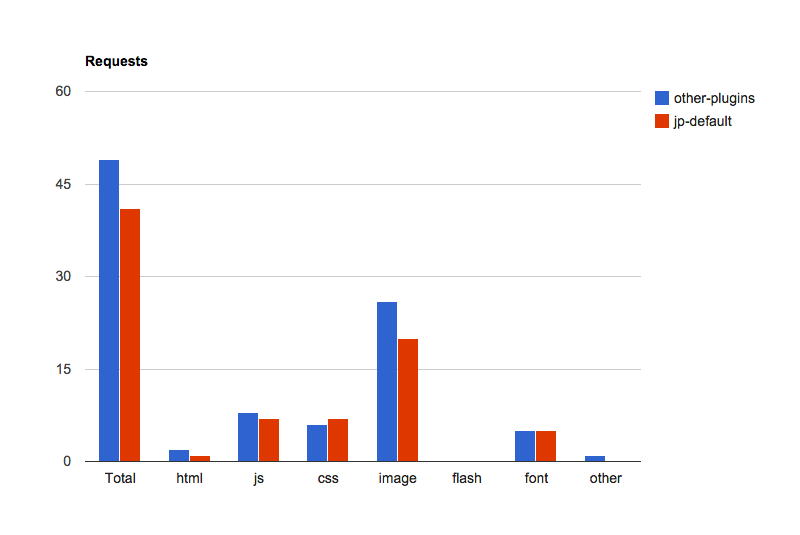
At the end of the day, it’s very easy to have a negative reaction to Jetpack because of its size and scope, but, thankfully, those fears don’t tend to be realized in the real world.
As to the questions about if we’ll keep supporting BruteProtect as a standalone tool, the answer is “not forever.” If you are currently running BruteProtect Shield’s botnet protection on your site, it will continue to function until at least the end of 2015. At some point during the year, we’ll remove the ability to generate new API keys from BruteProtect, and at some point in 2016 we will completely discontinue BruteProtect as a standalone service.
If you’ve had issues with Jetpack in the past, please don’t write it off – come back and give it another shot, I’m pretty sure that you’ll be glad you did.
Still have questions about the Jetpack plugin? Contact support or search documentation for quick answers. Read the follow-up to this test for more data on Jetpack site speed.