

The power of social media is undisputed — it helps you deepen relationships with followers and reach new ones. But it also adds another thing to your to-do list.
While consistent sharing increases traffic, manually posting to Facebook, Instagram, LinkedIn, and other social networks, is a productivity killer. In this guide, we’ll break down exactly how to automate your social media workflow directly from your WordPress dashboard, ensuring you publish once and share everywhere.
How to auto share WordPress posts to social media
Below, we’ll look at the primary considerations when choosing the right social media sharing plugin for WordPress and discuss the leading option: Jetpack Social.
Jetpack Social: The only plugin you need in 2026
Automating your social media marketing is all about efficiency, right? So why log into yet another platform to post to your profiles?
Jetpack is known for its well-supported suite of tools for WordPress sites, and Jetpack Social is the key to unlocking more from your digital marketing efforts. Automatically share new or recycled posts to your favorite profiles, schedule posts in advance, customize images, and optimize for the highest level of engagement on each platform.
And all of this can be done from right within your WordPress dashboard. Write, lay out, publish, and share posts from the same place — how’s that for optimal efficiency?
How to choose the right social media automation tool
While you’ll find plugins that connect your WordPress website to Hootsuite and Buffer, they primarily send new content to the software for scheduling. You’ll then have to log into another account to actually access core features. Jetpack Social allows you to schedule your website content for social sharing directly within WordPress.
Let’s compare some options based on several important factors:
Is it easy to use?
Hootsuite includes a lot of advanced and complex features. While this can be nice, it may also be overwhelming and unnecessary for smaller businesses and independent publishers.
Buffer is considered somewhat easier to use and has fewer features than Hootsuite. However, both of these options will require some work to integrate the software with your website and social channels.
It’s much easier with Jetpack Social. With the dedicated plugin installed, you can toggle features on and off with just a few clicks.
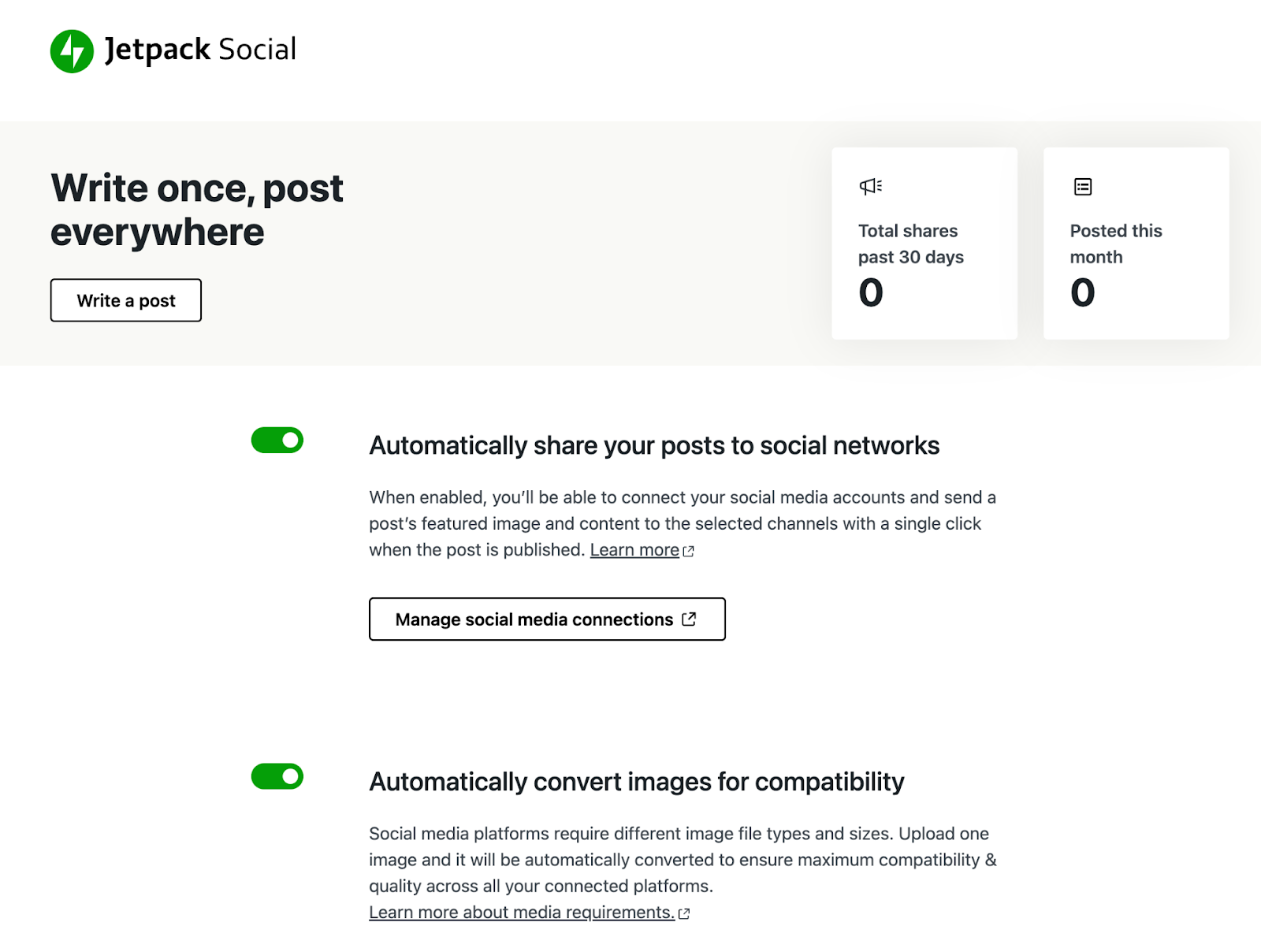
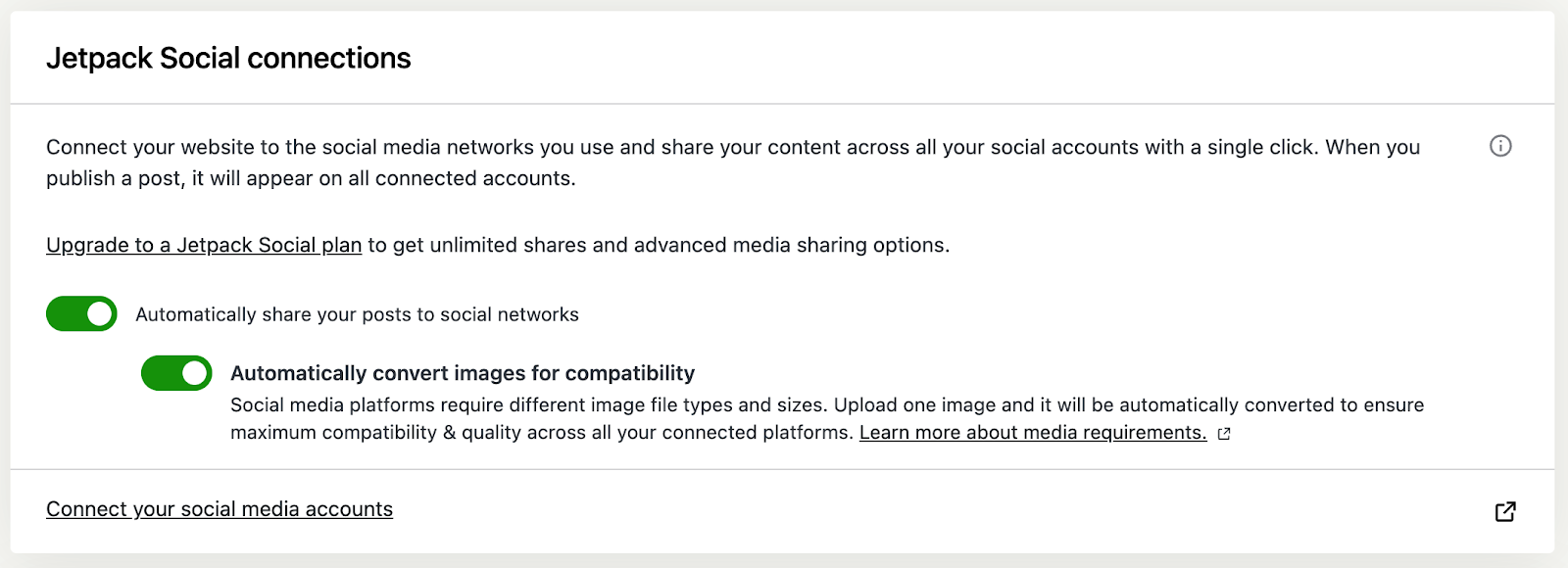
Or, if you have the broader Jetpack plugin for its many other performance, security, and promotional features, you already have access to Jetpack Social’s features. Again, it’s just a few toggles and you’re up and running.
Who is it for?
Larger enterprises with various brands and marketing agencies with many clients often use Hootsuite and Buffer. They allow these big organizations to manage everything all in one place.
Jetpack Social is perfect for small business owners and online publishers. It’s a straightforward way to share content without having to copy and paste links and manually post to your social media channels or log into multiple platforms.
Jetpack Social was built specifically for WordPress website owners. Automattic, the company behind WordPress.com, developed and maintains the plugin. That means it’s a trustworthy solution that will work with your site.
Plus, it’s constantly getting new updates with additional creative features (like the ability to customize images) and social media platform integrations.
Is there a free option?
Hootsuite doesn’t offer a free option. Buffer’s free plan restricts integrations and certain core features.
Jetpack Social allows anyone using the free Jetpack or Jetpack Social plugins to automatically post new content to social media for free. That includes the ability to customize the message. Premium subscribers unlock more features like engagement optimization and the image generator.
Over one million posts are shared every day with Jetpack Social
Because of its easy integration and focused dedication to WordPress site owners, Jetpack Social is the go-to choice for those looking to make the most of each day. Join the growing community of entrepreneurs, site owners, bloggers, marketers, and creators who use Jetpack Social to shorten their to-do list.
What makes Jetpack Social a unique social media auto poster?
With the fewest steps required to get content from your WordPress site to social media, Jetpack Social is the ideal choice for anyone who needs to quickly post to multiple platforms.
1. Connect to your social media accounts in minutes
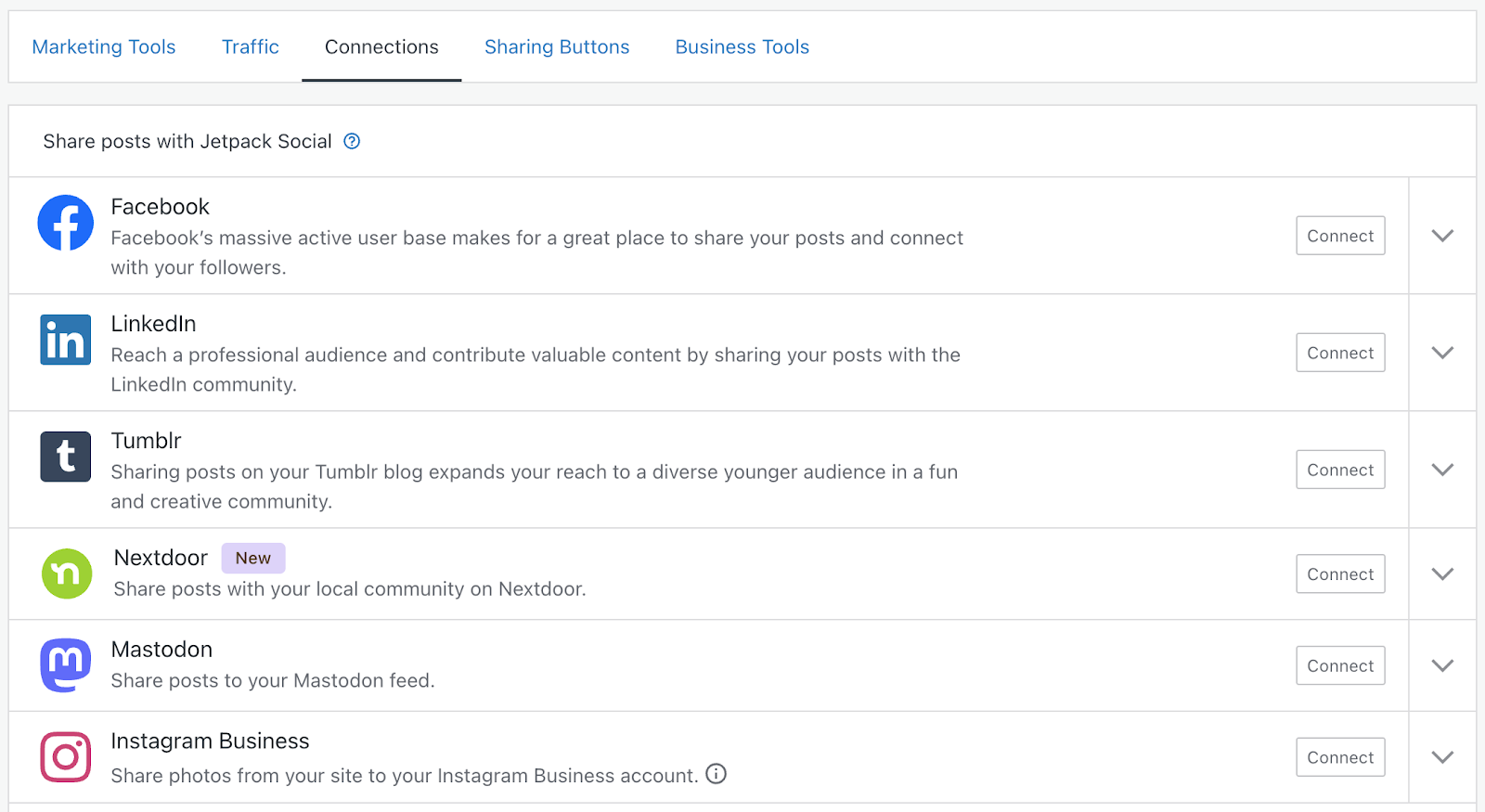
Integrating your favorite channels and toggling permissions takes only a few steps. Before you know it, you’ll have everything connected to your WordPress dashboard and ready for your first post!
2. Schedule posts
One of the best methods for increasing blog readership and site traffic is re-sharing previously published content.
Social media moves quickly — posts are visible for a few minutes to a few hours, at most. Re-sharing content helps you reach more viewers by connecting with people who missed the original update or by trying different messaging to appeal to people who didn’t click the first time.
According to the marketing rule of seven, prospective customers need to hear your message at least seven times before they take action.
Just because someone saw your post one time a few days ago doesn’t mean they’ll remember to buy from you or visit your site today. Consistently re-sharing posts on social media is a smart way to increase traffic and click-throughs.
But who has the time to constantly wait for the perfect moment to post on every platform? You’ve got to sleep sometime.
That’s why successful publishers and business owners use tools like Jetpack Social to schedule posts in advance.

And with Jetpack Social, you can share posts from directly within your WordPress dashboard or even your WordPress.com account. This gives you more flexibility — including the ability to use the WordPress app to publish content on the go.
3. Auto share WordPress posts to social media
Because of its direct integration with WordPress, Jetpack Social can automate social sharing when you publish a new post, with no additional steps. Choose which platforms you want to share to and include a custom message of up to 256 characters, right from the WordPress editor.
People can read your newest posts within seconds of publishing. Talk about a quick return on your efforts!
4. Craft custom excerpts for social posts
Despite automated publishing capabilities, you still have control over your social feeds and the ability to customize posts from within Jetpack Social.
Create a custom excerpt to capture your visitors’ attention and convey your key messaging.
Publish once. Share everywhere.
Automatically share your website content to your favorite social media platforms, from one place.
Get Jetpack Social for free5. Re-share existing posts at a moment’s notice
Scheduling is lovely for working more efficiently, but it doesn’t mean you’ll never want to push out a new post on a whim. Still, you don’t want to have to create a new post for every single social platform. That could take half the day.
With Jetpack Social, you can choose any post to share in real time and broadcast it across every connected social media platform at once.
6. Optimize engagement
Manually published posts can get more engagement, and Jetpack Social can help you take advantage of this without all the extra work. With organic content sharing, you can select custom text and the perfect image or video to share and publish as a dedicated social post instead of a link preview.
7. Design beautiful images
Another time-consuming part of social media marketing? Creating those amazing images to grab your followers’ attention. Jetpack Social has a built-in image generator to help you craft the perfect visual to increase engagement without logging into Photoshop.
8. Review your sharing history
From within your dashboard, you can view your sharing history to see just how much time you’ve saved and plan your next set of successful posts.
Get started with Jetpack Social
Ready to save time and be more effective on social media? Let’s look at how to get started with Jetpack Social.
Note that the instructions below apply to the standalone Jetpack Social plugin. For users of the Jetpack plugin, see these details.
Your first step is to install the Jetpack Social plugin. In your WordPress dashboard, navigate to Plugins → Add New. Search for Jetpack Social.
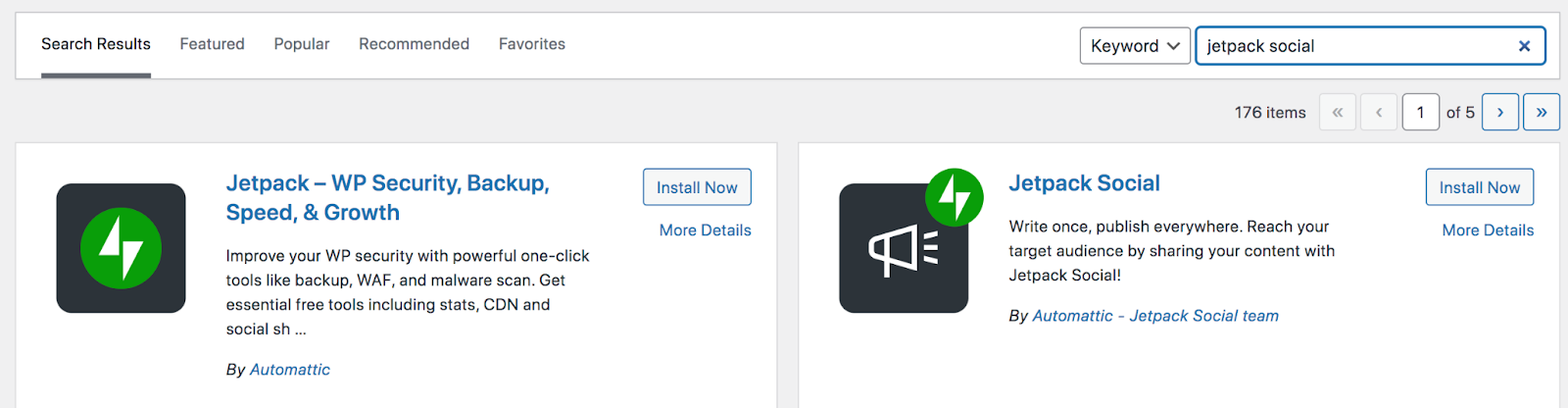
Then, choose Install now → Activate. The plugin will then prompt you to connect to Jetpack. Follow the instructions on the screen.
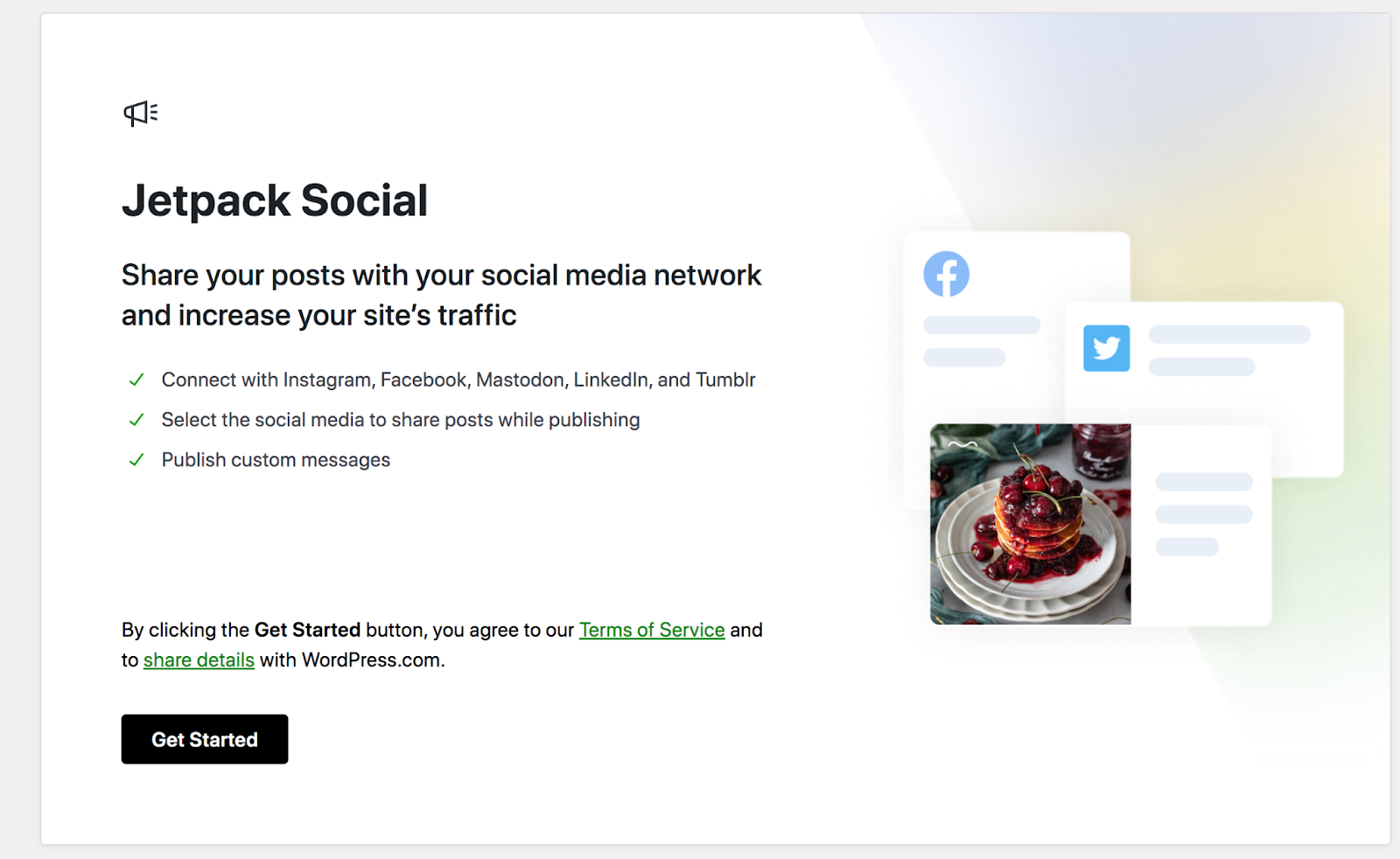
Once the initial setup is complete, you can turn on the auto-share feature by going to Jetpack → Social in your WordPress dashboard. There, you can toggle on “Automatically share your posts to social networks.”
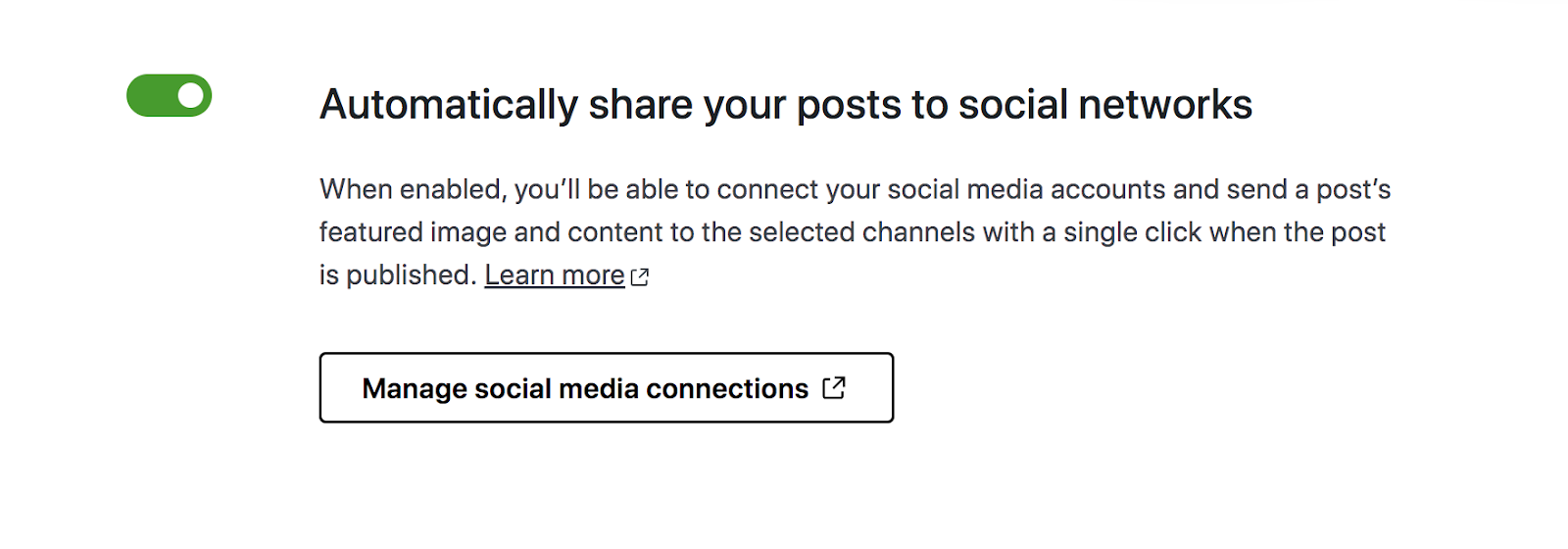
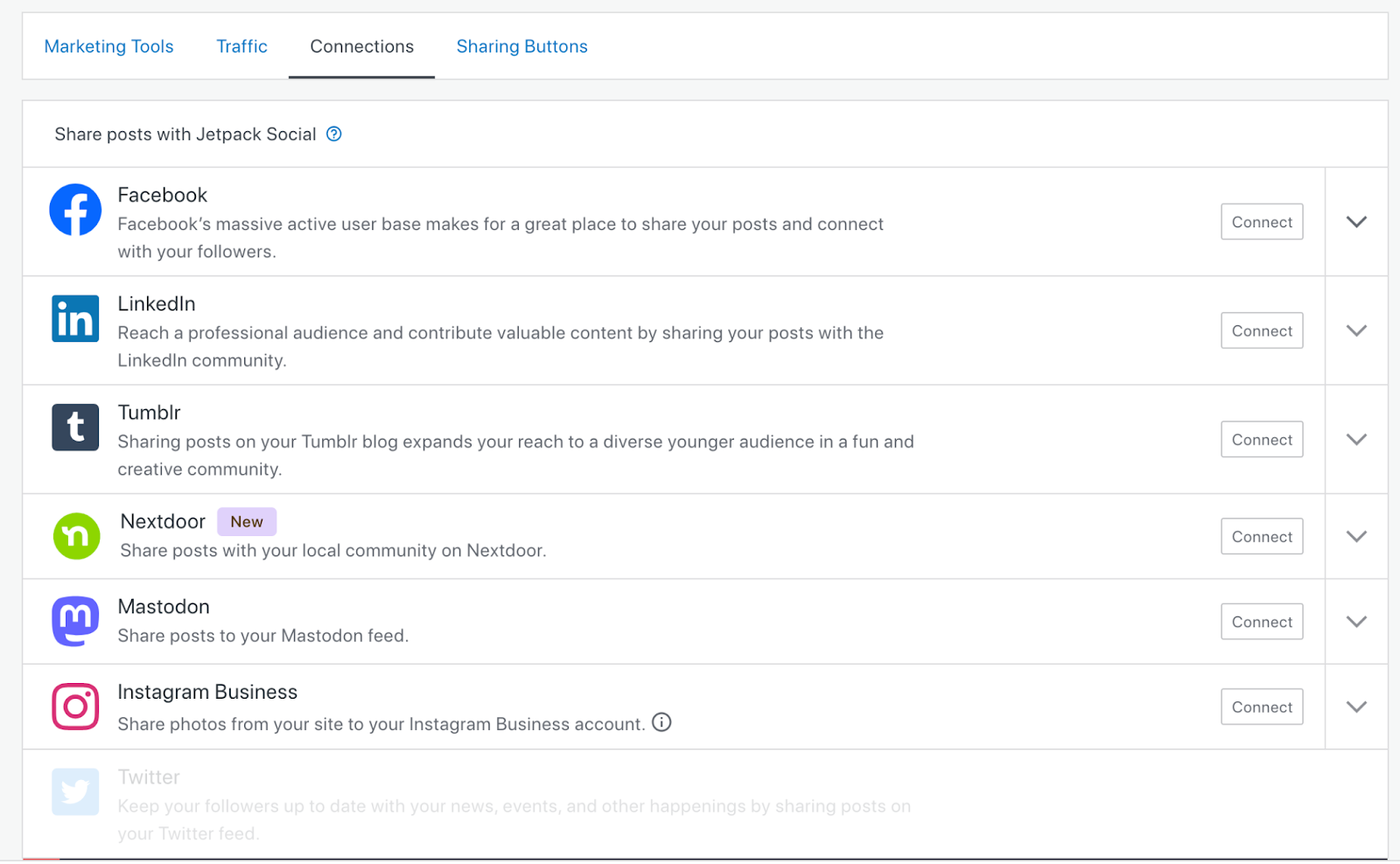
You can also click Manage social media connections. This will open a new screen with a list of possible social media connections. Click Connect next to the ones you want to enable and follow the on-screen instructions.
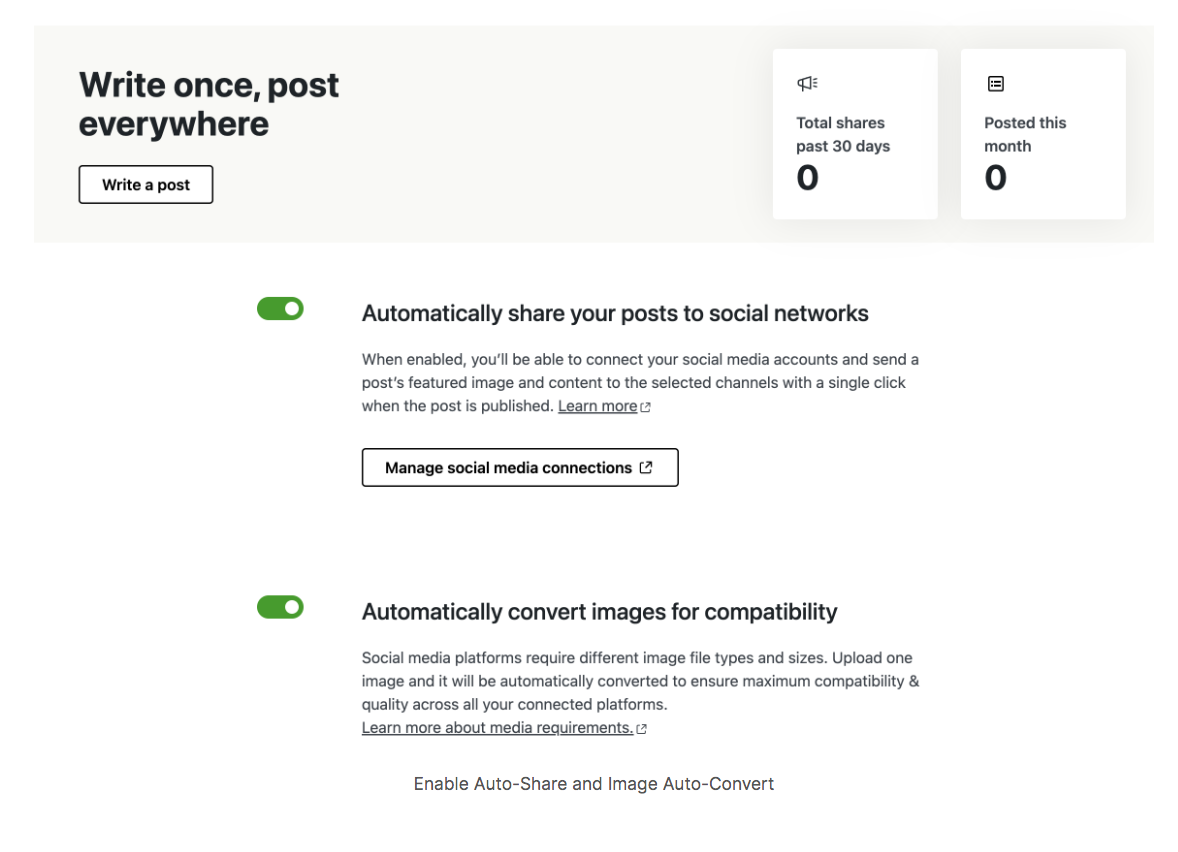
If you go back to Jetpack → Social in your dashboard, you can also configure settings for converting images for different platforms
If you want to configure Jetpack Social settings while working on a blog post, click the green icon at the top right of the editor. Scroll down a bit, and you’ll see options for social preview, sharing, images, and more.
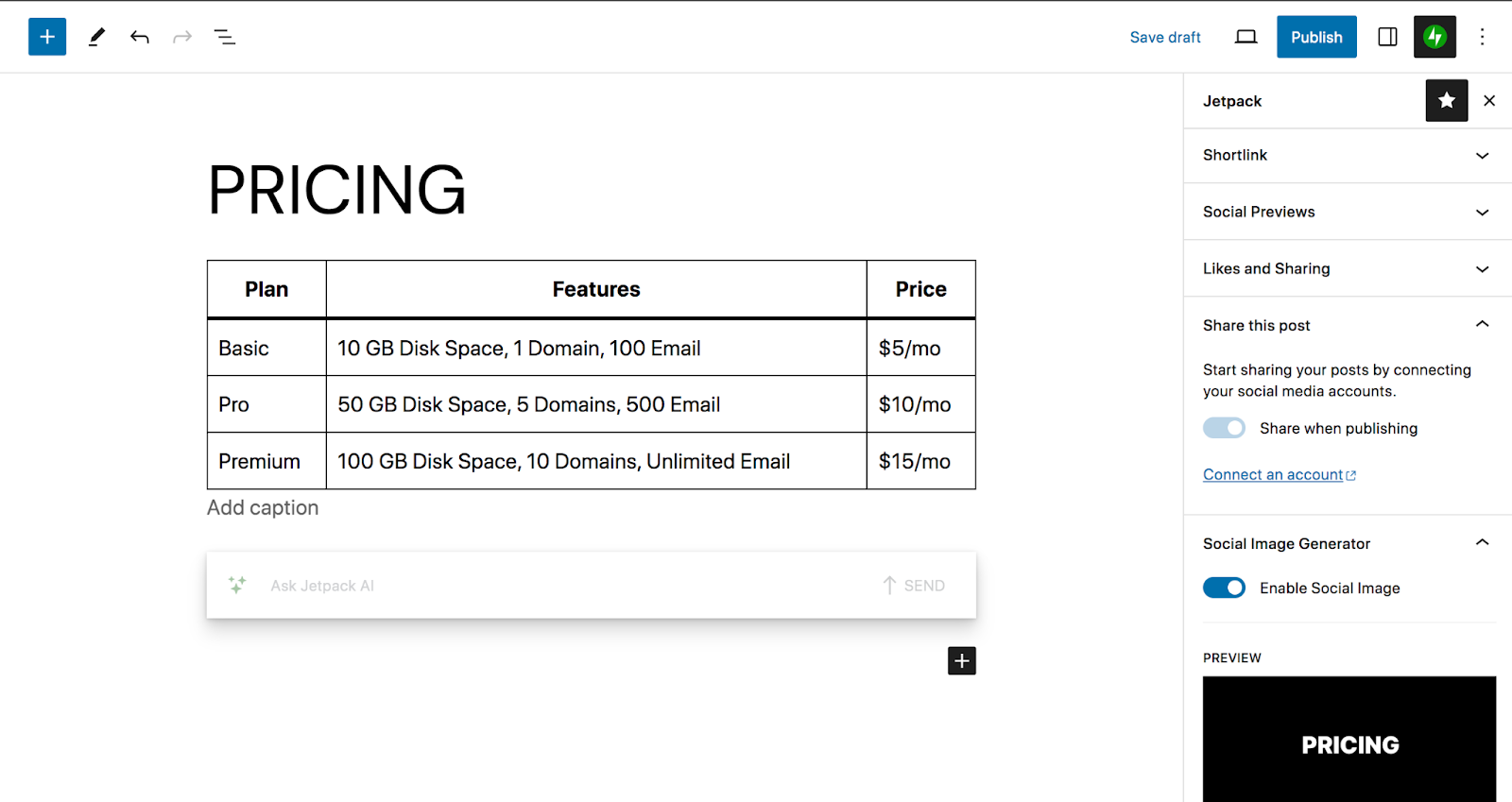
And that’s all there is to it! An easy, simple way to streamline your social media processes while making your marketing more effective.
Want to try it out for yourself? Get Jetpack Social today.
Jetpack Social is only the beginning
There’s far more to Jetpack than social media. Jetpack was built by Automattic — the people behind WordPress.com — so it’s safe, reliable, and comes with world-class support.
While you can access specific Jetpack features through individual plugins like Jetpack Social, the full Jetpack plugin comes with industry-leading WordPress security. WordPress performance, and WordPress growth tools.
Bundle these core services together with a Jetpack Security or Jetpack Complete plan and instantly rocket your WordPress site to new heights.
Frequently asked questions
What is the benefit of using a WordPress plugin to auto-post instead of an external tool?
The primary benefit is integration. With a plugin like Jetpack Social, your content creation and your social media promotion happen in the same place: the WordPress editor. You do not need to open another browser tab, log into a different service, and copy-paste your blog post link. This creates a simpler, faster process.
Can I auto-post from WordPress to Facebook & Instagram?
Yes, you can automatically publish your WordPress posts directly to a Facebook Page or Instagram profile. This is done by connecting your site to Facebook and Instagram through a plugin like Jetpack Social. This automation saves time and ensures your followers see your content the moment it goes live.
What is the difference between auto-posting and social scheduling?
Auto-posting happens instantly. As soon as your blog post goes live, the tool pushes it to your social channels. It is a “one-and-done” trigger. Social scheduling is different. It allows you to plan posts for the future, independent of when the blog post was published.
For example, you could schedule a tweet to go out three days after your blog post is live, or re-share an article from last year. Auto-posting is for immediate news, while scheduling is for building a long-term content strategy.
Jetpack Social provides both auto-posting and scheduling features.
What happens to my social media posts if I update the blog post later?
Updating a blog post in WordPress does not automatically update the social media posts that were already shared. Once a post is sent to Facebook or X, it is a static entry on that platform.
If you change your blog title or featured image later, the old social media post will still show the old information. To share the updated version, you will need to share the post again manually or use a plugin feature that allows for “re-sharing” updated content.
Can automating social media posts from WordPress improve my Google rankings?
Automating social media posts does not directly improve your Google rankings. Google does not use social media shares as a direct ranking factor. However, it provides an indirect benefit. Consistent sharing drives more traffic to your website.
When more people visit your site, read your content, and stay longer, Google receives positive user signals. These signals can show that your site is helpful and important. More visitors also increase the chances that other website owners will see your content and link back to it, and backlinks are a strong ranking factor.

Publish once. Share everywhere.
Automatically share your website content to your favorite social media platforms, from one place.
Get Jetpack Social for free Jetpack
Hi guys, I think that Jetpack Publicize is a great option when there is little budget to syndicate content.
I wish the sharing buttons were more “flexible” in terms of location inline/vertical, size, etc. and lighter in terms of website optimization.
An idea for Jetpack Publicize is to customize the part of the content we want to syndicate a little bit further.
Regards
LikeLike
Hello Luis,
Thanks for giving us feedback!
You can have a look at our customization guide here https://jetpack.com/support/sharing/#customization
However, it requires a bit of coding knowledge to customize your sharing buttons.
Can you help list out all settings you’d like to have? We’re not able to implement all settings right away but we will keep them as feature requests.
In terms of performance, do you have any more details? Generally, if you want to display numbers beside your sharing buttons, this is a tradeoff for your site performance as sharing buttons need to fetch data from social networks. Otherwise, we suggest choosing other options for “Button Style” rather than “Offical buttons”.
This is another great idea! We’re having the similar feature request here https://github.com/Automattic/jetpack/issues/261
LikeLiked by 1 person