

Generative artificial intelligence (AI) has dominated the conversation over the past year. Everyone’s talking about using AI tools to produce text, images, and pretty much any type of content you can imagine. Incredibly, that even includes videos. There are a lot of amazing AI video generators you can use right now to create publish-worthy content.
Using these relatively new technologies, however, can be incredibly complex. So, you’ll want to be careful about which software you choose and test different options before committing to one to help you create video content. That’s where this guide comes in.
In this article, we’ll introduce you to the top five AI video generators you should try in 2025. We’ll also go over tips to maximize your AI-powered video strategy and discuss how to choose the right tool for your needs. Let’s get to it!
A review of the best AI video generators
In this section, we’ll introduce you to the top five AI video generators to try today We’ve selected these five tools based on our research and experience, the features they offer, and their level of accessibility.
1. Synthesia
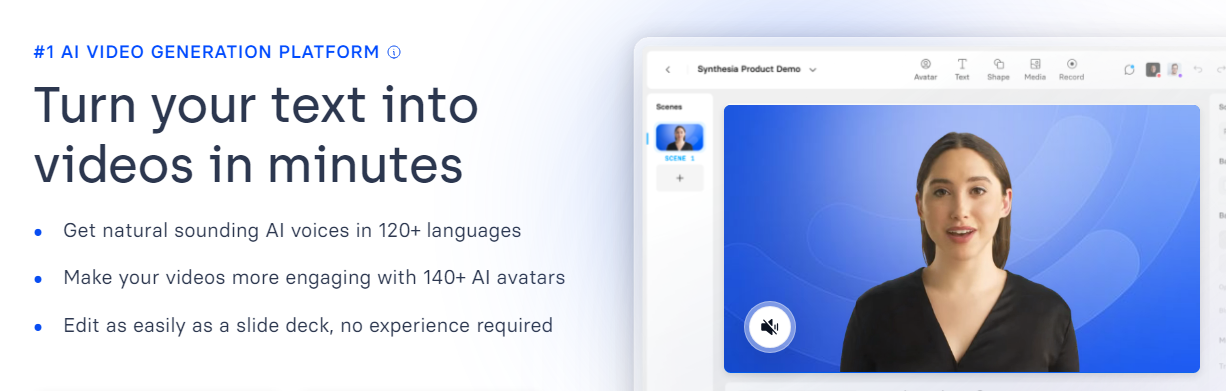
Synthesia is an AI video generator that focuses on virtual avatars. The service provides a broad range of avatars based on real-life people that it can adapt to read scripts. This works in a broad range of languages and with different voices.
Moreover, Synthesia focuses on a simple editing experience. Instead of complex tools, the service enables you to edit videos using a deck format. This allows you to make quick changes to different parts of the video without needing to regenerate it from scratch.
One feature that bears mentioning is that Synthesia enables you to take recordings of your voice and use AI to match it to an avatar. With a few recordings, Synthesia can generate an avatar that sounds just like you.
Key features of Synthesia:
- Automated script generation
- Virtual avatars to read your script
- Hundreds of background templates
- A variety of voices and languages for use by avatars
Pros of Synthesia:
- It’s perfect for content that needs to include humans.
- There’s an ample selection of avatars, languages, and voices to choose from.
- The editing experience is very simple.
Cons of Synthesia:
- The service focuses mostly on videos that include avatars reading a script, and it’s not a good match for generating other types of content.
Ease of use:
Generally speaking, Synthesia is among the most user-friendly AI video tools available. The interface is easy to navigate, making it simple to both build and customize videos. The editing experience is unique due to the service’s approach, which makes it a great option if you plan on doing heavy editing.
Pricing:
Synthesia plans start at $22 per month (billed yearly), and enable you to generate up to 120 minutes of video per year.
2. Runway

Runway is perhaps the most experimental tool on this list. The company offers a variety of generative AI services, including text to image, image to image, text and image to video, and video to video services.
To put it another way, you can use Runway to generate video from text prompts, images, or even other videos. Runway is capable of creating videos in most styles, even those including humans (although they don’t look perfect).
The main downside of using Runway is that it’s not designed to create long-form videos. Having said that, it’s an incredible tool if you want to create unique-looking videos that don’t rely solely on avatars.
Key features of Runway:
- The ability to generate videos from text prompts, images, and other videos
- Video style customizations with in-depth settings
- Video previews, so you can test them before committing
- Text and image generators
Pros of Runway:
- You can use it to generate almost any style of video.
Cons of Runway:
- Although you can use Runway videos commercially, it’s designed to be more of an experimental tool rather than a creator studio.
- Customizing videos can be challenging.
- It’s not optimized to generate long-form videos or voiced media.
- Costs can be prohibitive for longer videos.
Ease of use:
Although Runway is an incredible tool, it’s not one that’s easy to use. Experimenting with prompts to videos is simple, but customizing the Gen-1 and Gen-2 video generators can be challenging and requires a deep understanding of what each setting does.
Pricing:
Runway offers a limited free plan. Premium plans start at $12 per user per month (when billed annually). But for frequent use, you’ll want to pay for the Pro plan, which costs $28 per user per month. This plan gives you up to 450 seconds of video using the Gen-2 tool.
3. Fliki
Fliki is an AI video generator that offers two approaches for creating videos. The first one requires uploading an existing video or using one from Fliki’s stock library, and then adding an AI voiceover based on the text you input.
The second approach involves using text to generate a video and then adding a voiceover to it. In either case, you have a full library of voices in dozens of languages that you can use to customize the video.
Fliki’s mostly geared toward creating videos for social media marketing, so it can’t generate more than five minutes of video at a time. You can also split up videos into different scenes, including layers, which makes longer videos easier to edit.
Key features of Fliki:
- The ability to generate videos from text or use stock media from Fliki’s library
- Voiceover capabilities, with dozens of available voices and languages
- Tools to split videos into scenes and include layers within each one
- Background music from Fliki’s library of stock media files
Pros of Fliki:
- It offers a fantastic library of stock media files.
- The selection of voices and languages is outstanding.
- Adding visual layers to the editing process makes it easier to customize videos.
Cons of Fliki:
- You can only generate videos up to five minutes long.
- It’s mostly geared toward social media content.
Ease of use:
Fliki is an incredibly user-friendly tool. Everything from creating videos to adding voiceovers happens through an interface that’s simple to navigate. Moreover, dividing videos into scenes makes it easier to edit content.
Pricing:
Fliki offers a limited free plan that enables you to create up to five minutes of video per month with a watermark. Premium plans start at $21 per month (paid yearly) with support for up to 180 minutes of video.
4. Visla
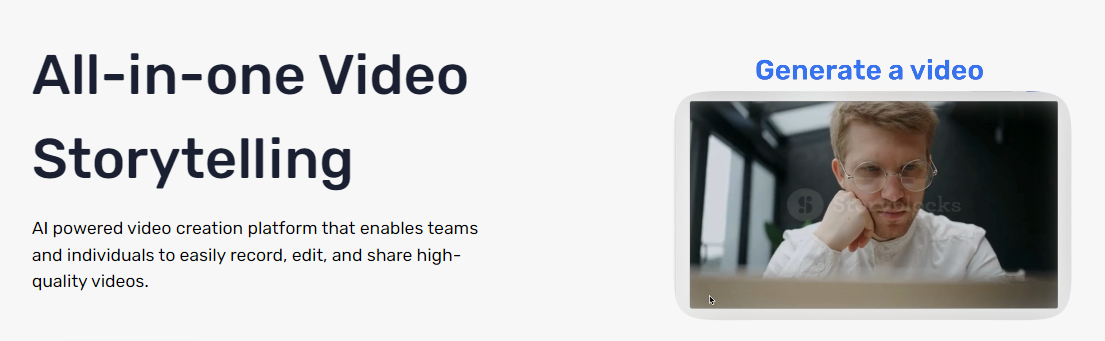
Visla can help you create scripts and generate videos from them. Instead of using avatars, Visla takes a script and finds the perfect stock footage for it. The service doesn’t just stick with one video, though. It mixes and matches what the video shows as the script progresses.
If you’re having problems with the script, Visla can generate one for you from an idea. The service also includes tools for editing existing scripts or summarizing them. Alternatively, you can generate full scripts and videos based on a single prompt.
Visla can add voiceovers in English and you get access to a stock library of music.
Key features of Visla:
- A wide library of stock videos to fit your scripts
- The ability to generate a new script and find accompanying videos using a prompt
- Voiceover capabilities in English
- The ability to use AI to edit and summarize scripts
- A background music library
Pros of Visla:
- Visla works well whether you have a script ready to go or not.
- It offers a collection of script editing tools which can help you improve the flow of the video.
Cons of Visla:
- It doesn’t actually generate video but rather finds the perfect stock videos from Visla’s library.
- It’s limited to voices in English.
Ease of use:
Visla’s designed to be an all-in-one tool for video content, and it’s geared toward users without experience in video editing. In most cases, you only have to deal with editing the script and Visla will take care of the video and voice end of things.
Pricing:
Visla offers a free plan that enables you to generate up to 50 minutes of video per month with watermarks. Premium plans start at $24 per month (billed monthly) for unlimited videos.
5. Peech
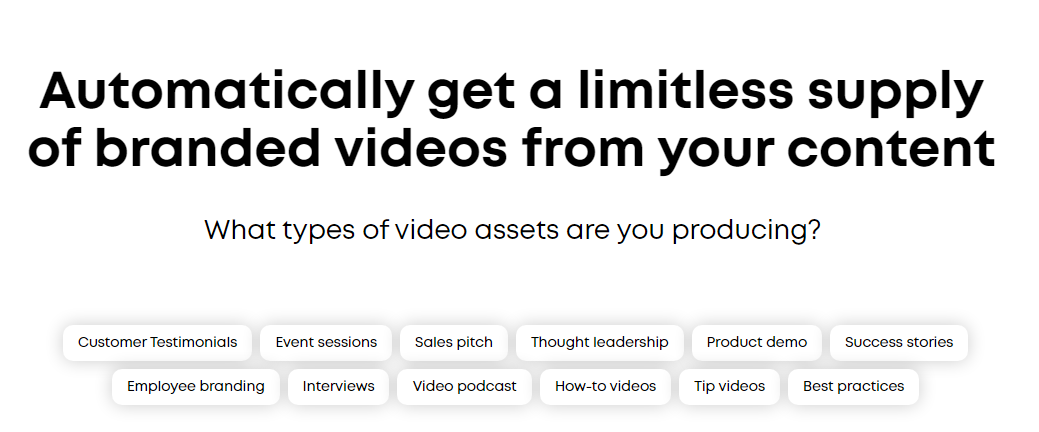
Peech offers a unique take on AI video generators. You can use the service to generate short marketing videos for your brand based on other content that you upload to the platform. This includes customer testimonials, webinars, and pretty much any video you’ve created for your business.
The service can take these videos and merge them with your branding kit. It can brand all your videos automatically, add information about who’s talking in a video, highlight important information, and more.
Peech shines for businesses that already have a large library of video content and want to use AI to level up. You can use it to generate TikTok videos, social media stories, video testimonials, and all kinds of shareable content to grow your following.
Key features of Peech:
- AI video branding
- The ability to take existing videos and transform them into shorter formats that are perfect for social media
- Testimonial video generation from customers
Pros of Peech:
- You can use it to brand existing videos for your business and generate content for social media, freeing up your marketing team.
Cons of Peech:
- You can’t use Peech to generate videos from scratch using prompts.
- The service is only viable if you have an existing catalog of videos and a brand kit.
Ease of use:
Peech is designed to be easy to use. The service only requires you to upload your brand kit and some videos to start working its magic. It also doesn’t require the user to spend too much time tinkering with settings since you’re not generating video from scratch.
Pricing:
Peech offers a free plan that enables you to generate up to two watermarked videos per month. Premium plans start at $39 per month (billed monthly) for up to five videos and access to Shutterstock for stock media files.
A comparison of AI video generation platforms
| Focus | Key features | Pros | Cons | Ease of Use | Pricing | |
| Synthesia | Virtual avatars | Pre-written script or prompts, virtual avatars, video templates, voice/language selection, voice recordings for audio | Ample selection of avatars/languages/voices, simple editing | Mainly for avatar-based videos | User-friendly, simple editing experience | $22/month (120 mins/year) |
| Runway | Generative AI services (text, image, video) | Video generation from text, images, videos, style customization, video preview | Generates various styles of videos, high customization | Not for long-form videos, complex settings | Complex customization requires deep understanding | $28/user/month (450 secs with Gen-2 tool) |
| Fliki | AI voiceovers and text-based video generation | Video generation from text, stock media, voiceover options, scene splitting, background music | Extensive stock media and voice options, user-friendly editing | Limited to five minute videos, mainly for social media | Very user-friendly, simple interface | Starts at $21/month (up to 180 mins) |
| Visla | Script-based stock footage videos | Script generation, stock footage matching, voiceovers in English, script editing, background music | Easy for script-based videos, includes script editing tools | Limited to stock videos and English voiceovers | Designed for users without video editing experience | Starts at $24/month (unlimited videos) |
| Peech | Branding existing videos | Branding videos, transforming videos for social media, generating testimonial videos | Brands existing videos, suitable for social media content | Requires existing video content, not for generating from scratch | Easy for branding existing content | Starts at $39/month (up to 5 videos) |
Factors to consider when choosing an AI video maker
With new AI video generation tools hitting the market nearly every day, here are some factors to consider when choosing the best one to pursue for your endeavor:
Pricing
When it comes to AI video generators, it’s important to note that most of these tools are premium services and they charge accordingly.
However, the entry-level plans for many of these services offer a way to start learning, but at the cost of limiting access to some of the most advanced features. During research, we found that most AI video generators offer starting prices around the $20 per month range. But the sweet spot for access to the most features tends to be around $50-70 per month.
This is a considerable expense when you consider that some AI video generators charge you annually. That makes it harder to switch to a different platform if you’re not happy with your decision.
It’s a good idea to take full advantage of free trials and limited plans before you pay for more advanced features. And though it costs more per month, you might start with a monthly plan and then switch to an annual plan after you’re comfortable making a more sizable investment for long-term savings.
Supported features
The AI video generators discussed today vary widely in the type of content they output yet have rather similar initial price points. Consider first the type of content that would most benefit your company, then you can run an analysis on the pricing to determine what plans might fit your budget.
If you need a quick recap of the features that these AI video generators offer, check the comparison table in the previous section. This will give you an overview of each service’s key features and how they compare against each other.
If two tools have similar features to what you need, try utilizing a free trial for each and running a test to generate a similar video with both of your top choices. Review the end product to determine which output is best and the time required to complete the task on each platform.
Customer support and documentation
Great customer support can make a huge difference when it comes to making the most of a tool or service. After all, the last thing you want is to be left in a lurch if you run into a problem.
That’s why you want a service that offers great documentation so you can troubleshoot problems on your own, and excellent customer service for when you need some help.
The tricky part about measuring customer support is that experiences can vary a lot between users. Even so, all the services we’re including on this list offer support options as well as documentation that you can reference.
If you’re new to using this kind of tool, we’d recommend focusing on a service that offers as many support options as possible. That way, you’ll be able to get help when you need it.
Four tips to maximize your AI-powered video strategy
Using AI to generate videos doesn’t mean you can just sit back and wait for machines to do all the hard work for you. You need a strategy to make the most out of whichever AI video generator you use. Here are some tips to help you maximize the benefits of this powerful software:
1. Understand your audience
If you want your AI-generated videos to be effective, you’ll need to take some time to carefully craft prompts and commands. And at the heart of providing effective directives for the program you use is a firm grasp on your audience.
If you’ve been sharing videos with your audience for a while, you probably already have an idea of what they connect with most. If you’re adding video to your content mix for the first time, you may have to run more experiments and gather feedback before settling on a style that works best for your goals.
When working to create the best prompt for an AI program, you’ll not only want to be able to share basic information about the demographics of your key audience, but also more details around the style of content they’ll appreciate.
Does your audience enjoy humor? What kind? What era of jokes or pop culture references will they understand? Does your audience like feel-good content that edges on a little corny? What kind of language and terminology are they familiar with?
Knowing your audience is at the core of every endeavor — even if you’re just building something for a personal hobby. Video creation is no different.
2. Leverage AI to create scripts and complementary content
If you’re reading this article, you’re probably looking for ways to make the most of your time. In this case, it makes sense to use AI to help you create your video scripts as well.
There are a lot of amazing AI writing tools you can use for commercial and creative writing, including well-known options like the Jetpack AI Assistant.

The beauty of AI text generators is that you can give them a detailed prompt, and they’ll return a full script immediately. One example of a prompt is:
“Create a script for a five-minute video on how to patch drywall. This video is for 20-30 year olds without a background in home repairs who want to do the work themselves. Use a humorous, casual style”.
Here’s an excerpt of what Jetpack AI Assistant produced with this prompt:
[Scene 1: Camera zooms in on a hole in the wall.]
Host (with a playful tone): “Oh, no! Looks like the ‘I-threw-my-controller-at-the-wall’ monster struck again! Don’t worry, we’ve all been there. Today I’ll show my fellow 20-30-year-olds how to fix this hole before your landlord hikes up your security deposit.”
[Scene 2: Host holds up tools comically like weapons.]
Host: “Gather ’round, future DIY champions! You will need some tools to join the ‘League of Extraordinary Wall Menders.’ Here’s what you’ll need: a drywall patch kit, a putty knife – or your roommate’s unused gym membership card – and some sandpaper. Oh, and maybe a paintbrush and some matching wall paint, unless you want an abstract art piece!”
This script is pretty amazing, and definitely fits that humorous, casual style we requested. You’ll, of course, want to make some small edits to ensure it matches your unique voice and meets your brand standards, but this could be ready within minutes.

We recommend Jetpack AI Assistant because you can use it within WordPress. If you’re already a WordPress user, this gives you access to full-blown generative AI without needing to leave the content management system (CMS).
You can use the AI tool to generate scripts and save them as drafts on your site and even get feedback for existing scripts. Other team members can jump in and suggest changes, which makes for a great collaborative setup.
If you’re going to publish the videos you generate on your website, it also makes sense to use Jetpack AI Assistant to create complementary content. For example, you can include PDFs with a written version of the video and have them available for download if users want a document they can reference.
3. Review and edit content manually
There are a lot of video generators that also include AI video editing tools. These tools can help you determine what parts of the video to cut out, how to present it, and what changes need to be made.
AI tools are amazing for increasing productivity. That being said, there’s no replacement for actual human editing when it comes to video content. You have a much better idea of what looks good and what kind of content will perform best with your audience.
The editing process enables you to take what might be a good AI-generated video and polish it up to a higher level. This can be a time-consuming process, but it’s still more efficient than recording and editing a whole video from scratch.
4. Pay attention to video analytics
Analytics are everything when it comes to content marketing. They tell you what attracts the most clicks, what kinds of questions generate comments and engagement, and even when to publish videos for the biggest impact.
You can keep tabs on this information through an analytics tool to help you make quick observations and draw accurate conclusions to shape the future of your video and content production.
You’ll likely want to publish your content to multiple video sharing platforms in addition to hosting videos on your WordPress site, so pay attention to how audiences react to the same video, and you’ll start to see trends that are unique to both individual videos and specific platforms.
You can use this to better shape your overall video production and create slightly different versions for each platform based on what works best. This helps you maximize everything you do.
Essential features to look for in an AI video generator
If you’re in the market for an AI video generator, it’s essential that you choose a tool that includes all the features you need. In this section, we’ll go over what those features might be and why they’re important.
An easy-to-use interface
A lot of video tools are difficult to operate, particularly editing software. This is to be expected, considering how complex videos can be. But, if you’re going to use an AI video generator, it makes sense to prioritize services that are more user-friendly.
By user-friendly, we mean tools that offer a straightforward interface that’s easy to navigate. Having access to onboarding resources, like tutorials that teach you how to generate videos, can also be extremely helpful.
If you’re already familiar with the process of video recording and editing, learning to use an AI video generator should be simple. On the other hand, if you’re new to creating videos, you shouldn’t need to spend days figuring out how the tool works.
Video customization options
The beauty of AI video generators is that you can use them to create almost any type of content you want. Detailed scripts and prompts can go a long way toward helping you create videos that look exactly how you envisioned them. Still, having access to simple customization options will make your work a lot easier.
Quick toggles to modify things like the style of the video and narrator makes finding the right fit more streamlined. You should also be able to modify the overall video design and have access to easy-to-edit templates.
High-quality output
High-definition video used to be a cool, impressive thing. Now, it’s a standard that every viewer expects. In practical terms, that means at least 720p and crisp, clear audio. Even if viewers need to reduce resolution based on their internet connection, you should always create and upload videos in the highest quality possible and let them decide to stream a lower-quality version if needed.
The AI video generator you work with should output high-quality video with audio that’s easy to understand. If your videos fail to meet that criteria, you probably won’t get many views, no matter how engaging the script and topics are.
Some AI video generators may lock you into lower-quality output for free or lower-tier plans, with higher quality available through an upgrade. Make sure you consider this when comparing costs and choosing the specific tool you want to work with.
Access to stock media files
A lot of modern videos rely on stock media to illustrate points, introduce visual cues, or simply to make them more engaging without having to spend huge sums. Having access to stock images and videos can instantly boost the perceived production value of your content, but you still need to source these files yourself (and pay for them).
Some AI video generators simplify this process by giving you access to libraries of stock media files. You may only be able to use this media within the platform and for the videos you create using the in-house AI tools. Even so, this offers a great value as stock media can get expensive fast if you need to use it often.
Aside from images and videos, you’ll also want access to stock music. Regardless of the topic, style of production, or audience, music almost always enhances video content.
Cloud-based storage and collaboration tools
High-quality video files take up a lot of storage space. A good AI video generator should give you access to a decent amount of cloud storage capable of storing, and possibly even serving to viewers, at least dozens of videos. 100GB of storage is fairly reasonable.
If your videos are ever removed from the platforms you shared them to, or erased from your website’s media library, your AI video generation account should still have a backup of your finished files that you can redownload and republish at any time.
Aside from the ability to store your video files online, you might also want to look for an AI video generator that includes collaboration tools. When working with a team on video production, it’s amazing to be able to leave or review time-stamped feedback or let others take over editing in the middle of a session.
Third-party integrations
These days, it’s common to work with a variety of different programs on every project. Even a robust AI video generator may not be a substitute for certain tools pivotal to your organization.
Look for an AI video generator that integrates with other tools you’ll need to access or that will make your process more efficient. Video generators improve productivity as it is, but there’s always room to do more!
For example, you might want to use an AI service that enables you to export videos directly to YouTube or to an off-site cloud storage solution (to have a fallback option). Other solutions include integrations with your favorite online video editing software or a CMS like WordPress.
It’s always a smart idea to check out what integrations are available before signing up for a service.
Frequently asked questions
By now, we’ve covered pretty much everything you need to know about AI video generators. But just in case you have any lingering questions, we’re now going to address some common queries.
What is an AI video generator?
An AI video generator is a tool that can take a script or prompt and transform it into a video. The video may include AI-generated voices and graphics, as well as stock media files.
What are the benefits of using an AI video generation tool?
The main benefit of using an AI video generation tool is that it enables you to create full-length videos in a short period of time.
In most cases, you don’t have to record video or audio yourself, as the service generates everything from a script or prompt that you provide. This can enable you to increase your video output and grow your audience as a result.
Are there any limitations or drawbacks to using AI video generators?
The main limitation with most AI video generators is that most services only enable you to generate a certain number of minutes per month or year depending on your plan. If you exceed these limits, you may need to pay additional fees, which can add up if you want to generate a large library of videos.
It’s important to note that, at the time of this writing, most AI video generators still struggle with creating human likenesses. Some generators include templates or avatars of people you can adapt to videos, but that depends on the service you use.
What makes a good AI-powered video maker?
Generally, the best AI-powered video makers stand out because they’re easy to use, produce high-quality media, and give you access to analytics and integrations. The features you need will depend on the types of videos you want to create, which is something to consider when testing different tools.
How much does an AI video maker cost?
Prices for AI video generators vary from one tool to another. As a rule of thumb, most of these services work on a subscription basis. The majority of the tools featured in this article have plans that start at around $20 per month. Some of them require you to pay for at least a year upfront.
What is the Jetpack AI Assistant, and how can it help me?
The Jetpack AI Assistant is a generative AI tool that you can use within WordPress. You can use the AI assistant just as any other AI tool, by giving it prompts and having it generate whatever kind of content you want for your website. This includes text, images, and elements like tables, but not video.
Where can I learn more about the Jetpack AI assistant?
You can learn more about the Jetpack AI Assistant by visiting the official Jetpack website. There, you’ll find information about how the tool works and how to get access to it. You can also get a link to install the Jetpack plugin for free and test the AI Assistant on a limited basis.

The most powerful AI tool for WordPress
Turn your ideas into ready-to-publish content at lightspeed.
Elevate your content Jetpack