

Does it feel like you’re sending endless back-and-forth emails to coordinate meetings or schedule customer bookings? It doesn’t have to be that way. With the right booking and scheduling tools, visitors can pick times, book services, or reserve spots all on their own.
The best WordPress booking plugins save time and improve the customer experience, reduce missed appointments, and even help you scale your business by automating confirmations, reminders, and payments.
The following list includes simple contact forms that handle bookings along with full-featured systems with staff calendars and payment integrations to fit your workflow and budget.
Quick picks by use case
If you want the fastest answer, start here:
- Best free option for simple booking requests: Jetpack Forms
- Best for Calendly users who want bookings inside WordPress: Jetpack Calendly Block
- Best for WooCommerce stores selling bookable services: WooCommerce Bookings
- Best for multi-staff appointments (salons/clinics/agencies): Amelia
- Best for accommodations and multi-day reservations: Booking Calendar
- Best for appointment-focused service sites needing flexible schedules: MotoPress Appointment Booking
Below, we explain why and show what each tool is best (and worst) at.
A review of 9 popular booking plugins for WordPress
Let’s dive into the top nine booking tools for WordPress, each designed to help you manage appointments, reservations, and events more efficiently.
1. Jetpack Forms
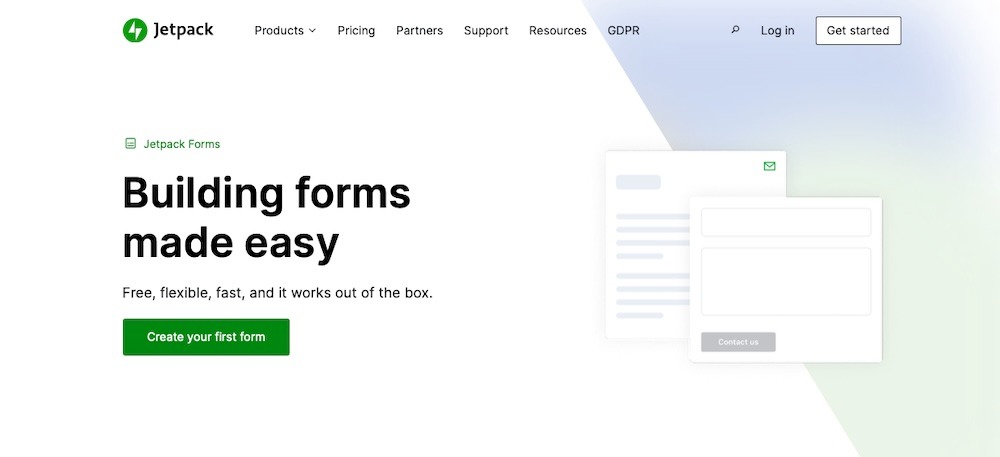
Jetpack Forms is a flexible WordPress block that makes it simple to collect information and capture leads from your website. Built by Automattic, the people behind WordPress.com, Jetpack Forms integrates into the block editor, so you can add forms to any page or post without relying on a third-party platform.
What makes Jetpack Forms stand out is its adaptability. You can create everything from a simple contact form to a more advanced appointment request form with fields like dropdowns, checkboxes, and datepickers. Paired with Jetpack’s spam protection powered by Akismet, you’ll also save time on filtering out junk submissions.
Key features of Jetpack Forms:
- A drag-and-drop form builder integrated into the WordPress block editor
- Built-in spam protection powered by Akismet
- Customizable fields, including date pickers to help with scheduling
- Pre-built templates for common forms for bookings, registrations, and feedback
- Email notifications for new submissions
- Integration with email marketing tools and Jetpack CRM
Pros of Jetpack Forms:
- You can set up Jetpack Forms directly in the block editor, with no extra tools required.
- Its built-in spam filtering saves time by reducing fake submissions.
- The plugin is highly customizable, making it suitable for both simple and advanced booking needs.
- It integrates smoothly with other features like Jetpack CRM.
- Jetpack Forms is backed by Automattic, ensuring long-term reliability and support.
Cons of Jetpack Forms:
- While it’s possibly the easiest way to add a form to your site, Jetpack Forms does not offer traditional booking and scheduling functionality. People can pick dates and times to request appointments, but confirmation and calendar management requires another tool.
- Jetpack Forms does not include built-in payment collection and instead requires integration with other plugins to handle transactions.
Ease of use:
Jetpack Forms works naturally with WordPress. Use it to create, edit, and publish forms right from the block editor. The plugin’s intuitive interface makes it easy even for beginners, while the integration with Jetpack’s wider toolset provides scalability for more advanced use cases.
Pricing:
Jetpack Forms is included in the standard Jetpack plugin for free. It’s also available with premium Jetpack bundles, which add features like backups, security, and video hosting, making it a cost-effective solution for site owners who want more than just easy form functionality.
2. Jetpack Calendly Block
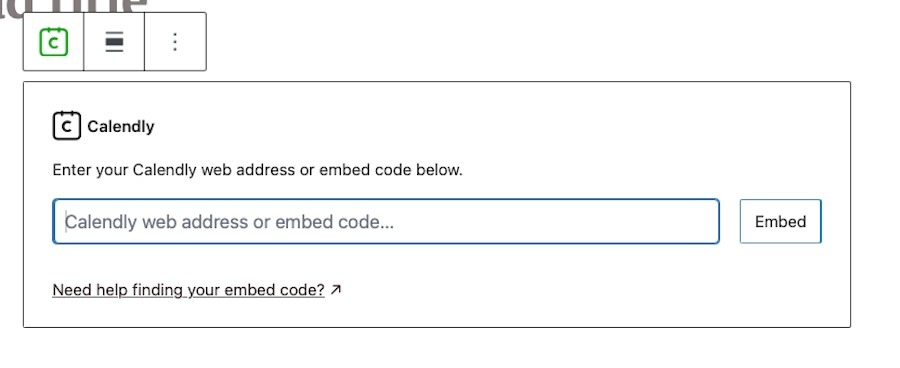
The Jetpack Calendly block brings the power of Calendly’s scheduling system directly into WordPress. Instead of sending visitors to an external booking page, you can embed your Calendly calendar inside any post or page using the block editor. This means site visitors can schedule meetings, consultations, or appointments without ever leaving your website.
Because it’s part of Jetpack, the Calendly block integrates with WordPress and requires no coding knowledge. Just paste your Calendly link into the block and your calendar displays instantly.
Key features of the Jetpack Calendly block:
- The ability to embed Calendly calendars directly in posts or pages with the block editor
- A fully responsive design for desktop, tablet, and mobile
- Quick setup
- Support for different appointment types and availability from your Calendly account
- No need for third-party plugins
Pros of the Jetpack Calendly block:
- It’s incredibly simple to use and can be set up in minutes.
- It keeps visitors on your site rather than sending them to Calendly.
- It’s fully responsive, ensuring a smooth booking experience on all devices.
- It integrates natively with the block editor so no shortcodes are needed.
Cons of the Jetpack Calendly block:
- It relies on a Calendly account and access to advanced scheduling features depend on your Calendly plan.
- There are limited customization options beyond what Calendly provides.
Ease of use:
The Calendly block is as simple as it gets. Drop it into your page, add your link, and it’s live. No additional configuration is required, making it ideal for non-technical users who just want to get a booking system up and running quickly.
Pricing:
The Jetpack Calendly block is free to use with Jetpack. You’ll just need a Calendly account, which offers a free plan with basic scheduling and premium plans starting at $12 per seat per month for additional features like multiple event types, reminders, and integrations.
3. WooCommerce Bookings

WooCommerce Bookings is a WooCommerce extension that turns the platform into a full-fledged booking tool. If you already use WooCommerce and want integrated booking, reservation, or appointment features, this tool delivers. Use it for things like scheduling services, renting equipment, booking classes, or managing reservations from within WooCommerce.
Key features of WooCommerce Bookings:
- The ability to turn any product into a bookable one
- Flexible pricing rules
- Global and per-product availability rules
- A calendar view and management from the backend
- Support for group or multiple-person bookings
- Automated email notifications and reminders
Pros of WooCommerce Bookings:
- It fully integrates with WooCommerce for simpler management.
- This extension supports many complex booking scenarios.
- It provides good control over pricing, restrictions, and booking windows.
Cons of WooCommerce Bookings:
- It’s pricier than many other available booking plugins and tools.
- Setup can take time and requires in-depth WooCommerce knowledge for advanced use cases.
Ease of use:
WooCommerce Bookings does require set up and time to get familiar with workflows and processes. Once configured properly, it runs well without much intervention and provides a largely hands-off experience.
Pricing:
WooCommerce Bookings is a premium extension and is sold under a one-year single-site license for $249 per year or a two-year term for $398.40.
4. Amelia
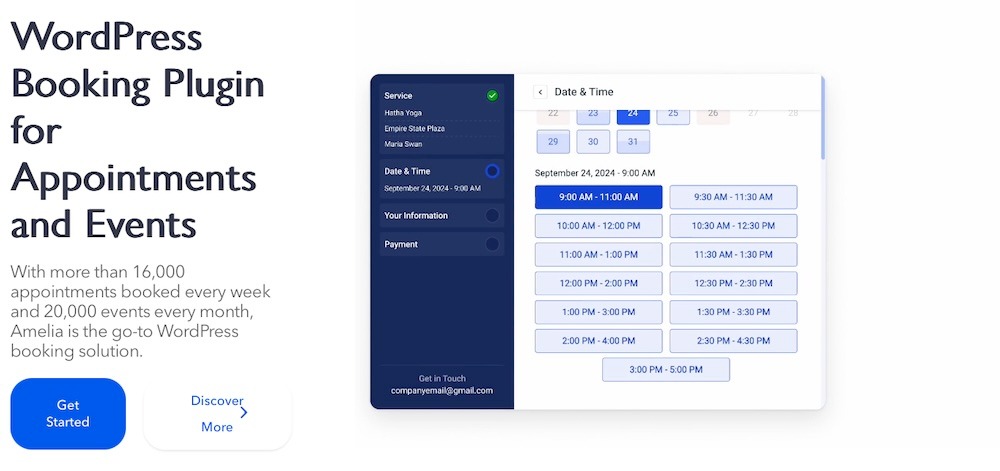
Amelia is a polished WordPress booking plugin designed for businesses that need a professional, all-in-one scheduling system. It works well for service-based companies like clinics, salons, fitness studios, or agencies that manage multiple staff members and appointment types. Its modern interface looks clean on the front end and the backend, giving customers and employees a smooth experience.
Customers can book appointments, pay online, and receive confirmations without manual input from your team. On the backend, managers and staff can view schedules, manage services, and track performance through a powerful dashboard.
Key features of Amelia:
- Support for unlimited appointments, services, and staff members
- Customizable booking forms and service categories
- Automated notifications for confirmations, cancellations, and reminders
- Online payment support through PayPal, Stripe, and WooCommerce
- Employee and manager dashboards with reporting features
- Support for recurring appointments and group bookings
Pros of Amelia:
- It includes automation features with email and SMS notifications and reminders.
- This plugin includes strong integrations with calendars and payment systems.
- It works well for businesses with multiple locations and staff.
Cons of Amelia:
- There’s no free version and only a limited demo is available.
- Some advanced features (like SMS notifications) require higher-tier plans.
Ease of use:
Amelia offers a guided setup and comes with detailed documentation, but its wide range of features means there’s more to learn compared to simpler plugins. Once configured, though, it greatly reduces manual work by handling scheduling and payments automatically.
Pricing:
Amelia offers four pricing tiers. The Starter plan is priced at $49 per year for basic features on one site. The Standard plan costs $89 per year for one site and adds on features like support for multiple payment methods, invoices, and unlimited locations. The Pro plan costs $129 per year, and lastly there’s the Elite plan which costs $319 per year and includes full developer support.
Lifetime licenses are also available.
5. Booking Calendar
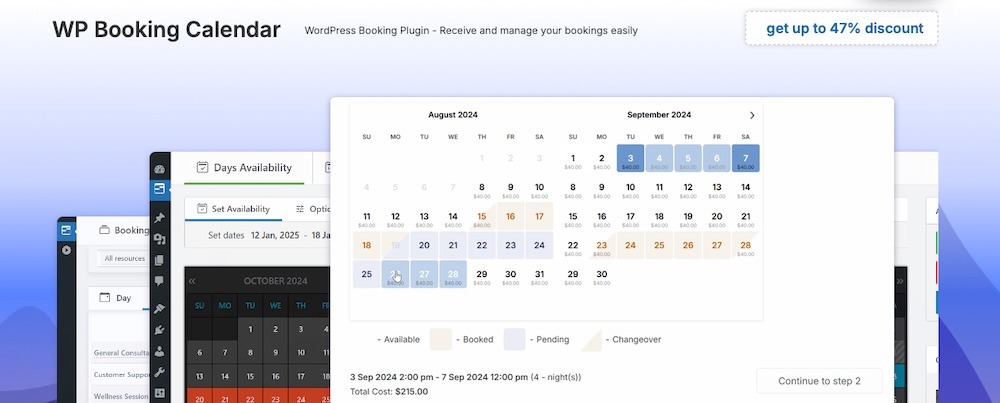
Booking Calendar is another well-regarded WordPress booking plugin, with a track record stretching back more than a decade. Known for its reliability, it’s especially popular among accommodation providers like hotels, vacation rentals, and property managers. Its calendar-based interface makes it easy for visitors to check availability and confirm reservations without confusion.
On the admin side, you get flexible tools to manage resources, customize booking forms, and set availability rules. Use it to block dates, approve bookings manually, or set the system to accept them automatically.
Key features of Booking Calendar:
- A fully responsive booking calendar with customizable forms
- Support for unlimited resources and booking forms
- Calendar synchronization with Google Calendar, iCal, and Outlook
- Flexible approval workflows
- Built-in email notifications for confirmations and reminders
- Options for partial payments or deposits
- Support for both single-day and multi-day bookings
Pros of Booking Calendar:
- It’s flexible enough for small and large businesses.
- The calendar sync feature keeps bookings up to date across devices.
- Visitors get a clear availability overview before booking.
- It works well for accommodations and resource scheduling.
Cons of Booking Calendar:
- The free version is limited and may not suit complex needs.
- The interface feels a little dated compared to newer plugins.
- Payment gateway support and advanced features are only offered with premium plans.
Ease of use:
The plugin uses a straightforward calendar interface, which makes it intuitive for visitors. Setting it up requires some configuration, especially if you need advanced rules or integrations, but once live, it’s dependable and simple to manage.
Pricing:
Booking Calendar offers a free version on WordPress.org with basic booking features. Premium licenses start at $79 per year for a single site and scale up to $649 depending on the number of resources, payment integrations, users, and advanced features you need.
6. MotoPress Appointment Booking
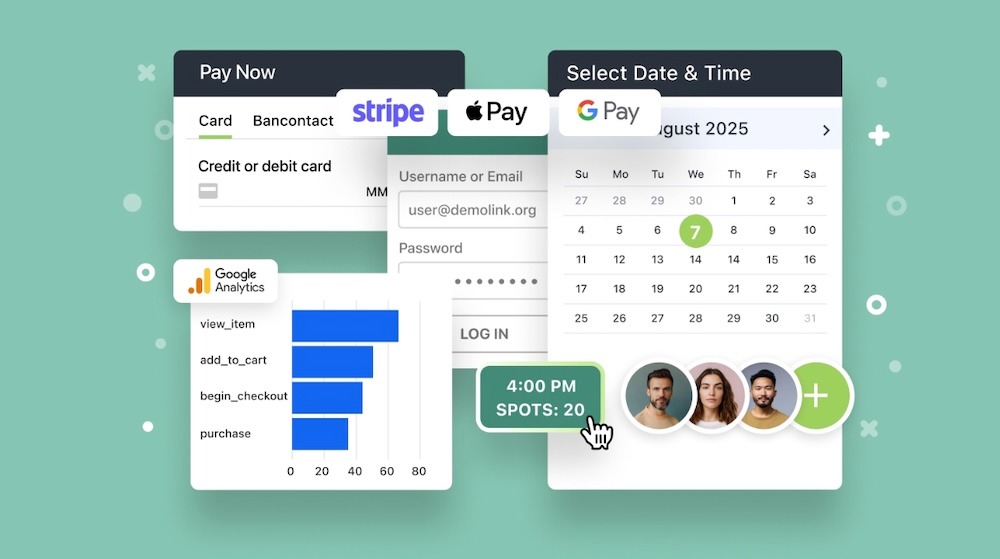
MotoPress Appointment Booking is a flexible WordPress plugin built for service-oriented businesses that need to manage multiple staff members, locations, and schedules. It’s a solid choice for salons, spas, clinics, schools, or fitness studios that want to give clients an easy way to book appointments online.
The plugin lets you create unlimited services and assign them to specific employees and locations. Customers can select a service, staff member, date, and time through a user-friendly booking form.
Key features of MotoPress Appointment Booking:
- Unlimited services, employees, and locations
- Customizable booking forms for service, staff, and time selection
- Support for group and recurring bookings
- Google Calendar synchronization
- Automated email notifications for confirmations and cancellations
- Flexible scheduling options, including breaks, holidays, and multiple time slots
Pros of MotoPress Appointment Booking:
- It provides support for businesses with multiple staff and locations.
- It works well with popular page builders and the Block Editor.
- It includes recurring and group booking support out of the box.
- This plugin includes payment provider integrations for online transactions.
Cons of MotoPress Appointment Booking:
- Some advanced features require premium plans.
- It has limited reporting and analytics compared to other plugins on this list.
- Setup may take longer for businesses with complex schedules.
Ease of use:
MotoPress provides a guided setup and integrates well with the Block Editor, so adding booking forms is straightforward. For admins, the dashboard is organized and logical, but configuring multiple staff and locations takes time.
Pricing:
MotoPress Appointment Booking has a free lite version on WordPress.org. Premium plans start at $49 per year for one site. You can also get support for up to 25 sites for $99 per year or a lifetime license for a single site for $149.
7. Sugar Calendar

Sugar Calendar is a WordPress scheduling and event management plugin that focuses on simplicity without sacrificing functionality. It works well for businesses and organizations that run recurring events, classes, or community meetups and want a tool that’s easy to set up and maintain.
Unlike some bulkier plugins, Sugar Calendar keeps things simple. Use it to create and manage events directly from your WordPress dashboard, display them in a clean calendar format, and let users register or purchase tickets through integrations with Stripe or WooCommerce.
Key features of Sugar Calendar:
- Simple event and scheduling management from the WordPress dashboard
- Support for recurring events and flexible scheduling
- Integration with WooCommerce for paid event bookings
- Support for WPForms and other form plugins for registration
- A developer-friendly design with hooks and filters for customization
Pros of Sugar Calendar:
- It’s lightweight and fast, so it won’t hinder site performance.
- This plugin is simple to use and configure.
- It supports both free and paid events.
- It integrates with WooCommerce and popular form builders.
Cons of Sugar Calendar:
- It has limited features compared to more advanced booking plugins.
- More advanced features like ticketing require add-ons.
- It’s not ideal for businesses that need multi-location scheduling.
Ease of use:
Sugar Calendar is generally simple to use. It offers quick setup, the interface is uncluttered, and embedding calendars on your site takes just a shortcode. It works well for site owners who want a no-fuss scheduling tool.
Pricing:
Sugar Calendar plans start at $49 per year for one site and basic features. Higher tiers range from $99.50 to $299.50 per year and add features like recurring events, ticketing, advanced integrations, and VIP support.
8. Simply Schedule Appointments
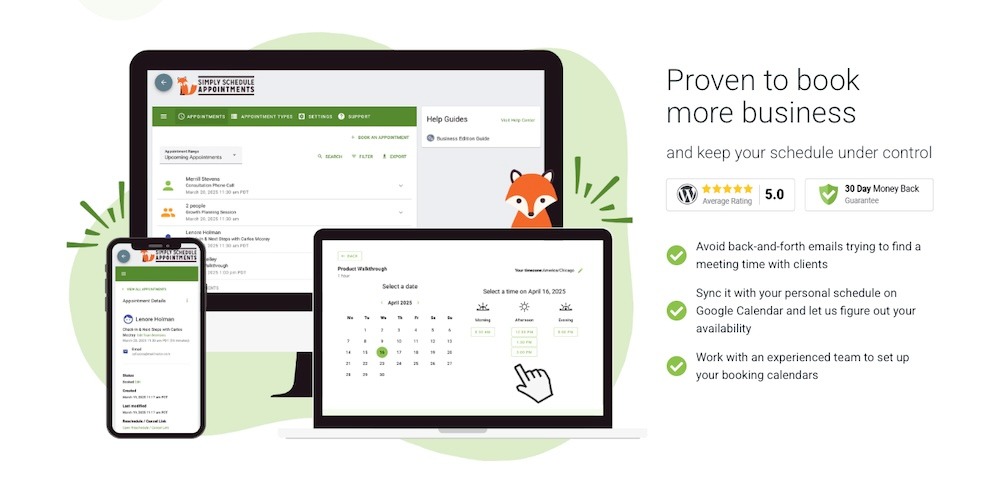
Simply Schedule Appointments is a WordPress booking plugin that works well for beginners and is designed to get your scheduling system up and running in minutes. It’s a great choice for freelancers, consultants, small businesses, and service providers.
The plugin stands out for its clean interface and guided onboarding. Use it to create booking forms, set availability, and embed them into pages using shortcodes or blocks with minimal effort. It also integrates with popular tools like Google Calendar, Zoom, Stripe, PayPal, and Gravity Forms.
Key features of Simply Schedule Appointments:
- Guided setup for quick installation and configuration
- Unlimited appointment types with customizable availability
- Google Calendar synchronization
- Integrations with Zoom, Stripe, PayPal, and Gravity Forms
- Block editor support
- Automated email and SMS notifications
Pros of Simply Schedule Appointments:
- It’s simple to install and configure, even for beginners.
- It includes a strong set of integrations for payments and communications.
- It’s accessibility-ready across all booking forms.
- It provides flexible scheduling for individuals or teams.
- Customer support is responsive.
Cons of Simply Schedule Appointments:
- The free version is limited in features.
- It lacks some automation compared to more advanced plugins.
- Group scheduling and advanced integrations are only included in higher-tier plans.
Ease of use:
Simply Schedule Appointments delivers on its promise of simplicity. The guided onboarding makes setup straightforward, and managing bookings requires little training. It’s one of the most beginner-friendly booking plugins available.
Pricing:
There’s a free version on WordPress.org with basic features. Premium plans start at $99 per year for the Plus Edition, with higher tiers ranging from $199 to $399 per year, which add on features like SMS notifications, webhooks, and priority support.
9. Salon Booking System
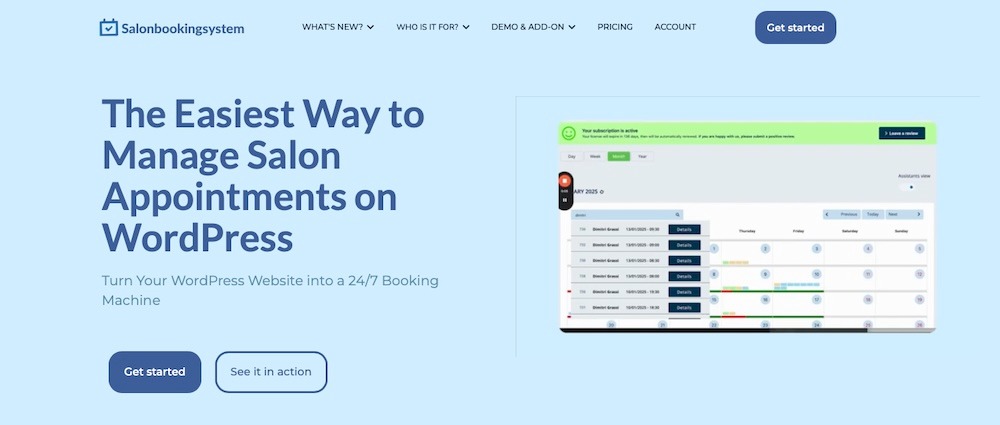
Lastly, there’s the Salon Booking System plugin, which is built specifically for beauty and wellness businesses like salons, barbershops, spas, and massage studios. It has features like stylist-specific scheduling, SMS notifications, and mobile apps for staff and clients.
It has a deep focus on staff and client interaction. Staff members can manage their schedules, accept or reject bookings, and check upcoming appointments through a dedicated mobile app. Customers can also book directly through the site and receive confirmations via email or SMS.
Key features of Salon Booking System:
- Staff-specific scheduling and management
- SMS and email notifications for confirmations and reminders
- Mobile apps for staff and clients (iOS and Android)
- Support for multiple locations and services
- 30+ free add-ons to extend functionality
- Built-in reporting and analytics
Pros of Salon Booking System:
- It was built for salons, spas, and wellness providers, specifically.
- It uses a strong notification system with SMS and email support.
- It supports flexible payment options, including deposits.
Cons of Salon Booking System:
- It’s not as flexible for industries outside of beauty and wellness.
- Some advanced features require premium add-ons.
- The free version is quite limited.
Ease of use:
Salon Booking System prioritizes non-technical users. The onboarding process is straightforward and allows staff to manage their schedules on the go. For salons and spas, the setup feels natural and industry-specific.
Pricing:
Salon Booking System has a free version available on WordPress.org. Premium plans start at €99 per year for a single site, with higher tiers ranging from €299 to €499 per year for ten and unlimited installs, respectively.
A comparison of booking plugins for WordPress
| Plugin | Editor Support | Payment Support | Calendar Sync | Customizable Without Code? | Ease of Use | Best For | Price |
| Jetpack Forms | Block editor | No (needs integration) | Limited (works with Jetpack CRM/Calendly) | Yes | Beginner-friendly | Simple contact & booking forms with spam protection | Free (included in Jetpack) |
| Jetpack Calendly Block | Block editor | Via Calendly plan | Yes (via Calendly) | Limited (depends on Calendly styling) | Simple setup and embedding | Embedding Calendly directly in WordPress | Free (Calendly premium from $12/mo) |
| WooCommerce Bookings | Block editor | Yes, through WooCommerce | Yes (via Google) | Yes, with deeper customization through CSS | Intermediate | Businesses that already use WooCommerce; service-based companies | $249/yr |
| Amelia | Block + Shortcode | Yes (PayPal, Stripe, WooCommerce) | Yes | Yes | Intermediate (but provides guided setup) | Professional multi-staff & service booking | $49–$319/yr (lifetime available) |
| Booking Calendar | Shortcode + Calendar UI | Yes (premium) | Yes (Google, iCal, Outlook) | Yes | Intermediate (dated interface but reliable) | Hotels, rentals, accommodations | Free; Premium $79–$649/yr |
| MotoPress Appointment Booking | Block + Page Builders | Yes (Stripe, PayPal) | Yes (Google Calendar) | Yes | Beginner – Intermediate | Salons, spas, clinics, schools | Free; Premium $49–$149/yr |
| Sugar Calendar | Shortcode + Dashboard | Yes (WooCommerce, Stripe) | Limited | Yes (developer-friendly) | Beginner-friendly | Simple events & recurring schedules | $49–$299.50/yr |
| Simply Schedule Appointments | Block + Shortcode | Yes (Stripe, PayPal, Gravity Forms) | Yes (Google Calendar, Zoom) | Yes | Simple setup with guided onboarding | Freelancers & small service providers | Free; Premium $99–$399/yr |
| Salon Booking System | Block + Shortcode | Yes (deposits, WooCommerce) | Yes | Yes | Beginner – Intermediate | Beauty & wellness businesses with staff apps | Free; Premium €99–€499/yr |
What features should I look for in a WordPress booking plugin?
Some WordPress booking plugins keep it simple, while others pack in advanced tools for larger businesses. To pick the right fit, focus on features that actually make scheduling easier — for you and your clients.
1. Ease of use and setup process
A booking tool shouldn’t feel like a puzzle. Look for guided onboarding, drag-and-drop builders, or native block editor support so you can start accepting bookings quickly.
2. Built-in date picking field
Date and time selection is the heart of scheduling. A good plugin should offer a clean date picker plus options to block holidays, breaks, or unavailable slots.
3. AI-assisted form creation
Some plugins now include AI builders that generate booking forms from plain-language prompts, which saves you on setup time and reduces mistakes.
4. Design flexibility and templates
Your booking form should fit your site. Customizable blocks, templates, and styling options keep things on-brand without sacrificing functionality.
5. Automated notifications
Missed appointments cost money. Automated email (and SMS) reminders confirm bookings, handle cancellations, and reduce no-shows with zero extra effort.
Frequently asked questions
Here are quick answers to the most common questions about WordPress booking plugins and Jetpack Forms.
What is a WordPress booking plugin?
A WordPress booking plugin is a tool that lets visitors schedule appointments, reserve services, or book events directly on your website, often with calendars, forms, and payment options built in.
Do I need coding skills to set up a WordPress booking form?
You don’t need coding skills to set up a WordPress booking form. Plugins like Jetpack Forms work inside the block editor, so you can create and publish a form with just a few clicks.
How much does a booking plugin cost for WordPress?
Some WordPress booking plugins are free, like Jetpack Forms and Booking Calendar, while premium plugins like Amelia or BirchPress start around $79 – $99 per year. Enterprise-level plugins with advanced features can cost several hundred dollars annually.
What is the easiest WordPress booking plugin to use?
Jetpack Forms is one of the easiest to use because it’s built directly into the Jetpack plugin. You can add a form in minutes, use the date picker to allow scheduling, and even let Jetpack AI create the form for you. For those who need more advanced scheduling, the Jetpack Calendly Block makes it simple to embed a professional calendar, too.

 Jetpack