

While the design of a theme is certainly important, there are other aspects you should consider when choosing the perfect one for your WordPress site. Performance, for example, should be at the top of your list.
Site speed affects everything from user experience and conversions to SEO — and the theme you use as the foundation of your site can have a significant impact.
In this guide, we’ll look at some of the fastest-loading themes on the market and show you how to optimize your WordPress site for performance.
The fastest themes for WordPress in 2026
Ready to get started? Let’s dive right into the list.
1. GeneratePress

GeneratePress is a block theme, which means you can customize colors, fonts, and templates (like headers and footers) in the Site Editor. Its large selection of starter sites includes designs for professional bloggers, restaurants, shops, creative agencies, and other types of businesses.
The page size of GeneratePress is just 7.5 kb, and it only generates two HTTP requests. Additionally, it uses a modular setup, so you avoid unnecessary resource usage by enabling only the features you need.
It also offers several solutions to improve load times. For instance, it lets you load fonts locally, store CSS and JavaScript files in external locations, and use global styles to reduce the instances of separate CSS styles that the browser would need to load.
Key features of GeneratePress:
- A pattern library with pre-built elements like testimonials, FAQs, galleries, calls to action, and more
- More than 60 color options
- Five menu locations, with dropdown functionality upon click or hover
- Nine widget areas and five sidebar layouts
GeneratePress pricing:
- Free version available
- Premium plans start at $59/year
2. Hello Elementor
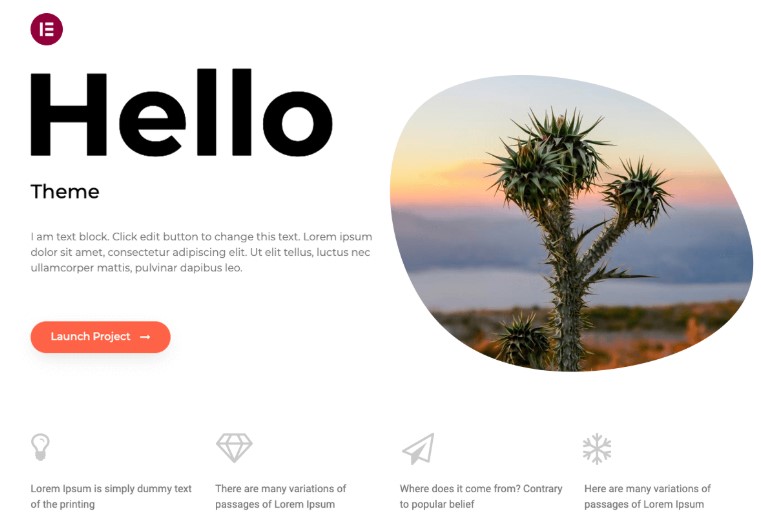
This is the official theme by Elementor, designed as a base for websites that use this page builder. It has a page size of 6kb, thanks to its minimal styling and basic scripts, and claims to load in under a second.
Hello is suitable for a wide range of projects, including ecommerce, blogs, portfolios, education, and landing pages. It is highly -customizable, but it only works with Elementor.
Key features of Hello Elementor:
- More than 100 widgets
- Eight professional design kits
- Easy header and footer setup
- Support for WooCommerce
Hello Elementor pricing:
- Free
3. Astra

Astra has less than 50kb of resources and uses clean code to eliminate bloat. This makes it another top contender for the fastest WordPress themes.
Astra is compatible with HTTP/2, which helps your website use fewer resources when loading. In fact, it claims a loading time of just 0.5 seconds and a 100% speed score on Pingdom.
Astra is a multipurpose theme that works well with the block editor. It also has its own intuitive site builder, which lets you customize every area of your website.
Key features of Astra:
- More than 300 starter templates, including designs for online stores, blogs, businesses, and creatives
- A header and footer builder
- A variety of layouts for blog elements like related posts, author info, and post filters
- Ecommerce features like quick view, a sticky add-to-cart button, and an advanced product filter
Astra pricing:
- A free version is available
- Premium plans start at $49/year
4. Neve

Neve is a lightweight theme that weighs 28 kb and loads in less than one second. It scores 100% for speed in Google PageSpeed Insights.
You can use Neve to create a blog, online store, portfolio, or any other type of website. There are many starter sites available, tailored to niches like marketing, accounting, fitness, architecture, and a lot more. The theme integrates with the block editor.
Key features of Neve:
- Control over layout options
- Custom header and footer options
- More than 110 ready-made templates
- Flexible blog layouts with added features like reading time and custom article sorting
- WooCommerce elements like wishlist, sticky cart, quick view, and more
Neve pricing:
- A free version is available
- Premium plans start at $69/year
5. Blockbase
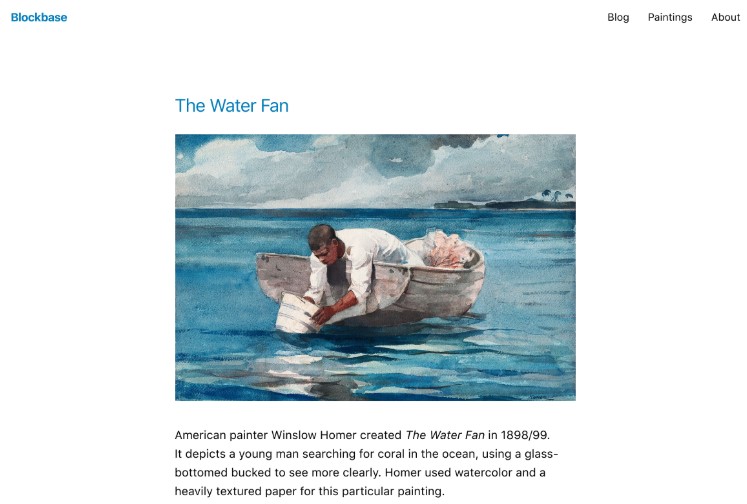
Developed by Automattic (the people behind WordPress.com), Blockbase is a minimalist theme built with blocks. It’s mainly designed for blogs and creative portfolios, with clean layouts to put the focus on your work.
Key features of Blockbase:
- Four style variations
- Pre-made patterns for footers
- Custom menu and colors
Blockbase pricing:
- Free
6. OceanWP

OceanWP offers a wealth of customization options without compromising on speed. It’s ideal for any type of website, including blogs, online stores, and portfolios.
With OceanWP, you can easily disable any features and scripts that you don’t need. This will reduce bloat and lead to faster load times. For instance, you’ll have control over scroll effects, styling options, widget stylesheets, and more.
You can get started quickly with pre-designed site templates. You’ll find designs for agencies, rental services, coffee shops, hair stylists, photographers, and many other businesses.
Key features of OceanWP:
- More than 240 site templates
- Support for WooCommerce
- A popup builder
- A mini cart, quick view, sticky add-to-cart button, and other ecommerce elements
- Unlimited custom sidebars
OceanWP pricing:
- A free version is available
- Premium plans start at $35/year
7. Kadence
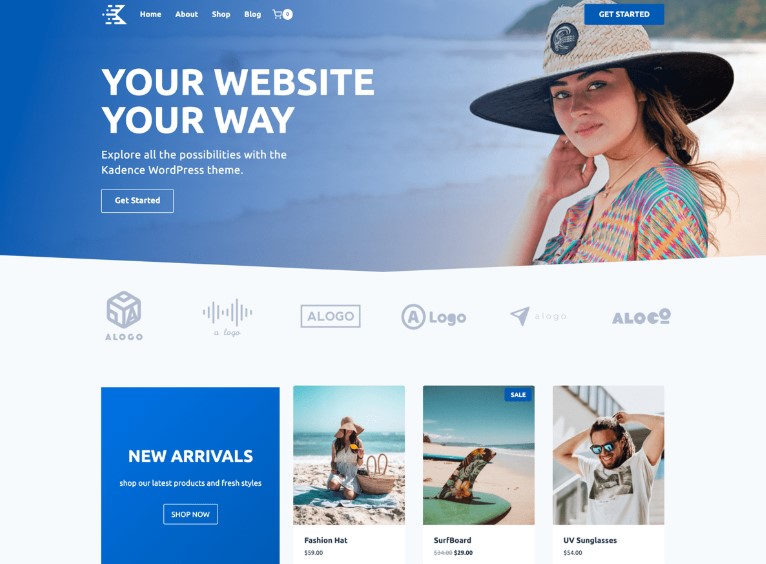
Kadence is a user-friendly theme with built-in support for online stores and courses, non-profit sites, podcasts, and more. It includes a library of blocks to help you customize the design, along with an AI tool that generates layouts tailored to your needs.
Kadence has clean code to ensure fast load times. It also preloads CSS in the header and only renders it as needed.
Other speed-boosting elements include component stylesheets that reduce style overrides and conflicts (so the browser can load content more quickly), and inline SVG icons, which require fewer HTTP requests.
Key features of Kadence:
- Custom footers and headers
- An AI website builder
- A/B testing tools
- Customizable patterns like FAQs, calls to action, about sections, and more
Kadence pricing:
- A free version is available
- Premium plans start at $69/year
8. Hestia
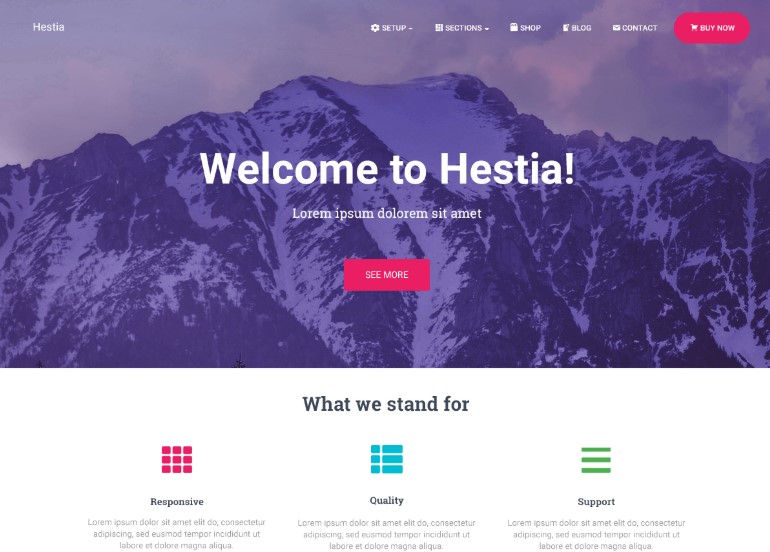
Hestia is a performance-optimized theme for businesses like startups, freelancers, agencies, and small companies. It has a one-page design with plenty of customization options.
Key features of Hestia:
- A slider and video header
- WooCommerce integration
- Custom mega menus
- Advanced blog options, including author and subscribe sections
Hestia pricing:
- A free version is available
- Premium plans start at $69/year
9. Blocksy
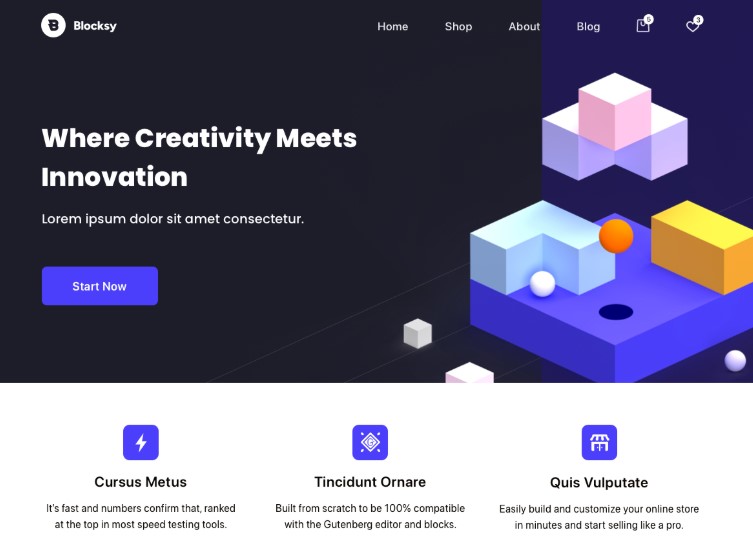
Blocksy is a block theme for shops, restaurants, portfolios, blogs, and many types of businesses. It is very customizable and includes ready-made designs for headers, footers, and other site parts.
Blocksy only loads JavaScript when it’s needed and serves minified scripts out of the box. This helps your site run faster for visitors. Plus, it will automatically compress images and serve them in the modern WebP format.
The theme boasts high scores on different site speed testing tools, including a 100% score on GTmetrix.
Key features of Blocksy:
- Starter sites for blogs, businesses, educational organizations, nonprofits, and more
- Control over layouts, header, footer, sidebars, and single-page templates
- WooCommerce integration with product gallery styles, quick view, and other elements
Blocksy pricing:
- A free version is available
- Premium plans start at $69/year
10. Sydney
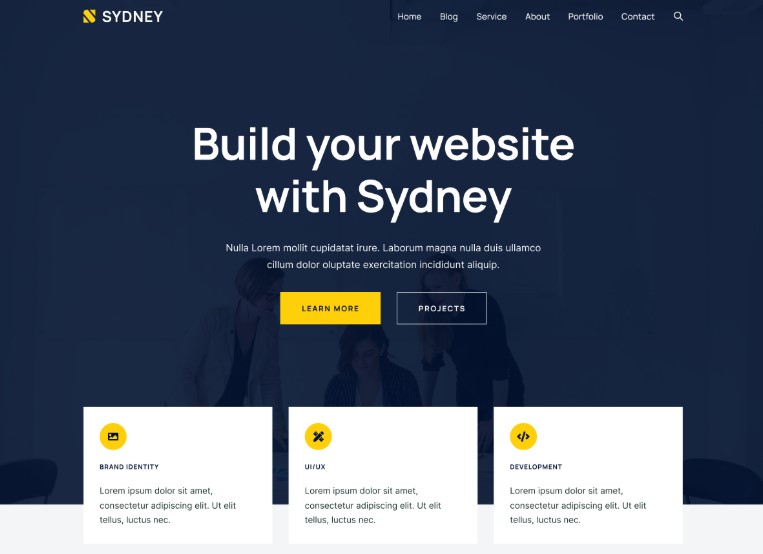
Sydney mainly caters to companies and freelancers, but it’s a flexible theme that you can adapt to other types of sites. It integrates with WooCommerce and offers a wealth of starter sites for ecommerce and portfolios.
This theme comes with advanced blocks for the page builder, which include elements like pricing tables, timelines, and animated headings.
It boasts a speed score of 99% on desktop and 96% on mobile devices. According to GTmetrix, the theme fully loads in just 655 milliseconds.
Key features of Sydney:
- Customizable footer and header layouts
- Ecommerce tools like wishlists, multistep checkouts, and product swatches
- Styling options and animations for sliders
Sydney pricing:
- A free version is available
- Premium plans start at $79/year
What to look for in a fast WordPress theme
You might be wondering, how do I know if a theme is fast? Here’s what you need to look for:
Lightweight design
Lightweight themes typically have a small base install size, between ten and 50 kb. Many developers display the size on the theme’s website. If this information is not readily available, look for it in third-party reviews.
Minimal HTTP requests
Every image, script, font, or style that your theme loads requires an HTTP request. Each request adds load time, making your site run slower. A good theme combines assets to minimize HTTP requests and only loads essential resources.
Efficient use of CSS and JavaScript
Unoptimized code is one of the most common culprits for poor Core Web Vitals scores, particularly first input delay (FID) and largest contentful paint (LCP). Make sure your theme supports techniques like CSS and JavaScript minification and deferred loading of unnecessary scripts.
Responsive design
Many people will visit your website from their mobile phones. So, choose a theme that loads quickly and looks great on any screen size. You can read user reviews about the theme’s responsiveness and try the free version to see what your site will look like on small devices.
Clean, well-structured code
Clean code means fewer errors and ensures better compatibility with plugins on your website. It also makes your site run faster.
Look at user reviews to learn more about the theme’s performance and code structure. You can even run a speed test on the site demo, using an online tool like GTmetrix or PageSpeed Insights.
The easiest speed optimization plugin for WordPress
Jetpack Boost gives your site the same performance advantages as the world’s leading websites, no developer required.
Boost your site for freeThe best plugins to use with your fast WordPress theme
Choosing a fast WordPress theme is a good starting point. However, you’ll also want to pair it with an optimization plugin to further boost your site speed.
Here are three plugins that work well with the themes reviewed above:
Jetpack Boost
This is an all-in-one performance solution by Automattic, the people behind WordPress.com. With Jetpack Boost, you’ll get access to essential speed-boosting features that you can enable with a single click.
For instance, it defers non-essential JavaScript, optimizes CSS loading, and compresses scripts for faster loading.

The Concatenate CSS and Concatenate JS features will group scripts and styles by their placement and minify them to reduce the number of requests made to their server. This will lead to faster loading times, as the server will have less work to do.
If you enable the Defer Non-Essential JavaScript setting, Jetpack Boost will only run unimportant scripts after the page has loaded. This way, theme styles and your images can load faster for visitors.
Jetpack Boost also offers a content delivery network (CDN). This will automatically resize your photos and convert them to an efficient format like WebP. With a CDN, your images are served from Jetpack’s network of servers, reducing the load on your site’s server.
The plugin even provides page caching, so that repeat visitors are served copies of your content from their browsers. This reduces load times, as the browser won’t have to wait for the server to process the request and render the content.
When enabled, these Jetpack features will significantly improve your Core Web Vitals performance.
WP Super Cache
This is another plugin by Automattic, the people behind WordPress.com. It’s a caching solution, which means it instructs browsers to store copies of your pages and serves them to visitors when they return to your site. This way, your server won’t have to load everything from scratch again and repeat visitors will get the content more quickly.
Like Jetpack Boost, WP Super Cache is easy to configure. All you need to do is tick the box to enable caching and select your preferred options.
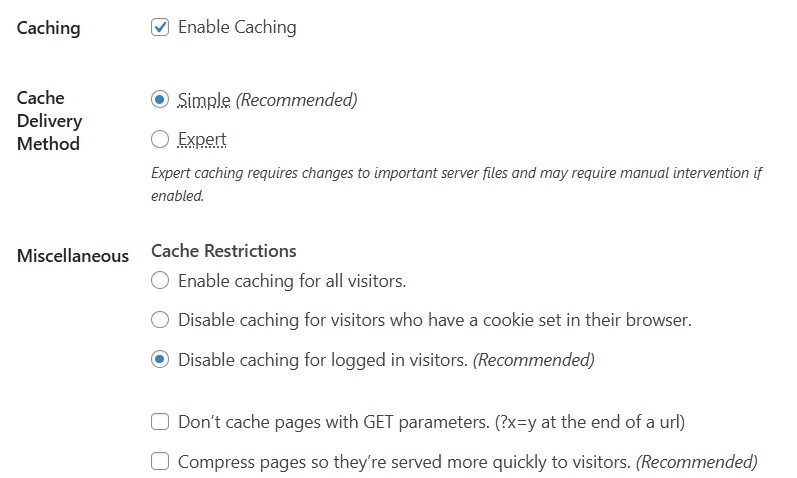
The plugin even shows you the recommended settings, so you don’t need technical knowledge to configure it.
Smush
Large image files will make your site slower, so you’ll want to resize and compress all photos you upload to your website.
Doing this manually can be very tedious, which is where a plugin like Smush comes in handy. This free tool optimizes your images in bulk.
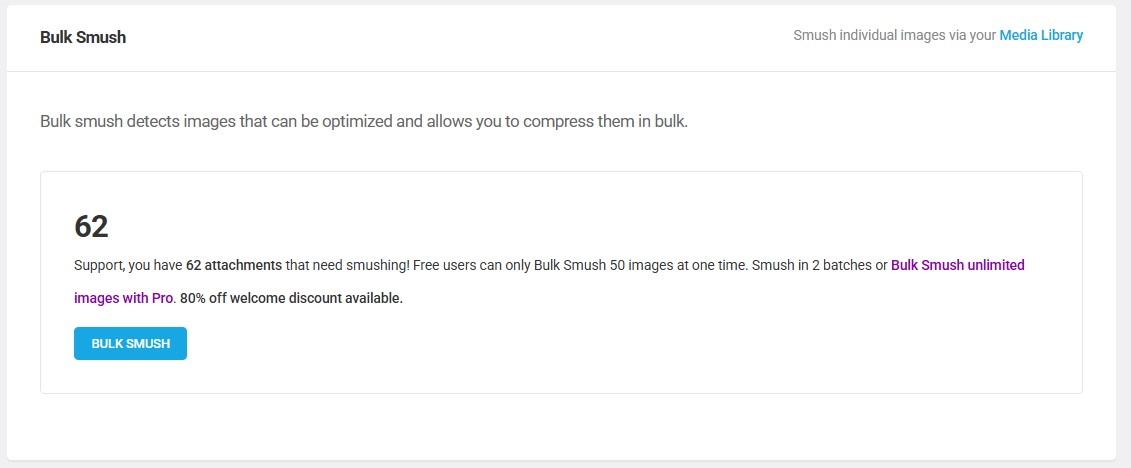
It also converts them to WebP and resizes them to suitable dimensions.
Don’t worry if you already have a lot of images on your website. Smush will optimize any existing media, as well as new uploads.
The importance of a fast hosting environment
If your hosting environment is slow, your site’s performance will suffer — even if you’re using a lightweight theme and optimization plugin.
Your hosting provider controls how quickly your server responds when a visitor requests a page on your site. This is known as time to first byte (TTFB), which is a key performance metric of Core Web Vitals.
Slow servers increase TTFB, which delays your site’s loading and hurts the user experience.
When choosing hosting for a speed-optimized WordPress site, look for features like:
- SSD storage
- Built-in caching
- Unlimited bandwidth
- PHP 8.x or newer
- A content delivery network
You’ll also want to consider the plan you choose. While cheap shared hosting is ideal for tight budgets, it can result in poor performance.
This is because you’ll be sharing server resources with other website owners, and if your site experiences an increase in traffic, it will not be equipped to handle it. Make sure that the plan you choose auto-scales resources for traffic spikes.
Ideally, you’ll opt for managed WordPress hosting plans. Your host will manage updates for you to ensure that your site runs smoothly. Plus, it gives you access to expert-level support so you can troubleshoot any Core Web Vitals or performance issues with the help of your host.
Frequently asked questions
To wrap up, let’s answer some common questions about WordPress themes and site speed.
How do WordPress themes affect site speed?
Themes control layout, styling, and front-end scripts. If your theme has a lot of code for elaborate features like sliders and animations, it results in more HTTP requests and adds extra load time to your site.
Additionally, a theme can speed up or slow down page load because it decides what files the browser must download, how much code WordPress has to execute on the server, and when elements appear on the screen. Bloated themes add dozens of files that pile up in seconds, while lightweight themes are designed to minimize requests and improve site speed.
What is the fastest free WordPress theme?
Some of the fastest WordPress themes, like GeneratePress and Kadence have free versions, while others, like Hello Elementor and Blockbase are completely free.
Blockbase is ideal if you want a minimalist theme for a visual portfolio. If you want to design your site with Elementor, the builder’s Hello theme serves as a solid, lightweight base.
How do I measure if my theme is affecting speed negatively?
Run a site speed test using an online tool like Google PageSpeed Insights or GTmetrix. Make a note of the overall performance score for both the desktop and mobile versions.
Then, deactivate the theme and install a different one. Run the test again and compare the scores.
These online tools will also highlight issues that affect your load times, plus provide recommendations on how to resolve them. Some of them may relate to your theme, such as:
- Reduce unused CSS / JavaScript: This suggests that your theme is heavily coded.
- Eliminate render‑blocking resources: Well-coded themes load only critical CSS, and render the rest later.
- Serve images in next‑gen formats: The theme’s demo images might not be set up for WebP/AVIF formats.
Will switching to a fast theme improve my Google Core Web Vitals?
Yes, especially for your LCP and CLS scores. A fast-loading theme has cleaner code, so there’s less pressure on the server. It also reduces render-blocking scripts, helping your content load faster.
Do I need a developer to optimize my site for speed?
Not at all. With beginner-friendly plugins like Jetpack Boost and WP Super Cache, you can optimize your site with just a few clicks.
Is a premium paid theme always faster than a free theme?
Paying money does not guarantee a faster website. In fact, many free themes are faster than expensive ones. Premium themes can come with huge bundles of features you do not need. They might include complex sliders, portfolio builders, and multiple layout options. All this extra code loads on every page and slows down the browser.
Will switching to a faster theme delete my blog posts or pages?
No, your content will remain safe. Your articles, images, and pages live in a database that is separate from your theme. The theme only controls how that content looks on the screen. It acts as a styling layer rather than a storage container.
However, you might see some small changes in layout. Your menus might disappear from the top bar. Your sidebar widgets might move to a different area. You will likely need to assign these items to their new locations inside the new theme settings. You should always save a complete backup of your website before you activate a new design. This gives you a safety net if you do not like the result.
Will a fast theme fix my slow website if I have cheap hosting?
A fast theme helps, but it cannot fix the problems caused by bad hosting. Your hosting server is responsible for sending files to the visitor. If the server is slow to respond, the browser simply waits.
You can have the lightest theme in the world, but it will still load slowly if your server takes two seconds to reply. We call this metric Time to First Byte. You need both parts to work together. You need a quality hosting plan to deliver data quickly. Then you need a fast theme to display that data quickly. Do not rely on a theme alone to solve deep performance issues.
What is the difference between Block themes and Classic themes for speed?
Block themes represent a newer way to build WordPress sites. They typically load faster than older Classic themes because they are more efficient with code.
A Classic theme usually loads one large style sheet for the entire website. This file contains code for elements that might not even exist on the current page. A Block theme works differently. It only loads the specific styles needed for the blocks you actually use on that page. This reduces the amount of data the user must download. If you are starting a new project today, a Block theme is often the superior choice for long-term performance.
Which Core Web Vitals metric does the theme affect the most?
Your theme generally has the biggest impact on a metric called Interaction to Next Paint. This measures how quickly a button or menu works when a user taps it. Complex themes often run heavy JavaScript code in the background. This code can freeze the browser for a split second. When a user taps a menu, nothing happens immediately. This creates a frustrating experience.
The theme also affects Largest Contentful Paint by determining how fast the main headline or banner image appears. You want a theme with clean code structure. This ensures your interactive elements respond instantly to user input.
Can I use the default WordPress themes like Twenty Twenty-Five for speed?
The default themes released by WordPress are excellent choices for performance. The developers create these themes to set a standard for the industry. They use the latest coding practices and contain zero unnecessary fluff. A theme like Twenty Twenty-Five is often faster than popular third-party options because it is so simple.

The easiest speed optimization plugin for WordPress
Jetpack Boost gives your site the same performance advantages as the world’s leading websites, no developer required.
Boost your site for free Jetpack