

Use WordPress to capture, qualify, and attribute more leads — not just collect emails. Below you’ll find 12 proven ways to turn your WordPress site into a steady source of leads. Each tip is clear and focused on helping you get results without wasting time. Let’s jump in!
Key Takeaways in 60 Seconds
- Focus on High-Value Lead Magnets: Ditch generic ebooks. Create specific checklists, templates, or mini-guides that solve a real problem for your audience.
- Optimize Your Forms: Keep forms short (ideally 2-3 fields max) and place them strategically within your content.
- Build Trust with Social Proof: Use real testimonials, case studies, and partner logos near your CTAs to boost conversions.
- Don’t Ignore SEO: Simple optimizations like page speed and clear meta descriptions can significantly increase qualified traffic from Google.
- Integrate with a CRM: A lead is only as good as your follow-up. Connect your forms directly to a CRM to nurture leads effectively.
1. Create lead magnets people actually want
Only create a lead magnet if it helps your audience. Focus on solving a real issue they care about. The strongest lead magnets are specific, practical, and simple.
Here are some examples:
- One-page cheat sheets that solve a clear problem or explain a process
- Short checklists that help people complete a task
- Mini-guides under ten pages that go deep on a specific topic
- Free tools or calculators related to your industry
- Discounts or free trials for your product or service
Once you’ve set up your lead magnet, packaging it the right way makes a big difference. Use a title that’s clear and direct. Something like, “5-Step Email Setup Guide” tells people exactly what to expect.
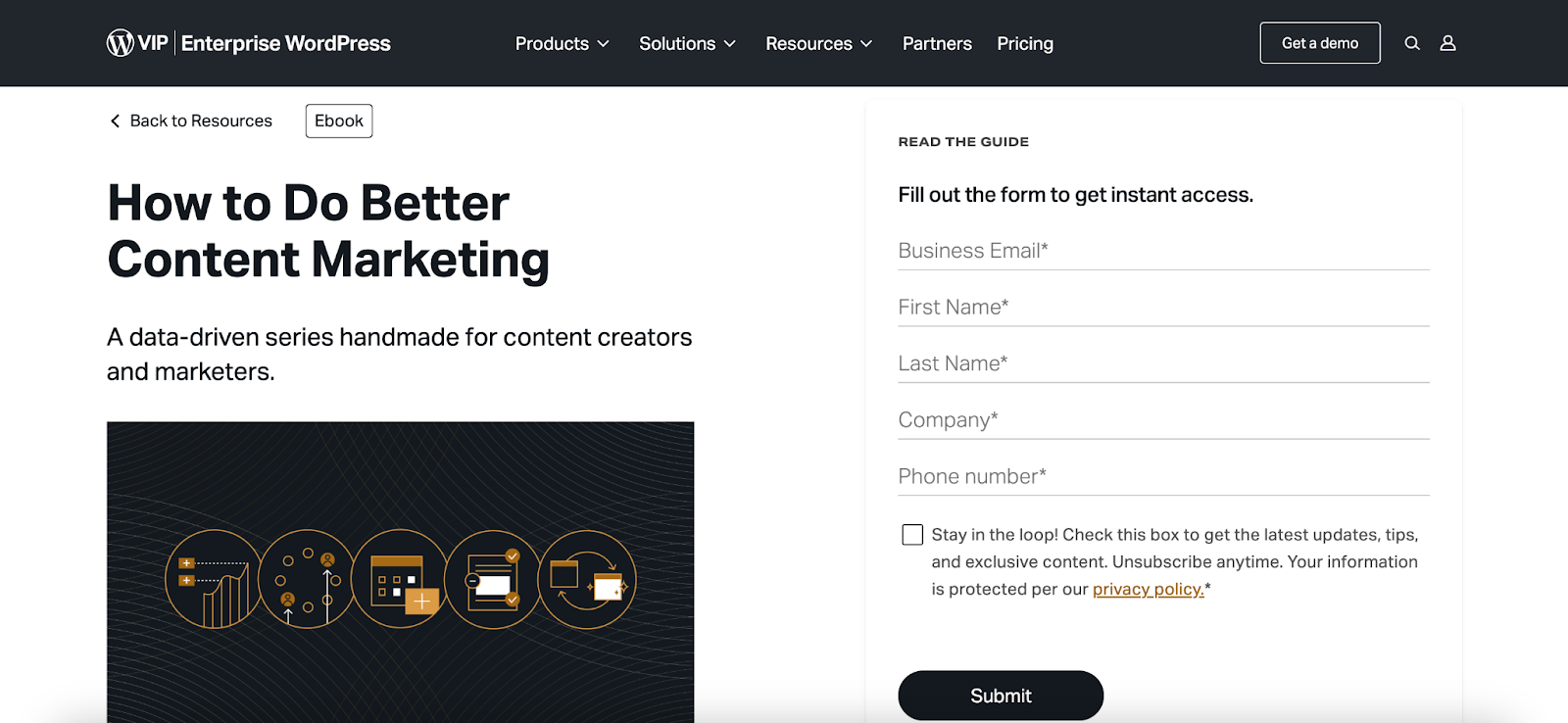
Place the offer just above your signup form so it’s easy to see. In your headline, highlight one strong benefit. If the lead magnet is a social media calendar, for example, you could say, “Cut 30 minutes off your weekly planning.”
2. Keep your forms short and clear
People don’t fill out long forms. The shorter and clearer your form is, the more likely visitors are to complete it. Start with the basics, then build from there if needed.
Here are a few best practices to keep in mind for higher conversions:
- Use just two fields to start — like name and email.
- Add placeholder text to show people what to fill in each field (like “yourname@email.com”).
- Label each field clearly and avoid vague terms like “Details,” or “Info.”
- Place the submit button right below the form, not off to the side or at the bottom of the page.
Where you put your form matters, too. Here are some ideas:
- On your homepage, add a form under the main banner or hero section.
- In blog posts, include a form halfway through the content and again at the end.
- In popups, delay their activation 10–15 seconds or trigger the popup on scroll to give people a chance to get oriented first.
Just as important, be sure to choose a reputable and flexible contact form plugin. Jetpack Forms is a great option. Use it to build custom forms quickly and even use the Jetpack AI Assistant to generate the fields for you.

3. Show exit-intent popups to keep more visitors
An exit-intent popup gives you one last opportunity to start a conversation with visitors before they leave your site. These popups appear when someone’s mouse moves toward the back button or browser bar — a clear signal they’re about to leave.
Keep the message short and the offer low-pressure. A free checklist, downloadable guide, or simple tip sheet works well. Use one sentence to explain the value and one clear call-to-action button to make it simple to say, “Yes.”
Skip flashy animations, avoid long forms, and never show the popup immediately after someone lands on a page.
4. Build landing pages that stay on one goal
A landing page works best when it focuses on a single outcome. Whether you’re collecting emails, offering a free resource, or promoting a service, the entire page should guide visitors toward one clear action and nothing else.
Start with a headline that highlights a specific benefit. Then, follow it up with a short explanation that tells visitors exactly what they’ll get when they sign up. Keep the form short and above the fold so they don’t have to scroll to take action.
Remove any unnecessary links to other pages that might lead visitors away. Finally, add a few lines of social proof below the form to build trust, like testimonials, reviews, or official seals.

Use tools like Jetpack AI Assistant to write landing page copy that’s clear and persuasive. If you’re running ads or targeting different audiences, create a separate landing page for each campaign. Then, track how each one performs using UTM codes or analytics tools.
Small adjustments to your layout or messaging can make a big difference in results, especially when everything on the page works together to support a single goal.
5. Make sure your site works well on mobile
Most people visit websites from their phones, so if it’s hard to use on a small screen, you’ll miss out on leads. Mobile site visitors expect pages to load quickly, buttons to respond, and content to be simple to read.
Prioritize the following:
- Make buttons big enough to tap.
- Use legible fonts and short paragraphs.
- Avoid full-screen popups that block content or are hard to close.
- Keep forms stacked vertically with no side-by-side fields.
- Test how your site looks on iOS and Android devices.
6. Use live chat to capture leads quickly
Live chat gives people a way to ask questions while they’re still on your site. When they get quick answers, they’re more likely to take the next step, whether that’s signing up, making a purchase, or booking a call.
The best time to trigger live chat isn’t right when someone lands on your site. Wait until they’ve been active for 30 to 60 seconds or reached a high-intent page, like your pricing or contact section. This gives them a chance to settle before you offer help.
Tell people clearly whether they’re chatting with a bot or a person, so they know what to expect. Use a chat tool that collects names and email addresses during the conversation, allowing you to follow up even if they don’t convert right away. When no one’s available, give visitors the option to leave a message and send a reply by email. You still generate a lead and keep the conversation going.
7. Show proof that people trust you
Visitors feel more confident when they see that others have already signed up, bought in, or benefited from what you offer. When you add real testimonials, ratings, or recognizable logos to your site, you show that people trust your business, which makes new visitors more likely to take action.
Include short quotes from happy customers and add a name or photo when you can. Share your review scores from platforms like Google or TrustPilot. If you’ve worked with well-known companies, display their logos to boost credibility right away.
Place this proof where it supports key decisions. Add it next to your signup forms, below your call-to-action buttons, or in the footer of your landing pages. Choose testimonials that directly relate to the product or service you’re promoting. If you’re offering an email tool, highlight feedback about the email experience, not about something off-topic like your podcast or onboarding process.
When you match the right proof with the right offer, you give people a reason to trust you and take the next step.
8. Run A/B tests to improve your results
Small changes can lead to big improvements, but only if you know what actually works. A/B testing allows you to compare two versions of a page element so you can make decisions based on real data. So, you might test whether, “Get the Guide,” performs better than, “Start Now” on your call-to-action button. Or you could see whether a short headline draws more attention than a longer one.
You can also experiment with things like the number of form fields, button colors, fonts, and so on.
To get reliable results, change just one thing at a time and track performance. Use a tool like Nelio A/B Testing that simplifies the testing process and shows you clear metrics. Let each test run for at least a week — often 7 to 14 days — to gather enough data to trust your results.
Instead of relying on hunches, test your assumptions. The more you experiment, the better you’ll understand what turns visitors into leads.
9. Lock premium content behind a form
Put your best content to work by gating it behind a signup form. When you offer something valuable, like a downloadable PDF, a time-saving template, or bonus video content, you give visitors a reason to share their email address. This approach works especially well for content-rich sites where people already trust you.
Start by giving readers a preview. Tease the full value in the public section, then prompt them to unlock the rest by filling out a short form.
You can also use this strategy to grow a free or paid newsletter. Jetpack Newsletter lets you create, manage, and send updates straight from your WordPress dashboard.
10. Connect your leads to your CRM
Collecting email addresses is just the beginning. To turn leads into customers, you need to follow up—a CRM keeps everything organized for you. When you organize your leads properly, you can respond faster, personalize your outreach, and track what’s working.
Start by tagging contacts based on how they signed up or which page they visited. Set up email automation to send a welcome message as soon as someone joins your list. Over time, use their behavior to create segments and send more targeted follow-ups. These small touches build trust and keep your company top of mind.
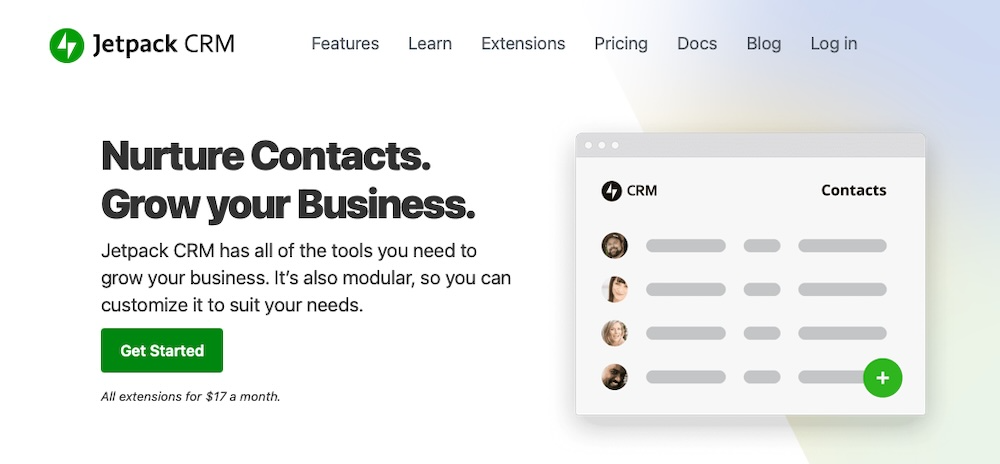
Make sure your forms send data directly to your CRM, too. Don’t let leads sit in your inbox. Jetpack CRM is a solid option, offering a lightweight, flexible toolset for site owners. It lives inside WordPress and provides full control over your contact data.
11. Make your site findable on Google
When people search for what you offer, your site should show up. With the right WordPress SEO best practices in place, organic traffic brings in a steady stream of visitors who are already interested in what you offer.
Start by choosing one primary keyword for each page and use it naturally in the title, first paragraph, and page URL. Write a clear meta description that gives people a reason to click, and add alt text to images so search engines know what’s on the page (and screen readers do, too).
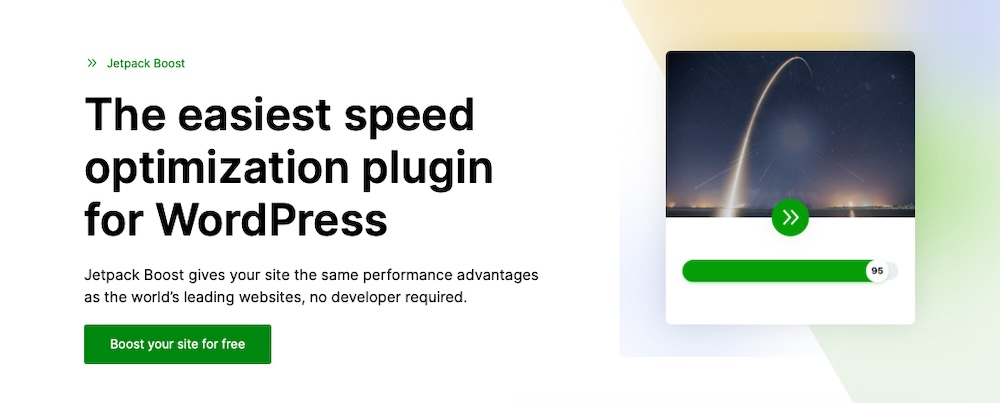
Make speed a priority as well. When your site loads slowly, it hurts the user experience and your search rankings. A tool like Jetpack Boost improves load times by enabling performance features designed specifically for WordPress.
Don’t let your content go stale. Revisit key pages every few months, update outdated information, and look for ways to improve clarity or relevance. Search engines favor content that stays fresh, and so do readers.
For more on search engine optimization, read this guide on improving SEO on WordPress.
12. Track, review, and adjust often
If you want to increase leads, you need to know what’s working. Tracking in real time gives you insights to help you make smarter decisions and improve. Start by looking at how many people visit each page, how many fill out your forms, and which blog posts bring in the most traffic.
Use tools like Jetpack Stats or Google Analytics to monitor page views and engagement. For lead tracking, rely on your CRM dashboard to see who’s signing up and where they’re coming from. Check your data at least once a week. Don’t just skim the top-level numbers — really dig into the details. Identify where people drop off or stop clicking, then adjust that part of the page.
Turn your WordPress site into a steady lead source
Generating leads from your WordPress site doesn’t have to be a complex or expensive process. By focusing on creating genuine value for your audience, building trust, and optimizing the user experience, you can create a reliable engine for business growth.
Start with one or two of the strategies outlined in this guide. Test, measure, and iterate. Over time, these small, consistent efforts will compound, turning your website into your most valuable marketing asset.
And if you’re looking for an all-in-one solution to help you implement many of these strategies, Jetpack offers a suite of tools — from performance optimization with Boost to content creation with AI Assistant — designed to help you grow your business.
Frequently asked questions
How do I choose the right lead generation plugin for WordPress?
You should choose a plugin based on your main goal. First, decide what you need to do. If you just want to add simple contact forms or newsletter sign-ups, a lightweight forms plugin is a good start. For growing your email list with popups and banners, look for a plugin focused on conversion.
If your goal is to manage customer relationships from the start, a simple CRM plugin inside WordPress (like Jetpack CRM) is the best choice. Look at your budget and technical comfort. Many good plugins offer free versions that are enough to begin.
Are popups still effective for lead generation, or do they just annoy visitors?
Popups are still very effective when used correctly. The key is to avoid disrupting the user’s experience. Use exit-intent popups, which appear only when a visitor moves their mouse to leave your site. This gives you one last chance to make an offer without interrupting their reading.
Also, your popup must provide real value. Instead of just saying “Subscribe,” offer a free checklist, a discount code, or an exclusive guide. A valuable offer makes people feel good about sharing their email address.
What are the most important elements of a high-converting landing page?
A great landing page has a few key parts that work together. It needs one clear goal, a strong headline, and a simple form. The headline should state the main benefit a visitor will get. The page should have very little text, using bullet points to explain benefits quickly.
Show social proof, such as customer testimonials or logos of companies you have worked with, to build trust. Most importantly, remove all distractions. A landing page should not have a navigation menu or links to other parts of your site.
How can I generate leads from my website if I have no budget?
You can generate many leads without spending money. Start by creating helpful blog content that answers common questions your potential customers have. Inside this content, offer a “content upgrade.”
This is a free resource, such as a downloadable PDF checklist or template, that is directly related to the blog post. You can create these resources using free tools. Also, place simple email sign-up forms in your website’s footer and at the end of every blog post. These simple, free methods can build your email list over time.
How long should my lead generation form be?
Your lead generation form should be as short as possible. For most goals, asking only for an email address is best. If you need a name for personalization, you can add a name field. Each extra field you add will lower your conversion rate because it creates more work for the visitor.
Only ask for information you absolutely need for the next step. You can always ask for more information later, after you have started a conversation with the lead through email.
What is a lead magnet and how do I create a good one?
A lead magnet is a free item or service you give away in exchange for someone’s contact information, usually their email address. A good lead magnet solves a specific problem for your target audience quickly. It should be easy to use right away.
Great examples include one-page checklists, short how-to guides, templates, or a free tool. To create a good one, think about the biggest small problem your audience faces. Then, create a simple solution they can use in minutes.
Where is the best place to put lead capture forms on my website?
You should place lead capture forms in several locations to see what works best. High-visibility spots are very effective. These include the header or hero section of your homepage, within the content of your popular blog posts, and in the website’s footer.
A dedicated landing page for a specific offer is also a powerful tool. For blog posts, placing a form about halfway through the article and another one at the end often works well. This captures both engaged readers and those who finish the entire article.
Should I use a chatbot for lead generation on my WordPress site?
Using a chatbot can be a great way to capture leads. A chatbot can engage visitors 24/7, answer common questions, and ask for an email address in a friendly, conversational way. You can program a chatbot to ask qualifying questions to see if a visitor is a good potential customer.
For example, it can ask about their budget or company size. This works very well for service businesses. Just make sure the chatbot offers a way to speak with a real person if the visitor needs more help.
What is the difference between a lead and a subscriber?
A subscriber is someone who signs up to receive your regular content, such as a newsletter. Their main interest is in getting your updates. A lead is someone who has shown a more specific interest in your products or services. They might have downloaded a guide about a product, asked for a price quote, or signed up for a free trial.
All leads can be subscribers, but not all subscribers are leads. It is important to treat them differently and send them messages that match their level of interest.
How do I know if my lead generation efforts are working?
You can track your success by looking at a few simple numbers. The most important metric is the conversion rate. This is the percentage of visitors who fill out your form. For example, if 100 people visit your landing page and 5 of them sign up, your conversion rate is 5%. You should also track the total number of new leads you get each week or month.
Use tools like Jetpack Stats and Google Analytics to see which pages or posts bring in the most leads. Watching these numbers helps you understand what is working.

 Jetpack
Capturing leads is one thing, but managing the following flood of emails is another. Keeping follow-ups brief and in your own voice helps preserve the trust you worked hard to build.
LikeLike