

Start by choosing a theme
Confit is one of many free Jetpack themes designed just for restaurants. Go to the WordPress.com theme showcase and search “Confit.” With Jetpack, you can preview it and then apply it to your site. Confit is just one of many themes designed for restaurants and other foodie websites. Browse through the extensive theme offerings by going to Themes > Add New and selecting the Feature Filter button.Check the Food & Drink box, and click Apply Filters for a list of all the available food-focused themes.

Use the “Food & Drink” filter to find themes specifically designed with restaurants in mind.
Add inspiring images and photos of your food
Most food-focused themes allow you to customize a background image and header area. This helps to create positive first impressions for visitors checking out your restaurant for the first time.To customize the primary background image of your site, go to Appearance > Customize > Background Image.
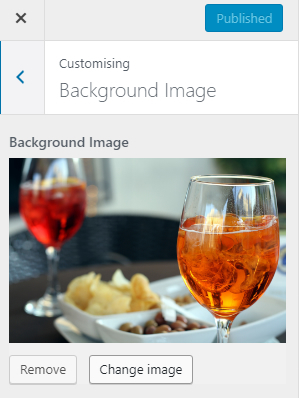
Set a background image for your WordPress site by customizing your theme.
You can opt to add a logo by going to Appearance > Customize > Header Image.
Visitors will want to see pictures of your food, and there’s more information on how to do this in the menus below, but images also set expectations about the type of venue and food you provide. Be sure that diners know what cuisine you serve, how they should dress in your restaurant, and the kind of dining experience they’re likely to have. Do you have a maître d’, or is your establishment a seat-yourself diner? Great images on your pages and blog posts will help to set the tone.Don’t forget that potential diners are not your only audience. Looking to recruit staff members through your website? Remember to include a great team photo in your About Us page so that new chefs, wait staff, and managers can visualize the team they’ll be working with.
Craft your menu with Jetpack
Confit, and many other restaurant themes, can style menus for you. This makes it easier to add your dishes into a great-looking menu page. This also adds a download button for foodies who want to save this information for later. If you’re using a theme that doesn’t include menu styles, you can use Jetpack’s Simple Food Menus custom content type to add menu support. Your site’s menus will work on phones and tablets, allowing diners to explore your restaurant while they’re out and looking for a place to stop into for a bite. Find the menu options in the main dashboard under Food Menus.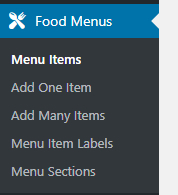
Add one item or many to your menu.
To see your menu in real-time, create a page for it and select Menu Template from the page attributes. You don’t need to do anything else, just click Publish to see your site’s new menu.
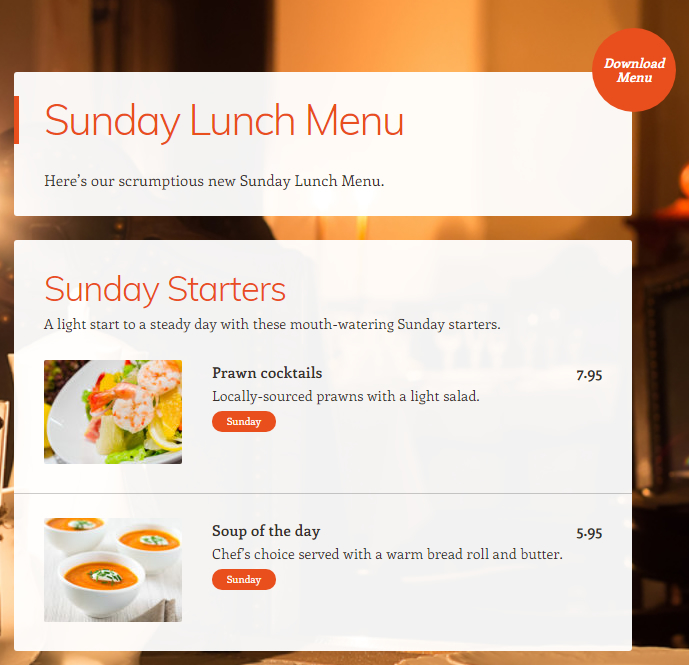
An example menu. Looks amazing, doesn’t it?
Display your hours and location in a convenient spot
After patrons read your menu and decide to stop in for lunch, they’ll need to know where to go and when you’re open. This is where Jetpack’s Contact Info Widget comes in. Go to Appearance > Customize > Widgets and add Contact Info & Map (Jetpack) to include opening hours, contact information, and a map in an attractive widget.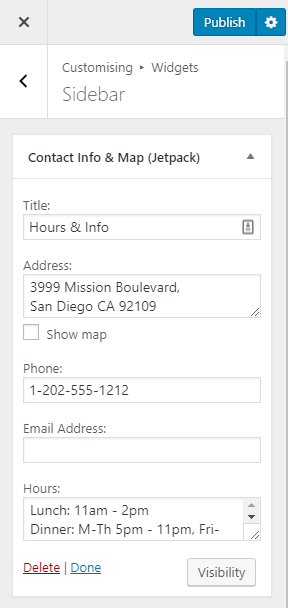
This widget will display your address, contact information, and operating hours.
Finally, consider making reservations an option
Your eager diners can avoid queues and table shuffling by booking an online reservation. Consider accepting table reservations through your website by embedding an OpenTable widget into the sidebar. Head to the link above and sign up for OpenTable if you haven’t already. Then search for your restaurant, copy the code, swap the single quote marks for double quote marks (from ‘ to “), and paste them into a Custom HTML widget.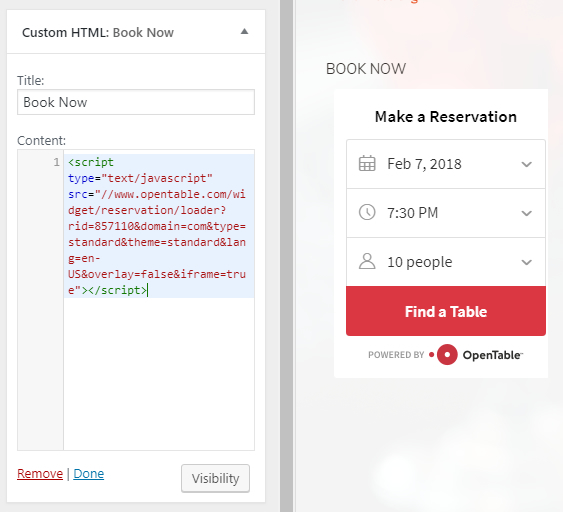
OpenTable allows potential guests to book a table in advance — most useful for busy fine dining establishments.

 Jetpack