

Search engines rely on sitemaps to discover and understand your site’s content. Submitting a sitemap helps search engines index pages more efficiently, which leads to better visibility.
Thankfully, WordPress sitemap plugins automate this process. They generate structured, search-friendly XML files and update them as your content changes.
In this guide, we’ll cover the top sitemap plugins for WordPress, how they work, and what makes each one stand out.
A review of popular sitemap plugins for WordPress
There are a number of great sitemap plugins for WordPress, and a lot of their features sound similar. So how do you make the right decision? To help you narrow down your choices, here are eight of the best WordPress sitemap plugins to consider — complete with pros, cons, and pricing information.
1. Jetpack
Jetpack includes a built-in sitemap feature that works behind the scenes to keep your content discoverable. Once activated, Jetpack automatically creates and maintains XML sitemaps for your site’s pages, posts, categories, tags, and custom post types. You can submit these sitemaps to search engines like Google and Bing through their webmaster tools platforms.
Key features:
- Automatic sitemap generation
- Support for posts, pages, custom post types, and taxonomies
- Compatibility with Google Search Console and Bing Webmaster Tools
- A simple on and off toggle in Jetpack settings
Pros:
- It runs quietly in the background.
- This plugin requires no configuration.
- It maintains up-to-date sitemaps automatically.
Cons:
- It has fewer customization options than some standalone SEO plugins.
- To work, it requires a connection to WordPress.com.
Ease of use:
Jetpack’s sitemap feature turns on with a single setting. Once activated, it updates automatically with every new post, page, or product. There’s no need to manage files or adjust advanced settings.
Best for:
Site owners who want reliable SEO support without extra overhead will benefit the most from Jetpack. It’s ideal for bloggers, small businesses, and anyone already using Jetpack’s other features.
Pricing:
XML sitemap support is included in Jetpack’s free plan. Upgrade to Jetpack Complete for advanced SEO, security, and performance tools starting at $49.95 per month.
2. Yoast SEO
Yoast SEO remains one of the most widely used SEO plugins for WordPress, and its sitemap feature is a core part of that offering. As soon as you activate the plugin, Yoast automatically generates an XML sitemap that updates dynamically as you publish, update, or remove content.
Yoast splits sitemaps by content type, helping search engines prioritize and parse your site more effectively. Also, you can select which post types or taxonomies to include.
Key features:
- Automatic XML sitemap generation
- Support for custom post types, taxonomies, and archives
- Exclusion of specific content types from sitemap
- Integration with other Yoast SEO features
Pros:
- It offers full control over sitemap structure.
- It works well for larger sites with multiple content types.
- You can combine sitemap management with broader SEO tools.
Cons:
- It adds a fair number of settings to the WordPress dashboard, which may overwhelm some users.
- You need a paid plan to access all Yoast features.
Ease of use:
The sitemap feature turns on automatically, but you do need to go deeper into the plugin’s settings to make adjustments. Most people can stick with the default settings, however.
Best for:
Content-heavy sites, ecommerce stores, and publishers that need more control over indexing will find Yoast SEO useful.
Pricing:
The free version of this plugin includes sitemap features. Premium features start at $188.80 per year.
3. All in One SEO (AIOSEO)
All in One SEO offers a sitemap generator as part of its main SEO feature set. Like Jetpack and Yoast, AIOSEO automatically builds and updates your sitemap as your content changes. It also includes specialized sitemap types, including those for video and news sitemaps, which help certain kinds of content perform better in search results.
Key features:
- Automatic XML sitemap generation
- Support for video, news, and RSS sitemaps
- Control over excluding posts, pages, and taxonomies
- Custom sitemap priorities and update frequencies
- Integration with Google Search Console
Pros:
- It offers more sitemap types than most plugins.
- It allows you to manage sitemap visibility per page or post.
- It’s great for video-heavy or news-oriented sites.
Cons:
- For additional features, you’ll need to invest in the Pro version.
- It feels bulky if you don’t use the full SEO suite.
Ease of use:
The default sitemap works out of the box, but customization options are available if needed. AIOSEO walks you through setup with an onboarding wizard.
Best for:
Sites with diverse content needs, like those for video creators, bloggers, and news publishers who want more sitemap control, will benefit the most from this plugin.
Pricing:
The free version includes the primary sitemap feature while paid plans provide access to advanced sitemap types and SEO tools, starting at $99 per year.
4. The SEO Framework

The SEO Framework focuses on performance and simplicity. It offers an efficient way to generate sitemaps without unnecessary features. Once installed, the plugin automatically creates a sitemap that updates in real time and includes your posts, pages, categories, tags, and custom post types.
Key features:
- Lightweight automatic XML sitemap generation
- Support for all public post types and taxonomies
- Real-time sitemap updates
- Compatibility with multilingual plugins like Polylang and WPML
Pros:
- It’s fast and minimal with no extra bloat.
- This plugin includes smart default settings that work for most sites.
- It features a well-designed interface.
Cons:
- There’s no video or news sitemap support.
- It doesn’t have as many customization options as other plugins listed here.
Ease of use:
The sitemap generation feature runs in the background and requires no setup. Advanced controls are available for those who want to adjust output, too.
Best for:
Those who want a no-fuss, performance-first sitemap plugin stand to benefit the most from The SEO Framework. It’s a solid choice for developers, minimalists, and privacy-conscious site owners.
Pricing:
The free version of the plugin includes sitemap functionality. Pro plans with additional SEO features start at $84 per year.
5. Rank Math
Rank Math includes a built-in sitemap generator designed for flexibility and performance. It automatically creates XML sitemaps for all public post types and taxonomies and updates them dynamically as your content changes. Fine-tune what appears in your sitemap with a few clicks, including toggles for categories, tags, author archives, and custom post types.
Key features:
- Automatic generation of and updates to XML sitemaps
- Separate sitemaps for posts, pages, and categories
- Optional image, video, and news sitemaps
- Toggles for content inclusion and exclusion
Pros:
- It supports a wide range of sitemap types.
- It includes strong user onboarding features.
Cons:
- This plugin may feel overwhelming if you only need a sitemap tool.
Ease of use:
Setup is quick thanks to Rank Math’s guided configuration wizard. Sitemap settings are clearly labeled, and most people leave them as-is unless specific changes are needed.
Best for:
Content-rich sites that want an all-in-one SEO toolkit with strong sitemap flexibility find Rank Math to be a good choice. It’s suitable for bloggers, ecommerce stores, and publishers.
Pricing:
The free version includes sitemap support. Pro plans start at $95.88 per year and include advanced SEO modules.
6. XML Sitemaps Generator for Google

XML Sitemaps does one thing and does it well. Unlike multipurpose SEO plugins, this tool focuses solely on creating accurate, compliant sitemaps. It generates XML files for your site’s posts, pages, and categories then automatically notifies search engines like Google and Bing whenever your content updates.
Key features:
- A dedicated XML sitemap generator
- Automatic pinging to search engines when content updates
- Priority and frequency settings for each content type
- Compatibility with custom post types and taxonomies
- A lightweight design that’s optimized for performance
Pros:
- It’s a focused tool with no added SEO features.
- This plugin has a simple interface with clear settings.
- It works well alongside other plugins.
Cons:
- There’s no support for video or news sitemaps.
- It has fewer integration options than full SEO plugins.
Ease of use:
Most of the configuration is optional. The plugin starts generating a sitemap right after activation, but you can adjust priorities, update frequencies, and inclusion rules if needed.
Best for:
Site owners who want a standalone sitemap tool without the extras will make the best use of this plugin.
Pricing:
XML Sitemaps is free.
7. SmartCrawl

SmartCrawl combines sitemap generation with a set of SEO tools for those who want more control without too much complexity. It automatically builds XML sitemaps for your content and lets you choose which pages, posts, taxonomies, or media files to include. You can also generate sitemaps specifically for video or news content.
Key features:
- Automatic XML sitemap generation with dynamic updates
- Custom post type, category, and tag support
- Video and news sitemap options
- Built-in search engine pinging
- A dashboard with integrated SEO suggestions
Pros:
- It offers multimedia sitemap support.
- The visual UI makes configuration accessible and straightforward.
- It comes with SEO tools integrated but not so many that it’s overwhelming.
Cons:
- Getting access to the plugin’s full feature set requires a WPMU DEV membership.
- It’s not as widely used or supported as other plugins on this list.
Ease of use:
SmartCrawl’s wizard-based setup walks you through key decisions. Once running, it handles sitemap creation automatically and provides simple settings access within the dashboard.
Best for:
Any site owner who wants a modern SEO plugin that balances sitemap automation with other helpful tools will benefit from SmartCrawl.
Pricing:
SmartCrawl is free. Pro plans start at $15 per month, billed annually, and include a full WPMU DEV membership.
8. SEOPress
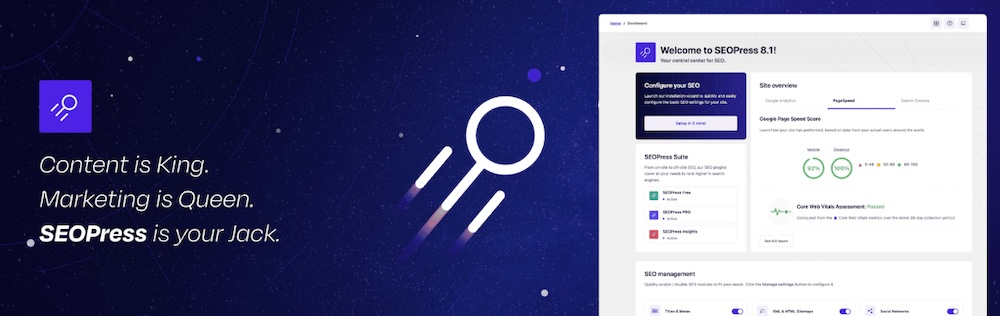
SEOPress offers a powerful sitemap feature that works right out of the box. It supports the usual XML sitemap generation but goes further by including image, video, news, and HTML sitemaps as well. Enable or disable specific content types, exclude individual pages, and customize priority and frequency settings for more fine-tuned control.
Key features:
- XML, HTML, image, video, and news sitemaps
- Customizable inclusion and exclusion settings
- Priority and frequency options per content type
- Compatibility with multilingual plugins
- API access and advanced developer tools in Pro
Pros:
- It provides extensive sitemap support across content types.
- Its clean interface makes setup simple.
- The plugin provides strong developer flexibility.
Cons:
- The free version offers limited features only.
- This plugin is less known than others on the list, so it has fewer third-party integrations.
Ease of use:
SEOPress enables sitemaps by default and makes customization easy through toggle switches and dropdowns. Even advanced features are laid out clearly, so most won’t need to make customizations.
Best for:
Site owners and developers who want detailed sitemap control, especially if they’re managing multilingual or media-heavy sites, will find SEOPress useful.
Pricing:
The core plugin with sitemap support is free. The pro version starts at $49/year and includes extended features for sitemaps and SEO.
Comparison of sitemap plugins on WordPress
| Plugin | Key feature | Sitemap types | Best for | Starting price |
| Jetpack | Automatic sitemap generation with real-time updates | Basic XML only | Bloggers, small businesses, Jetpack users | Free; $49.95 per month for Complete plan |
| Yoast SEO | Content-type-based XML sitemaps, exclusion tools | Standard XML only | Content-heavy sites, ecommerce, publishers | Free; $99 per year for Premium |
| All in One SEO (AIOSEO) | Video, news, and RSS sitemaps, dynamic controls | Video, news, RSS | Video creators, bloggers, news publishers | Free; $99 per year for Pro |
| The SEO Framework | Lightweight, real-time sitemaps for all public types | Standard XML only | Developers, minimalists, privacy-focused sites | Free; $84 per year for Pro |
| Rank Math | Configurable sitemaps with image, video, and news options | Image, video, news | Content-rich sites, ecommerce, publishers | Free; $95.88 per year for Pro |
| XML Sitemaps Generator | Focused XML sitemap generation with pinging | Standard XML only | Standalone sitemap users with other SEO tools | Free |
| SmartCrawl | Multimedia sitemap support with SEO suggestions | Video, news | Multimedia and modern SEO tool users | Free; $15 per month (WPMU DEV membership) |
| SEOPress | XML, HTML, image, video, news sitemaps with developer tools | Image, video, news, HTML | Multilingual and media-heavy sites, developers | Free; $49 per year for Pro |
Factors to consider when choosing a WordPress sitemap plugin
The right sitemap plugin should fit your site’s needs without adding unnecessary complexity. Whether you’re running a personal blog or managing dozens of custom post types, here are some key things to look for:
Ease of use and setup process
Most sitemap plugins activate upon installation, but the experience varies. Some include onboarding wizards that walk you through key decisions, while others assume you know what to configure. Look for a plugin that starts working immediately but still gives you room to grow.
If you’re short on time or want fewer settings to manage, tools like Jetpack handle everything behind the scenes.
Support for different content types
As your site grows, your sitemap needs to reflect more than just blog posts and pages. Plugins that support custom post types, taxonomies, products, media files, and archive pages offer a stronger basis for long-term SEO.
If you publish videos, run a news site, or manage a WooCommerce store, choose a plugin that includes optional sitemap types for that content.
Search engine compatibility
A good sitemap plugin should play well with search engines. Look for one that automatically pings Google and Bing when your content updates, uses proper XML formatting, and offers direct links for submission to tools like Google Search Console.
Automatic updates and dynamic sitemaps
Your sitemap should stay up to date without manual intervention. Dynamic sitemap generation ensures that every new post, product, or page is indexed quickly, without requiring you to regenerate or resubmit files.
All the plugins listed in this article offer automatic updates, but the implementation differs slightly. Some refresh in real time, while others follow scheduled updates or sync based on plugin settings.
Control and customization options
Some site owners want a simple on and off switch. Others need to exclude specific categories, change update frequencies, or set sitemap priorities. The best plugins give you default behavior that works for most people and advanced controls for those who want them.
How to create a sitemap in seconds
The ability to create sitemaps with Jetpack is built into the plugin and setup only takes a few seconds. Here’s how to get your sitemap up and running:
To begin, install Jetpack as you would any other plugin. Go to Plugins → Add New, search for “Jetpack”, and click Install Now.
After installation, click Activate and follow the prompts to connect your site to WordPress.com. This connection powers Jetpack’s features, including sitemaps.
Once connected, go to Jetpack → Settings → Traffic, scroll down to the Sitemaps section, and toggle Generate XML sitemaps to On.

Jetpack automatically generates your sitemap at yoursite.com/sitemap.xml. Submit this link directly to Google Search Console or Bing Webmaster Tools to help search engines index your site faster.
There’s no need to adjust any settings unless you want to explore additional SEO tools offered in the Jetpack paid plans. The sitemap stays current as your site grows, giving search engines the most up-to-date version of your content.
Frequently asked questions
Still have questions about sitemaps or how these plugins work? Here are some quick answers to help you get the most out of your WordPress SEO setup.
What is a sitemap in WordPress?
A sitemap is a file that lists the pages, posts, categories, and other content on your site. It helps search engines understand your site structure and find new content faster. Most sitemap plugins for WordPress generate this file automatically in XML format.
What are the main benefits of creating an XML sitemap on WordPress?
An XML sitemap improves how search engines crawl and index your site. It ensures your most important content appears in search results and that people discover your new or updated content quickly. For larger sites or those with complex structures, a sitemap makes it simpler to guide search engine bots through your pages.
Is it easy to set up and use a sitemap plugin on WordPress?
Yes, many WordPress sitemap plugins require little to no configuration. For example, Jetpack enables sitemap functions with a single toggle. More advanced tools offer deeper control, but the basic setup remains straightforward across most options.
How do I find my WordPress sitemap URL?
You can usually find your sitemap URL by adding /sitemap.xml to the end of your website’s domain name. For example, if your site is yourwebsite.com, your sitemap would be at yourwebsite.com/sitemap.xml.
Some plugins use a slightly different name. For instance, Yoast SEO often uses /sitemap_index.xml. The best way to be sure is to check the settings of your installed SEO or sitemap plugin. There will be a section for XML sitemaps that provides a direct link you can click to view it. This ensures you have the correct address.
What should I do with my sitemap URL after I create it?
After you create your sitemap, you must submit its URL to Google Search Console. This is a free tool from Google that helps you manage your site’s presence in search results.
First, log in to your Google Search Console account and select your website property. In the menu on the left, find the “Sitemaps” section under “Indexing.” In the “Add a new sitemap” box, paste the end part of your sitemap’s URL, for example, sitemap.xml. Then, click the “Submit” button. Google will then use this file to find and crawl your website’s pages more effectively.
My sitemap is not updating with new posts. What should I do?
If your sitemap is not updating, the most common cause is a caching issue. Your website might be showing an old, saved version of the sitemap file.
To fix this, you should first clear your website’s cache. You can do this from your caching plugin’s settings, for example, WP Super Cache. You should also clear your server-side cache if your hosting provider offers it. After clearing the cache, visit your sitemap URL again to see if the new posts appear. If they still do not, try turning the sitemap feature off and on again in your SEO plugin’s settings to force it to regenerate the file.
Should I include images in my WordPress sitemap?
Yes, including images in your sitemap is a very good practice, especially if visuals are important for your content. An image sitemap helps Google discover all the images on your site, which increases the chance they will show up in Google Image Search results.
Most top SEO plugins automatically create an image sitemap or include images in your main XML sitemap. You just need to make sure the feature is enabled in the plugin’s settings. This small step helps Google understand your content better and can bring more traffic to your site through image searches.
How do I create a video sitemap in WordPress?
To create a video sitemap, you need a plugin that specifically supports this feature. A video sitemap provides Google with extra information about the videos on your site, such as the title, description, and thumbnail image. This helps your videos appear in Google’s video search results.
Plugins like All in One SEO (Pro version), Rank Math, or SEOPress offer video sitemap generation. After you install one of these plugins, you will need to go to its sitemap settings and enable the video sitemap module. The plugin will then automatically find the videos embedded in your posts and pages and add them to a special sitemap file.
What is the difference between an XML sitemap and an HTML sitemap?
An XML sitemap is made for search engines, while an HTML sitemap is made for human visitors.
The XML sitemap is a specially formatted file that search engine bots read to understand your site’s structure and find all of your pages. It is not meant to be read by people. An HTML sitemap is just a regular page on your website that lists all of your other pages, usually organized by category. It helps human users find content on your site, and it can also help search engines discover pages through internal links. Most SEO efforts focus on the XML sitemap.
What do ‘priority’ and ‘frequency’ settings in sitemap plugins mean?
The ‘priority’ and ‘frequency’ settings are hints you can give to search engines about your pages, though Google has stated it largely ignores these values today.
‘Priority’ was a way to tell search engines which of your pages you think are most important, on a scale from 0.0 to 1.0. For example, you might set your homepage to a priority of 1.0 and a less important page to 0.5. ‘Frequency’ was a suggestion for how often a page changes, such as ‘daily’ or ‘weekly’. While these settings exist in many plugins, modern SEO focuses more on creating high-quality content and a good site structure.
Are sitemaps important for an ecommerce store with WooCommerce?
Yes, sitemaps are extremely important for a WooCommerce store. An ecommerce site often has hundreds or thousands of product pages, category pages, and tags. A sitemap ensures that search engines can find every single one of them.
A good SEO plugin will automatically create sitemaps for your products and product categories. This helps Google quickly learn about new products you add or when existing products are updated. By making sure all of your product pages are in your sitemap, you give them the best chance to appear in search results when customers are looking to buy what you sell.

 Jetpack