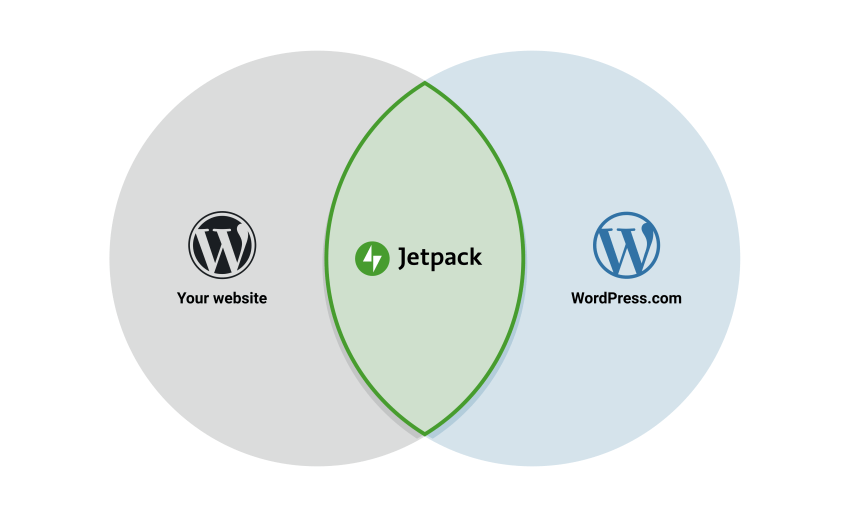
You can manage Jetpack via your WP Admin login or your WordPress.com login.
Jetpack users may have up to three separate sets of login credentials, each used for different purposes. Before troubleshooting, identify which account you need help with:
- Self-Hosted WP Admin account — The username and password for your self-hosted WordPress site. These credentials are specific to your site and are not shared with WordPress.com or WordPress.org.
- WordPress.com account — The email address and password for your WordPress.com account. Jetpack uses your WordPress.com account for its features, billing, and support. This account is also used for other Automattic services like Akismet and Gravatar.
- WordPress.org community account — A separate account for the WordPress.org community forums. This account is not required to use Jetpack and is only needed if you participate in WordPress.org support forums or submit plugin reviews.
Self-Hosted WP Admin account
Log in to WP Admin (for example https://yourjetpack.blog/wp-admin/) to access your self-hosted WordPress website’s primary administrative functions. From WP Admin, you can:
- Customize your site’s theme, including widget, menu, and custom CSS management
- Install, activate, deactivate, and delete themes and plugins
- View site form feedback
- Import and export your site contents
- Edit pages and blog posts and other content such as media
Jetpack does not have access to this account or its details. As such, we cannot make changes to your account or content specific to the WP Admin dashboard.
For forgotten credentials, users should use the “automated password reset process” explained in the WordPress.org’s support documentation.
If you are unable to use this process, you can manually reset your password, which is more complicated than using the automated tool. If it is beyond your technical ability, please contact your hosting provider for help.
Resources for WP Admin Login Issues
- Reset your WP Admin Password
- WordPress Admin Login Trouble
- Change your WP Admin Password when Logged in
- Update your Email Address
WordPress.com account
Jetpack uses the WordPress.com infrastructure for many of its features and for billing. As such, most Jetpack users have a WordPress.com login that is used to connect Jetpack to WordPress.com. You may also have a WordPress.com account if you use other services and plugins created by Automattic such as Akismet or Gravatar.
The Jetpack support team can assist you with your WordPress.com account.
Resources WordPress.com Accounts
- Reset your WordPress.com Password
- WordPress.com Account Recovery Process
- Enable Secure Sign On (SSO) on Jetpack Sites
- Closing (deleting) your WordPress.com account
WordPress.org community account
A WordPress.org account is separate from your WP Admin credentials and your WordPress.com account.
You do not need a WordPress.org account to use Jetpack. This account is only required if you access WordPress.org support forums or to submit reviews for plugins and themes.
If you still have questions, please contact us!
