

Site Chat for Jetpack Search
Site Chat lets visitors ask questions about your site’s content and get conversational answers, powered by Jetpack Search. This guide explains what Site Chat does, how to enable it, and how it works alongside the Embedded Search Blocks experience.
This feature is available on sites with a paid Jetpack Search subscription.
What is Site Chat?
Site Chat is a conversational interface that lets visitors ask questions in plain language and receive answers drawn from the posts and pages on your site. Site Chat uses your site’s Jetpack Search index as its knowledge base, so answers are grounded in your own published content.
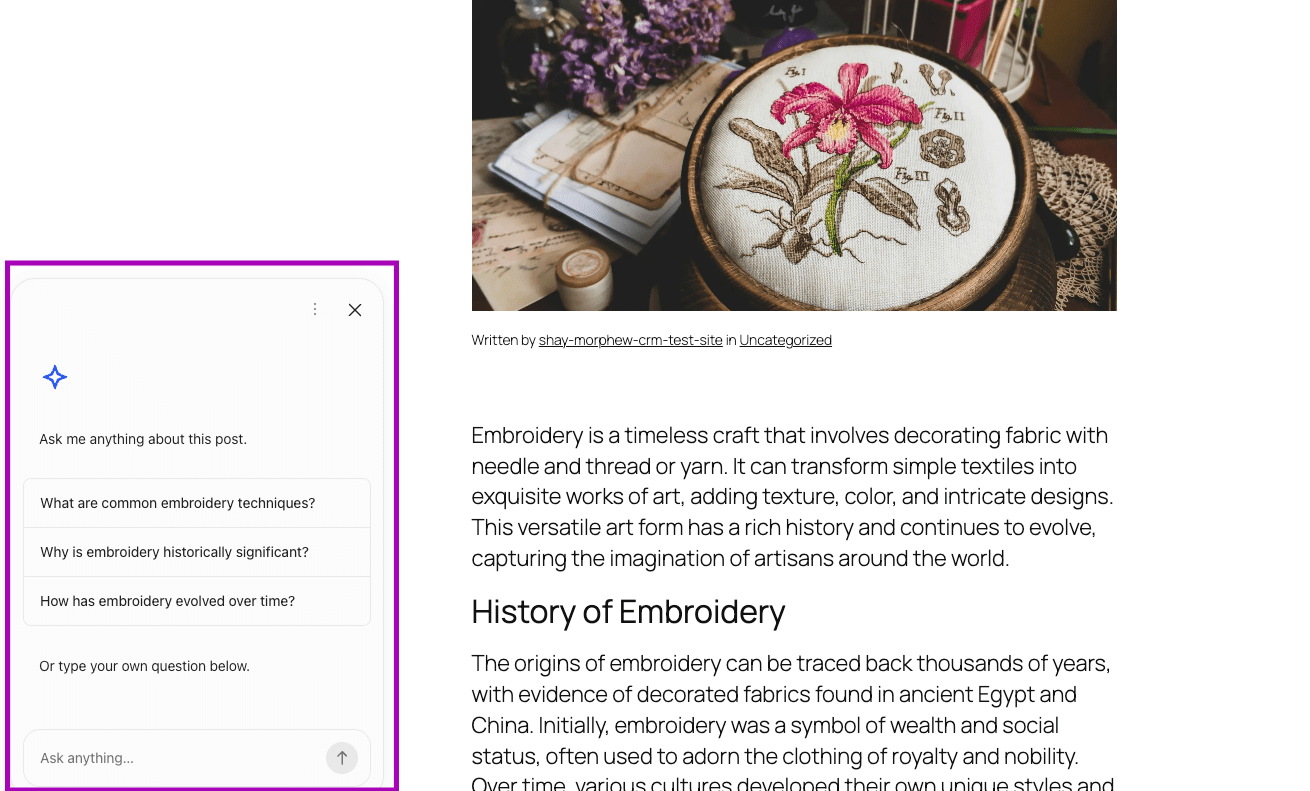
Site Chat does not generate content from sources outside your site. It does not answer questions when no matching content is indexed.
Requirements
Site Chat is available with a paid Jetpack Search subscription, or a plan that includes Search, such as Jetpack Complete. The free tier of Jetpack Search does not include Site Chat.
To use Site Chat, your site needs:
- A paid Jetpack Search subscription.
- The Embedded Search Blocks experience is enabled in Jetpack Search settings.
- At least one indexed post or page for Site Chat to draw answers from.
Turn Site Chat on or off
- In WP Admin, go to Jetpack → Search.
- Under Search Experience, select Embedded Search Blocks.
- Toggle Site Chat under Additional Settings.
To turn Site Chat off, return to the same screen and toggle Site Chat off. Turning Site Chat off does not remove your Search index or affect other Jetpack Search blocks on your site.
How Site Chat works with Embedded Search Blocks
Site Chat is one part of the Embedded Search Blocks experience, the Jetpack Search 3.0 experience that lets you place search and chat directly inside your site’s pages, rather than as an overlay.
Site Chat appears only when the Embedded Search Blocks experience is selected. If you switch your site back to the Overlay or Classic experience, Site Chat is hidden until Embedded Search Blocks is selected again.
Privacy
Site Chat sends visitor questions to Jetpack’s search backend so it can return answers based on your site’s indexed content. Visitor questions are processed to generate a response and are not used to advertise to visitors.
For a full breakdown of data shared by Jetpack Search, see the privacy table on the Jetpack Search support page.
Still need help?
Please contact support. We’re happy to advise.

